
PPMIC MS75, D39T
PPMIC MS75 and D39T Karaoke Machine Combo User Manual
Models: MS75, D39T
Introduction
This manual provides detailed instructions for the PPMIC MS75 Karaoke Machine and the PPMIC D39T Mini Karaoke Machine. Please read this manual thoroughly before operating the devices to ensure proper use and to maximize your experience.
The PPMIC MS75 is a high-performance karaoke machine featuring a premium leather exterior, dual side silicone diaphragm, 6000 mAh battery, Bluetooth 5.3, 6.5-inch bass, 2-inch tweeter, RGB ambient light, and echo adjustment. The PPMIC D39T is a mini karaoke machine with 3.5-inch full-range speakers, a metal composite diaphragm, 3500 mAh lithium battery, Bluetooth 5.3, LED ambient light, and various sound modes.
Package Contents
Verify that all items are present in your package:
- PPMIC MS75 Karaoke Machine
- PPMIC D39T Mini Karaoke Machine
- Wireless Microphones (quantity may vary based on combo)
- Charging Cables (USB-C for MS75, Micro-USB for D39T)
- User Manual (this document)

Image: The PPMIC MS75 karaoke machine, the smaller D39T mini karaoke machine, and two wireless microphones, illustrating the complete combo package.
Setup Guide
1. Charging the Devices
Before first use, fully charge both the MS75 and D39T karaoke machines, as well as the wireless microphones.
- MS75: Connect the provided USB-C charging cable to the charging port on the MS75 and to a compatible USB power adapter (not included). The charging indicator will show progress and turn off when fully charged.
- D39T: Connect the provided Micro-USB charging cable to the charging port on the D39T and to a compatible USB power adapter. The LED indicator will show charging status.
- Microphones: Connect the microphones to their respective charging cables. Refer to the microphone's specific instructions for charging indicators.

Image: The MS75 karaoke machine highlighting its 6000 mAh battery, indicating a charging time of 4-5 hours for up to 24 hours of playing time.

Image: The D39T mini karaoke machine, showing its 3500 mAh battery, providing 8-10 hours of playing time after 3 hours of charging.
2. Powering On
Press and hold the power button on each device until the indicator lights illuminate.
3. Bluetooth Pairing
Both MS75 and D39T use Bluetooth 5.3 for wireless connection.
- Ensure the karaoke machine is powered on and in Bluetooth pairing mode (usually indicated by a flashing LED).
- On your smartphone, tablet, or computer, navigate to the Bluetooth settings.
- Select the device name (e.g., "PPMIC MS75" or "PPMIC D39T") from the list of available devices.
- Once connected, a confirmation sound or steady LED light will indicate successful pairing.
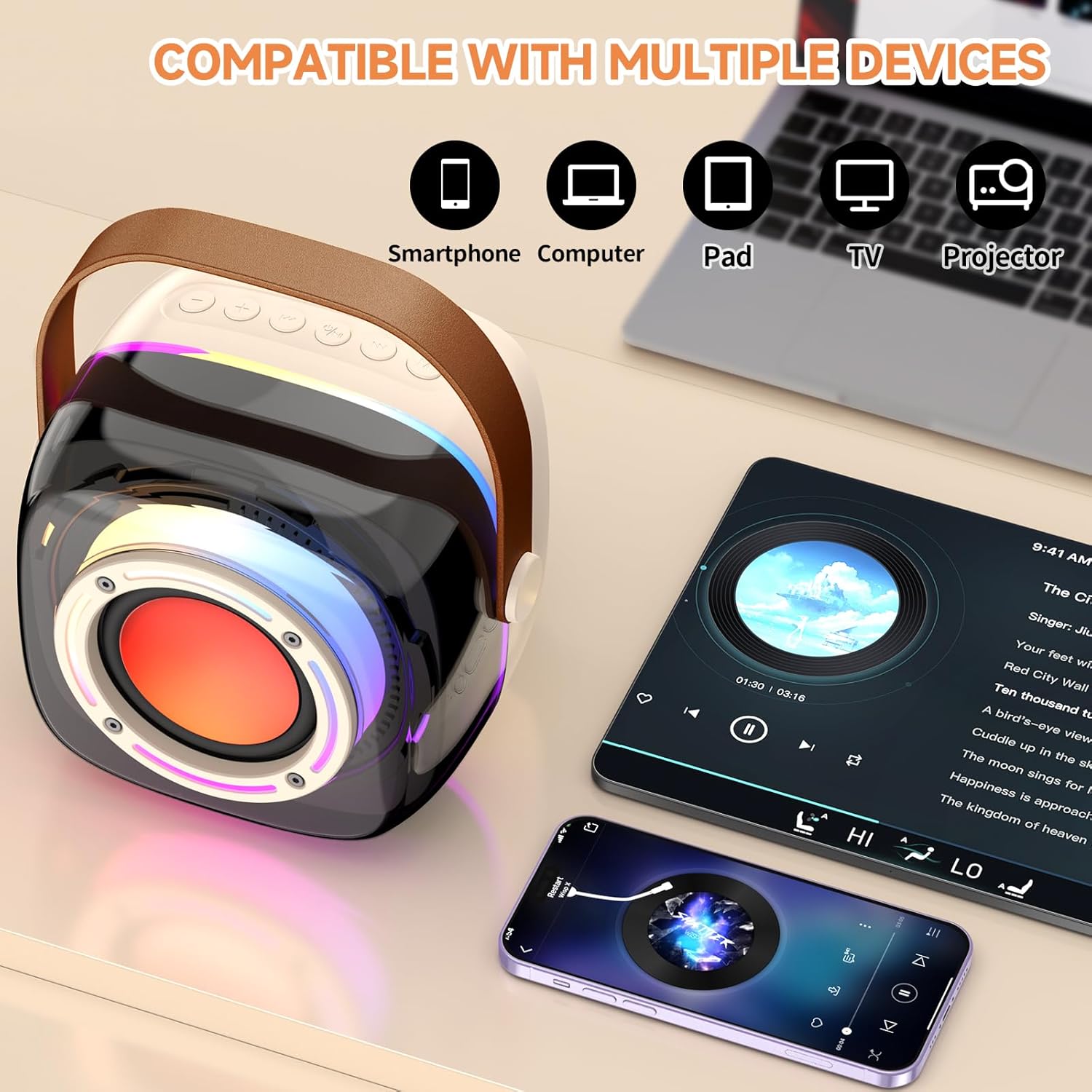
Image: The D39T mini karaoke machine demonstrating compatibility with various devices such as smartphones, computers, pads, TVs, and projectors.

Image: The MS75 karaoke machine showing various connection options including Phone, Pad, Computer, Laptop, TF Card, AUX, Mic Input, and USB Disk, illustrating its versatility.
4. Microphone Connection
The wireless microphones are typically pre-paired with their respective karaoke machines. If not, follow the pairing instructions provided with the microphones.
Operating Instructions
1. Basic Playback
Once connected via Bluetooth, play audio from your paired device. The sound will be output through the karaoke machine's speakers.

Image: An exploded view of the MS75 karaoke machine, illustrating its internal components including the 6.5-inch subwoofer, 2-inch tweeter, DSP chip, and 60W power for superior stereo sound.

Image: An internal view of the D39T mini karaoke machine, highlighting its 3.5-inch full-range speaker, latest DSP chip, and 15W power for powerful 3D stereo sound.
2. Microphone Usage
- Turn on the microphone.
- Adjust the microphone volume using the controls on the microphone or the karaoke machine.
- For the MS75, use the echo adjustment knob to add reverb to your vocals.
- For the D39T, cycle through the 5 kinds of variable sound modes (e.g., original, baby, female, monster, male voice) using the dedicated button.

Image: Individuals enjoying the D39T mini karaoke machine, demonstrating its multiple voice change options including Original Voice, Baby Voice, Female Voice, Monster Voice, and Male Voice.
3. TWS (True Wireless Stereo) Mode (MS75 Only)
To achieve a wider stereo soundstage, you can connect two identical MS75 karaoke machines.
- Ensure both MS75 units are powered on and not connected to any Bluetooth device.
- On one MS75 unit, press and hold the TWS button (refer to device for exact button).
- The units will automatically search and pair with each other. A confirmation sound will indicate successful TWS pairing.
- Once paired, connect your audio source to one of the MS75 units via Bluetooth. Audio will now play through both units in stereo.

Image: Two MS75 karaoke machines positioned to demonstrate True Wireless Stereo (TWS) pairing, providing low-latency, high-fidelity stereo sound for an immersive experience.
4. RGB/LED Ambient Lights
Both machines feature ambient lighting. Use the dedicated button on each device to cycle through light modes or turn them off.
Maintenance
- Cleaning: Use a soft, dry cloth to wipe the exterior of the machines. Do not use harsh chemicals or abrasive cleaners.
- Storage: Store the devices in a cool, dry place away from direct sunlight and extreme temperatures.
- Battery Care: To prolong battery life, avoid fully discharging the battery frequently. Charge the devices regularly, even if not in use for extended periods.
- Water Exposure: These devices are not waterproof. Avoid exposure to water or excessive moisture.
Troubleshooting
No Power
- Ensure the device is fully charged.
- Check the charging cable and adapter for damage and ensure they are properly connected.
- Try a different charging cable or power source.
No Sound / Low Volume
- Increase the volume on both the karaoke machine and your connected audio source.
- Ensure the device is properly paired via Bluetooth. Disconnect and re-pair if necessary.
- Check if the microphone volume is turned up.
- If using TWS mode, ensure both units are correctly paired and the audio source is connected to one of them.
Microphone Not Working
- Ensure the microphone is powered on and fully charged.
- Check if the microphone is paired with the correct karaoke machine.
- Increase the microphone volume.
Bluetooth Disconnection
- Ensure the connected device is within the Bluetooth range (typically 10 meters or 33 feet) and there are no significant obstructions.
- Turn off and restart both the karaoke machine and the connected device.
- Forget the device in your Bluetooth settings and re-pair.
Note: A user review mentioned "Volume drops on its own". If this occurs, try resetting the device by powering it off and on, or check for any firmware updates from the manufacturer.
Specifications
PPMIC MS75 Karaoke Machine
- Speaker Configuration: 6.5-inch Woofer, 2-inch Tweeter
- Diaphragm: Dual Side Silicone
- Battery: 6000 mAh Li-Po (up to 12 hours playback)
- Bluetooth: Version 5.3
- Features: TWS Mode, RGB Ambient Light, Echo Adjustment
- Power Output: 60W
- DSP Chip: Advanced DSP chip for optimized sound
- Exterior: Premium Leather
PPMIC D39T Mini Karaoke Machine
- Speaker Configuration: 3.5-inch Full-Range Speaker
- Diaphragm: Metal Composite
- Battery: 3500 mAh Lithium (8-10 hours playback)
- Bluetooth: Version 5.3
- Features: LED Ambient Light, 5 Variable Sound Modes, Reverb Sound Effect
- Power Output: 15W
- DSP Chip: Latest DSP chip for optimized sound
General Specifications (Both Models)
- Connectivity: Bluetooth, USB, RCA, 3.5mm Jack, HDMI (MS75), TF Card, Mic Input, USB Disk
- Compatible Devices: Smartphone, Tablet, Personal Computer
- Voltage: 3.7 Volts
- Color: Multicolored
- ASIN: B0DNZ4QZPB
- First Available: November 25, 2024
Warranty Information
PPMIC products typically come with a limited manufacturer's warranty. Please refer to the warranty card included in your product packaging or visit the official PPMIC website for detailed warranty terms and conditions. Keep your proof of purchase for warranty claims.
Support
For technical assistance, troubleshooting not covered in this manual, or warranty inquiries, please contact PPMIC customer support:
- Website: Visit the PPMIC Store on Amazon
- Email: Refer to the product packaging or official website for email contact.
- Phone: Refer to the product packaging or official website for phone support.
When contacting support, please have your product model (MS75, D39T) and ASIN (B0DNZ4QZPB) ready.
Related documentsMS75, D39T


Ask a question about this manual
Ask about setup, troubleshooting, compatibility, parts, safety, or missing instructions. Manuals+ will review the question and use this page’s manual context to help answer it.