
Yagud B0DNZ3GPB8
Yagud Walking Pad Treadmill with Handlebar and Incline
Model: B0DNZ3GPB8
User Instruction Manual
1. Important Safety Information
Please read all instructions carefully before using the Yagud Walking Pad Treadmill. Retain this manual for future reference.
- Weight Limit: Do not exceed the maximum user weight of 220 pounds (200 kilograms).
- Placement: Place the treadmill on a flat, stable surface. Ensure adequate clearance around the unit.
- Power: Use only the provided power cord and connect to a grounded outlet. Unplug when not in use or before cleaning/maintenance.
- Children and Pets: Keep children and pets away from the treadmill during operation.
- Footwear: Always wear appropriate athletic footwear when using the treadmill.
- Handlebar: Utilize the handlebar for stability, especially when starting or stopping the treadmill.
- Emergency Stop: Familiarize yourself with the emergency stop function.
2. Product Overview
The Yagud Walking Pad Treadmill is a compact and portable fitness machine designed for walking, jogging, and light running in home or office environments. It features a powerful 2.5HP motor, an LED display, and a remote control for convenient operation.

Figure 2.1: Yagud Walking Pad Treadmill with Safety Handle Bar. The image shows a woman walking on the treadmill, holding onto the handlebar. Icons indicate solid bar, strong load-bearing, and long-lasting durability.
Key Features:
- Powerful 2.5HP Motor: Provides speeds from 0.6 to 3.8 MPH for quiet and comfortable workouts.
- LED Display & Remote Control: Track speed, distance, time, and calories. Adjust settings without interrupting your exercise.
- Compact & Space-Saving Design: Measures 47.2 x 19.6 x 4.6 inches, with transportation wheels for easy movement and storage under furniture.
- Non-Slip & Stable Running Belt: Features 5 layers of non-slip material and silicone shock absorbers for knee, muscle, and ankle protection.
- Incline Feature: Designed with an incline option to enhance calorie burning and workout intensity.
3. Included Components
The Yagud Walking Pad Treadmill package includes:
- Yagud Walking Pad Treadmill Unit
- Remote Control
- Power Cord
- Lubricant Oil (for maintenance)
- Tools (for belt adjustment)
4. Setup Instructions
The Yagud Walking Pad Treadmill requires minimal setup and is designed to be ready for use right out of the box.
- Unpack: Carefully remove the treadmill from its packaging.
- Placement: Place the treadmill on a firm, level surface. Ensure there is enough space around the unit for safe operation.
- Power Connection: Plug the power cord into the treadmill's power input and then into a standard grounded electrical outlet.
- Remote Control: Insert the required batteries into the remote control (batteries may or may not be included).
5. Operating Instructions
5.1 Power On/Off
- To power on, press the power button on the remote control or the main unit.
- To power off, press and hold the power button on the remote control or the main unit until the display turns off.
5.2 Using the Remote Control
The remote control allows you to adjust speed, start, and stop the treadmill conveniently.
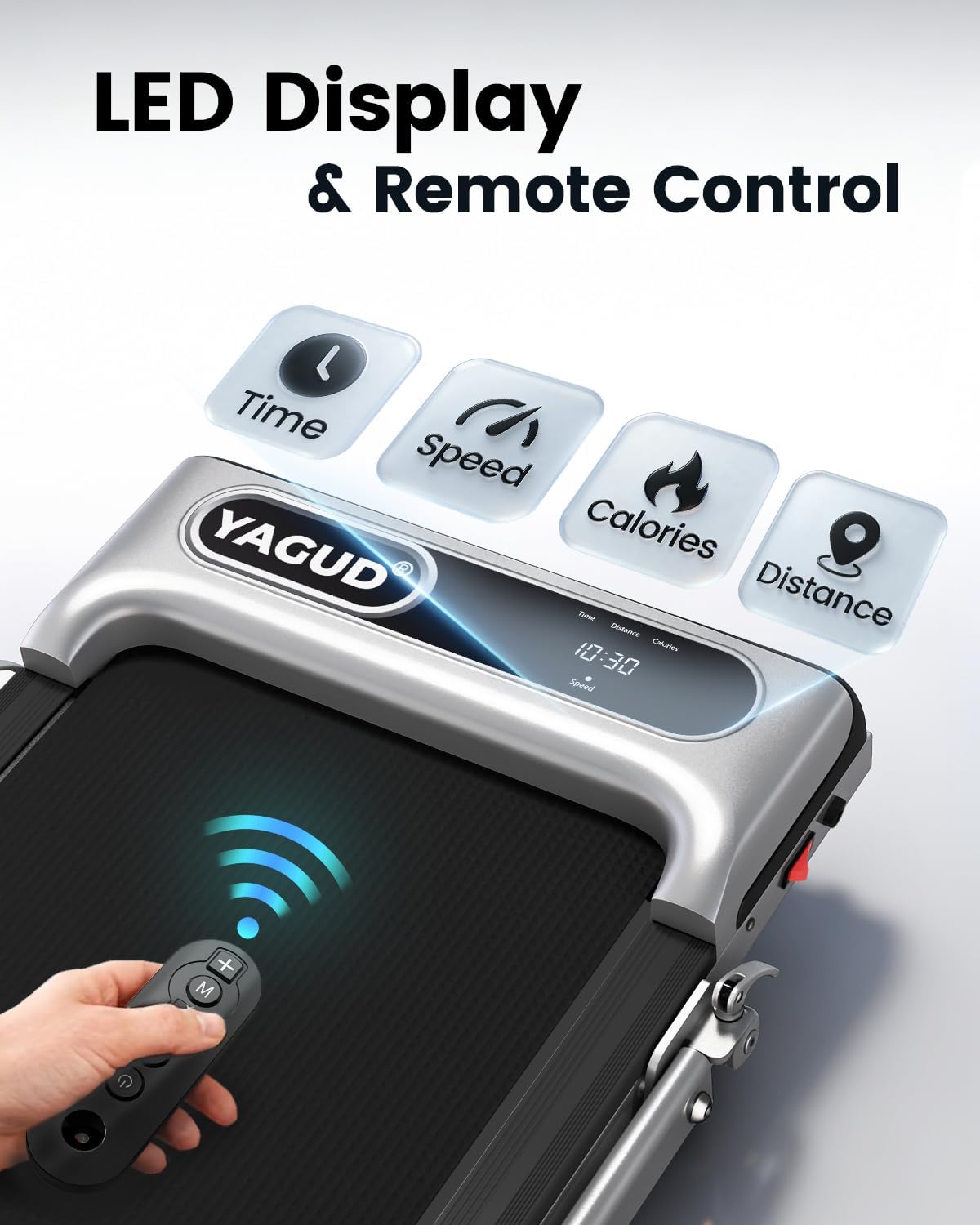
Figure 5.1: Yagud Walking Pad Treadmill LED Display and Remote Control. The image shows a hand holding the remote control, pointing towards the treadmill's LED display which shows time, speed, calories, and distance.
- Start/Stop: Press the play/pause button to start or stop the treadmill belt.
- Speed Adjustment: Use the '+' button to increase speed and the '-' button to decrease speed. The speed range is 0.6 to 3.8 MPH.
- Mode Selection: The 'M' button may cycle through different display modes or preset programs (refer to the specific remote instructions if available).
5.3 LED Display
The integrated LED display provides real-time workout data:
- Time: Duration of your workout.
- Distance: Total distance covered.
- Calories: Estimated calories burned.
- Speed: Current speed in Miles Per Hour (MPH).
5.4 Treadmill Modes
The treadmill supports various modes to suit different exercise intensities:

Figure 5.2: Yagud Walking Pad Treadmill 3-Mode Operation. The image illustrates three modes: Working Mode (0.6-1.5MPH), Walking Mode (1.5-3.0MPH), and Running Mode (3.0-3.8MPH).
- Working Mode (0.6-1.5 MPH): Ideal for light activity while working or performing other tasks.
- Walking Mode (1.5-3.0 MPH): Suitable for a brisk walk.
- Running Mode (3.0-3.8 MPH): For light jogging or running.
5.5 Incline Adjustment
This model features an incline option to increase workout intensity. The maximum incline percentage is 8%.

Figure 5.3: Yagud Walking Pad Treadmill with Incline Feature. The image shows a woman running on the treadmill with a visible incline, illustrating increased calorie burning at 4 degrees incline compared to 0 degrees.
Refer to the specific instructions provided with your unit for details on how to manually adjust the incline.
6. Maintenance
Regular maintenance ensures the longevity and optimal performance of your treadmill.
- Lubrication: Apply lubricant oil to the running belt as recommended in the separate lubrication guide or when the belt feels dry. This typically involves lifting the belt and applying oil to the deck.
- Belt Adjustment: If the running belt becomes misaligned or too loose/tight, use the provided tools to adjust it. Follow the specific instructions for belt centering and tensioning.
- Cleaning: Wipe down the treadmill with a damp cloth after each use. Avoid using abrasive cleaners.
7. Storage
The Yagud Walking Pad Treadmill features a foldable design and transport wheels for easy storage.

Figure 7.1: Yagud Walking Pad Treadmill Foldable Design for Easy Movement and Storage. The image shows the treadmill being folded and then stored flat under a sofa, highlighting its compact nature.
- Folding: The handlebar can be folded down to reduce the treadmill's height, allowing it to be stored flat.
- Movement: Utilize the built-in transport wheels to easily move the treadmill to your desired storage location.
- Storage Locations: The compact design allows for storage under a bed, sofa, or in a corner, minimizing space usage.
8. Specifications
| Feature | Specification |
|---|---|
| Brand | Yagud |
| Model Name | walking pad |
| Product Dimensions | 42"D x 19.6"W x 5.5"H |
| Folded Size | 47.2 x 19.6 x 4.6 inches |
| Item Weight | 36.46 Pounds |
| Material | Alloy Steel |
| Maximum Speed | 3.8 Miles per Hour |
| Maximum Horsepower | 2.5 Horsepower |
| Maximum Incline Percentage | 8% |
| Maximum Weight Recommendation | 220 Pounds (200 Kilograms) |
| Display Type | LED |
| Metrics Measured | Distance, Speed, Time, Calories Burned |
| Connectivity Technology | RF (for remote control) |
| Assembly Required | No |
9. Troubleshooting
If you encounter any issues with your Yagud Walking Pad Treadmill, please refer to the following common solutions:
- Treadmill Not Starting: Ensure the power cord is securely plugged into both the treadmill and a working electrical outlet. Check if the remote control batteries are correctly installed and charged.
- Belt Slippage: The running belt may require tension adjustment. Refer to the maintenance section for instructions or contact support.
- Unusual Noise: Check for any foreign objects under the belt. Ensure the belt is properly lubricated and adjusted.
- Remote Control Not Responding: Replace the remote control batteries. Ensure there are no obstructions between the remote and the treadmill's sensor.
10. Warranty and Support
Yagud is committed to providing quality products and customer satisfaction. If you experience any problems or have questions regarding your Yagud Walking Pad Treadmill, please do not hesitate to contact the Yagud customer support team. They are available to assist you with any inquiries or concerns.
For warranty information and customer service contact details, please refer to the product packaging or the official Yagud website.
Ask a question about this manual
Ask about setup, troubleshooting, compatibility, parts, safety, or missing instructions. Manuals+ will review the question and use this page’s manual context to help answer it.