
1. Introduction and Overview
Thank you for choosing the Jocel JDE002174 Dehumidifier. This appliance is designed to efficiently remove excess moisture from your indoor environment, improving air quality and comfort. With a powerful 25L/day dehumidification capacity, a 4-liter water tank, and smart control features, it is suitable for rooms up to 50m².
Please read this manual thoroughly before operating the dehumidifier to ensure safe and optimal performance. Keep this manual for future reference.
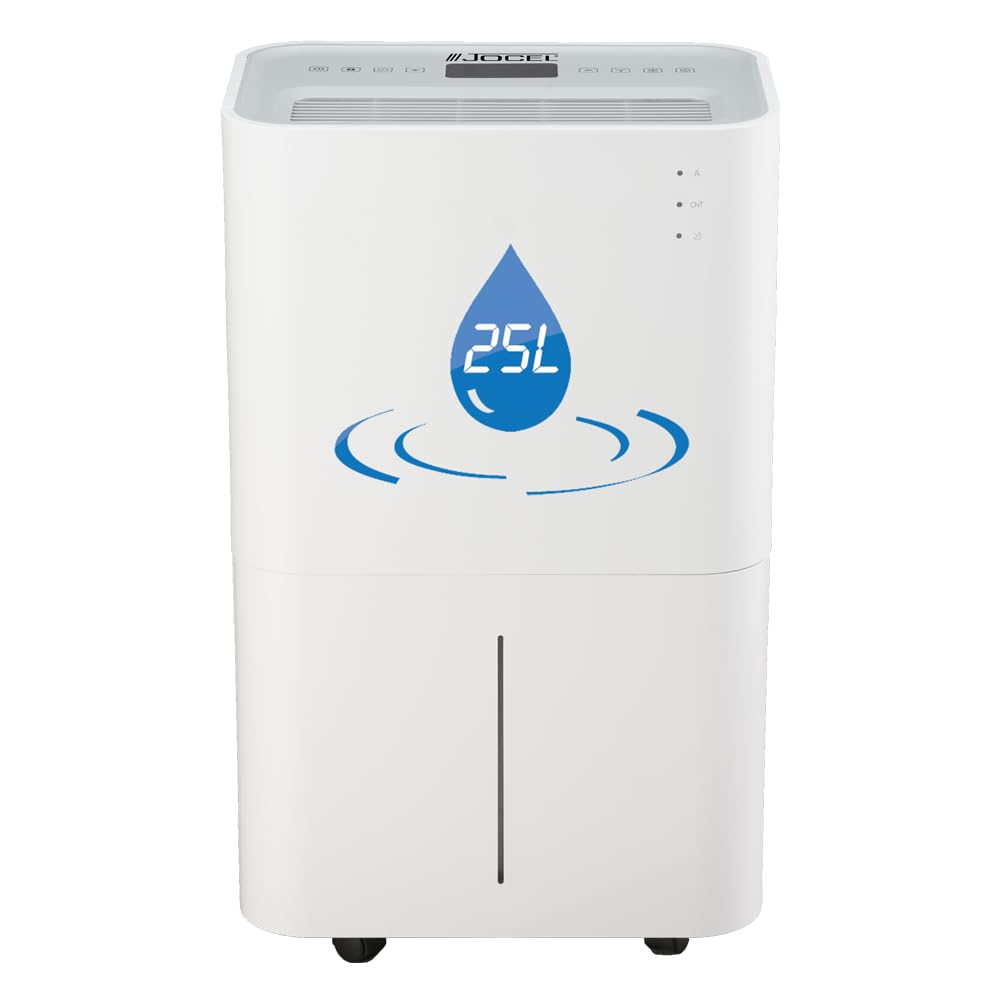
Image 1: Front view of the Jocel JDE002174 Dehumidifier, showing its sleek design, 25L capacity, 50m² room coverage, and Wi-Fi connectivity icons.
2. Safety Instructions
To prevent injury to the user or others and property damage, the following instructions must be followed. Incorrect operation due to ignoring instructions may cause harm or damage.
- This appliance uses R290 refrigerant, which is flammable. Handle with care and ensure proper ventilation during installation and maintenance. Do not puncture the refrigerant circuit.
- Always connect the unit to a properly grounded electrical outlet (220~240V/50Hz).
- Do not operate the dehumidifier with a damaged power cord or plug.
- Keep the air inlet and outlet clear of obstructions to ensure efficient operation and prevent overheating. Maintain at least 20 cm clearance around the unit.
- Do not insert fingers or foreign objects into the air inlets or outlets.
- Do not use the appliance in wet environments such as bathrooms or laundry rooms where it may come into contact with water.
- The integrated air inlet filter is designed to prevent children from touching internal components. Do not remove it.
- The unit features a child lock function. Activate it to prevent accidental changes to settings.
- Unplug the dehumidifier before cleaning or performing any maintenance.
- Do not attempt to repair or disassemble the unit yourself. Contact qualified service personnel.
3. Product Components
Familiarize yourself with the main parts of your Jocel JDE002174 Dehumidifier:
- Main Unit: Houses the compressor, fan, and control electronics.
- Control Panel: Touch-sensitive panel with display for setting and monitoring operations.
- Air Inlet: Located at the rear, where humid air enters. Features an integrated filter.
- Air Outlet: Located at the top, where dry air is expelled.
- Water Tank: Removable 4-liter tank for collecting condensed water.
- Continuous Drainage Outlet: Port for connecting a hose for continuous water drainage.
- Wheels and Handles: For easy transport and positioning of the unit.

Image 2: Top view of the Jocel JDE002174 Dehumidifier, highlighting the touch control panel with various function icons.
4. Setup
4.1 Unpacking
- Carefully remove the dehumidifier from its packaging.
- Remove all packing materials, tapes, and protective films.
- Inspect the unit for any signs of damage. If damaged, do not operate and contact your retailer.
4.2 Placement
- Place the dehumidifier on a firm, level surface to minimize vibration and noise.
- Ensure there is at least 20 cm of space around the unit for proper air circulation.
- The recommended room size for optimal performance is up to 50m².
- Operate the unit within the recommended temperature range of 5°C to 35°C.
- Avoid placing the unit near heat sources, direct sunlight, or in areas exposed to water.
4.3 Water Drainage Options
The dehumidifier offers two methods for water removal:
- Water Tank: Condensed water collects in the internal 4-liter tank. The unit will automatically shut off when the tank is full, and an audible and visual signal will alert you. Empty the tank manually when full.
- Continuous Drainage: For extended operation without manual emptying, connect a drainage hose (not included) to the continuous drainage outlet. Ensure the hose is sloped downwards to allow gravity drainage into a suitable receptacle or drain.
4.4 Power Connection
Plug the power cord into a grounded 220~240V/50Hz electrical outlet.
4.5 Smartphone Connection (Wi-Fi)
This dehumidifier supports connection via smartphone. Refer to the separate Wi-Fi setup guide or the manufacturer's website for detailed instructions on connecting your device and using the smart control features.
5. Operating Instructions
The unit features a top touch control panel with a display for easy operation.
5.1 Power On/Off
- Press the Power button on the control panel to turn the unit on or off.
5.2 Operating Modes
Select from three operating modes:
- Auto Mode: The unit automatically adjusts its operation based on the ambient humidity level to maintain a comfortable environment.
- Continuous/Drying Mode: The dehumidifier operates continuously, ideal for drying laundry or in very damp conditions.
- Night Mode: Operates at a lower fan speed and with reduced display brightness for quieter operation during sleep.
5.3 Fan Speed
The unit has 2 fan speeds. Press the Fan Speed button to cycle between high and low settings.
5.4 Timer Function
Set the timer for automatic shut-off or power-on within a 0-24 hour range. Press the Timer button and use the adjustment buttons to set the desired time.
5.5 Child Lock
Activate the Child Lock function to disable the control panel buttons, preventing accidental changes by children. Refer to the control panel diagram for the specific button combination or icon.
5.6 Tank Full Indicator
When the 4-liter water tank is full, the unit will automatically shut off. A luminous and audible signal will indicate that the tank needs to be emptied. Empty the tank and reinsert it correctly for operation to resume.
6. Maintenance
Regular maintenance ensures the longevity and efficient operation of your dehumidifier.
6.1 Cleaning the Air Filter
The integrated air filter should be cleaned regularly (e.g., every two weeks or as needed) to maintain optimal performance.
- Turn off the unit and unplug it from the power outlet.
- Locate the air filter at the rear of the unit.
- Carefully remove the filter.
- Clean the filter with a vacuum cleaner or wash it gently with warm, soapy water. Rinse thoroughly.
- Allow the filter to air dry completely before reinserting it. Do not use a dryer or direct heat.
- Reinsert the dry filter back into its position.
6.2 Emptying and Cleaning the Water Tank
Empty the water tank when the full indicator activates. Clean the tank periodically to prevent mold and mildew growth.
- Turn off the unit and unplug it.
- Carefully pull out the water tank from the front of the unit.
- Empty the collected water.
- Wash the tank with mild detergent and warm water. Rinse thoroughly.
- Ensure the tank is completely dry before reinserting it into the unit.
6.3 Exterior Cleaning
Wipe the exterior of the dehumidifier with a soft, damp cloth. Do not use harsh chemicals, abrasive cleaners, or solvents, as these can damage the surface.
6.4 Storage
If storing the unit for an extended period:
- Ensure the water tank is empty and clean.
- Clean the air filter.
- Unplug the unit and coil the power cord neatly.
- Cover the unit with a plastic bag or cloth to protect it from dust.
- Store in a cool, dry place.
7. Troubleshooting
Before contacting customer support, please refer to the following common issues and solutions:
| Problem | Possible Cause | Solution |
|---|---|---|
| Unit does not turn on | No power; Power cord not plugged in; Tank full; Child lock active. | Check power connection; Empty water tank; Deactivate child lock. |
| No dehumidification / Low efficiency | Air filter clogged; Room temperature too low; Air inlet/outlet blocked; Room size too large; Doors/windows open. | Clean air filter; Ensure room temperature is above 5°C; Clear obstructions; Close doors/windows. |
| Unit is noisy | Unit not on a level surface; Air filter clogged; Normal operating noise (45dB(A)). | Place on a level surface; Clean air filter; Noise level of 45dB(A) is normal for this unit. |
| Water leaks from unit | Water tank not inserted correctly; Continuous drainage hose loose or blocked. | Reinsert water tank properly; Check continuous drainage hose for secure connection and clear path. |
If the problem persists after trying these solutions, please contact Jocel customer support or your retailer for assistance.
8. Specifications
| Feature | Specification |
|---|---|
| Model | JDE002174 |
| Brand | Jocel |
| Humidity Removal Capacity | 25 Liters/day (at 30°C, 80% RH) |
| Recommended Room Size | Up to 50m² |
| Water Tank Capacity | 4 Liters |
| Air Volume | 180m³/Hr |
| Power Consumption | 370 Watts |
| Voltage | 220~240V/50Hz |
| Noise Level | 45dB(A) |
| Refrigerant | R290/70g |
| Operating Temperature Range | 5°C~35°C |
| Product Dimensions (H x W x D) | 57.8 x 35 x 23.5 cm |
| Net Weight | 14.5 kg |
| Special Features | Timer (0-24h), Child Lock, 2 Fan Speeds, Wi-Fi Connectivity, Auto-shutoff (tank full), Continuous drainage option, Touch control panel with display. |
9. Warranty and Support
For warranty information, please refer to the warranty card included with your product or contact your point of purchase. Keep your purchase receipt as proof of purchase.
For technical support, spare parts, or service inquiries, please contact Jocel customer service or your authorized retailer. Do not attempt to repair the unit yourself, as this may void your warranty and pose safety risks.
