
Introduction
Thank you for purchasing the FUSOU 13-Drawer Vanity Desk. This manual provides essential information for the safe assembly, operation, and maintenance of your new vanity desk. Please read these instructions thoroughly before use and retain them for future reference.

Figure 1: The FUSOU 13-Drawer Vanity Desk with LED mirror and included stool.
Safety Information
WARNING: Failure to follow these safety instructions may result in injury or damage to the product.
- Always unplug the vanity before assembly or cleaning.
- Be cautious of sharp edges and pinch points during assembly.
- Do not place heavy objects on the glass top to prevent damage.
- Keep the vanity away from heat sources to prevent fire hazards.
- Always supervise children around the vanity.
Package Contents
The FUSOU 13-Drawer Vanity Desk is shipped in two separate boxes. These boxes may arrive at different times. Please ensure all parts are present before beginning assembly.

Figure 2: The vanity desk is shipped in two packages.
Included Components:
- Vanity Desk Frame and Panels
- Mirror with 12 LED Bulbs
- 13 Drawers with Crystal Knobs
- Glass Tabletop Panels
- Vanity Stool
- Power Outlet Unit (2 AC, 2 USB)
- Hair Dryer Holder
- Assembly Hardware (screws, dowels, etc.)
- Detailed Installation Instructions
Assembly Instructions
Assembly is required for this vanity desk. Please follow the detailed installation instructions provided in your package. It is recommended to have two people for assembly to ensure stability and ease of construction.
General Assembly Tips:
- Lay out all components and hardware before starting.
- Identify each part using the labels in the instruction manual.
- Do not overtighten screws to avoid damaging the engineered wood.
- Ensure all connections are secure before moving or using the vanity.
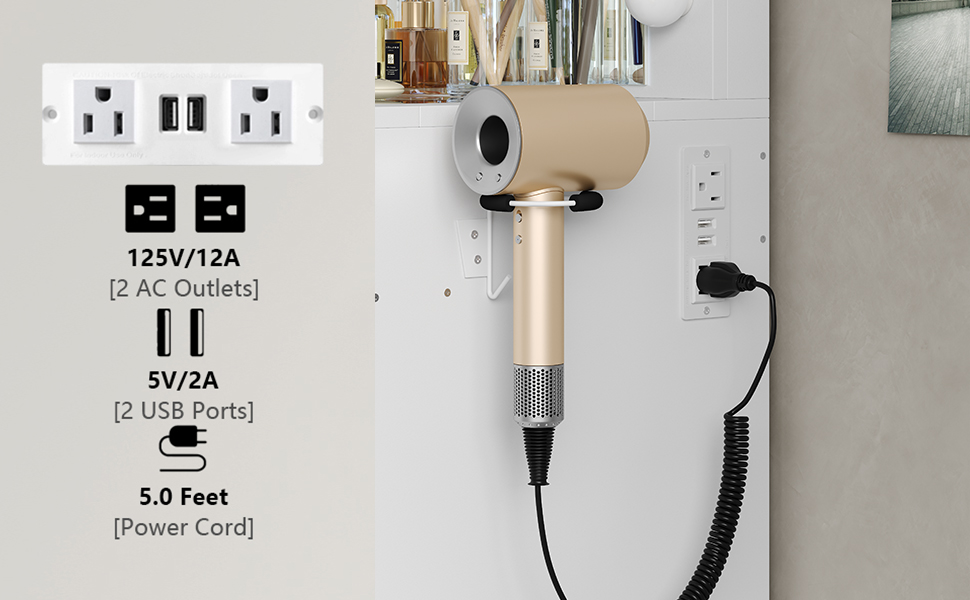
Figure 3: The vanity desk with drawers open, illustrating the storage compartments.
Operating Instructions
LED Mirror Lighting Modes:
The mirror features 12 Hollywood-style LED bulbs with three adjustable lighting modes: cold light, natural light, and warm light. To change the lighting color, long-press the switch located on the mirror frame. Short-press the switch to adjust the brightness within each mode.

Figure 4: The LED mirror offers three distinct lighting modes for various makeup needs.
Built-in Power Outlet:
The vanity desk includes a convenient power outlet with two standard AC plug sockets (125V/12A) and two USB ports (5V/2A). This allows you to connect and charge your hair dryer, curling iron, phone, tablet, or other electronic devices directly at your vanity.

Figure 5: Integrated power strip for convenient device charging and use of hair tools.
Glass Tabletop and Storage:
The vanity features an embedded tempered glass tabletop, allowing you to easily view and access cosmetics, jewelry, and accessories stored in the top drawers. This design helps maintain an organized and clutter-free makeup area.

Figure 6: The tempered glass tabletop provides visible and organized storage.
Vanity Stool:
The included vanity stool features a double-layer soft sponge and PU fabric cushion for comfortable seating. It is designed to fit perfectly under the central opening of the desk, saving space when not in use.
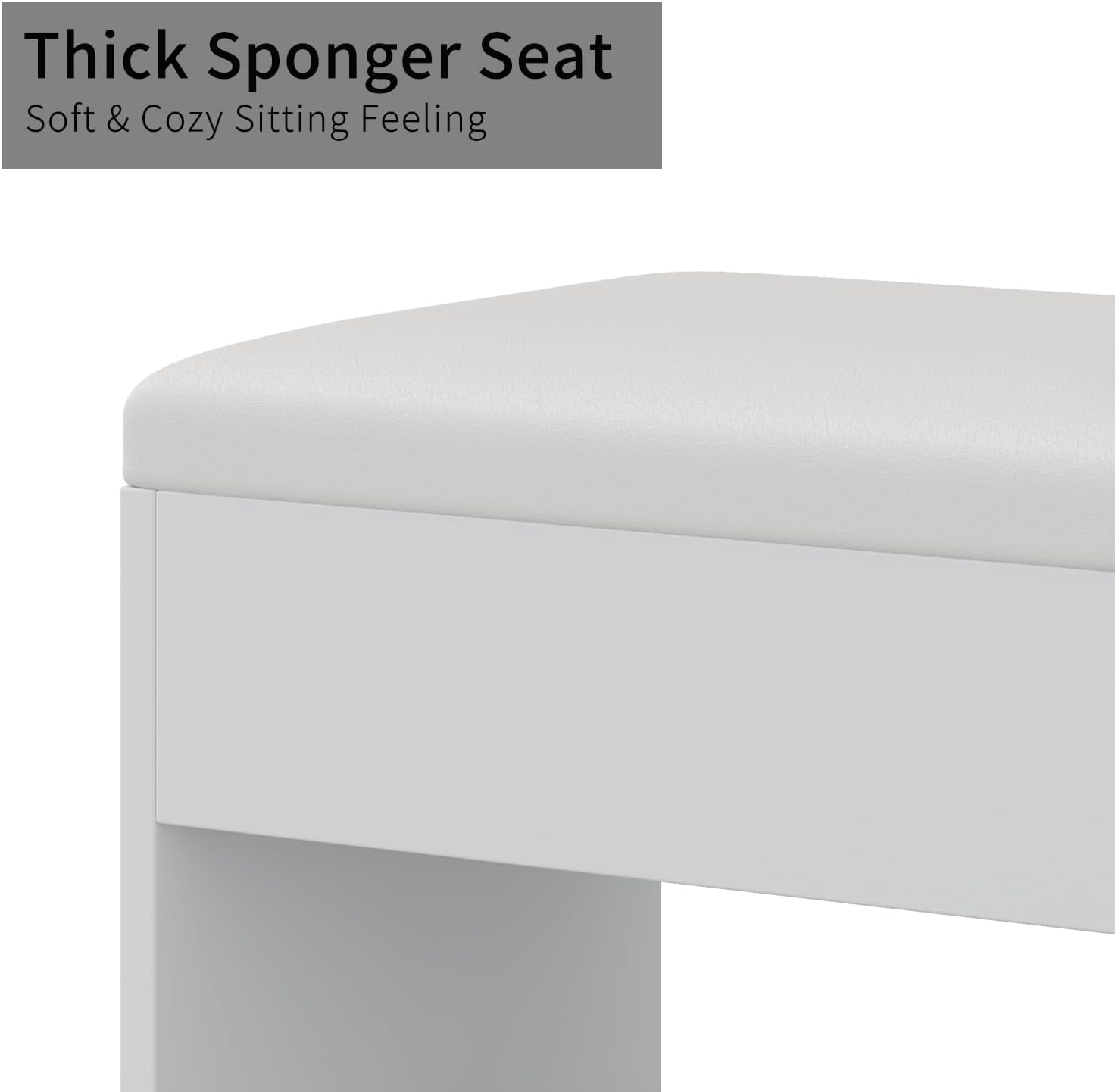
Figure 7: The comfortable and space-saving vanity stool.
Maintenance and Care
- Cleaning: Wipe surfaces with a soft, damp cloth. For the glass tabletop, use a glass cleaner. Avoid abrasive cleaners or harsh chemicals that may damage the finish.
- Dusting: Regularly dust all surfaces to prevent buildup.
- Spills: Clean up spills immediately to prevent staining or damage to the engineered wood.
- Drawer Maintenance: Periodically check drawer slides for smooth operation. If needed, apply a silicone-based lubricant.
- Bulb Replacement: If an LED bulb needs replacement, contact FUSOU customer support for guidance.
Troubleshooting
Common Issues and Solutions:
- LED Lights Not Working:
1. Ensure the vanity is properly plugged into a working power outlet.
2. Check the power switch on the mirror frame. - Drawers Not Sliding Smoothly:
1. Ensure drawers are correctly installed on their tracks.
2. Check for any obstructions in the drawer slides.
3. Apply a silicone-based lubricant to the slides if necessary. - Power Outlet Not Functioning:
1. Verify the main power cord is securely plugged into a wall outlet.
2. Check if the wall outlet itself is working by plugging in another device.
For any issues not covered here, please refer to the contact information in the 'Warranty and Support' section.
Specifications
| Feature | Detail |
|---|---|
| Brand | FUSOU |
| Model Number | VD018-WH |
| Color | White |
| Material | Engineered Wood |
| Product Dimensions (D x W x H) | 15.75" x 47.06" x 55.06" |
| Item Weight | 150 Pounds |
| Number of Drawers | 13 |
| Lighting | 12 LED Bulbs, 3 Color Modes (Cold, Natural, Warm) |
| Power Outlet | 2 AC Outlets (125V/12A), 2 USB Ports (5V/2A) |
| Stool Dimensions (D x W x H) | 15.7" x 12" x 18" |
| Assembly Required | Yes |

Figure 8: Detailed dimensions of the FUSOU Vanity Desk and stool.
Product Videos
FUSOU Vanity Desk Overview
Video 1: A comprehensive overview of the FUSOU Vanity Desk, highlighting its practical and elegant design, 9 drawers, large mirror, and 12 LED lights with 3 lighting modes. It also showcases the glass tabletop, fold-down panel, and built-in power outlets for charging devices.
Jewelry Organization with FUSOU Vanity Desk
Video 2: This video demonstrates the effective organization of jewelry and accessories within the vanity desk's drawers, particularly showcasing the clear glass top for easy visibility.
FUSOU Vanity Desk Features Demonstration
Video 3: A detailed look at the FUSOU Vanity Desk, emphasizing its storage capabilities with multiple drawers, the functionality of the LED mirror with adjustable lighting, and the convenience of the built-in power outlets.
Warranty and Support
FUSOU is committed to providing high-quality products and excellent customer service. If you encounter any issues with your vanity desk, or have questions regarding assembly, operation, or missing parts, please contact FUSOU customer support.
Please refer to your purchase documentation or the FUSOU official website for specific warranty details and contact information.
When contacting support, please have your model number (VD018-WH) and purchase date available.


