
1. Introduction
Thank you for choosing the Jafända JF268N Air Purifier. This device is designed to significantly improve the air quality in your home, covering areas up to 1226 sq.ft. It features a powerful 3-stage HEPA filtration system, a precise PM2.5 sensor for real-time air quality monitoring, and an aromatherapy function for a pleasant environment. With its quiet operation and intelligent modes, the JF268N provides clean, fresh air for a healthier living space.

The Jafända JF268N Air Purifier, designed for effective air purification and aromatherapy.
2. Safety Instructions
Please read all instructions carefully before using the appliance and keep this manual for future reference. Failure to follow these instructions may result in electric shock, fire, or serious injury.
- Always unplug the air purifier before moving, cleaning, or performing any maintenance.
- Do not operate the appliance with a damaged cord or plug.
- Keep the air purifier away from water or other liquids. Do not use in bathrooms or excessively humid environments.
- Ensure proper ventilation around the unit; do not block air inlets or outlets.
- This appliance is not intended for use by persons (including children) with reduced physical, sensory or mental capabilities, or lack of experience and knowledge, unless they have been given supervision or instruction concerning use of the appliance by a person responsible for their safety.
- Statements regarding dietary supplements have not been evaluated by the FDA and are not intended to diagnose, treat, cure, or prevent any disease or health condition.
3. Product Overview
3.1 Components
- Main Air Purifier Unit
- 3-in-1 Composite Filter (Pre-filter, True HEPA, Activated Carbon)
- Power Cord
- Aromatherapy Pad (pre-installed)
3.2 Control Panel and Indicators

Intuitive touch control panel for easy operation.
| Button/Indicator | Function/Description |
|---|---|
| On/Off Button | Powers the unit on or off. |
| Speed Button | Cycles through fan speeds (Low, Medium, High). |
| Auto Mode Button | Automatically adjusts fan speed based on real-time PM2.5 air quality. |
| Turbo Button | Activates maximum fan speed for rapid purification. |
| Timer Button | Sets operating timer for 1, 2, 4, or 8 hours. |
| Light Button | Controls the brightness of the display lights or turns them off for Sleep Mode. |
| Filter Button | Indicates filter life and is used for filter reset. |
| Child Lock Indicator | Indicates when the child lock is active (press and hold Light button for 3 seconds to activate/deactivate). |
| PM2.5 Display | Shows real-time PM2.5 particle concentration in the air. |
| Air Quality Indicator | Changes color based on PM2.5 levels: Green (Excellent: 0-12 particles), Blue (Moderate: 13-35 particles), Yellow (Poor: 36-55 particles), Red (Unhealthy: 56+ particles). |
4. Setup
4.1 Unpacking
Carefully remove the air purifier from its packaging. Ensure all components are present and undamaged.
4.2 Filter Installation
The Jafända JF268N comes with a 3-stage filtration system, which includes a Pre-filter, True HEPA filter, and Activated Carbon filter. The filter is typically pre-installed but may require removing protective packaging before first use.
- Open the back cover of the air purifier.
- Remove the plastic packaging from the filter.
- Insert the filter back into the unit, ensuring it is seated correctly.
- Close the back cover securely.

The 3-stage filtration system captures 99.97% of harmful particles.
4.3 Placement
Place the air purifier on a flat, stable surface. For optimal performance, ensure there is at least 6 inches (15 cm) of space around all sides of the unit, especially the air intake on the back, to allow for proper airflow.

The Jafända JF268N effectively purifies air in large rooms up to 1226 sq.ft.
4.4 Power Connection
Plug the power cord into a standard electrical outlet. The unit will enter standby mode.
5. Operating Instructions
5.1 Power On/Off
Press the On/Off button to turn the air purifier on or off.
5.2 Fan Speed Adjustment
Press the Speed button repeatedly to cycle through Low, Medium, and High fan speeds. The current speed will be indicated on the display.
5.3 Auto Mode
Press the Auto button to activate Auto Mode. In this mode, the air purifier's PM2.5 sensor will detect the air quality and automatically adjust the fan speed to optimize purification. The Air Quality Indicator light will change color according to the air quality.

Real-time air quality indicator provides clear visual feedback.
5.4 Turbo Mode
Press the Turbo button for maximum purification power. The fan will operate at its highest speed to quickly clean the air.
5.5 Sleep Mode
To activate Sleep Mode, press the Speed button until the Sleep Mode icon appears. In Sleep Mode, the fan operates at its lowest, quietest setting (approx. 20 dB), and all display lights can be turned off by pressing the Light button, ensuring an undisturbed rest.
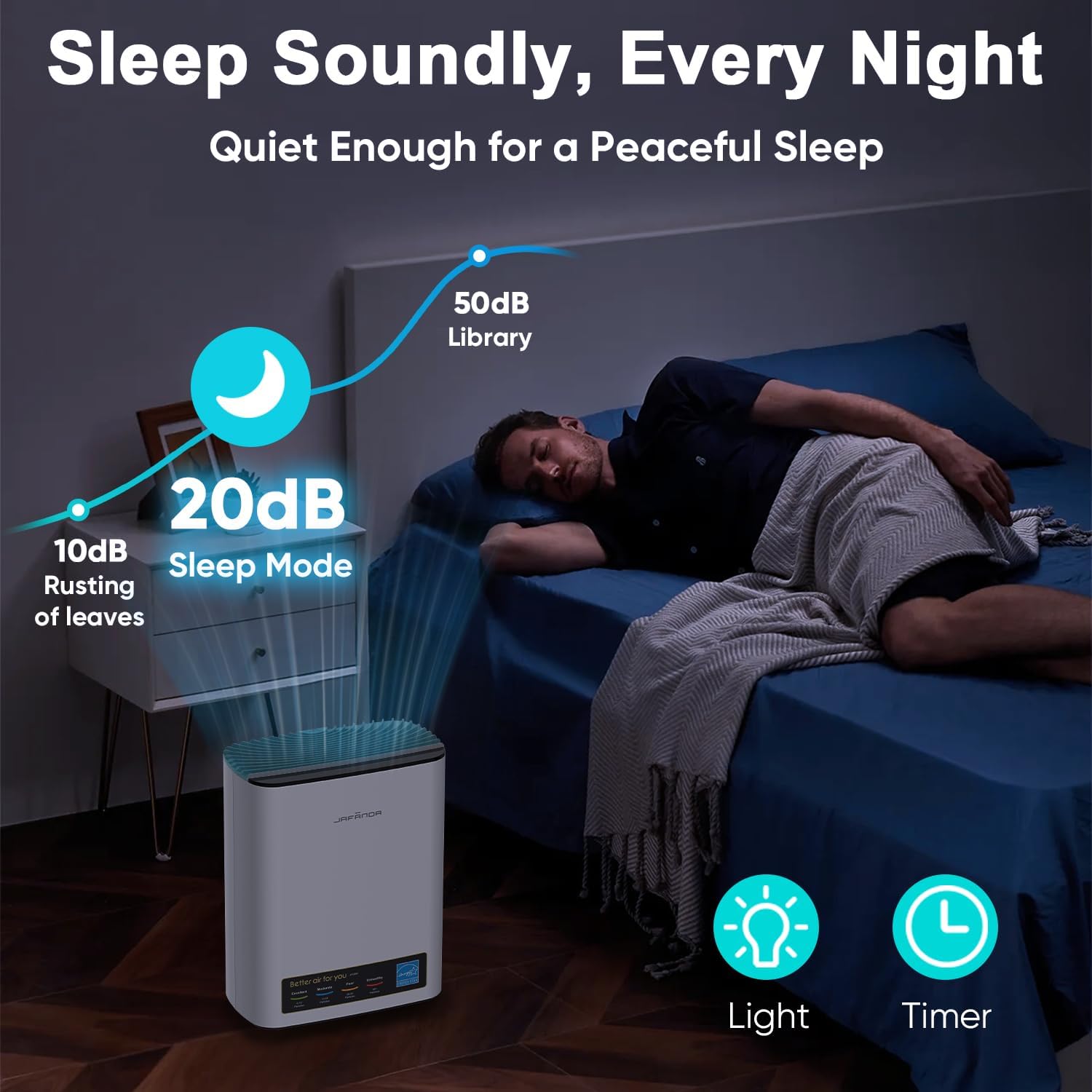
Enjoy peaceful sleep with the ultra-quiet 20dB Sleep Mode.
5.6 Timer Function
Press the Timer button repeatedly to set the operating time for 1, 2, 4, or 8 hours. The unit will automatically turn off once the set time has elapsed.
5.7 Aromatherapy Function
The air purifier features a built-in essential oil box with an aroma pad. To use:
- Locate the essential oil box on the side of the unit.
- Pull out the aroma pad tray.
- Add a few drops of your favorite essential oil onto the aroma pad.
- Slide the tray back into the unit.

Add your favorite essential oils for a refreshing aroma.
5.8 Child Lock
To activate the Child Lock, press and hold the Light button for 3 seconds. The child lock indicator will illuminate, and all other buttons will be disabled. To deactivate, press and hold the Light button again for 3 seconds.
6. Maintenance
6.1 Filter Replacement
The filter life indicator (Filter button) will turn red when the filter life is below 5%, indicating it needs to be replaced. For optimal performance, it is recommended to replace the filter every 6-8 months, depending on usage and air quality.
Replacement Filter ASIN: B0CYPRC3B9
Steps to Replace Filter:
- Unplug the air purifier from the power outlet.
- Open the back cover of the unit.
- Remove the old filter.
- Insert the new filter, ensuring it is correctly oriented.
- Close the back cover securely.
Filter Reset Procedure:
After replacing the filter, you must reset the filter life indicator:
- With the unit plugged in and in standby mode (not turned on), press and hold the Filter button for 3 seconds.
- You will hear a


