
Bruni Bruni Basics-Clear 4053664339852
Bruni Screen Protector for IPRO F189 User Manual
Crystal Clear Protective Film (2X)
1. Introduction
This manual provides comprehensive instructions for the installation, operation, and maintenance of your Bruni Screen Protector, specifically designed for the IPRO F189. This high-quality protective film offers superior clarity and protection for your device's display.

Image: Emphasizing the premium quality of the display protection, showing sparks from a cutting process.
2. What's in the Box
Your Bruni Screen Protector package includes the following items:
- Bruni Screen Protector Film (2 pieces)
- Mounting Aid
- Microfiber Cleaning Cloth
- Mounting Instructions (this manual)

Image: An overview of the package contents, including the display protective film, mounting aid, microfiber cloth, and mounting instructions.
3. Setup (Installation Guide)
Follow these simple steps for a bubble-free installation:
- Clean the Screen: Use the provided microfiber cloth to thoroughly clean your IPRO F189 screen. Ensure there is no dust, smudges, or fingerprints. For best results, use a screen cleaning solution (not included) if available.
- Align the Protector: Carefully peel back a small portion of the protective layer from one end of the screen protector. Align the exposed edge of the screen protector with the corresponding edge of your device's screen. Pay close attention to cutouts for cameras or sensors.
- Apply Gradually: Slowly peel off the rest of the protective layer while simultaneously applying the screen protector to the device. Use the mounting aid (or a credit card wrapped in the microfiber cloth) to gently push out any air bubbles as you go, working from the applied edge towards the unapplied edge.
- Remove Bubbles: If any small bubbles remain, gently push them towards the nearest edge using the mounting aid. Stubborn bubbles might require lifting a small section of the protector and reapplying it carefully.
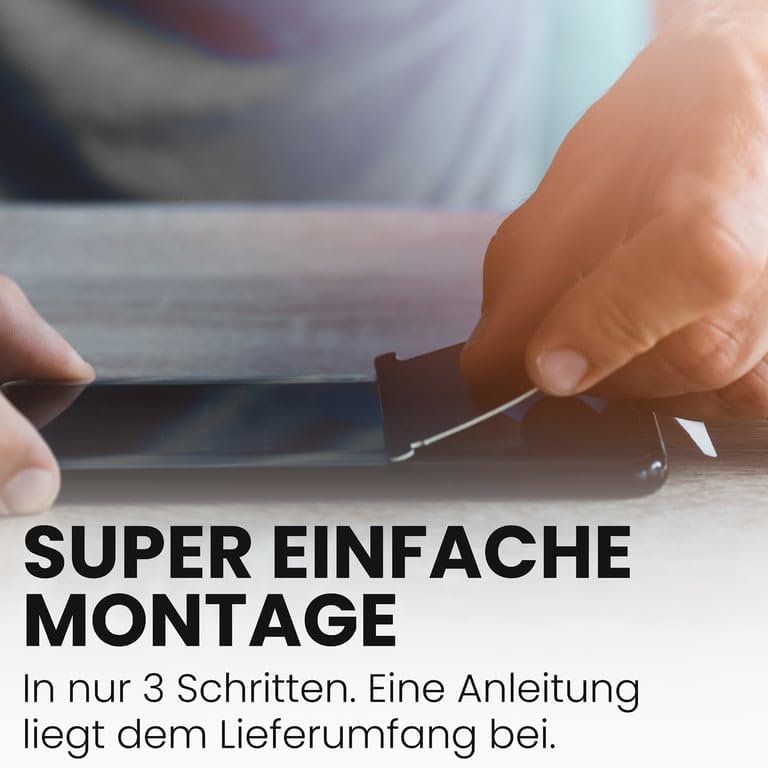
Image: A close-up image showing hands in the process of applying the screen protector to a device, emphasizing the simple three-step installation process.

Image: A visual guide emphasizing the super simple 3-step assembly process for the screen protector, with instructions included in the package.
4. Operating (Features and Benefits)
The Bruni Screen Protector is designed to enhance your device's durability and user experience without compromise.
- Sensitive Touch: Maintains the original touch sensitivity of your IPRO F189, ensuring smooth and precise interactions.
- Crystal Clear Display: Provides unadulterated display of screen contents with no color attenuation, preserving the true colors of your device.
- Scratch Resistance: Made from highly transparent PET material, it offers robust protection against scratches from daily use.
- Impact Resistance: Engineered to provide a degree of impact resistance, protecting your screen from minor drops.
- Easy to Remove: Can be removed or repositioned at any time without leaving residue.

Image: A graphic listing the key benefits of the Bruni screen protector: simple installation, sensitive touch, safe and scratch-resistant, clear colors, made in Germany, and maximum shatterproof.

Image: A hand interacting with a device screen, highlighting the screen protector's fast, highly sensitive, and precise touch response.

Image: A device screen displaying vibrant colors, demonstrating that the clear protective film maintains true color representation without deviation.
5. Maintenance
To ensure the longevity and clarity of your Bruni Screen Protector, follow these simple maintenance tips:
- Regular Cleaning: Use the provided microfiber cloth to gently wipe the screen protector daily to remove dust and smudges.
- Stubborn Marks: For more stubborn marks, lightly dampen the microfiber cloth with water or a screen-safe cleaning solution. Avoid harsh chemicals or abrasive materials.
- Avoid Sharp Objects: While the protector is scratch-resistant, avoid direct contact with sharp objects like keys or knives to prevent damage.
6. Troubleshooting
Here are solutions to common issues you might encounter:
- Bubbles After Installation:
- Small Bubbles: Most small bubbles will disappear naturally within 24-48 hours.
- Large Bubbles: Gently lift the nearest edge of the screen protector and reapply, pushing the bubble out with the mounting aid.
- Dust Particles Under Protector:
- If dust is trapped, carefully lift the nearest edge of the protector. Use a piece of tape to dab the dust particle off both the screen and the adhesive side of the protector. Reapply carefully.
- Misalignment:
- If the protector is significantly misaligned, gently peel it off completely and re-attempt installation from step 1, ensuring proper alignment before full application.
7. Specifications
| Brand | Bruni |
| Compatible Devices | IPRO F189 |
| Material | Polyethylenterephthalat (PET) |
| Item Hardness | 4H |
| Product Dimensions | 5 x 3.7 x 1.27 cm |
| Item Weight | 6 g |
| Manufacturer | atFoliX GmbH |
| Country of Origin | Germany |
8. Warranty and Support
Bruni screen protectors are manufactured with high-quality standards. For any questions, concerns, or support regarding your product, please contact the manufacturer, atFoliX GmbH, directly through their official website or the retailer where you purchased the product. Please retain your proof of purchase for any warranty claims.

Image: A statement from Bruni highlighting their commitment to high-quality, custom-fit, durable, and innovative screen protection since 2007.
Ask a question about this manual
Ask about setup, troubleshooting, compatibility, parts, safety, or missing instructions. Manuals+ will review the question and use this page’s manual context to help answer it.