
1. Introduction
The UGREEN 100W GaN Desktop Charger (Model X765) is a high-performance charging solution designed for efficiency and convenience. It features four USB-C ports and two USB-A ports, allowing you to charge up to six devices simultaneously with a total power output of 100W. Utilizing advanced GaN technology, this charger offers a compact design without compromising on power. It supports various fast charging protocols, ensuring optimal charging for a wide range of electronic devices.
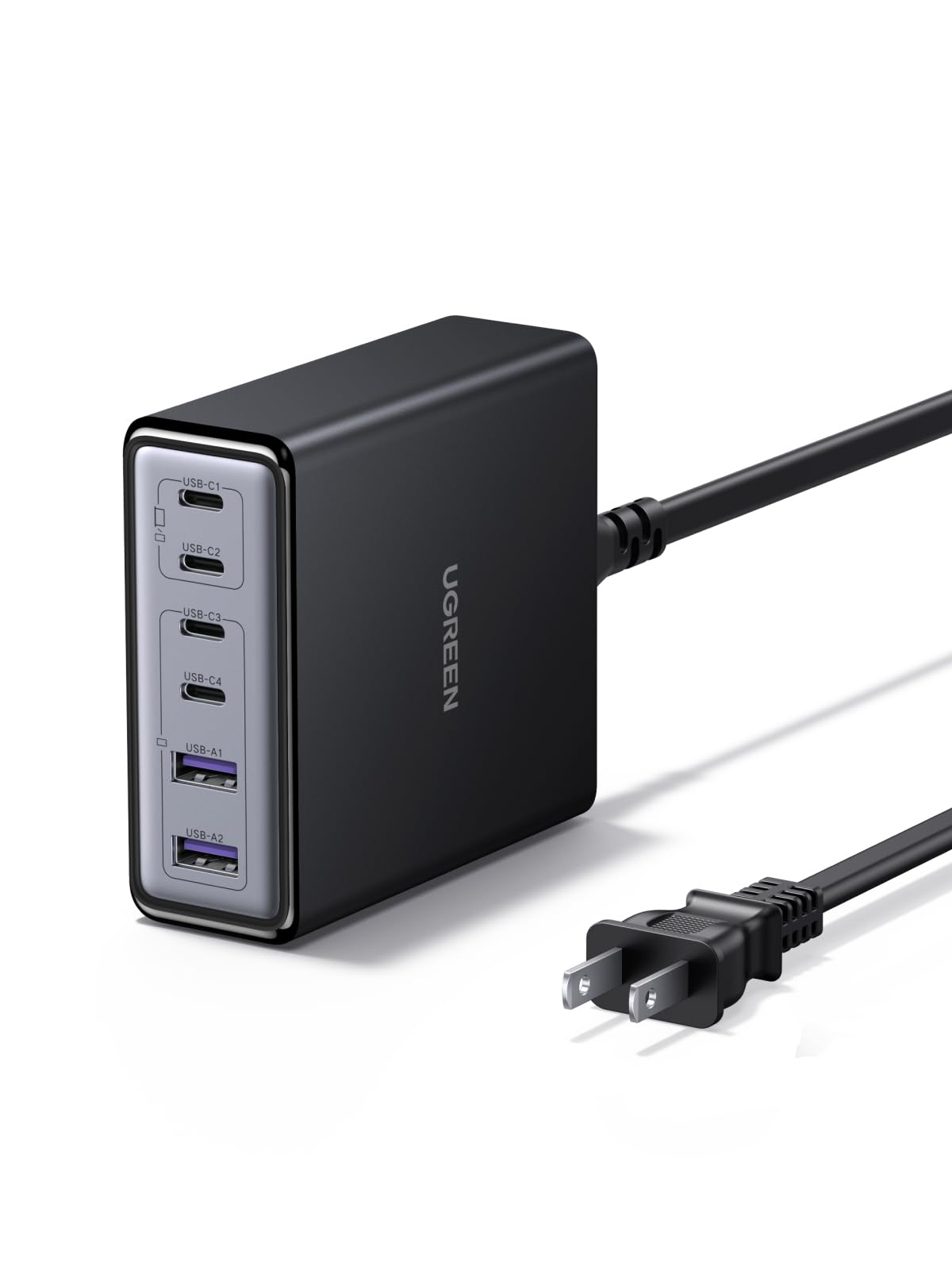
Image 1.1: UGREEN 100W GaN Desktop Charger, showcasing its compact design and multiple charging ports.
2. Product Features
- 6-Port Charging: Equipped with 4 USB-C ports and 2 USB-A ports to charge multiple devices simultaneously.
- 100W Total Output: Delivers a combined maximum output of 100W across all ports, intelligently distributing power.
- 65W Single Port Output: USB-C ports can deliver up to 65W individually, suitable for fast-charging laptops.
- GaN Technology: Utilizes Gallium Nitride (GaN) technology for a compact and efficient design.
- Compact Design: Measures approximately 8.0 x 8.6 x 3.0 cm, saving desk space.
- Multiple Safety Protections: Includes overcurrent, overvoltage, short-circuit, overheating, overpower, dry-heat prevention, and undervoltage protection.
- Thermal Guard (TG) Technology: Features real-time temperature monitoring for enhanced safety and longevity.
- Wide Compatibility: Supports various fast charging protocols like PD3.0, QC4.0, PPS, AFC, SCP, UFCS, and FCP.
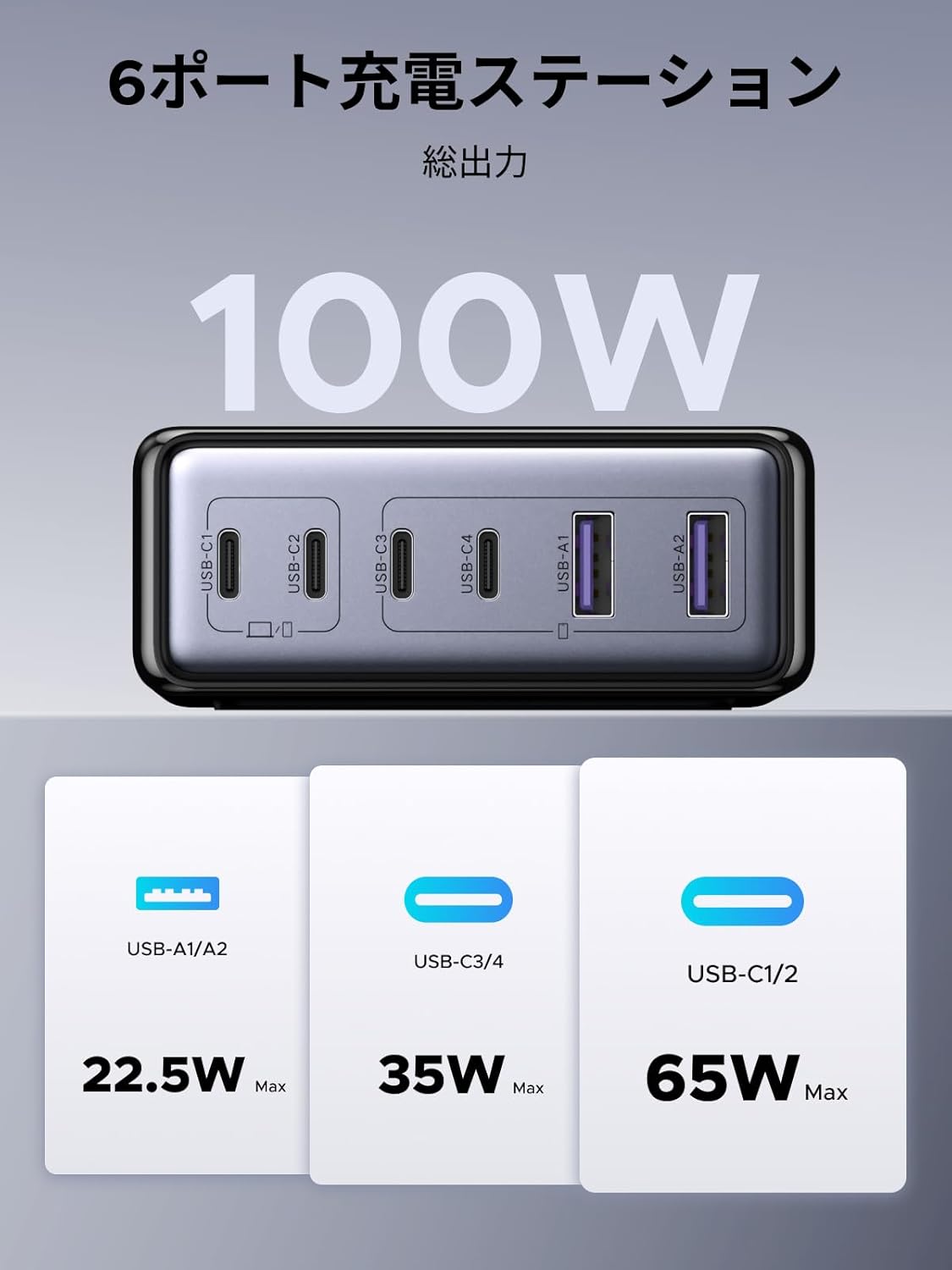
Image 2.1: Overview of the 6-port charging station, illustrating the 100W total output and maximum power delivery for each port type (USB-A/A2: 22.5W Max, USB-C3/C4: 35W Max, USB-C1/C2: 65W Max).

Image 2.2: Depiction of the internal GaN chip and Thermal Guard technology, highlighting safety features such as overvoltage, overheating, overcurrent, and overcharge protection.
3. Setup Instructions
- Connect to Power: Plug the included AC power cable into the charger's power input port, then connect the other end to a wall outlet.
- Connect Devices: Use appropriate charging cables to connect your devices to the available USB-C or USB-A ports on the charger.
- Verify Charging: Ensure your devices display a charging indicator to confirm proper connection.

Image 3.1: The charger in use, demonstrating its ability to charge various devices simultaneously, such as a laptop, smartphone, smartwatch, and Nintendo Switch.
4. Operating Instructions
The UGREEN 100W GaN Desktop Charger intelligently distributes power based on the connected devices' requirements. For optimal performance, consider the following:
- Single Device Charging: When charging a single device, a USB-C port can deliver up to 65W, providing rapid charging for compatible laptops and other high-power devices.
- Multiple Device Charging: When multiple devices are connected, the charger's intelligent power management system dynamically allocates the total 100W output to each port. This ensures efficient charging for all connected devices.
- Port Prioritization: While the charger manages power automatically, connecting high-power devices (e.g., laptops) to USB-C1 or USB-C2 ports first may optimize their charging speed.
Power Distribution Examples:

Image 4.1: Examples of power distribution when one, two, or three ports are in use. For instance, with two USB-C ports, power might be split as 45W/20W or 20W/45W, or one port might receive 65W while another receives 35W.

Image 4.2: Further examples of power distribution when four, five, or all six ports are utilized. For example, with six ports, power might be distributed as 45W/20W, 20W/45W, 10W, 10W, 5W, 5W across the various USB-C and USB-A ports.
5. Maintenance
- Cleaning: Disconnect the charger from the power outlet and all devices before cleaning. Use a soft, dry cloth to wipe the surface. Do not use liquid cleaners or aerosols.
- Storage: Store the charger in a cool, dry place away from direct sunlight and extreme temperatures.
- Handling: Avoid dropping or subjecting the charger to strong impacts. Do not attempt to disassemble or modify the charger.
6. Troubleshooting
- Device not charging:
- Ensure the charger is properly plugged into a working wall outlet.
- Check if the charging cable is securely connected to both the charger and the device.
- Try a different charging cable or port to rule out cable/port issues.
- Verify that your device is compatible with the charger's output specifications.
- Slow charging:
- Ensure you are using a high-quality cable that supports fast charging.
- Check the power requirements of your device; some devices require higher wattage for optimal speed.
- If multiple devices are connected, the total 100W output is shared. Disconnecting some devices may increase charging speed for others.
- Charger feels warm:
- It is normal for the charger to become warm during operation, especially when charging multiple devices or high-power devices.
- Ensure the charger is placed in a well-ventilated area and not covered.
- If the charger becomes excessively hot or emits smoke/unusual odors, immediately unplug it and contact support.
7. Specifications
| Brand | UGREEN |
| Model Number | X765 |
| Connector Type | USB Type C, USB Type A |
| Compatible Devices | Laptops, iPhone 17-8 series, Galaxy S25-S10 series, Xperia, Pixel Pro, MacBook, iPad, Smartwatches, Gaming Consoles |
| Input Voltage | 100V (AC) |
| Output Current | 5 Amps (Max) |
| Output Voltage | 20.0 Volts (Max) |
| Total Output Power | 100W |
| Number of Ports | 6 (4x USB-C, 2x USB-A) |
| Included Components | User Manual |
| Origin | China |

Image 7.1: The charger's wide compatibility with devices such as MacBook Pro/Air, iPad Air/Mini/Pro, Dell, Galaxybook, Microsoft Surface, Google Pixel series, iPhone series, Galaxy series, AirPods/Pro, cameras, and gaming consoles.
8. Warranty and Support
This UGREEN product comes with a 24-month manufacturer's warranty from the date of purchase. This warranty covers defects in materials and workmanship under normal use.
Warranty Exclusions: The warranty does not cover damages caused by intentional misuse, unauthorized modifications, accidents, or improper handling by the customer or third parties.
For warranty claims, technical support, or any inquiries regarding your UGREEN 100W GaN Desktop Charger, please contact the seller or UGREEN customer service through their official website or the platform where the product was purchased. Please retain your proof of purchase for warranty validation.