
1. Introduction
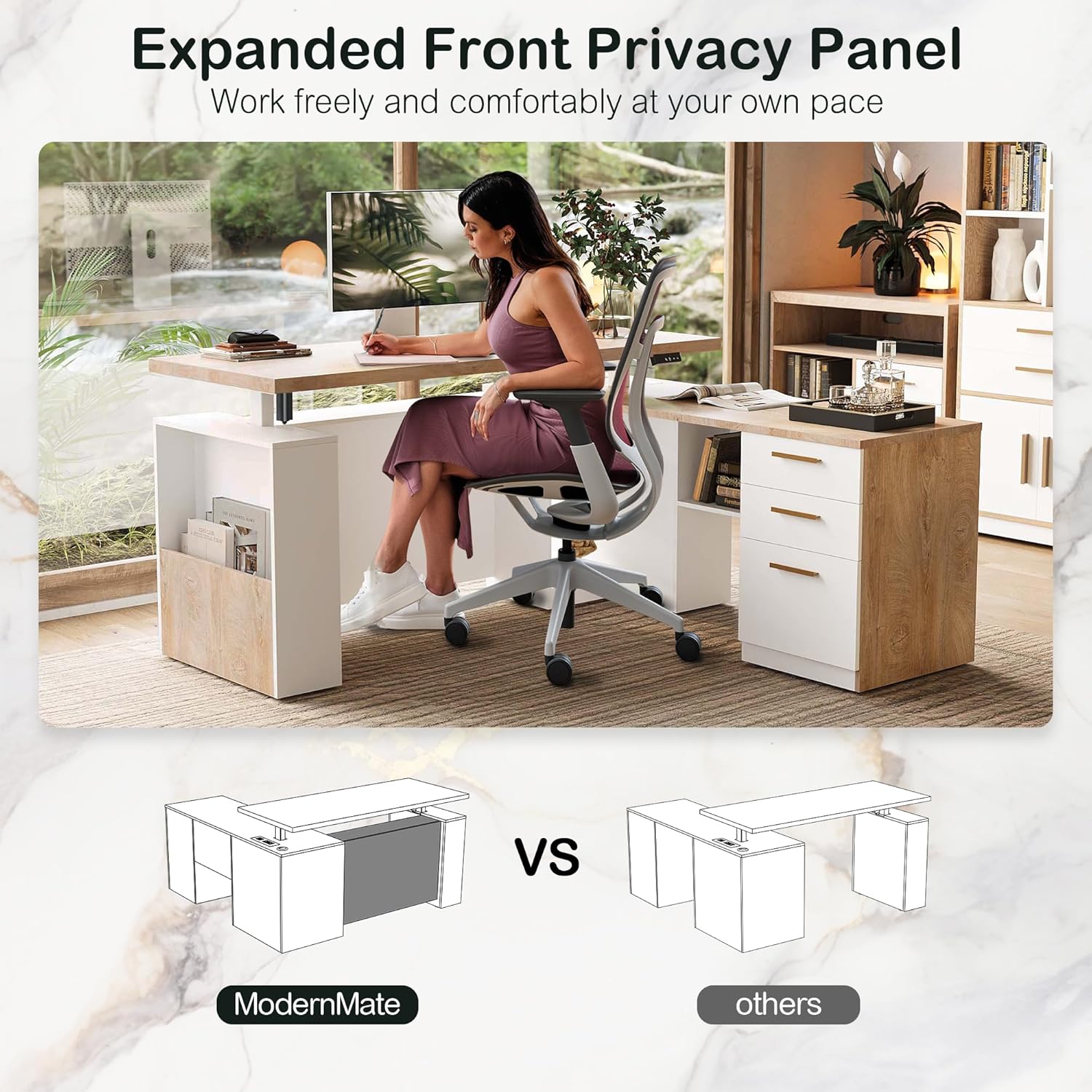
This manual provides comprehensive instructions for the assembly, operation, and maintenance of your ModernMate Home Office Furniture Set. This set includes a 63-inch L-shaped height-adjustable electric executive desk and a 59-inch bookcase, designed to enhance your home office environment with both functionality and style.
Key Features:
- Practical Combination: An electric height-adjustable executive desk paired with a multi-storage bookcase.
- Ergonomic Workstation: Desk height adjusts from 27.9 inches to 45.7 inches, featuring memory buttons for preferred sitting and standing heights. Integrated power sockets are included for convenient charging.
- Powerful Storage System: The executive desk includes a 2-drawer cabinet and additional storage within its lifting column.
- Diverse Bookcase Storage: The 59-inch bookcase offers open shelves, two drawers, and a bottom shelf with doors for varied storage needs.
- Ultimate Stability: Constructed from cold-rolled steel, the desk motor is tested for 50,000 lift cycles, supporting up to 176 pounds.
2. Safety Information
- Do not exceed the desk's weight limit of 176 pounds (80 kg).
- Ensure all electrical connections are secure and conform to local safety standards.
- Keep children and pets away from the desk during height adjustment.
- Avoid placing liquids directly on the desk surface, especially near power sockets.
- Regularly inspect all components for wear or damage. Discontinue use if any damage is found and contact customer service.
3. Package Contents
Your ModernMate furniture set is thoughtfully packed in dedicated boxes for the desk and bookcase. This approach helps manage weight during handling and provides extra protection during transit. Please note that parcels may arrive at different times. Verify all components against the packing list provided in the box before beginning assembly.
4. Setup and Assembly
The executive standing desk and bookcase come with detailed and clear instructions. Please follow these instructions carefully for proper assembly. It is recommended to have at least two people for assembly due to the size and weight of the components. Ensure you have adequate space and the necessary tools before starting.
Visual Assembly Guide:

5. Operating Instructions
Electric Height Adjustment:
The L-shaped executive desk features an electric height adjustment mechanism, allowing you to seamlessly switch between sitting and standing positions. The desk can be adjusted from a minimum height of 27.9 inches to a maximum height of 45.7 inches.
- Up/Down Buttons: Use the arrow buttons on the control panel to manually raise or lower the desk to your desired height.
- Memory Presets: The desk includes memory buttons to save your preferred sitting and standing heights. To set a memory position, adjust the desk to the desired height, then press and hold one of the memory buttons (e.g., '1' or '2') until you hear a beep or see a confirmation on the display (if applicable).
- Integrated Sockets: Power sockets are conveniently located on the desktop for easy access to charge your devices while working.


Control Panel Operation:
The control panel, typically located on the underside of the desktop, allows for easy adjustment of the desk height. It usually includes up/down arrows and memory preset buttons. Refer to the specific diagram in your assembly guide for exact button functions.
6. Maintenance
- Cleaning: Wipe surfaces with a soft, damp cloth. Avoid harsh chemicals or abrasive cleaners that could damage the finish.
- Inspection: Periodically check all screws and fasteners to ensure they are tight. Re-tighten if necessary.
- Motor Care: Keep the motor and lifting columns free from dust and obstructions. Do not attempt to lubricate the motor or internal mechanisms.
- Cable Management: Ensure all cables are neatly managed and not pinched or tangled, especially during height adjustments.
7. Troubleshooting
If you encounter any issues with your ModernMate furniture set, please refer to the following common troubleshooting tips:
- Desk Not Adjusting: Check if the power cord is securely plugged into both the desk and the wall outlet. Ensure no objects are obstructing the lifting mechanism.
- Uneven Movement: If the desk moves unevenly, ensure the weight on the desktop is distributed evenly and that all assembly screws are tightened.
- Noise During Operation: A slight hum is normal during adjustment. If you hear unusual or loud noises, stop operation and inspect for obstructions.
- Drawers Sticking: Check if the drawer slides are clean and free of debris. Ensure drawers are not overloaded.
If problems persist after attempting these steps, please contact ModernMate customer service for further assistance.
8. Specifications
| Feature | Detail |
|---|---|
| Brand | ModernMate |
| Model Number | F1 |
| Set Name | ModernMate Home Office Furniture Set |
| Color | Light Walnut |
| Desk Type | L-Shaped Electric Height Adjustable Executive Desk |
| Bookcase Type | 59-inch Bookcase |
| Desk Height Adjustment Range | 27.9 inches to 45.7 inches |
| Desk Weight Capacity | Up to 176 pounds (80 kg) |
| Motor Lift Cycles | Tested for 50,000 cycles |
| Item Depth | 30 inches |
| Number of Drawers (Desk) | 2 |
| Number of Drawers (Bookcase) | 2 |
| Material | Cold-rolled steel (frame), Wood (desktop/bookcase) |
9. Warranty and Support
ModernMate is committed to providing quality products and customer satisfaction. Our executive standing desk comes with detailed and clear instructions. If you feel any confusion during assembly or operation, or if you encounter any issues not covered in this manual, please do not hesitate to contact us.
For customer service inquiries, please refer to the contact information provided with your purchase or visit the official ModernMate website. Please have your model number (F1) and purchase date ready when contacting support.
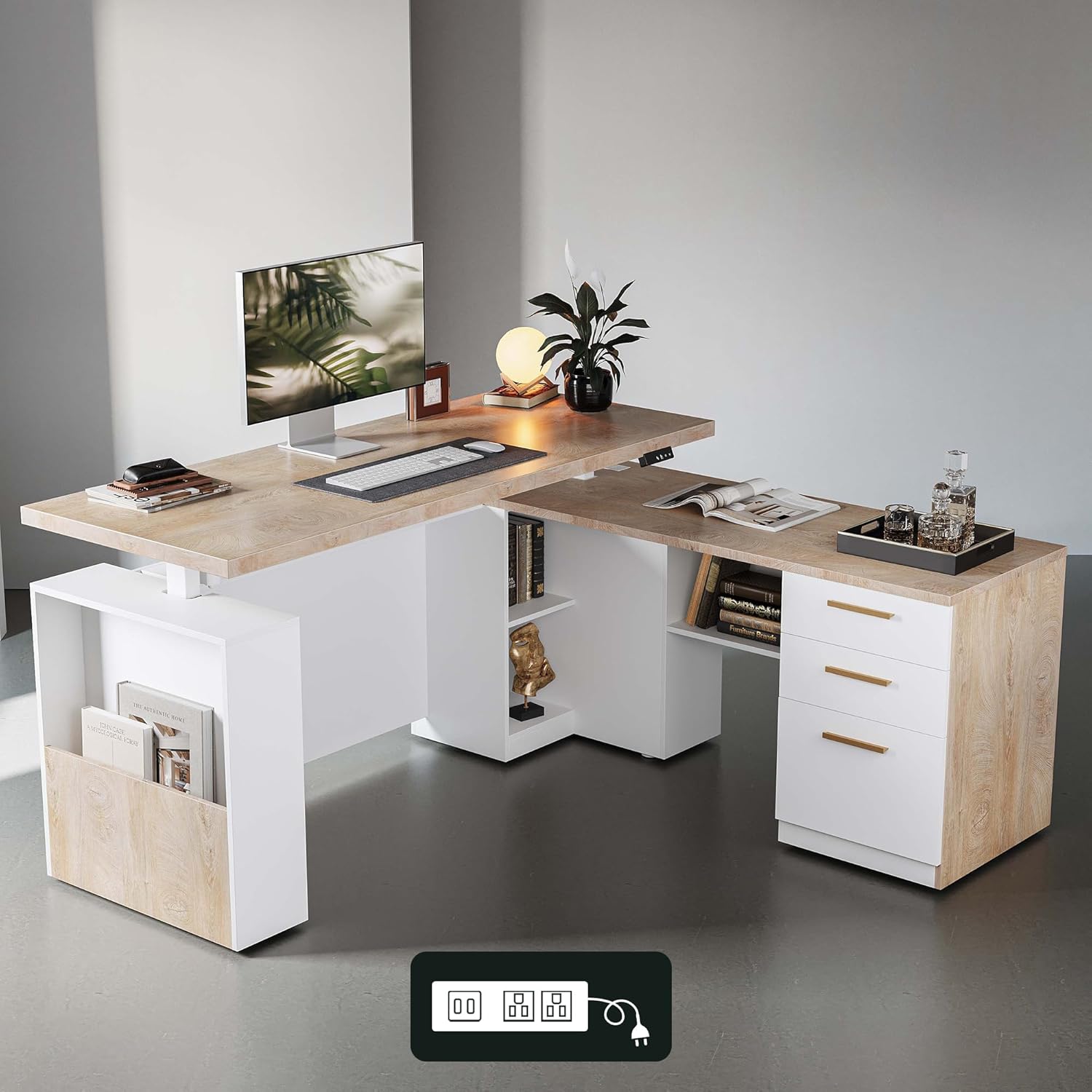
10. Product Overview
A visual representation of the ModernMate Home Office Furniture Set, showcasing its design and functionality.


