
1. Important Safety Instructions
Please read and understand all safety instructions before operating the Leomru 5-in-1 Heat Press Machine. Failure to follow these instructions may result in injury or damage to the machine.
- Electrical Safety: Ensure the machine is connected to a grounded power outlet with the correct voltage (110 Volts). Do not operate with damaged cords or plugs.
- Hot Surfaces: The heating plates reach high temperatures (up to 450°F / 232°C). Avoid direct contact with hot surfaces during and immediately after operation. Use heat-resistant gloves when handling hot items.
- Ventilation: Operate the machine in a well-ventilated area to dissipate heat and any fumes from materials.
- Stability: Place the machine on a stable, level, and heat-resistant surface.
- Children and Pets: Keep children and pets away from the machine during operation.
- Overheat Protection: The machine is equipped with an automatic shut-off feature to prevent overheating. If this occurs, allow the machine to cool down before resuming operation.
- Maintenance: Disconnect power before cleaning or performing any maintenance.
2. Product Overview
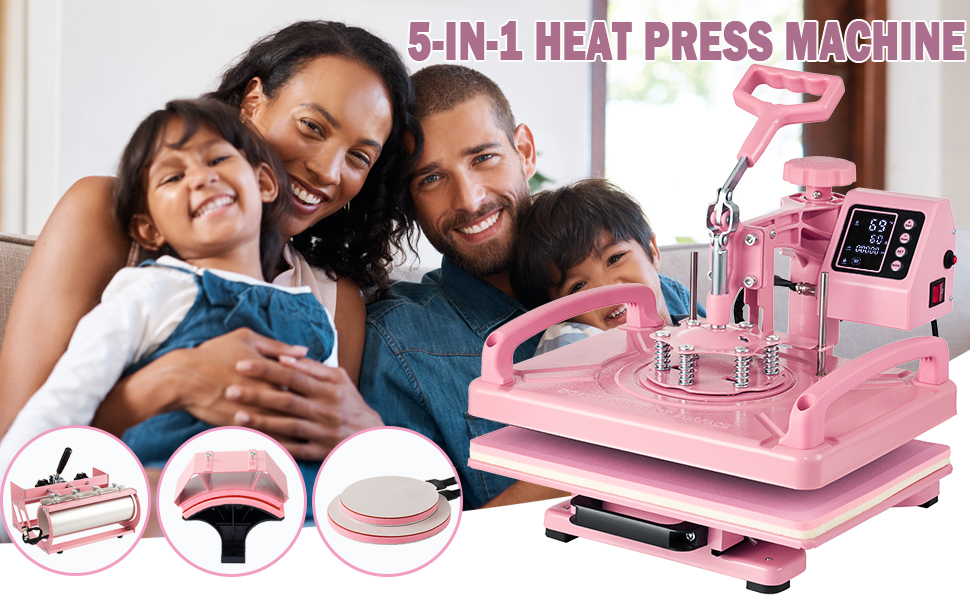
The Leomru 5-in-1 Heat Press Machine (Model TRG5620) is a versatile heat transfer device designed for applying designs onto various items. It includes five interchangeable attachments for different applications:
- 12"x15" Flat Platen Press: For T-shirts, canvas bags, pillowcases, and other flat items.
- 5.5"x3" Hat/Cap Press: For transferring designs onto hats and caps.
- 30oz Mug/Tumbler Press: For cylindrical items like mugs and tumblers up to 30oz capacity.
- 5" Plate Press: For smaller plates or ceramic items.
- 6" Plate Press: For larger plates or ceramic items.
Key Features:
- High-Quality Material: Features an aluminum heating plate with a Teflon coating to prevent sticking and enhance durability. Includes two additional Teflon sheets for protection.
- Dual Tube Heating: Ensures even heat distribution across the entire surface for consistent and high-quality transfers.
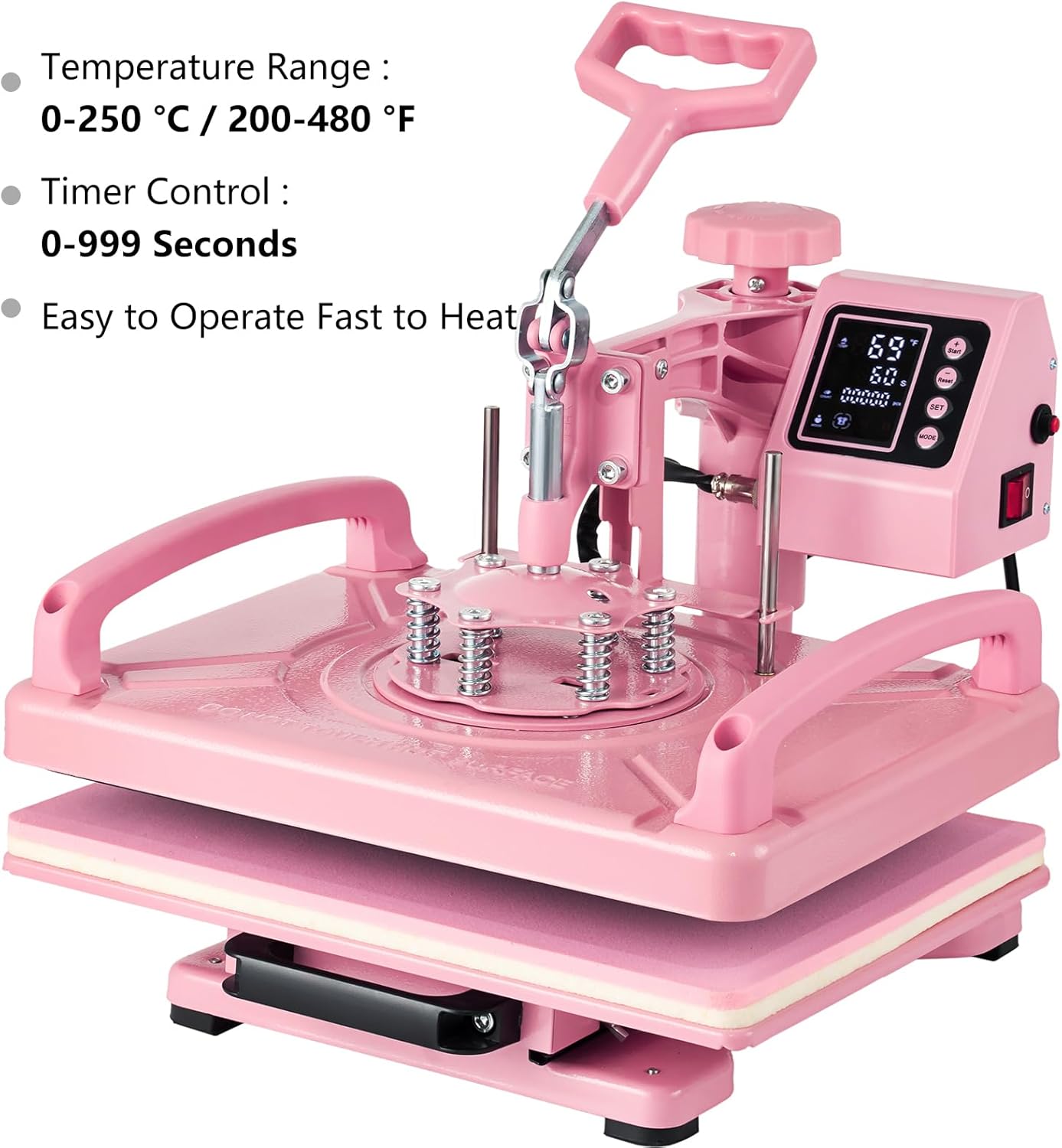
- Upgraded Digital Control Box: Provides precise digital control for temperature (30-450°F) and time (0-999s). Allows pre-setting to improve efficiency and includes a counting function.
- 360° Swing-Away & Slide-Out Design: The heating plate can be rotated 360 degrees and the bottom operating platform slides out, enhancing safety and ease of use during material placement and removal.
- Pressure Adjustment Knob: Allows users to adjust pressure according to material thickness for optimal contact and transfer results.
3. Setup and Assembly
The Leomru 5-in-1 Heat Press Machine requires minimal assembly. Follow these steps to set up your machine:
- Unpacking: Carefully remove all components from the packaging. Verify that all parts are present according to the packing list.
- Base Unit Placement: Place the main heat press base unit on a sturdy, level, and heat-resistant surface. Ensure adequate space around the machine for safe operation and ventilation.
- Attaching the Desired Press:
- For the flat platen press, ensure it is securely attached to the main arm.
- For hat, mug, or plate presses, carefully attach the corresponding module to the designated connection points on the main unit. Ensure all connections are firm and secure.
- Power Connection: Plug the power cord into a grounded 110V electrical outlet.
- Initial Inspection: Before first use, inspect all parts for any signs of damage or loose connections.

4. Operating Instructions
This section outlines the general operation of the heat press and specific instructions for each attachment.
4.1. Digital Control Box Operation

- Power On: Flip the red power switch to the 'ON' position. The digital display will illuminate.
- Set Temperature: Press the 'SET' button. Use the '+' and '-' buttons to adjust the desired temperature (range: 30-450°F / 0-232°C). Press 'SET' again to confirm.
- Set Time: After setting the temperature, the display will show the timer. Use the '+' and '-' buttons to adjust the desired pressing time (range: 0-999 seconds). Press 'SET' again to confirm.
- Start Heating: The machine will automatically begin heating to the set temperature. The current temperature will be displayed.
- Pre-setting: The control box allows you to pre-set temperature and time for repeated tasks, improving efficiency.
- Counting Function: The control box includes a counting function to track the number of items pressed.
4.2. General Pressing Procedure (Flat Platen)

- Prepare Item: Place your item (e.g., T-shirt) onto the bottom platen. Ensure it is flat and free of wrinkles.
- Position Design: Place your transfer design (e.g., HTV, sublimation print) onto the item in the desired location. Cover with a Teflon sheet or parchment paper.
- Adjust Pressure: Use the pressure adjustment knob to set the appropriate pressure for your material. A firm, even pressure is usually required.
- Swing Away: Utilize the 360° swing-away feature to move the top heating platen away from the bottom platen for safe and easy placement of your item.
- Press: Swing the top platen back over the item and firmly press down the handle. The timer will start automatically.
- Release: Once the timer alarms, lift the handle and swing the top platen away. Carefully remove your item.
4.3. Mug/Tumbler Press Operation

- Attach Mug Press: Securely attach the mug/tumbler press attachment to the main unit.
- Set Temperature and Time: Adjust the digital control box for the recommended temperature and time for your mug/tumbler and transfer type.
- Prepare Mug/Tumbler: Wrap your sublimation print tightly around the mug or tumbler and secure it with heat-resistant tape.
- Insert and Press: Place the prepared mug/tumbler into the press. Close the clamp to apply pressure. The timer will begin.
- Remove: Once complete, open the clamp and carefully remove the hot mug/tumbler using heat-resistant gloves. Allow it to cool before removing the transfer paper.
4.4. Hat/Cap Press Operation
- Attach Hat Press: Securely attach the hat/cap press attachment.
- Set Temperature and Time: Adjust the digital control box for the recommended temperature and time for your hat/cap and transfer type.
- Position Hat: Place the hat onto the curved platen, ensuring it is centered and smooth.
- Position Design: Place your transfer design onto the hat and secure it.
- Press: Lower the top platen and apply pressure. The timer will begin.
- Remove: Once complete, lift the top platen and carefully remove the hat.
4.5. Plate Press Operation
- Attach Plate Press: Select and securely attach either the 5" or 6" plate press attachment.
- Set Temperature and Time: Adjust the digital control box for the recommended temperature and time for your plate and transfer type.
- Position Plate: Place the plate onto the bottom platen of the plate press.
- Position Design: Place your transfer design onto the plate and secure it.
- Press: Lower the top platen and apply pressure. The timer will begin.
- Remove: Once complete, lift the top platen and carefully remove the hot plate using heat-resistant gloves.
5. Maintenance
Proper maintenance ensures the longevity and optimal performance of your heat press machine.
- Cleaning Heating Plates: Allow the machine to cool completely. Wipe the Teflon-coated heating plates with a soft, damp cloth. Do not use abrasive cleaners or sharp objects that could damage the coating.
- General Cleaning: Wipe down the exterior of the machine with a dry or slightly damp cloth.
- Storage: Store the machine in a dry, dust-free environment when not in use.
- Regular Inspection: Periodically check all screws, bolts, and electrical connections to ensure they are secure.
6. Troubleshooting
This section addresses common issues you might encounter with your Leomru 5-in-1 Heat Press Machine.
| Problem | Possible Cause | Solution |
|---|---|---|
| Machine does not power on. | Power cord not properly connected; power switch off; no power from outlet. | Check power cord connection; ensure power switch is ON; test outlet with another device. |
| Uneven heating or poor transfer quality. | Incorrect temperature/time settings; uneven pressure; material not flat; dual tube heating issue. | Verify settings for your material/transfer type; adjust pressure knob for even contact; ensure item is flat; contact support if dual tube heating is suspected. |
| Error Code "E1" (Mug Press). | Indicates a heating element issue with the mug press attachment. | Ensure the mug press attachment is correctly connected. If the error persists, the heating element may be faulty. Contact customer support for assistance. |
| Handle is difficult to press down or lift. | Pressure setting is too high. | Adjust the pressure adjustment knob to a lower setting. |
7. Specifications
| Feature | Detail |
|---|---|
| Model Number | TRG5620 |
| Voltage | 110 Volts |
| Wattage | 1400 watts |
| Product Dimensions | 16.1"L x 15.6"W x 13.8"H |
| Upper Temperature Rating | 450 Degrees Fahrenheit (232°C) |
| Material | Aluminum, Metal |
| Color | Pink |
8. Warranty and Support
Specific warranty information for the Leomru 5-in-1 Heat Press Machine (Model TRG5620) is not provided in this manual. For warranty details, technical support, or replacement parts, please contact Leomru customer service directly or refer to the product's original packaging and purchase documentation.
Always ensure you have your model number (TRG5620) and purchase date available when contacting support.