
VALDUS VG40 Pro
VALDUS VG40 Pro Smartwatch User Manual
Model: VG40 Pro
1. Introduction
Welcome to the VALDUS VG40 Pro Smartwatch user manual. This guide provides detailed instructions on how to set up, operate, and maintain your new smartwatch. The VG40 Pro is a robust and intelligent health watch featuring an AMOLED display and phone functionality, designed to support your active lifestyle.
2. Package Contents
Please verify that all items are present in your package:
- VALDUS VG40 Pro Smartwatch
- Magnetic Charging Cable
- User Manual
3. Product Overview
Familiarize yourself with the components of your VALDUS VG40 Pro Smartwatch.

Figure 3.1: Front view of the VALDUS VG40 Pro Smartwatch, displaying an active watch face with time, date, step count, and heart rate monitor. The watch features a durable grey strap and a metallic bezel.

Figure 3.2: Front view of the VALDUS VG40 Pro Smartwatch, showcasing an alternative digital watch face. This display includes the current time, day, date, step count, heart rate, and battery status indicators.
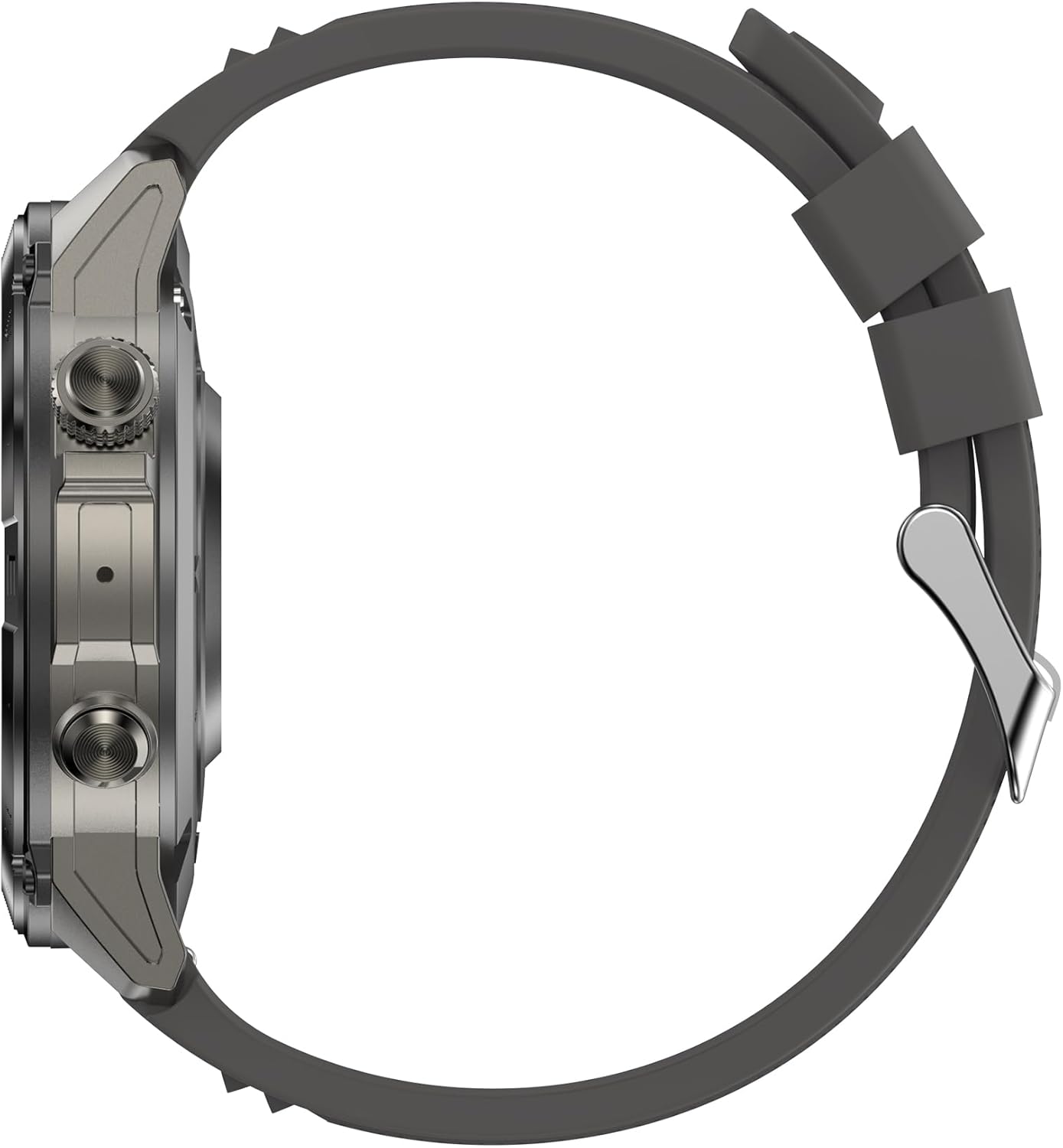
Figure 3.3: Side profile of the VALDUS VG40 Pro Smartwatch, illustrating the watch's thickness, the textured physical buttons on the right side, and the sturdy construction of the casing.
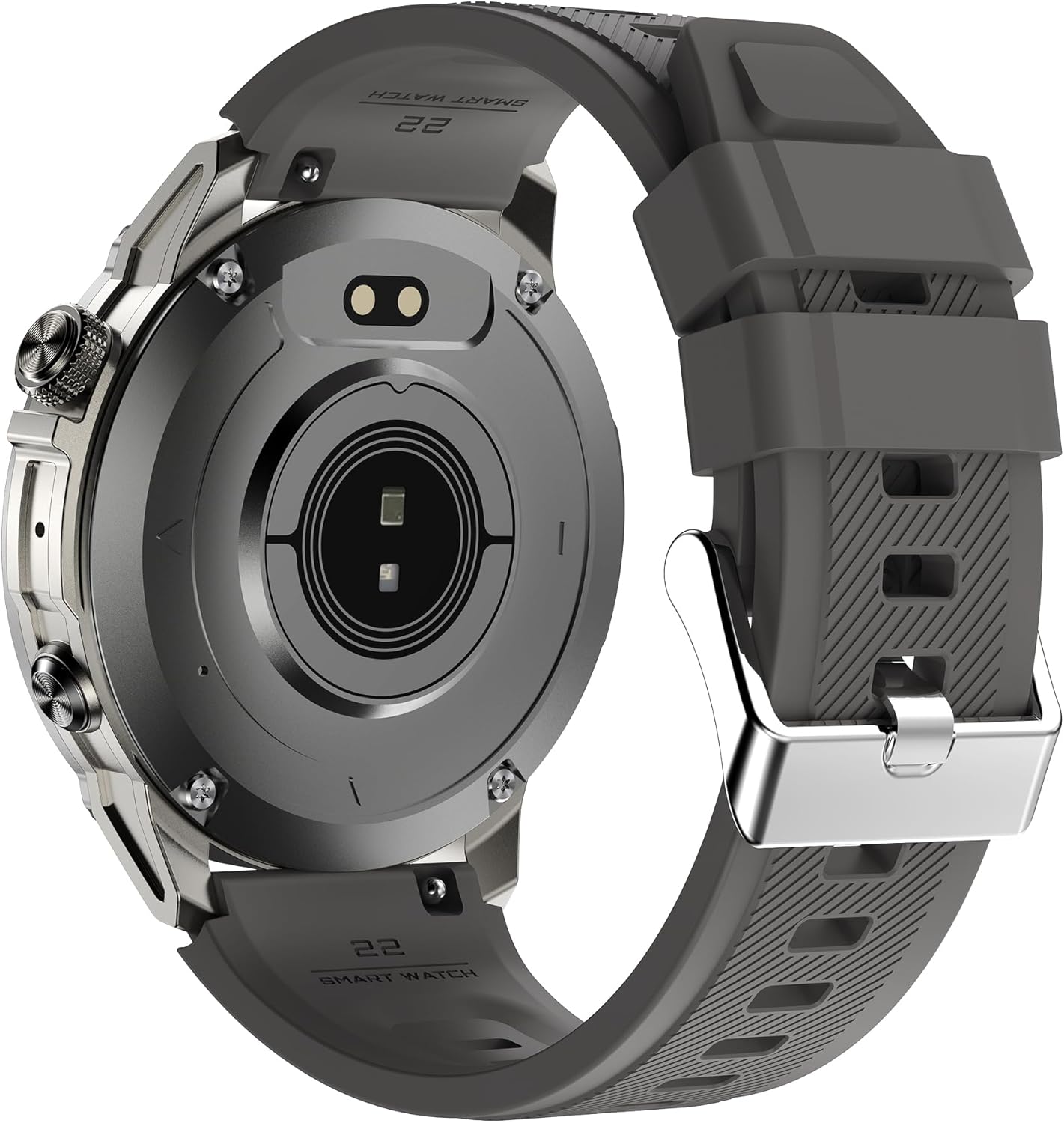
Figure 3.4: Rear view of the VALDUS VG40 Pro Smartwatch, revealing the optical heart rate sensor in the center and the magnetic charging contacts. The back casing also shows branding and model information.
4. Setup
4.1. Charging the Smartwatch
Before first use, fully charge your smartwatch. Connect the magnetic charging cable to the charging contacts on the back of the watch and plug the USB end into a power adapter (not included) or a computer's USB port. The watch display will indicate charging status.
4.2. Power On/Off
- Power On: Press and hold the power button (usually the top right button) for a few seconds until the VALDUS logo appears.
- Power Off: From the watch face, swipe down or access the settings menu, then select 'Power Off' or press and hold the power button until the power-off option appears.
4.3. App Installation and Pairing
- Scan the QR code in the manual or on the watch (if available) to download the companion app, or search for the official VALDUS smartwatch app in your smartphone's app store.
- Install and open the app on your smartphone. Follow the on-screen instructions to create an account or log in.
- Enable Bluetooth on your smartphone.
- In the app, navigate to 'Device' or 'Add Device' and select your VALDUS VG40 Pro from the list of available devices.
- Confirm the pairing request on both your smartphone and smartwatch.
5. Operating Instructions
5.1. Basic Navigation
- Touchscreen: Swipe left/right, up/down to navigate through menus and notifications. Tap to select.
- Side Buttons: Typically, one button acts as a power/back button, while others may be customizable shortcuts for sports modes or specific functions.
5.2. Phone Function
Once paired with your smartphone, the VG40 Pro supports Bluetooth calling.
- Making Calls: Access the dial pad or contact list on your watch to initiate a call.
- Receiving Calls: When a call comes in, you can answer or reject it directly from your watch.
5.3. Health Monitoring
The smartwatch tracks various health metrics:
- Heart Rate: Continuous or on-demand heart rate monitoring. Ensure the watch is snug on your wrist.
- Steps & Distance: Tracks your daily activity.
- Sleep Tracking: Monitors sleep patterns when worn overnight.
5.4. Sports Modes
Select from various pre-installed sports modes to track specific activities. Each mode provides relevant data such as duration, calories burned, and heart rate.
5.5. Notifications
Receive notifications from your smartphone directly on your watch. Manage notification settings through the companion app.
6. Maintenance
6.1. Cleaning
Regularly clean your smartwatch and strap to prevent skin irritation and maintain functionality.
- Wipe the watch body and strap with a soft, damp, lint-free cloth.
- Avoid using harsh chemicals or abrasive materials.
- Ensure the charging contacts are clean and dry before charging.
6.2. Battery Care
- Avoid extreme temperatures, which can degrade battery life.
- Charge the watch regularly, but avoid leaving it fully discharged for extended periods.
7. Troubleshooting
If you encounter issues with your VALDUS VG40 Pro Smartwatch, refer to the solutions below:
| Problem | Possible Solution |
|---|---|
| Watch does not turn on | Ensure the watch is fully charged. Press and hold the power button for at least 10 seconds. |
| Cannot pair with smartphone | Check if Bluetooth is enabled on your phone. Restart both the watch and phone. Ensure the watch is not paired with another device. Reset the watch to factory settings if necessary. |
| Inaccurate health data | Ensure the watch is worn snugly on your wrist, not too tight or too loose. Clean the sensor on the back of the watch. |
| Notifications not received | Check notification settings in the companion app and on your smartphone. Ensure the app is running in the background. |
8. Specifications
Key technical specifications for the VALDUS VG40 Pro Smartwatch:
- Model Number: VG40 Pro
- Manufacturer: VALDUS
- ASIN: B0DNR91FTK
- Package Dimensions: 17.3 x 9.2 x 4.1 cm; 210 grams
- Country of Origin: China
- First Available Date: November 21, 2024
9. Warranty and Returns
Independent of your legal right of withdrawal, you have a 30-day return right for many products. For exceptions and conditions, please refer to the Amazon.it Returns Policy.
10. Customer Support
For further assistance, technical support, or warranty claims, please contact VALDUS customer service through the official website or the contact information provided in the companion app.
Ask a question about this manual
Ask about setup, troubleshooting, compatibility, parts, safety, or missing instructions. Manuals+ will review the question and use this page’s manual context to help answer it.