
1. Introduction
This user manual provides essential information for the safe and efficient operation of your CUKTECH NO.20 140W Power Bank. Please read this manual thoroughly before using the product and retain it for future reference.
The CUKTECH NO.20 is a high-capacity portable charger designed to provide fast and reliable power to a wide range of electronic devices, including laptops, smartphones, and tablets. With its 25,000mAh capacity and 140W output, it is an ideal companion for travel, outdoor work, and daily use.
2. Safety Information
To ensure safe operation and prevent damage to the device or injury, please observe the following safety precautions:
- Do not expose the power bank to extreme temperatures (above 60°C/140°F or below 0°C/32°F), direct sunlight, or high humidity.
- Avoid dropping, impacting, or disassembling the device. Unauthorized repairs or modifications will void the warranty and may cause harm.
- Keep the power bank away from water, flammable liquids, and corrosive materials.
- Use only certified charging cables and adapters compatible with the power bank's specifications.
- Do not operate the power bank if it has been damaged in any way.
- Keep out of reach of children.
- The power bank meets safety certifications such as UL, CE, CB, and FCC, ensuring a safer charging experience.
- The 90Wh capacity meets TSA requirements (<100Wh) for carry-on luggage on airplanes.

Figure 2.1: Diagram illustrating the multi-layer safety protection features of the CUKTECH NO.20 Power Bank, including temperature, short circuit, input overcurrent, input overvoltage, output overvoltage, overcurrent and short circuit, output overcurrent, and overcharge and overdischarge protection.

Figure 2.2: Visual representation of the enhanced safe protection system, highlighting the internal temperature monitoring mechanism that checks temperature 180,000 times per hour to prevent overheating.
3. Product Overview
The CUKTECH NO.20 Power Bank features a robust design with advanced charging capabilities. Key components include:
- Ports: Two USB Type-C ports (Type-C1, Type-C2) and one USB-A port (USB-A).
- Display: An intuitive 1.54" TFT Smart Display for real-time information.
- Battery: 25,000mAh (90Wh) Auto-Grade battery with over 1000 charge cycles.
- Output: Up to 140W max output (PD3.1 compliant).
- Input: Up to 100W fast self-charging input.

Figure 3.1: The CUKTECH NO.20 Power Bank, showcasing its sleek design and the included USB-C to USB-C charging cable.

Figure 3.2: Close-up view of the 1.54" TFT Smart Display, which provides real-time information such as battery level, power, voltage, and current for each port.

Figure 3.3: The power bank connected to and simultaneously charging a laptop, a smartphone, and a tablet, demonstrating its multi-device charging capability.
Video 3.1: An official product video from CUKTECH Direct showcasing the 25000mAh Premium Power Bank's fast charging capabilities and design.
4. Setup
Before first use, it is recommended to fully charge your CUKTECH NO.20 Power Bank.
- Initial Charge: Connect the power bank to a power adapter (preferably 100W or higher for fastest charging) using the provided USB-C to USB-C cable.
- The TFT display will show the charging status, including battery percentage and estimated time to full charge.
- A full charge typically takes around 2 hours with a 100W input.
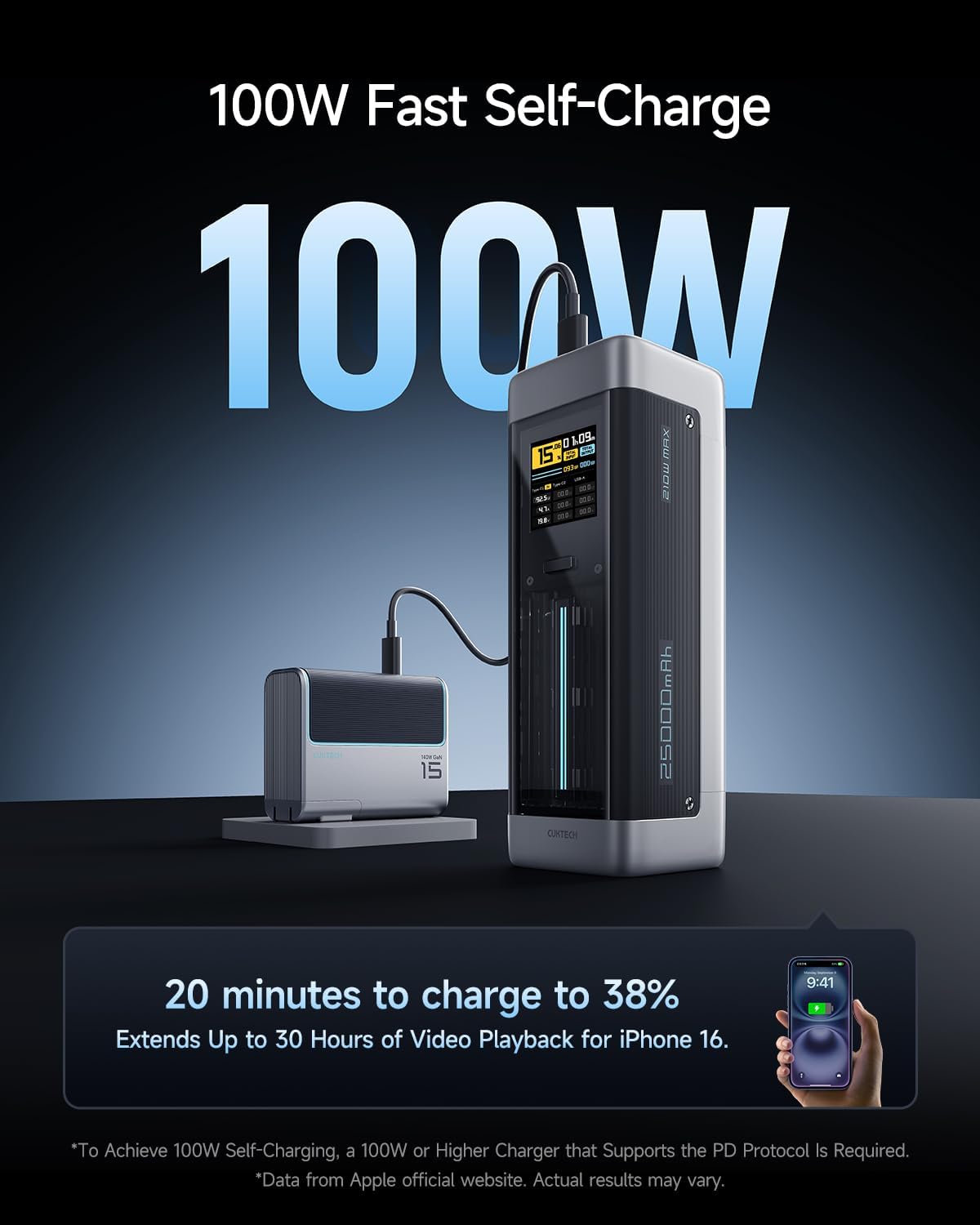
Figure 4.1: The power bank being recharged, illustrating its 100W fast self-charging capability, which can boost the charge by 40% in just 19 minutes.
5. Operating Instructions
The CUKTECH NO.20 Power Bank offers versatile charging options for various devices.
5.1 Charging Your Devices
Connect your device to the appropriate port using a compatible charging cable.
- Single-Port Charging:
- Type-C1: Up to 140W Max
- Type-C2: Up to 45W Max
- USB-A: Up to 18W Max
- Dual-Port Charging:
- Type-C1 + Type-C2: 65W Max + 45W Max
- Type-C1 + USB-A: 65W Max + 18W Max
- Type-C2 + USB-A: 65W Max + 18W Max
- Triple-Port Charging:
- Type-C1 + Type-C2 + USB-A: 65W Max + 45W Max + 18W Max

Figure 5.1: Overview of maximum power output when using a single port for charging.

Figure 5.2: Overview of power distribution when using two ports simultaneously for charging.

Figure 5.3: Overview of power distribution when using all three ports simultaneously for charging.
5.2 Recharging the Power Bank
To recharge the power bank, connect a power adapter to either of the USB Type-C input/output ports (Type-C1 or Type-C2). The power bank supports up to 100W input for rapid recharging.
Figure 5.4: The CUKTECH NO.20 Power Bank connected to a power source for recharging.
5.3 Understanding the TFT Display
The 1.54" TFT display provides comprehensive real-time information about the power bank's status:
- Battery Percentage: Shows the current charge level.
- Remaining Time: Estimates the time until full charge (when charging) or depletion (when discharging).
- Total Input/Output Power: Displays the total wattage being drawn or supplied.
- Port-Specific Data: Shows voltage, current, and power for each active Type-C and USB-A port.
- Charging/Discharging Status: Indicated by icons and light bar.
Figure 5.5: The TFT display showing detailed power metrics for input and output, including voltage, current, and wattage for each port.
5.4 Pass-Through Charging
The CUKTECH NO.20 supports pass-through charging, allowing you to charge connected devices while the power bank itself is being recharged. This feature ensures your devices remain powered even when the power bank is low.
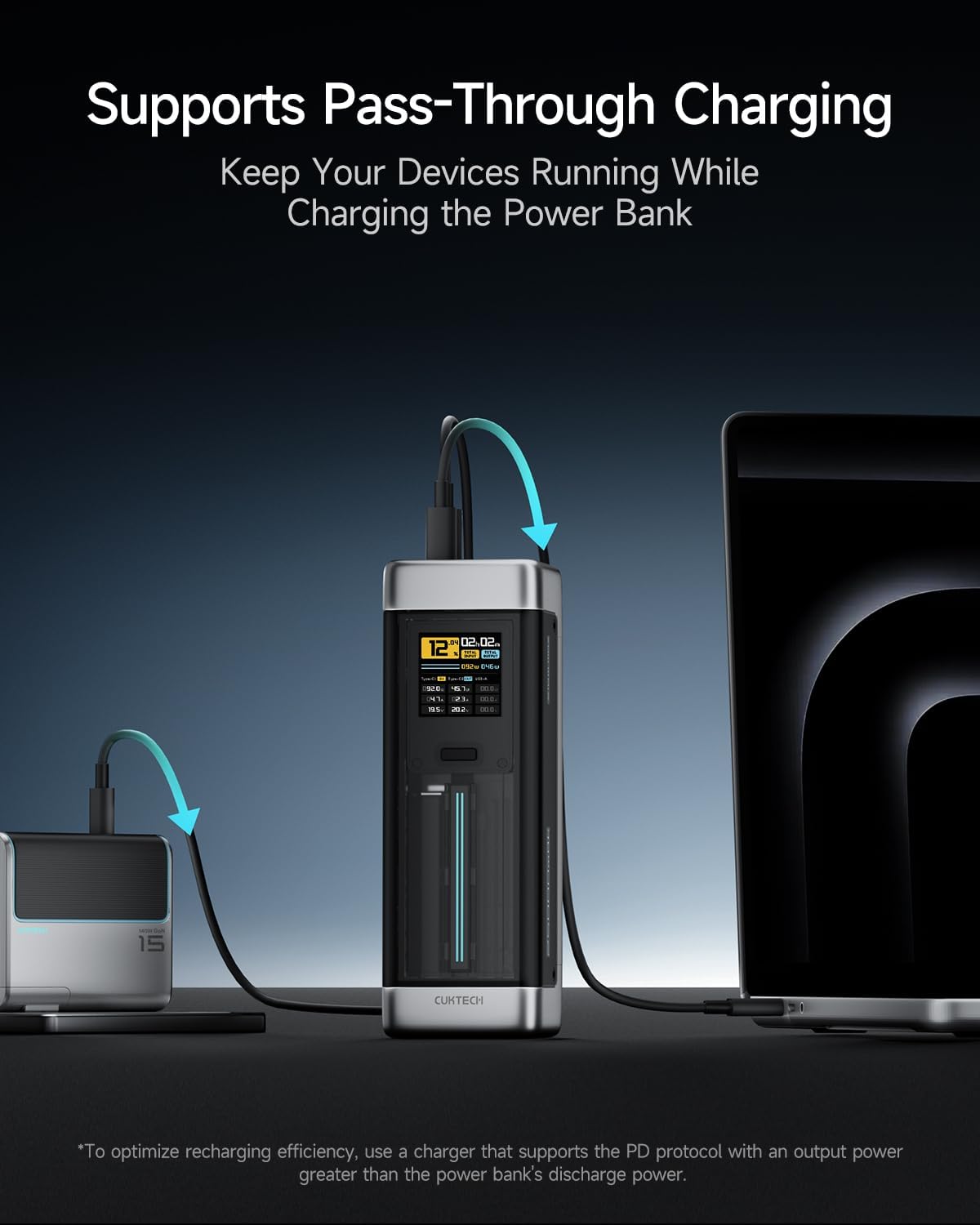
Figure 5.6: Illustration of the power bank simultaneously charging a laptop while being recharged itself, demonstrating pass-through charging.
6. Maintenance
Proper maintenance extends the lifespan of your power bank.
- Cleaning: Use a soft, dry cloth to clean the exterior of the power bank. Do not use liquid cleaners or aerosols.
- Storage: Store the power bank in a cool, dry place away from direct sunlight and extreme temperatures. For long-term storage, it is recommended to keep the battery at approximately 50-70% charge.
- Battery Care: The Auto-Grade battery is designed for over 1000 charge cycles, maintaining over 70% capacity. Avoid fully discharging the battery frequently to maximize its lifespan.

Figure 6.1: Internal view highlighting the automotive-grade power cells, designed for over 1000 charge cycles while retaining at least 70% of their original capacity.
7. Troubleshooting
If you encounter issues with your CUKTECH NO.20 Power Bank, refer to the following common solutions:
| Problem | Possible Cause | Solution |
|---|---|---|
| Power bank not charging | Cable or adapter issue; power bank fully charged; internal fault. | Try a different cable and power adapter. Ensure the adapter meets the required wattage. If the issue persists, contact customer support. |
| Devices not charging or slow charging | Incompatible cable; device not properly connected; power bank low on charge; device requires higher power than port provides. | Ensure cables are securely connected. Check power bank charge level. Use appropriate ports for high-power devices (e.g., Type-C1 for 140W). Try a different cable. |
| TFT display not working | Device is off; display setting; internal issue. | Press the power button to activate the display. If the display remains off, contact customer support. |
For issues not covered here, please contact CUKTECH customer support.
8. Specifications
| Feature | Detail |
|---|---|
| Model Number | P23 |
| Product Dimensions | 6.3 x 2.17 x 2.17 inches |
| Item Weight | 1.4 pounds |
| Battery Capacity | 25000 Milliamp Hours (90Wh) |
| Connector Type | USB Type C, USB Type A |
| Special Features | Fast Charging, TFT Display, Pass-Through Charging |
| Color | Grey |
| Manufacturer | NanJing CUKTECH Electronics Techology Co., Ltd. |
| Country of Origin | China |
9. Warranty and Support
CUKTECH is committed to providing high-quality products and excellent customer service.
- Warranty: Your CUKTECH NO.20 Power Bank comes with an 18-month worry-free service against manufacturing defects.
- Customer Support: For any inquiries, technical assistance, or warranty claims, please reach out to our dedicated customer service team.
- Contact: service@cuktech.com

Figure 9.1: CUKTECH service support details, including 24/7 customer support, 18-month warranty, and after-sales support email.


