
1. Introduction
Thank you for choosing the Digitek DFL-220 Handheld TTL Flash Speedlite. This powerful and versatile flash unit is designed to provide professional-quality lighting for various photography scenarios, both indoors and outdoors. Featuring a 200W power output, 5600K color temperature, and advanced modes like TTL, Manual, and Multi-flash, the DFL-220 offers precise control and high-speed synchronization for capturing dynamic moments.
Please read this manual carefully before using the product to ensure proper operation and to maximize its performance and lifespan. Keep this manual for future reference.
2. Safety Information
- Do not disassemble or modify the flash unit. Repairs should only be performed by authorized service personnel.
- Keep the unit dry. Do not expose it to rain, moisture, or high humidity.
- Avoid direct eye exposure to the flash light, especially at close range, as it can cause temporary vision impairment.
- Keep out of reach of children.
- Use only the specified battery and charger. Improper use can lead to fire, explosion, or electric shock.
- Ensure the flash is securely mounted to prevent accidental drops.
3. Package Contents
Verify that all items are present in your package:
- 1 x Digitek TTL Flash Speedlite DFL-220 (with included Li-ion Battery)
- 1 x Charger
- 1 x Flash Holder
- 1 x Protective Bag
- 1 x User Manual
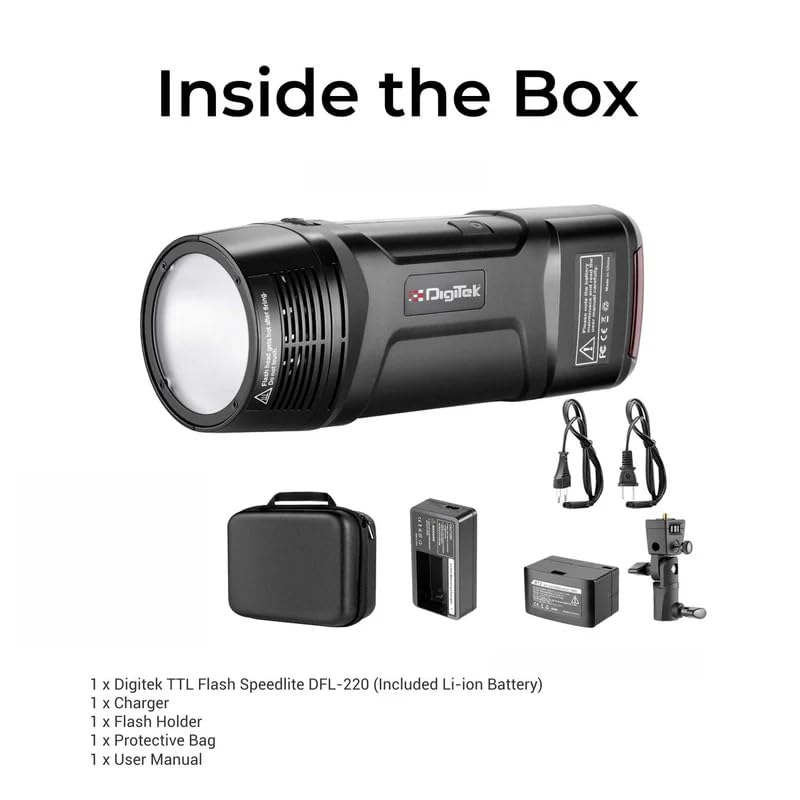
Figure 3.1: Digitek DFL-220 Package Contents
4. Product Overview
Familiarize yourself with the main components and controls of the DFL-220 flash unit:
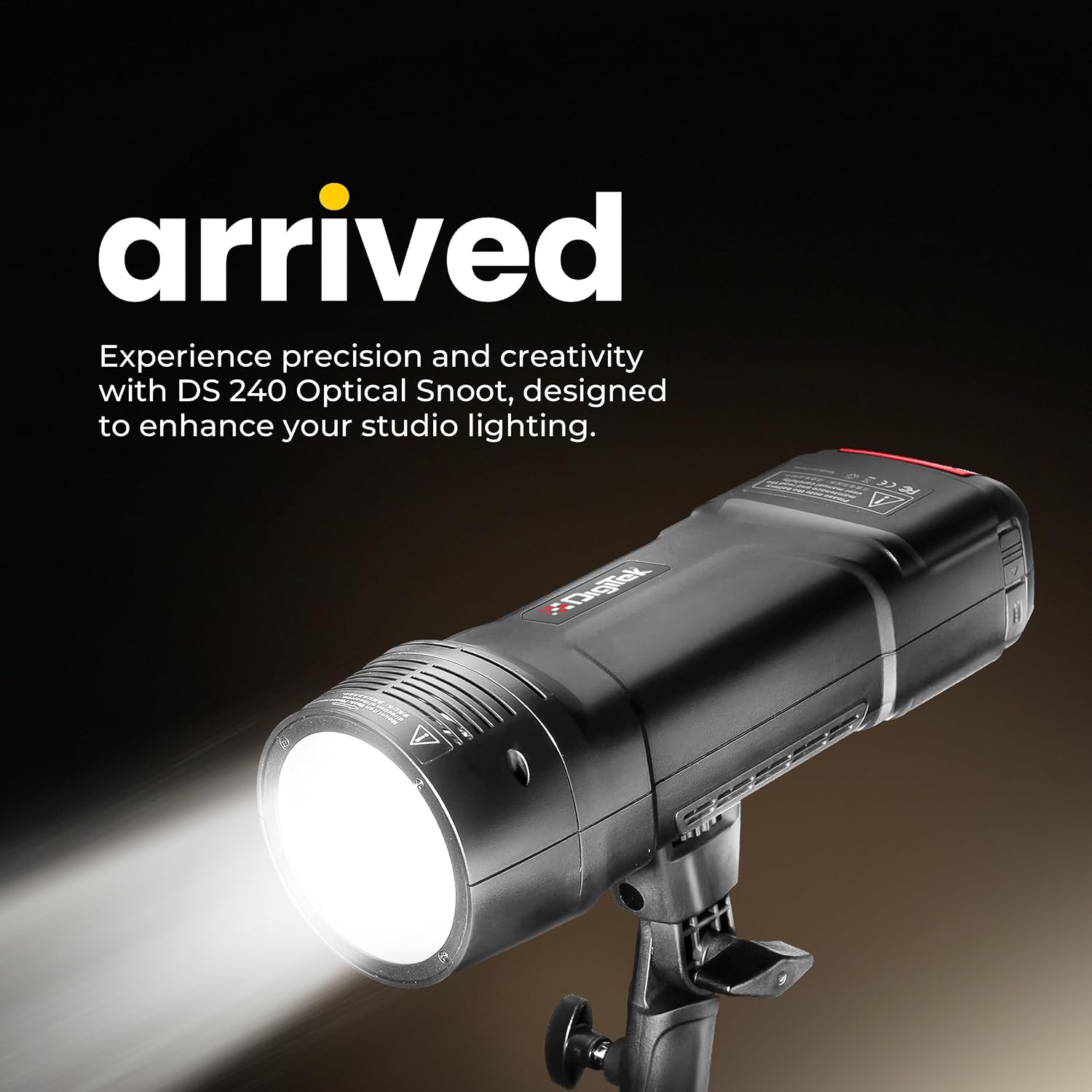
Figure 4.1: Digitek DFL-220 Front View

Figure 4.2: DFL-220 Controls and Components
Key Components:
- Flash Tube: Emits the main flash light.
- LED Modeling Lamp: Provides continuous light for previewing lighting effects.
- Lampshade Bayonet: For attaching light modifiers like reflectors.
- Reflector: Directs and shapes the light.
- Reflector Release Button: For detaching the reflector.
- Photo Cell: Detects other flashes for slave mode operation.
- 2.5mm Sync Port: For wired synchronization with cameras or triggers.
Control Panel:
- Modeling Lamp Button: Activates/deactivates the modeling lamp.
- Confirmation Button (OK): Confirms selections.
- Adjustment Dial: Navigates menus and adjusts settings (e.g., power output, channel).
- Test Flash Button: Fires a test flash.
- Channel / Group Setting: Accesses wireless channel and group settings.
- Flash Mode Selection: Cycles through TTL, Manual, and Multi modes.
- Menu Button: Accesses additional settings.
5. Battery Installation and Charging
5.1 Battery Installation
- Locate the battery compartment on the flash unit.
- Insert the provided Li-ion battery, ensuring correct polarity.
- Close the battery compartment cover securely.
5.2 Charging the Battery
The DFL-220 uses a high-performance Li-ion battery. Use the dedicated charger provided.
- Connect the charger to a power outlet.
- Place the battery into the charger. The indicator light on the charger will show the charging status (e.g., red for charging, green for fully charged).
- A full charge typically takes approximately 2 hours.

Figure 5.1: Battery Charging Process
6. Setup and Mounting
6.1 Mounting on a Camera Hot Shoe
The DFL-220 is compatible with Nikon, Canon, and Sony cameras equipped with a hot shoe mount.
- Slide the flash unit's hot shoe foot into the camera's hot shoe slot.
- Tighten the locking mechanism (if present) on the flash unit to secure it to the camera.
6.2 Using the Flash Holder
For off-camera use, attach the DFL-220 to the provided flash holder, which can then be mounted on a light stand.
7. Operating Modes
7.1 Power On/Off
Press and hold the power button to turn the flash unit on or off.
7.2 Mode Selection (TTL / Manual / Multi)
Press the Flash Mode Selection button to cycle through the available flash modes:
- TTL Auto Flash Mode: The flash automatically adjusts its output for correct exposure based on camera metering.
- Manual Flash Mode: Allows you to manually set the flash power output from 1/256 to 1/1 in 1/3-stop increments using the Adjustment Dial.
- Multi (Stroboscopic) Flash Mode: Fires a series of rapid flashes during a single exposure to capture multiple movements of a subject.

Figure 7.1: Multi and Stroboscopic Flash Capabilities
7.3 High-Speed Sync (HSS)
The DFL-220 supports High-Speed Sync up to 1/18000s, allowing you to use flash at shutter speeds faster than your camera's native sync speed. This is ideal for freezing fast action or using wide apertures in bright conditions.

Figure 7.2: High-Speed Sync in Action
7.4 2.4G Wireless Remote Trigger System
The integrated 2.4G wireless system offers 32 channels and 5 groups for reliable communication and flexible positioning of multiple flash units. Use the Channel / Group Setting button to configure wireless parameters.
7.5 Modeling Lamp
Press the Modeling Lamp Button to activate the LED modeling lamp, which helps in visualizing the light's direction and shadows before taking a shot.
8. Advanced Settings
8.1 Consistent Color Temperature
The DFL-220 maintains a consistent color temperature of 5600K (+/-100K) across its entire power range, ensuring natural and accurate color balance in your images.

Figure 8.1: Consistent Color Output
9. Specifications
| Feature | Specification |
|---|---|
| Brand | Digitek |
| Model Number | DFL-220 |
| Power Output | 200W |
| Color Temperature | 5600K (+/-100K) |
| Recycle Time | Approx. 2 seconds |
| Flash Sync Speed | Up to 1/18000s (High-Speed Sync) |
| Wireless Technology | 2.4GHz |
| Channels | 32 |
| Shooting Modes | TTL Auto Flash, Manual, Multi |
| Power Range | 1/256 to 1/1 (in 1/3-stop increments) |
| Compatible Mountings | Nikon, Canon, Sony (Hotshoe) |
| Item Dimensions (D x W x H) | 12D x 5W x 6H Centimeters |
| Item Weight | 400 Grams |
| Country of Origin | China |

Figure 9.1: DFL-220 Portability and Dimensions
10. Maintenance and Care
- Cleaning: Use a soft, dry cloth to clean the flash unit. For stubborn dirt, a slightly damp cloth can be used, followed by a dry one. Do not use solvents or abrasive cleaners.
- Storage: When not in use for extended periods, remove the battery and store the flash unit in a cool, dry place, preferably in its protective bag.
- Battery Care: Recharge the battery periodically even if not in use to maintain its health. Avoid fully discharging the battery frequently.
- Avoid Impact: Protect the flash from strong impacts or drops, which can damage internal components.
11. Troubleshooting
| Problem | Possible Cause | Solution |
|---|---|---|
| Flash does not fire. | Battery low or not inserted correctly. Flash not powered on. Incorrect camera settings. | Check battery level and insertion. Turn on flash. Ensure camera flash settings are correct (e.g., external flash enabled). |
| Flash output is too weak/strong. | Incorrect power setting in Manual mode. TTL metering issue. | Adjust power output in Manual mode. Check camera's exposure compensation or flash exposure compensation. |
| Wireless trigger not working. | Incorrect channel/group settings. Distance too far. Interference. | Ensure flash and trigger (if external) are on the same channel and group. Reduce distance. Change channels to avoid interference. |
| Long recycle time. | Battery low. High power output setting. | Recharge or replace battery. Reduce flash power output. |
12. Warranty and Support
12.1 Warranty Information
The Digitek DFL-220 Handheld TTL Flash Speedlite comes with a 1 Month Warranty from the date of purchase. Please retain your purchase receipt as proof of warranty.
12.2 Customer Support
For any technical assistance, warranty claims, or product inquiries, please contact Digitek customer support:
- Toll-Free Number: 1800-123-544-444
- Email: support@digitek.net.in
- Manufacturer/Importer: IMS Mercantiles Pvt. Ltd., 704, 7th floor, Ring Road Mall, Sec-3, Rohini, Delhi 110085.