1. Introduction
The Sheawasy SH-D50 is a versatile and durable underwater camera designed for capturing high-resolution photos and videos in various environments, including underwater up to 33 feet. Featuring a dual-screen design, 4K video recording, 48MP photo capability, and anti-shake technology, it is an ideal companion for your adventures.

Figure 1.1: Sheawasy SH-D50 Underwater Camera
2. What's in the Box
Please check the contents of your package to ensure all items are present:
- Sheawasy SH-D50 Underwater Camera (with 64GB memory card installed)
- USB Cable
- Lanyard
- Camera Bag
- User Guide (this manual)

Figure 2.1: Package Contents
3. Setup
3.1 Battery Installation and Charging
The camera comes with a pre-installed Lithium Polymer battery. Before first use, ensure the camera is fully charged.
- Locate the battery compartment on the camera.
- Insert the battery, ensuring correct polarity.
- Connect the camera to a USB power source using the provided USB cable. The charging indicator will illuminate.
- Charging is complete when the indicator light changes or turns off (refer to camera display for status). A full charge provides approximately 100 minutes of battery life.

Figure 3.1: Battery Information
3.2 Memory Card
A 64GB memory card is included and pre-installed, providing ample storage for approximately 8000 photos or 3 hours of video. No additional setup is required for the memory card.
4. Operating Instructions
4.1 Power On/Off
Press and hold the Power button (usually marked with a power symbol) to turn the camera on or off.
4.2 Photo and Video Capture
The camera supports 48MP still photos and 4K video recording. Use the mode button to switch between photo and video modes. Press the Shutter button to capture a photo or start/stop video recording.
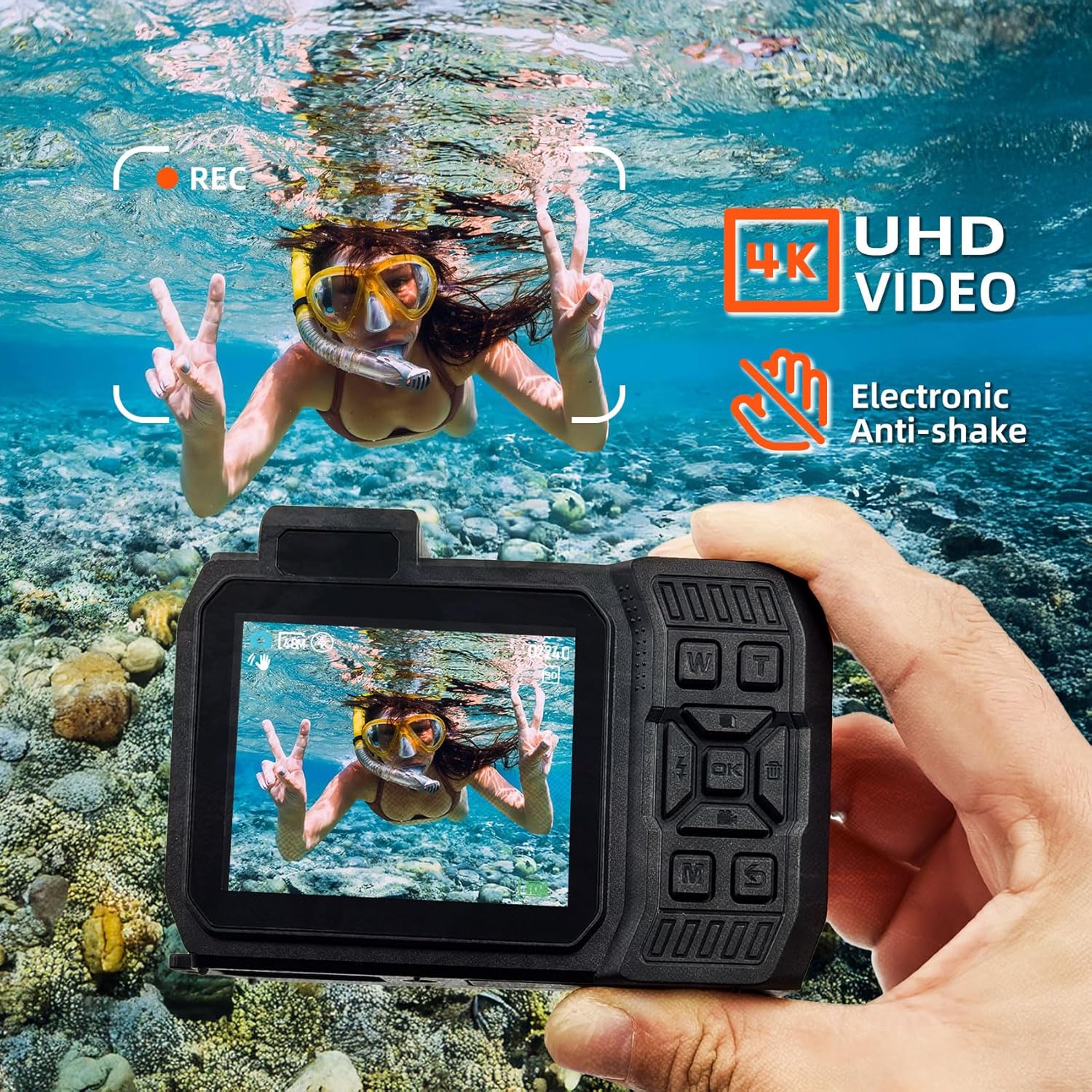
Figure 4.1: 4K UHD Video and Anti-Shake
4.3 Dual Screen Operation
The SH-D50 features a 2.8-inch main LCD screen and a 1.4-inch front LCD screen. This allows for easy framing of shots, especially for selfies. Refer to the camera's on-screen prompts or dedicated button (if available) to switch between screens.
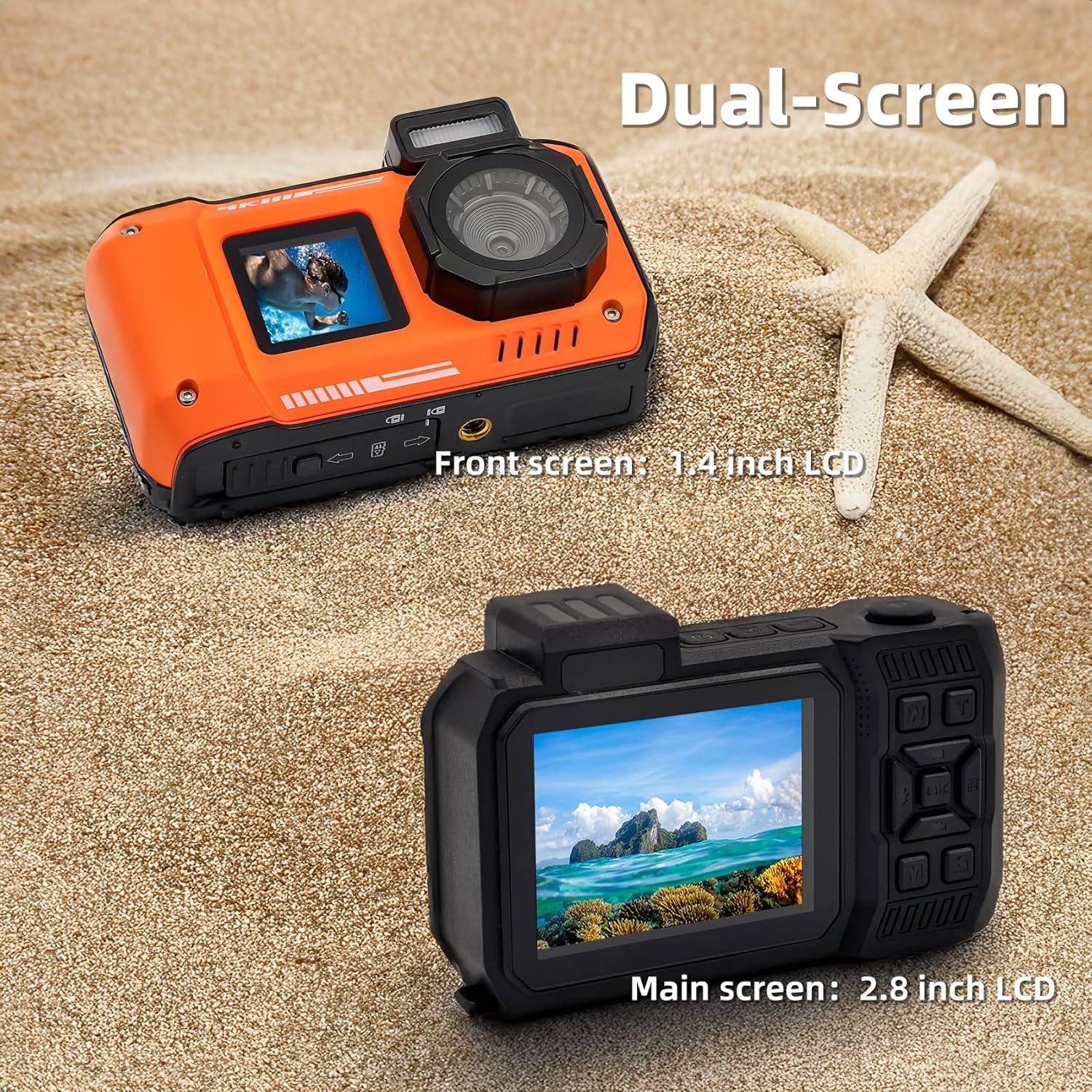
Figure 4.2: Dual Screen Functionality
4.4 Waterproof Usage
The camera is waterproof up to 33 feet (10 meters) and is suitable for snorkeling and swimming. It is also dust-proof. Ensure all ports and covers are securely closed before submerging the camera in water.

Figure 4.3: Waterproof and Dust-proof Capabilities
4.5 SOS Function
In dark environments, activating the SOS function will cause the camera's flash to blink continuously, which can help in signaling your location.

Figure 4.4: SOS Function in Dark Environments
4.6 Transferring Files to Computer
To transfer photos and videos from your camera to a computer:
- Connect the digital camera to your laptop or computer via the provided USB cable.
- On the camera's screen, select the
Related Documents - SH-D50

Sheawasy SH-YD01 Camera Night Light User Manual
Comprehensive user manual for the Sheawasy SH-YD01 Camera Night Light, covering product structure, camera operation, night light functions, charging, specifications, and support.
Sheawasy FC-4K Digital Camera Quick Start Guide
A concise guide to operating the Sheawasy FC-4K digital camera, covering setup, photo and video capture, file management, and warranty information.
Mini Cámara Digital GL-X2: Guía de Inicio Rápido Sheawasy
Guía de inicio rápido para la cámara digital Sheawasy GL-X2. Aprenda a encender, cambiar modos, tomar fotos, grabar video, reproducir y exportar archivos. Incluye información sobre carga, garantía y la empresa Sheawasy.
AQUOS スマートフォンとマイナンバーカードの連携ガイド
シャープ株式会社のAQUOSスマートフォン各種モデルとマイナンバーカード(個人番号カード)の連携方法を解説するガイド。カードの向きや位置を示し、スムーズな利用をサポートします。
VEVOR Magnetic Stirrer Operation Instructions
Official operation instructions for VEVOR Magnetic Stirrers. This guide details product specifications, operating procedures for models with and without displays, safety precautions, and packing lists for laboratory and scientific applications.
SharperTek SH-Series Ultrasonic Cleaners User Manual - NDT Supply
Comprehensive user manual for SharperTek SH-Series ultrasonic cleaners, covering operation, specifications, safety precautions, troubleshooting, and maintenance. Provided by NDT Supply.com.