Introduction
This manual provides essential information for the proper use, installation, and maintenance of your FEONAL D126 Leather Case, designed specifically for the FEONAL D126 11-inch tablet. Please read this manual thoroughly to ensure optimal performance and longevity of your product.
Package Contents
Upon unpacking, please verify that all items listed below are present and in good condition:
- 1 x FEONAL D126 Leather Case
Features
The FEONAL D126 Leather Case offers several key features to enhance your tablet experience:
- Compatibility: Specifically designed for the FEONAL D126 11-inch tablet.
- Portability: Lightweight design for easy transport.
- Protection: Constructed from high-quality hard plastic and soft silicone for excellent drop and shock protection.
- Durability: Non-slip and scratch-resistant material, designed for long-lasting use without peeling.
- Precise Cutouts: Ensures full access to charging port, speakers, camera, headphones, volume, and power buttons.
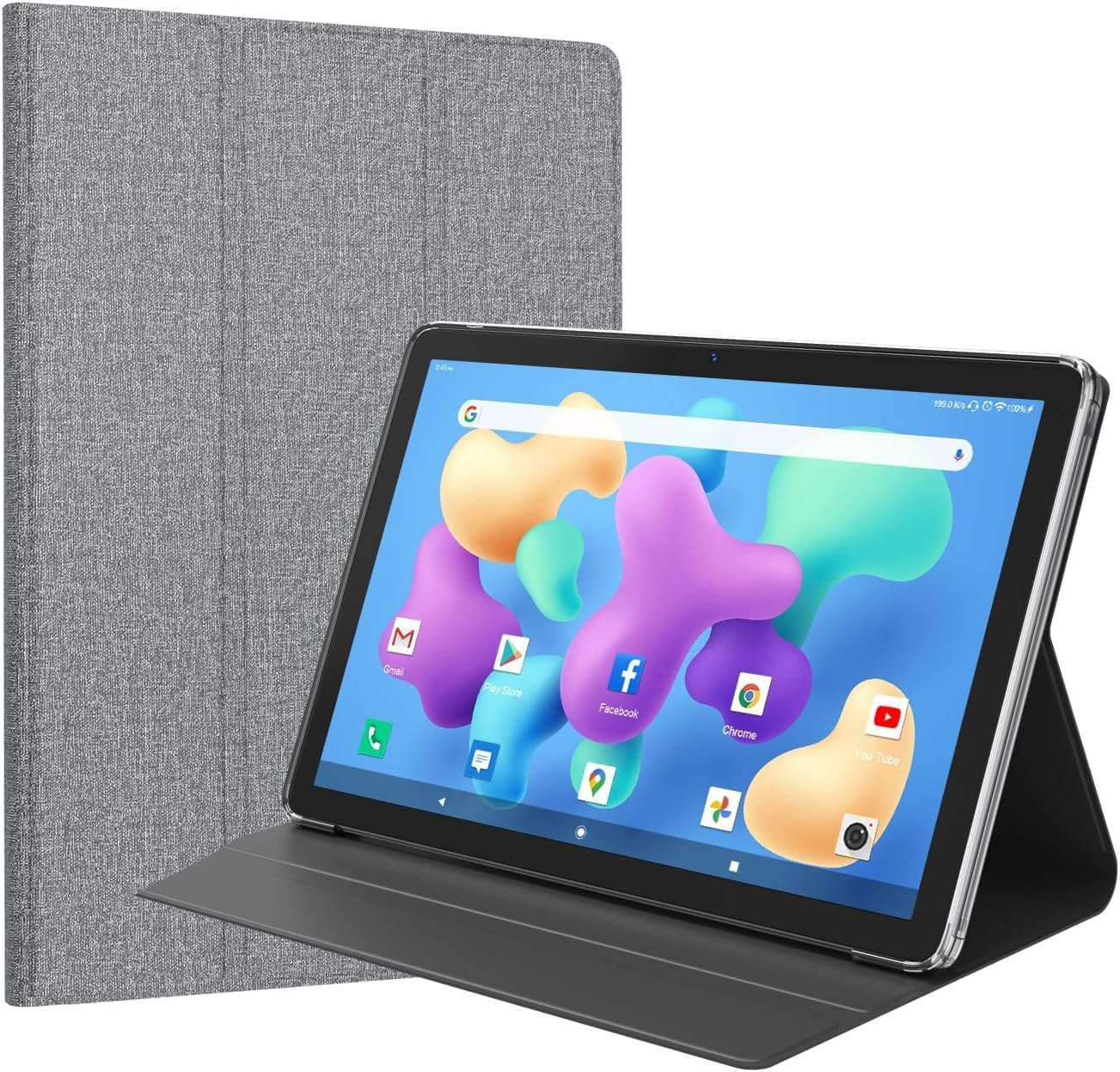
- Adjustable Stand: Integrated stand feature for flexible viewing angles.
Setup and Installation
- Prepare Your Tablet: Ensure your FEONAL D126 11-inch tablet is clean and free of debris before installation.
- Insert Tablet: Gently align your tablet with the case. Start by inserting one side of the tablet into the soft silicone frame of the case.
- Secure Tablet: Carefully press the remaining edges of the tablet into the case until it is fully seated. Ensure all corners are securely covered by the case's protective frame.
- Verify Fit: Check that all precise cutouts for the charging port, speakers, camera, headphones, volume, and power buttons align correctly with your tablet's features.
Operating Instructions
The FEONAL D126 Leather Case is designed for ease of use:
- Using the Adjustable Stand: To activate the stand feature, fold the front cover of the case backward. The cover is designed with creases that allow it to fold into a triangular support, propping up your tablet at a comfortable viewing angle.
- Accessing Ports and Buttons: The case features precise cutouts. Ensure your tablet is correctly seated in the case to allow unobstructed access to all ports, buttons, and the camera.
- Screen Protection: When not in use, close the front cover to protect your tablet's screen from scratches and dust.
Maintenance and Care
To maintain the appearance and functionality of your FEONAL D126 Leather Case, follow these care instructions:
- Cleaning: Wipe the exterior of the case with a soft, damp cloth. Avoid using harsh chemicals or abrasive cleaners, as these may damage the material.
- Stain Removal: For stubborn stains, use a mild soap solution on a cloth and gently rub the affected area. Wipe clean with a damp cloth and allow to air dry completely.
- Avoid Extreme Conditions: Do not expose the case to extreme temperatures, direct sunlight for prolonged periods, or excessive moisture, as this can affect the material's integrity and color.
- Storage: When not in use, store the case in a cool, dry place.
Troubleshooting
If you encounter any issues with your FEONAL D126 Leather Case, please refer to the following common solutions:
- Tablet Does Not Fit Properly: Ensure you have the correct model (FEONAL D126 11-inch tablet). Re-align the tablet and gently press it into the case, ensuring all corners are seated.
- Ports/Buttons Are Obstructed: Verify that the tablet is correctly positioned within the case, aligning with all cutouts. If not, remove the tablet and re-insert it carefully.
- Stand Feature Not Stable: Ensure the front cover is folded correctly into a stable triangular shape. The stand may require a flat, stable surface for optimal support.
Specifications
| Product Name | FEONAL D126 Leather Case |
| Model Number | D126 (for 11-inch tablet) |
| Compatible Devices | FEONAL D126 11-inch Tablet |
| Material | Hard Plastic, Soft Silicone, Leather (fabric finish) |
| Special Features | Adjustable Stand, Non-slip, Scratch Resistant, Precise Cutouts |
| Package Dimensions | 9.44 x 6.7 x 0.7 inches |
| Item Weight | 6.3 ounces |
| Manufacturer | FEONAL |
Warranty and Support
FEONAL offers customer support for this product. If you experience any quality problems, a refund or exchange is available within 30 days of purchase.
For further assistance or inquiries, please contact FEONAL customer service. Contact information can typically be found on the official FEONAL website or through your purchase platform.


