
Introduction
Thank you for choosing the Bloomfold 20L Dehumidifier. This appliance is designed to efficiently remove excess moisture from the air, creating a more comfortable and healthier environment in your home. It features a 20L/day dehumidification capacity, a laundry drying function, and is suitable for various rooms including living rooms, bedrooms, and bathrooms. Please read this manual thoroughly before operating the dehumidifier to ensure safe and optimal performance.
Important Safety Instructions
To reduce the risk of fire, electric shock, or injury when using your dehumidifier, follow these basic precautions:
- Read all instructions before using the appliance.
- Only use the dehumidifier on a stable, level surface.
- Do not operate the dehumidifier with a damaged cord or plug.
- Keep the appliance away from heat sources and direct sunlight.
- Ensure proper ventilation around the unit; do not block air inlets or outlets.
- Do not immerse the unit, cord, or plug in water or other liquids.
- Unplug the dehumidifier before cleaning or performing any maintenance.
- This appliance is not intended for use by persons (including children) with reduced physical, sensory or mental capabilities, or lack of experience and knowledge, unless they have been given supervision or instruction concerning use of the appliance by a person responsible for their safety.
Product Overview
Familiarize yourself with the main components of your Bloomfold Dehumidifier.
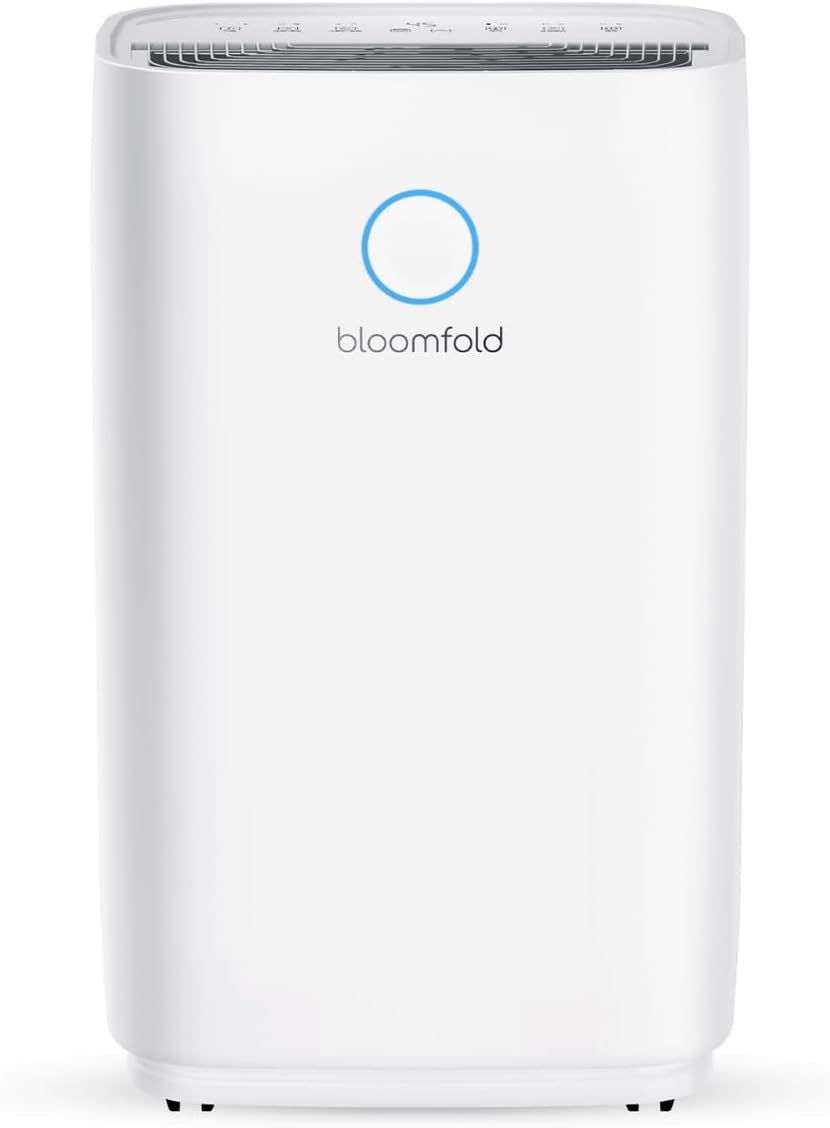
Figure 1: Front view of the Bloomfold 20L Dehumidifier, showcasing its sleek white design and the Bloomfold logo with a blue indicator light.

Figure 2: Close-up of the dehumidifier's control panel, showing buttons for Speed, Sleep/Reset, Lock, Humidity, Timer, and Mode, along with a digital display.

Figure 3: Illustration of the 4L water tank being manually emptied into a sink, highlighting the ease of removal and disposal of collected water. The image also indicates the option for continuous drainage with the included hose.
Setup
1. Unpacking
- Carefully remove the dehumidifier from its packaging.
- Remove all packing materials, tapes, and protective films.
- Check for any damage during transit. If damaged, do not operate and contact customer support.
2. Placement
Place the dehumidifier on a firm, level surface in the desired room. Ensure there is at least 20 cm (8 inches) of space around all sides of the unit for proper airflow. The dehumidifier is suitable for use in living rooms, bedrooms, bathrooms, and basements.

Figure 4: The dehumidifier positioned in a bathroom next to a bathtub, illustrating its suitability for moisture-prone areas.
3. Power Connection
- Ensure the power cord is fully extended.
- Plug the power cord into a grounded electrical outlet with the correct voltage (refer to specifications).
4. Water Drainage Options
The dehumidifier offers two drainage methods:
- Manual Drainage: The collected water accumulates in the 4-liter water tank. When the tank is full, the unit will automatically shut off and an indicator light will illuminate. Carefully remove the tank and empty it.
- Continuous Drainage: For continuous operation without needing to empty the tank, attach the included drainage hose to the continuous drainage port on the back of the unit. Route the hose to a suitable drain (e.g., floor drain, large bucket). Ensure the hose is sloped downwards to allow gravity drainage.
Operating Instructions
1. Power On/Off
- Press the Power button () to turn the unit on or off.
2. Mode Selection
Press the Mode button to cycle through available operating modes:
- Dehumidify Mode: Standard operation to remove moisture from the air.
- Laundry Drying Function: Designed to quickly dry clothes indoors by providing continuous powerful dehumidification.
3. Humidity Setting
Press the Humidity button () to adjust the desired humidity level. The unit will operate until the set humidity is reached, then cycle on and off to maintain it.

Figure 5: The intelligent humidity sensor display, showing different color indicators for humidity levels: Blue (Under 45%), Green (45% to 65%), and Red (Over 65%).
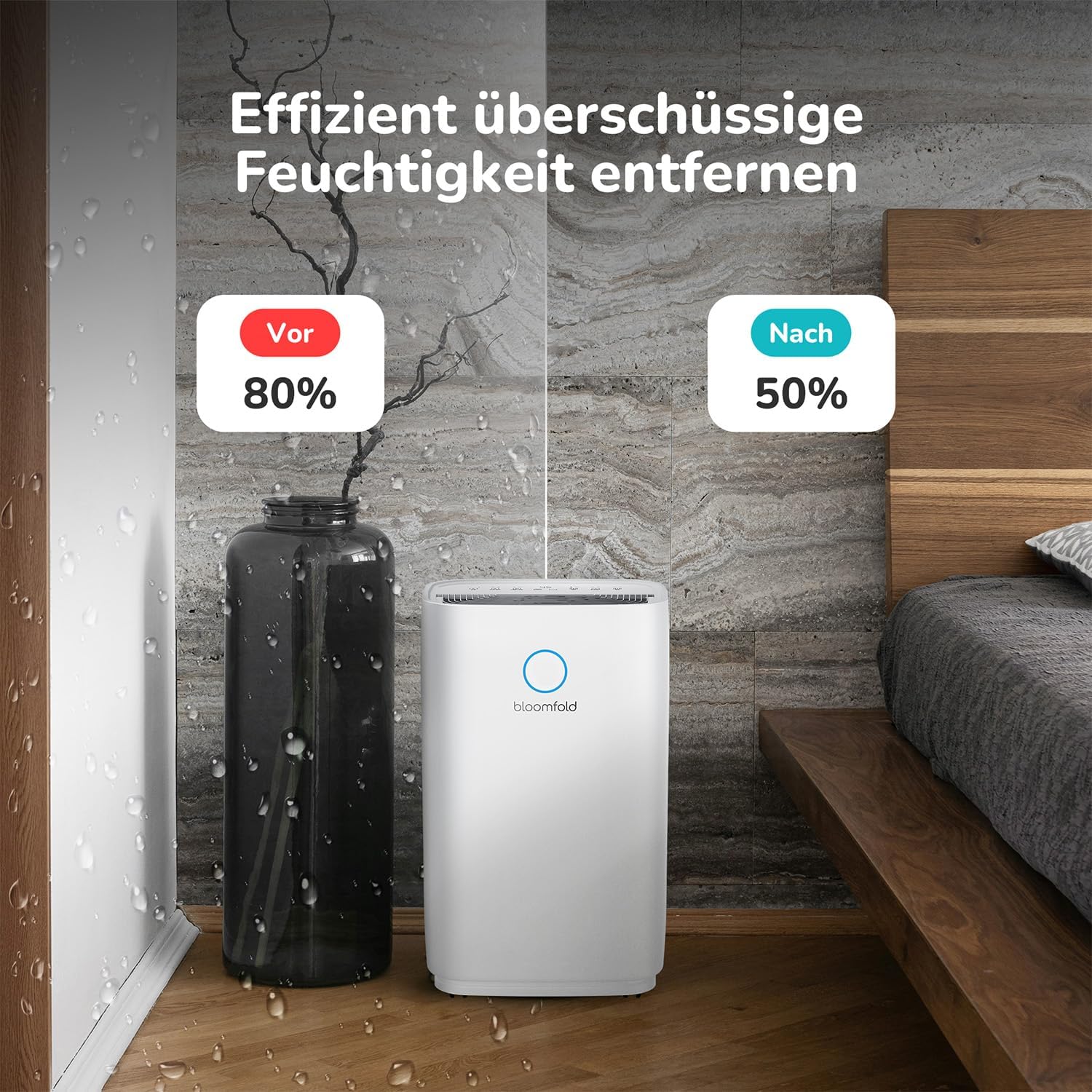
Figure 6: A graph illustrating the intelligent humidity control, showing the dehumidifier starting operation when humidity rises above a set point and stopping when it falls below, maintaining optimal levels.

Figure 7: A visual comparison showing a room with 80% humidity (before) and 50% humidity (after) using the dehumidifier, demonstrating its effectiveness in removing excess moisture.
4. Timer Function
Press the Timer button () to set a delay for the unit to turn on or off. Each press increases the time by one hour, up to 24 hours.
5. Fan Speed
Press the Speed button () to adjust the fan speed (e.g., Low, High). Higher fan speed results in faster dehumidification but may produce more noise.

Figure 8: A comparison chart showing the dehumidifier's quiet operation at 45dB, similar to normal conversation (50dB) and much quieter than vacuuming (75dB).
6. Child Lock
Press and hold the Lock button () for a few seconds to activate or deactivate the child lock function. When activated, the control panel buttons will be disabled to prevent accidental changes.
7. Sleep Mode
Press the Sleep/Reset button () to activate Sleep Mode. In this mode, the fan speed will be reduced, and display lights dimmed for quieter operation during nighttime.
Maintenance
Regular maintenance ensures the longevity and efficiency of your dehumidifier.
1. Cleaning the Air Filter
- It is recommended to clean the air filter every two weeks or more frequently if the unit is used in a dusty environment.
- Turn off and unplug the dehumidifier.
- Locate and remove the air filter (usually at the back or side).
- Wash the filter with warm, soapy water. Rinse thoroughly and allow it to air dry completely before reinserting.
- Do not operate the dehumidifier without the filter.
2. Emptying the Water Tank
- When the water tank is full, the unit will stop operating and an indicator will light up.
- Carefully pull out the water tank from the unit.
- Pour out the collected water.
- Slide the empty tank back into its position until it clicks securely.
3. Cleaning the Unit Exterior
- Wipe the exterior of the dehumidifier with a soft, damp cloth.
- Do not use harsh chemicals, abrasive cleaners, or solvents.
4. Storage
- If storing the unit for an extended period, ensure the water tank is empty and clean.
- Clean the air filter.
- Cover the unit to protect it from dust.
- Store in a cool, dry place.
Troubleshooting
Before contacting customer support, please refer to the following common issues and solutions:
| Problem | Possible Cause | Solution |
|---|---|---|
| Dehumidifier does not turn on. | No power; Power cord not plugged in; Water tank full or not properly seated. | Check power outlet; Ensure power cord is securely plugged in; Empty and re-seat the water tank correctly. |
| Unit is running but not collecting water. | Room temperature too low; Humidity level already low; Air filter clogged; Unit size too small for room. | Dehumidifiers work best above 5°C (41°F); Check current humidity and desired setting; Clean the air filter; Consider if the unit is appropriate for the room size. |
| Unit is noisy. | Air filter clogged; Unit not on a level surface; Obstruction in fan. | Clean the air filter; Place the unit on a flat, stable surface; Check for any foreign objects. |
| Water leaks from the unit. | Water tank not properly seated; Continuous drainage hose kinked or blocked. | Re-seat the water tank; Check the drainage hose for kinks or blockages and ensure proper slope. |
Specifications
| Feature | Detail |
|---|---|
| Model Number | BF005 |
| Dehumidification Capacity | 20 Liters/Day |
| Water Tank Capacity | 4 Liters |
| Rated Power (Wattage) | 330 Watts |
| Product Dimensions (L x W x H) | 23.7 x 34.3 x 57 cm |
| Product Weight | 14.65 Kilograms |
| Recommended Coverage Area | Up to 40 Square Meters |
| Noise Level | Approx. 45 dB |
Warranty and Support
Bloomfold products are manufactured to the highest quality standards. For warranty information or technical support, please refer to the warranty card included with your purchase or visit the official Bloomfold website. Please have your model number (BF005) and purchase details ready when contacting support.
For further assistance, you may also visit the Bloomfold Store on Amazon.


