
Introduction to the DJI Air 3S
The DJI Air 3S is designed for ease of use and flight enjoyment, suitable for anyone looking to experience drone flight. This manual provides detailed insights into its features, functionality, and safe operation. It covers essential configuration properties, integrated advanced safety features, and how to achieve optimal photographic exposure settings.
This guide also includes information on various flight missions, regulatory rules applicable in the EU, UK, and US, and useful tips for maintaining your drone and keeping it updated with the latest features.

Image: Front cover of the DJI Air 3S Practice Manual. The cover features a DJI Air 3S drone prominently displayed against a textured, reddish-brown background, with the title "DJI Air 3S THE PRACTICE MANUAL" clearly visible.
Setup and Initial Activation
1.1 General Features
Understand the core capabilities, design elements, and key components of the DJI Air 3S drone.
1.2 Drone Preparation and Product Activation
This section details the necessary steps to prepare your DJI Air 3S for its first flight. This includes unboxing, proper component assembly, and initial battery charging procedures.
1.3 Product Activation
Learn the process of activating your DJI Air 3S drone and linking it to your DJI account using the DJI Fly application. Activation is required before first use.
Operating the Aircraft
2.1 The Remote Controller (RC-N3 and DJI RC 2)
A comprehensive guide to the functions, controls, and operational differences between the RC-N3 and DJI RC 2 remote controllers.
2.2 Flight Modes
An explanation of the various flight modes available on the DJI Air 3S, detailing their characteristics and appropriate uses for different flight scenarios.
2.3 Controlling the Aircraft
Detailed instructions on performing basic and advanced flight maneuvers, including takeoff, landing, hovering, and directional control.
2.4 DJI RC 2
Specific operational details and advanced features unique to the DJI RC 2 controller, including its integrated screen and enhanced capabilities.
2.5 Signal Transmission
Information on how the drone's signal transmission system works and best practices for maintaining a stable and reliable connection between the drone and the remote controller.
6. Advanced Aircraft Control
- 6.1 APAS: Advanced Pilot Assistance Systems for intelligent obstacle avoidance, allowing the drone to navigate complex environments safely.
- 6.2 Vision Assist: Utilizing the drone's visual sensors to enhance flight stability and precision, especially in GPS-denied environments.
- 6.2 QuickShots: Automated cinematic flight patterns that allow users to capture professional-looking videos with minimal effort.
- 6.3 MasterShots: An advanced automated flight and video editing feature that captures a sequence of shots and automatically generates a cinematic video.
- 6.4 Hyperlapse: Instructions on creating dynamic time-lapse videos with various movement patterns.
- 6.5 Pano: Guidance on capturing high-resolution panoramic images, including Sphere, 180°, and Wide panoramas.
- 6.6 FocusTrack: Intelligent subject tracking modes, including Spotlight, ActiveTrack, and Point of Interest, to keep your subject in frame.
- 6.7 Waypoint Flight: Programming custom flight paths using waypoints for precise and repeatable flight missions.
- 6.8 Cruise Control: Maintaining a constant flight speed and direction, reducing pilot fatigue during long flights.
Safety Features
3.1 Return To Home (RTH)
Details on the Return To Home function, including Smart RTH, Low Battery RTH, and Failsafe RTH, ensuring the drone returns safely to its takeoff point.
3.2 Vision System
An explanation of the drone's advanced vision systems, which utilize multiple sensors for precise positioning, obstacle detection, and safe navigation.
3.3 AirSense
Information on AirSense technology, which provides enhanced airspace safety by detecting nearby aircraft and alerting the pilot.
DJI Fly Application and Camera
4.1 Control App
An overview of the DJI Fly app interface, its primary functions, and how it serves as the central hub for controlling and managing your drone.
4.2 Flight Interface
Understanding the real-time flight data, telemetry, and controls displayed within the DJI Fly app during flight operations.
4.3 App Settings
Guidance on customizing various drone and app settings to optimize performance, flight experience, and camera output.
5. Camera and Gimbal
- 5.1 Camera: Detailed specifications and capabilities of the integrated camera system on the DJI Air 3S.
- 5.2 Remote Controller: How to control camera functions, including photo capture and video recording, directly from the remote controller.
- 5.3 Gimbal: Operation, calibration, and best practices for the 3-axis mechanical gimbal to ensure stable and smooth footage.
- 5.4 Camera Settings: Adjusting various camera parameters such as resolution, frame rate, ISO, shutter speed, and white balance.
- 5.5 Exposure: Techniques and tips for achieving optimal photographic exposure in different lighting conditions.
- 5.6 Camera Control: Advanced camera operation modes and features for creative photography and videography.
7. Video Editing (via app)
- 7.1 Templates & One-Tap Edit: Quick video creation using pre-set templates and automated editing features within the DJI Fly app.
- 7.2 Edit like a Pro (New Project): In-depth video editing features and tools available within the DJI Fly app for more customized post-production.
Maintenance and Regulations
8. Flight Limits and Rules (EU, UK, and US)
- 8.1 Flight Limits: Understanding geographical and altitude restrictions, including no-fly zones and temporary flight restrictions.
- 8.2 Rules (EU, UK, and US): An overview of current drone regulations, licensing requirements, and safe operating practices in key regions.
9. Maintenance
- 9.1 Firmware Update: Procedures for keeping your drone's firmware, remote controller firmware, and app software current for optimal performance and new features.
- 9.2 Intelligent Flight Battery: Best practices for battery care, charging, storage, and understanding battery health indicators to maximize lifespan and safety.
- 9.3 Calibration (Compass and IMU) and System Status LEDs: How to perform essential sensor calibrations (compass and IMU) and interpret the various system status LED indicators for diagnostic purposes.
- 9.4 Attaching and Detaching the Propellers: Correct and safe procedures for installing and removing propellers, including identifying the correct propeller for each motor.
- 9.5 DJI Care Refresh: Information on the optional comprehensive protection plan offered by DJI, including coverage details and how to activate it.
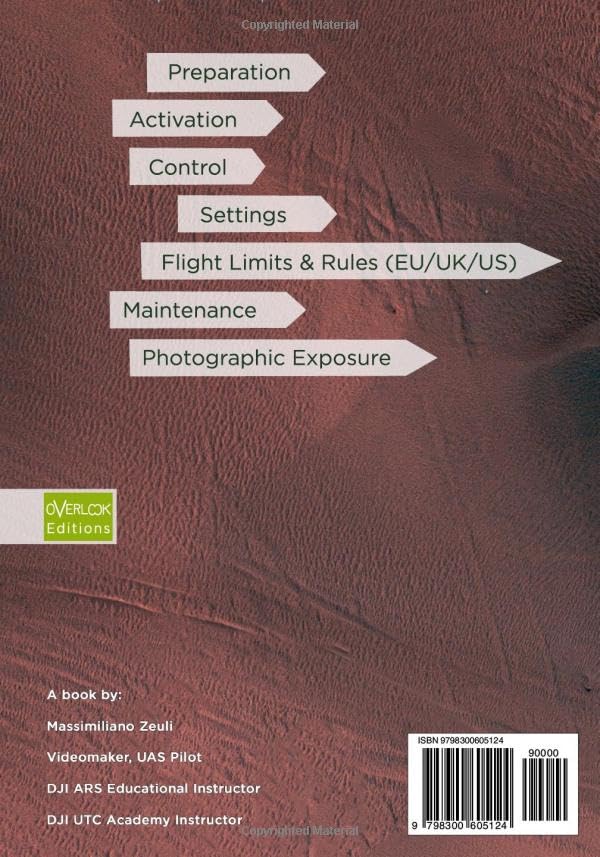
Image: Back cover of the DJI Air 3S Practice Manual. The cover lists key topics covered in the book, including Preparation, Activation, Control, Settings, Flight Limits & Rules (EU/UK/US), Maintenance, and Photographic Exposure.
Troubleshooting
This section provides guidance on common issues that may arise during the operation of your DJI Air 3S and offers potential solutions. For specific error codes or persistent problems, it is recommended to refer to the official DJI support website or contact customer service directly.
- Drone not powering on: Ensure the Intelligent Flight Battery is fully charged and properly inserted into the drone. Check for any visible damage to the battery or drone.
- Loss of signal: Verify that the remote controller is fully charged. Ensure there are no major obstructions between the drone and controller, and avoid areas with strong electromagnetic interference. Maintain line of sight with the drone.
- Gimbal not stable or vibrating: Perform a gimbal calibration via the DJI Fly app. Ensure the gimbal protector is removed before flight. Avoid flying in excessively strong winds.
- App connection issues: Restart the DJI Fly app and your mobile device. Ensure your mobile device's operating system is up to date and that the app has all necessary permissions.
- Compass error: If a compass error message appears, perform a compass calibration in an open area, away from large metal objects or strong magnetic fields.
Specifications
| Feature | Detail |
|---|---|
| Model | DJI Air 3S |
| Weight | (Refer to official DJI Air 3S product specifications for exact weight) |
| Max Flight Time | (Refer to official DJI Air 3S product specifications for exact flight time) |
| Camera Sensor | (Refer to official DJI Air 3S product specifications for camera details) |
| Video Resolution | (Refer to official DJI Air 3S product specifications for video resolution) |
Note: For complete and up-to-date technical specifications, including dimensions, operating frequency, and maximum transmission distance, please visit the official DJI website for the Air 3S model.
Warranty and Support
For detailed information regarding the DJI Air 3S product warranty, please refer to the official DJI website or the warranty card included with your drone purchase. Warranty terms and conditions may vary by region and purchase location.
DJI Care Refresh: This is an optional comprehensive protection plan for your DJI product, offering replacement services for accidental damage, including crashes, water damage, and more. Full details and eligibility criteria can be found on the official DJI website.
Customer Support: For technical assistance, service inquiries, or further questions not covered in this manual, please visit the official DJI Support page: www.dji.com/support. You can find FAQs, video tutorials, and contact information for direct support.


