
Ollny NYD030A
Ollny Solar Lights Outdoor Garden Instruction Manual
Model: NYD030A
1. Introduction
Thank you for choosing Ollny Solar Lights. This manual provides essential information for the safe and efficient operation, installation, and maintenance of your new outdoor string lights. Please read it thoroughly before use and retain it for future reference.
Safety Precautions
- Ensure the solar panel is placed in an area that receives direct sunlight for optimal charging.
- Do not attempt to disassemble or modify the product.
- Keep the product away from open flames or extreme heat sources.
- The bulbs are shatterproof plastic; however, handle with care during installation.
2. Product Overview
The Ollny Solar Festoon Lights are designed for outdoor use, providing warm white illumination for gardens, patios, pergolas, and more. This 20-meter string light set includes 30 G40 shatterproof bulbs, plus 2 spare bulbs, with a 3-meter lead cable. It features a large capacity solar panel for efficient charging and a remote control for versatile operation.

Image: Ollny Solar Festoon Lights with solar panel and remote control, showcasing the warm glow of the G40 bulbs.

Image: All components of the Ollny Solar Lights laid out, including the string of bulbs, solar panel, remote control, USB charging cable, and mounting accessories.
Key Features:
- Length: 20 meters with 30 G40 bulbs and 2 spare bulbs.
- Solar Panel: 3000 mAh capacity, 190 x 130 mm, charges in 6-8 hours via solar or 4-5 hours via USB.
- Lighting Duration: Provides 8-10 hours of lighting when fully charged.
- Durability: IP65 rated solar panel and IP45 rated string lights for all-weather use. Shatterproof plastic LED bulbs.
- Control: RF remote control with a 10-meter range.
- Functions: Adjustable brightness (25%-100%), 3 lighting modes (Steady ON, Flash, Breath), 5 timer settings, and memory function.
Video: An official product video showcasing the Ollny Solar G40 String Lights for Outdoor Garden, demonstrating their appearance and features in various settings.
3. Components List
- 1 x 20m String Light with 30 G40 Bulbs
- 2 x Spare G40 Bulbs
- 1 x Solar Panel with Ground Stake
- 1 x RF Remote Control
- 1 x USB Charging Cable (plug not included)
- Mounting Accessories (screws, wall plugs, clamp)
4. Setup & Installation
Solar Panel Placement
The solar panel is crucial for charging. Ensure it is placed in a location that receives 6-8 hours of direct sunlight daily. Avoid shaded areas from trees, buildings, or other obstructions.
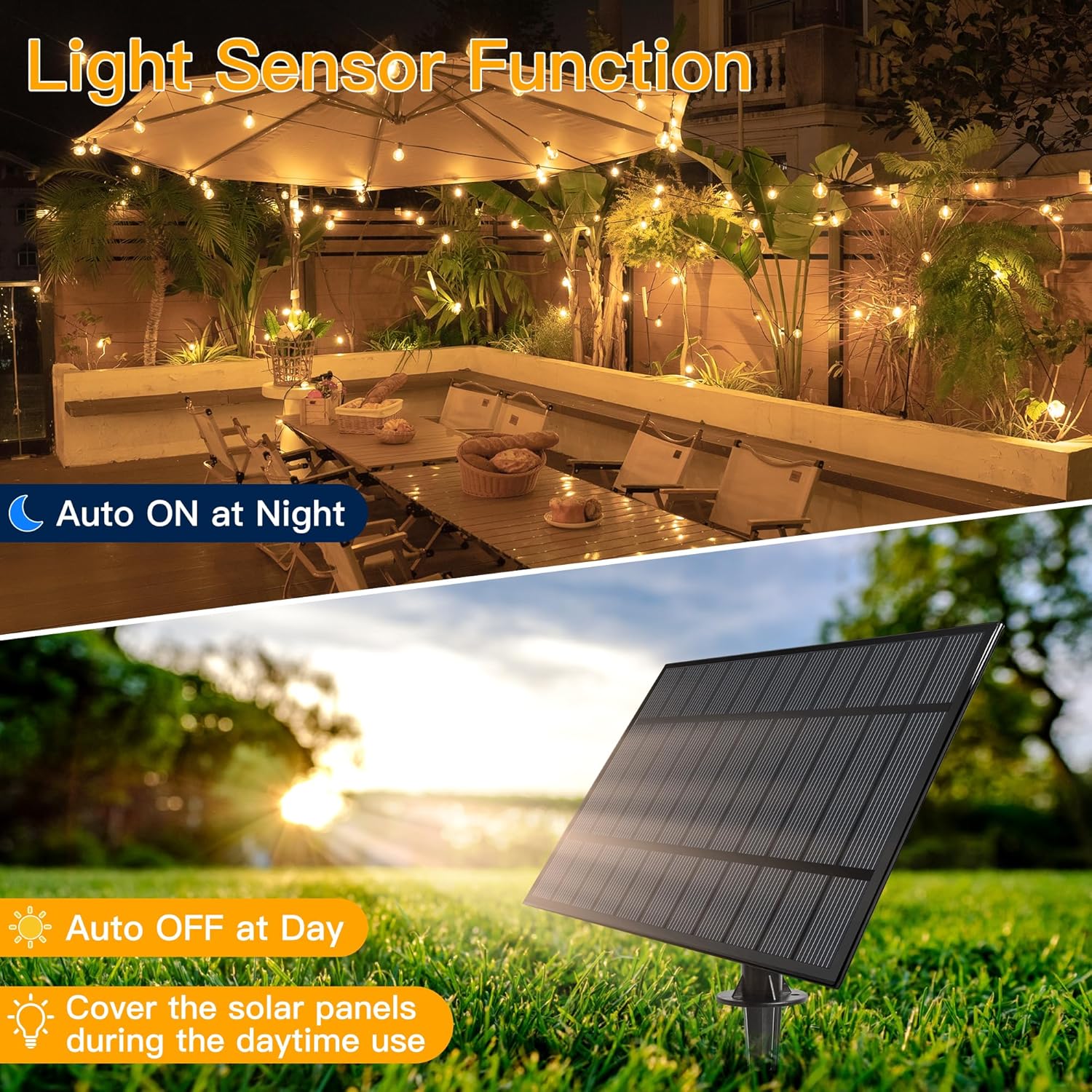
Image: The solar panel features a light sensor, automatically turning the lights on at dusk and off at dawn. For daytime use, cover the solar panel.
Solar Panel Installation Methods
The solar panel offers versatile installation options:
- Ground Insertion: Attach the ground stake to the solar panel and firmly insert it into soft ground.
- Wall Mounting: Use the provided screws and wall plugs to secure the solar panel to a wall.
- Fence Clamping: Utilize the included clamp to attach the solar panel to a fence or railing.

Image: Visual representation of the three installation methods for the solar panel: inserting it into the ground, clamping it to a wooden board or fence, and nailing it to a wall.
String Light Installation
The string lights can be hung using the integrated hooks on each bulb fitting or with cable ties (not included) for added security.

Image: A detailed view of a G40 bulb, highlighting its E12 lamp holder, the fact that the bulb is removable, and the convenient hanging hook for easy installation. Dimensions are also shown.
Initial Charging
Before first use, ensure the solar panel is fully charged. This can be done by placing it in direct sunlight for 6-8 hours or by using the USB charging cable for 4-5 hours. The USB port is located on the solar panel unit.

Image: A diagram illustrating the total length of the 20m solar outdoor string lights, including the 3m lead from the solar panel, the 58cm spacing between G40 bulbs, and the dimensions of the solar panel (190mm x 130mm).
5. Operating Instructions
Your Ollny Solar Lights come with an RF remote control for convenient operation.

Image: The remote control layout, detailing buttons for ON/OFF, brightness adjustment (25%-100%), three lighting modes (Steady ON, Flash, Breath), and five timer options (30 min, 2H, 4H, 6H, 8H).
Remote Control Functions:
- ON/OFF: Press to turn the lights on or off.
- Brightness Adjustment: Use the '+' and '-' buttons to adjust brightness from 25% to 100%.
- Lighting Modes: Select from three distinct modes:
- Steady ON: Lights remain continuously lit.
- Flash: Lights flash intermittently.
- Breath: Lights slowly fade in and out.
- Timers: Set the lights to automatically turn off after a specified duration: 30 minutes, 2 hours, 4 hours, 6 hours, or 8 hours.
- Memory Function: The lights will remember the last selected mode and brightness setting when turned back on.
Light Sensor Function
The solar panel is equipped with a light sensor. The lights will automatically turn on at dusk and turn off at dawn, conserving energy. To test the lights during the day, cover the solar panel completely.

Image: Examples of the string lights in various ambient light conditions: daytime (off), dusk (starting to glow), evening (fully lit), and night (brightly illuminating the area).
6. Maintenance
Cleaning the Solar Panel
Regularly wipe the solar panel with a soft, damp cloth to remove dust, dirt, or debris. A clean panel ensures optimal sunlight absorption and charging efficiency.
Bulb Care
The G40 bulbs are made of shatterproof plastic, making them durable. If a bulb needs replacement, gently twist it counter-clockwise to remove and replace with a spare bulb. Ensure the power is off before handling bulbs.
Weather Resistance
The solar panel has an IP65 waterproof rating, and the string lights have an IP45 rating, making them suitable for various weather conditions including rain, wind, and snow. However, for prolonged periods of extreme weather or during winter months when sunlight is scarce, you may consider storing the lights indoors to extend their lifespan.

Image: The solar panel and string light are shown with their respective IP65 and IP45 waterproof ratings, highlighting their resistance to snow, wind, rain, and sun.
7. Troubleshooting
| Problem | Possible Cause | Solution |
|---|---|---|
| Lights do not turn on at night. | Insufficient solar charge. | Ensure solar panel is in direct sunlight for 6-8 hours. Clean the solar panel. Charge via USB if sunlight is limited. |
| Lights are dim or only stay on for a short time. | Partial charge or cloudy weather. | Relocate solar panel to a sunnier spot. Allow more charging time. Use USB charging for a full charge. |
| Remote control not working. | Battery depleted or obstruction. | Ensure the remote control battery is functional. Remove any obstructions between the remote and the solar panel. Ensure you are within the 10-meter range. |
| One or more bulbs are not lighting up. | Loose or faulty bulb. | Gently twist the bulb to ensure it is securely seated. Replace with a spare bulb if necessary. |
8. Specifications
| Feature | Specification |
|---|---|
| Brand | Ollny |
| Model Number | NYD030A |
| Light Source Type | LED (G40 Bulbs) |
| Number of Lights | 32 (30 + 2 spare) |
| Colour Temperature | 2700 Kelvin (Warm White) |
| String Length | 20 meters |
| Lead Cable Length | 3 meters |
| Bulb Spacing | 58 cm |
| Solar Panel Dimensions | 190 x 130 mm |
| Solar Panel Battery Capacity | 3000 mAh |
| Solar Panel Waterproof Rating | IP65 |
| String Light Waterproof Rating | IP45 |
| Power Source | Solar Powered (with USB charging option) |
| Wattage | 1.11 watts |
| Special Features | Waterproof, Shatterproof, Remote Controlled, Adjustable Brightness, Multiple Lighting Modes, Timers |
| Item Weight | 1.27 kg |
9. Warranty & Support
Ollny products are manufactured to high-quality standards. For any questions, concerns, or issues regarding your product, please contact our customer support team. Our friendly support is available 24/7 to assist you.
Please refer to your purchase documentation or the retailer's website for specific warranty details and contact information.
Related documentsNYD030A

Ask a question about this manual
Ask about setup, troubleshooting, compatibility, parts, safety, or missing instructions. Manuals+ will review the question and use this page’s manual context to help answer it.