
1. Introduction
This manual provides detailed instructions for the safe and efficient use of your MOMAX Magnetic Portable Charger, Model IP117A. This device is a 10000mAh power bank designed for magnetic wireless charging and wired fast charging of compatible electronic devices.
2. Product Features
- 15W Fast Wireless Charging: Provides up to 15W wireless charging (Max. 7.5W for iPhone) with an 11N magnetic force for secure attachment.
- 10000mAh Capacity: High-capacity battery cells for extended use, certified safe for airline travel (UN38.3, CE, CCC).
- Dynamic Quad-Shield Cooling: Features NTC chip, AI temperature monitoring (MTT), graphene cooling, and a titanium alloy shell to maintain optimal temperature.
- Ultra-Slim & Lightweight: Measures 0.5 inches (13mm) thick and weighs 194g for portability.
- PD20W Wired Fast Charge: USB-C port supports Power Delivery 20W for rapid wired charging.
- Wide Compatibility: Compatible with MagSafe iPhones (12-17 series), phones with magnetic cases, and Android devices (with magnetic ring).
- Premium Build: Constructed from artisan-grade aluminum and a glass panel for durability.
3. Package Contents
- MOMAX Magnetic Portable Charger (Model IP117A)
- USB-C to USB-C Charging Cable
- User Manual
4. Setup
4.1 Initial Charging of the Power Bank
Before first use, fully charge your MOMAX Magnetic Portable Charger. Connect the provided USB-C cable to the power bank's USB-C port and the other end to a compatible USB power adapter (not included). The LED indicators on the power bank will illuminate to show the charging status. Once all LEDs are solid, the power bank is fully charged.
4.2 LED Indicators
The power bank features LED indicators to display battery level and charging status. Refer to the device itself for specific indicator patterns and their meanings.
5. Operating Instructions
5.1 Wireless Charging
To wirelessly charge your device, align the MOMAX Magnetic Portable Charger with the back of your MagSafe-compatible iPhone (12-17 series) or a phone equipped with a magnetic case. The strong magnets will ensure a secure and proper alignment for efficient charging. Ensure there are no foreign objects between the power bank and your phone.

Image: The MOMAX Magnetic Portable Charger attached to the back of an iPhone, demonstrating its magnetic wireless charging capability. The image highlights the strong magnetic connection and its flight-approved status.

Image: A detailed view of the MOMAX Magnetic Portable Charger's internal structure, emphasizing the 18 N52 magnets that provide an 11N strong magnetic force for automatic alignment and seamless charging.
5.2 Wired Charging
For wired charging, connect your device to the power bank's USB-C port using a compatible USB-C cable. The USB-C port supports Power Delivery (PD) 20W fast charging, allowing for rapid power delivery to your devices.
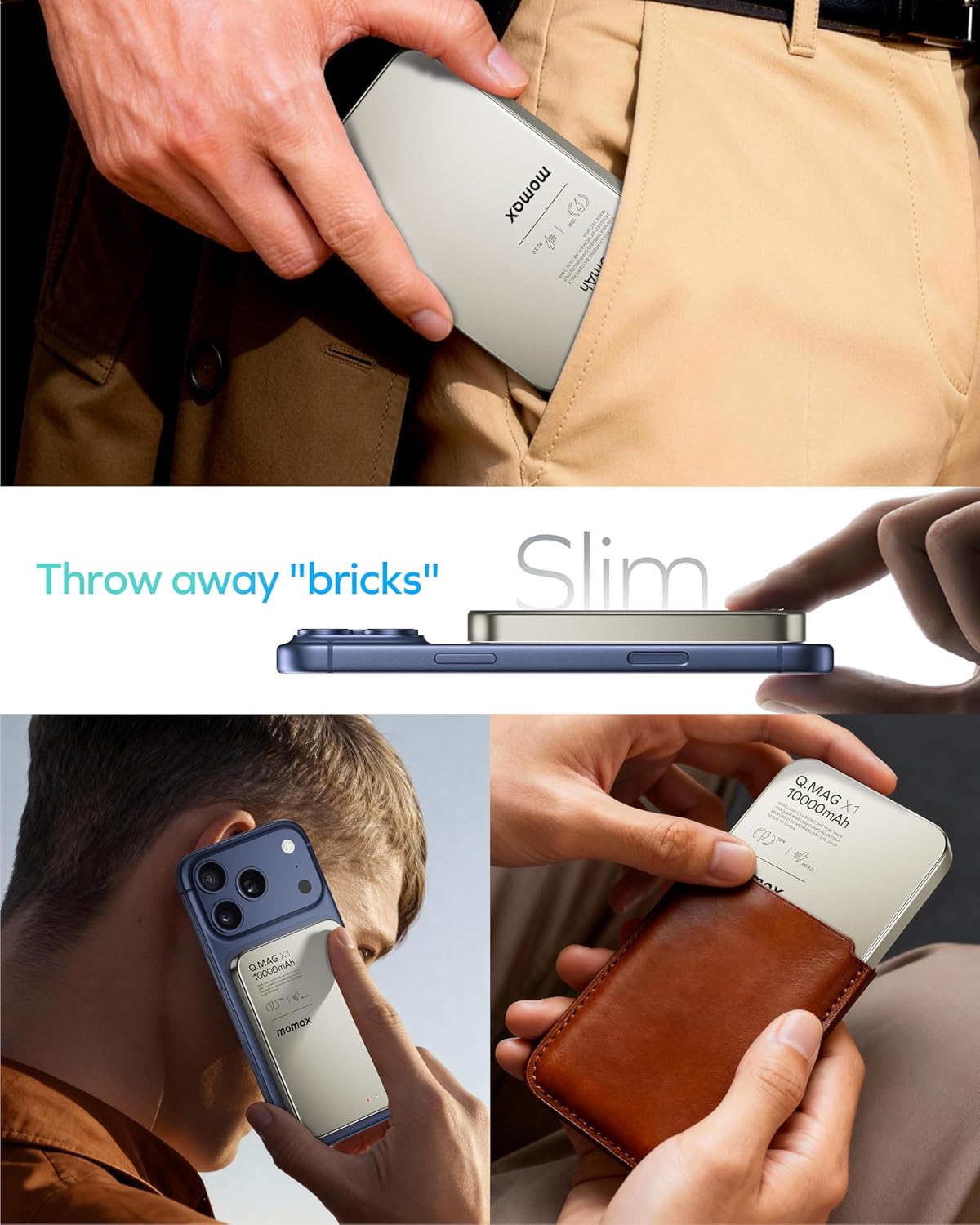
Image: A user connecting the MOMAX Magnetic Portable Charger to an iPhone via a USB-C cable, illustrating the PD 20W wired fast charging capability. The image also shows a comparison of charging speed with other 15W power banks.
5.3 Charging Multiple Devices
The power bank can charge two devices simultaneously: one wirelessly and one via the USB-C port. Note that total output power may be shared between devices.
Video: An overview of the MOMAX 10000mAh Magnetic Power Bank, demonstrating its compact size, strong magnetic connection, wireless fast charging, and the ability to charge two devices simultaneously. It also shows the ease of portability.
5.4 Power On/Off
The power bank typically activates automatically when a device is connected for charging. To manually check the battery level or activate charging, press the power button. The device may automatically power off after a period of inactivity to conserve battery.
6. Maintenance
- Cleaning: Use a soft, dry cloth to clean the surface of the power bank. Avoid using harsh chemicals or abrasive materials.
- Storage: Store the power bank in a cool, dry place away from direct sunlight and extreme temperatures.
- Battery Care: To prolong battery life, fully charge the power bank at least once every three months if not in regular use. Avoid fully discharging the battery frequently.
- Handling: Handle the device with care. Avoid dropping or subjecting it to strong impacts, as this may damage internal components or the glass panel.
7. Troubleshooting
7.1 Device Not Charging
- Ensure the power bank is sufficiently charged.
- For wireless charging, verify proper alignment between the power bank and your device. Remove any thick or non-magnetic cases.
- For wired charging, check that the USB-C cable is securely connected to both the power bank and your device. Try a different cable if necessary.
- Confirm your device is compatible with wireless or PD fast charging.
7.2 Slow Charging
- Ensure your device supports fast charging protocols (e.g., PD 20W for wired, 7.5W for iPhone wireless).
- High temperatures can reduce charging speed. Move the device to a cooler environment.
- Using your phone while charging, especially with demanding apps, can slow down the charging process.

Image: A screenshot from an iPhone's battery settings displaying a "Slow Charger" notification. This indicates that charging speed may be reduced due to heat detection, a normal system software strategy to maintain device health.
7.3 Overheating and Charging Stopping at 80%
- The power bank and your phone may become warm during charging, which is normal. The MOMAX power bank features dynamic cooling technology to manage heat.
- If your iPhone stops charging at 80%, this is a feature of iOS 17's thermal management to protect the battery from overheating. Charging will resume once the device cools down. Moving it to a cooler spot can help speed up this process.

Image: An iPhone lock screen displaying a "Charging On Hold" notification when the battery reaches 80%. This is a thermal management feature to prevent overheating, and charging will resume once the device cools.
7.4 Magnetic Connection Issues
- Ensure your phone or case is MagSafe compatible or has an integrated magnetic ring.
- Avoid using non-magnetic cases or cases thicker than 3mm, as these can interfere with the magnetic connection and wireless charging efficiency.
- Remove any metal objects, credit cards, or grips/stands that might be between the power bank and your phone.

Image: A visual guide illustrating which types of phone cases are compatible (magnetic cases, universal MagSafe rings) and incompatible (non-magnetic cases, metal cases, cases with grips/stands or credit cards) with the magnetic portable charger.
7.5 Fewer Charges Than Expected
- Energy is lost during voltage conversion and due to internal heat, typically 20-40%. This is standard across the industry.
- The actual number of charges depends on your device's battery capacity and the efficiency of the charging process.
8. Specifications
| Brand | MOMAX |
| Model Name | IP117A |
| Battery Capacity | 10000 Milliamp Hours (Total battery capacity) |
| Rated Capacity | 6400mAh (Usable capacity after energy loss and efficiency) |
| Color | Titanium2 |
| Battery Cell Composition | Lithium Polymer |
| Number of Ports | 1 (USB-C) |
| Cordless | Yes |
| Portable | Yes |
| Wireless Charging Standard | MagSafe |
| Output (Wireless) | 5W/7.5W/10W/15W |
| Output (USB-C) | 5V-2.4A/9V-2.22A/12V-1.67A (Max PD 20W) |
| Input (USB-C) | 5V-3A/9V-2A |
| Thickness | 0.5 inches / 13mm |
| Weight | 6.8oz / 194g / 0.42lb |
| Material | Al-Alloy + Glass + PC + ABS |
| Safety Certifications | UN38.3, CE, CCC, Flight-Approved |

Image: The MOMAX Magnetic Portable Charger demonstrating its ultra-slim 0.5-inch (13mm) profile and lightweight design (194g), highlighting its portability.

Image: The MOMAX Magnetic Portable Charger being held, with an airline ticket visible, emphasizing its 10000mAh capacity and multiple safety certifications (UN38.3, CE, CCC) making it flight-approved.

Image: A detailed diagram illustrating the dimensions (4.0 inches length, 2.6 inches width, 0.5 inches thickness) and key specifications of the MOMAX Magnetic Portable Charger, including battery capacity, weight, output, input, and material.
9. Warranty Information
This product is covered by a manufacturer's warranty. For specific details regarding warranty terms, duration, and claims, please refer to the warranty card included in your product packaging or visit the official MOMAX website.
10. Support
If you encounter any issues or have questions about your MOMAX Magnetic Portable Charger that are not addressed in this manual, please contact MOMAX customer support. Contact information can typically be found on the product packaging, the official MOMAX website, or through your retailer.


