
1. Introduction
Thank you for choosing the Odoland OD0731B Portable Misting Fan with Light. This device is designed to provide cooling, misting, and illumination for various indoor and outdoor activities. It features a powerful 30000mAh rechargeable battery, five fan speeds, two misting modes, three light colors with three brightness levels, automatic oscillation, and a remote control for convenient operation. This manual provides essential information for the safe and effective use, setup, operation, and maintenance of your fan.
2. Safety Instructions
- Read all instructions before using the fan.
- Do not immerse the fan in water or other liquids.
- Keep the fan away from open flames, heat sources, and flammable materials.
- Use only the provided charging cable or a certified Type-C cable for charging.
- Ensure the water tank is filled with pure water to prevent mineral buildup and blockages in the misting nozzles.
- Empty the water tank when the misting function is not in use or when storing the fan.
- Do not block the fan's air intake or exhaust vents during operation.
- Keep out of reach of children and pets.
- If the fan is hung, ensure it is securely fastened and the water tank is positioned correctly for misting.
- Do not attempt to disassemble or repair the fan yourself. Contact customer support for assistance.
3. Package Contents
Verify that all items are present in the package:
- Odoland Portable Misting Fan (1 unit)
- User Manual (1 unit)
- Remote Control (1 unit)
- Type-C Charging Cable (1 unit)
- Hanging Hook (1 unit)
4. Product Overview
The Odoland Portable Misting Fan is a versatile device featuring a fan, misting humidifier, and LED light, all powered by a large capacity rechargeable battery. It is designed for portability and ease of use in various environments.

Components:
- Fan Head: Contains the fan blades and LED light bar.
- Control Panel: Digital display and touch buttons for fan, mist, light, and oscillation.
- Base: Houses the battery, charging ports, and provides stability.
- Water Tank: Integrated for the misting function.
- Hanging Hook: Located on the top handle for suspension.
- USB Output Ports: For power bank functionality.
- Type-C Input Port: For charging the fan.
5. Setup
5.1 Initial Charging
- Connect the provided Type-C charging cable to the fan's input port and a suitable USB power adapter (not included).
- The digital display will show the battery charging status. A full charge typically takes 9-10 hours.
- It is recommended to fully charge the fan before first use.
5.2 Water Tank Filling for Misting
- Locate the water tank cap, usually on the top or side of the fan head.
- Open the cap and carefully fill the tank with pure water. Using pure water helps prevent mineral deposits and blockages in the misting nozzles.
- Close the cap securely after filling. The tank capacity is 250mL.
5.3 Remote Control Preparation
The remote control may require battery insertion. Refer to the remote's markings for battery type and orientation.
5.4 Removing Screen Protector
A protective film is pre-installed on the digital display screen to prevent damage during shipping. For optimal touchscreen response and clear visibility, please remove this film before use.

6. Operation
The fan can be operated using the touch controls on the device or the included remote control.
6.1 Power On/Off
- Press the power button on the control panel or remote to turn the fan on or off.
6.2 Fan Speed Adjustment
The fan has 5 adjustable speed settings. Press the fan speed button on the control panel or remote to cycle through the speeds.

6.3 Misting Function
Press the mist button on the control panel or remote to activate the misting function. There are two spray settings:
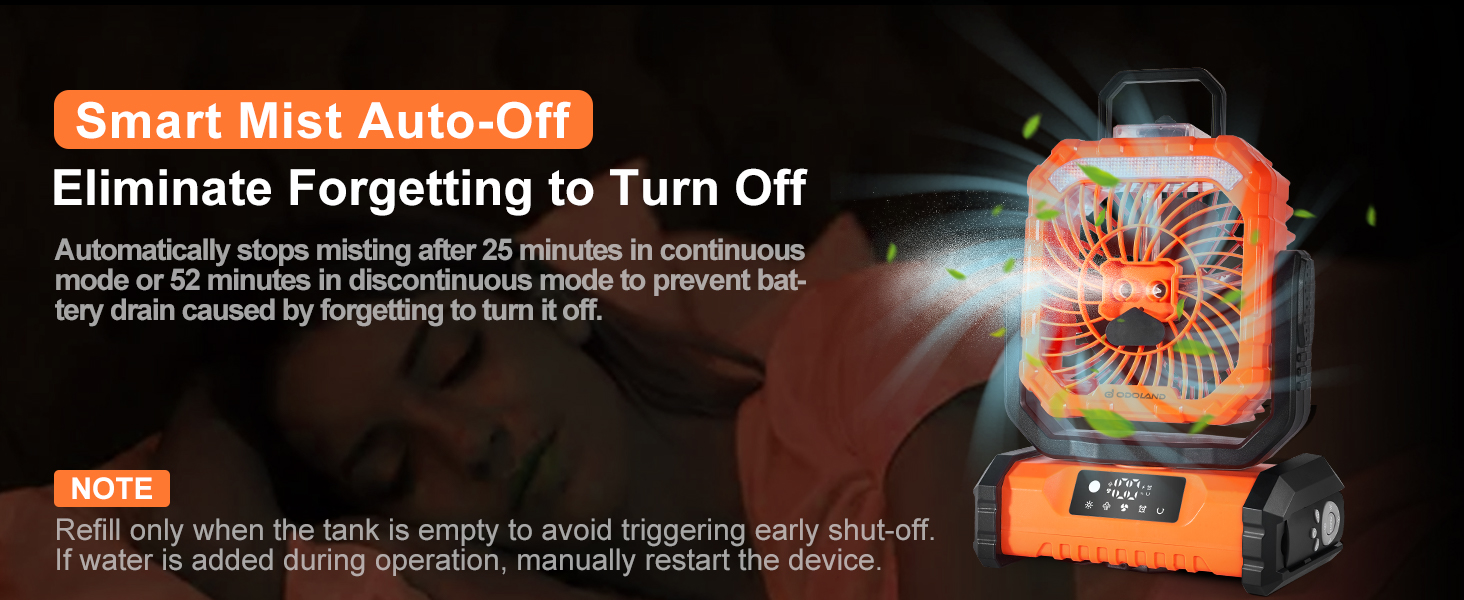
- Continuous Mode: Mists continuously for approximately 25 minutes (with a full 250mL water tank).
- Intermittent Mode: Mists intermittently for approximately 52 minutes (with a full 250mL water tank).
The misting function automatically stops after these durations to prevent battery drain. Refill the water tank only when it is empty to avoid triggering an early shut-off. If water is added during operation, manually restart the device.

6.4 Light Function
Press the light button on the control panel or remote to cycle through the light settings. The fan features 3 lighting colors and 3 brightness modes:
- Light Colors: Warm, Cold, Warm & Cold (mixed).
- Brightness Modes: Low, Medium, Strong.

6.5 Oscillation and Swivel
The fan offers both automatic oscillation and manual swivel capabilities:
- Automatic Oscillation: Press the rotate button on the control panel or remote to activate 90° automatic oscillation.
- Manual Swivel: The fan head can be manually adjusted up to 270° vertically.

6.6 Timer Function
The fan includes a timer function allowing you to set operation for specific durations:
- Available timer settings: 1 hour, 2 hours, 4 hours, 8 hours.
- Press the timer button on the control panel or remote to cycle through the options.
6.7 Buzzer Control
To turn off the buzzer sound for button presses, long press the "Rotate" button on the control panel.
7. Charging and Power Bank Function
7.1 Charging the Fan
- The fan is powered by a 30000mAh rechargeable battery.
- Use the Type-C input port and cable to charge the fan.
- Charging time is approximately 9-10 hours, depending on the power source.
- The digital display shows the current battery level.
7.2 Emergency Power Bank
The fan can function as an emergency power bank to charge other devices.
- Connect your phone, GPS, or other USB-powered devices to the USB output ports on the fan.
- This feature provides convenient charging when away from power outlets.

8. Maintenance
8.1 Cleaning
- Ensure the fan is turned off and unplugged before cleaning.
- Wipe the exterior of the fan with a soft, damp cloth. Do not use abrasive cleaners or solvents.
- Carefully clean the fan blades and grille to remove dust buildup.
8.2 Water Tank Care
- Always use pure water for the misting function to prevent mineral deposits.
- Empty the water tank when the misting function is not in use or before long-term storage.
- Clean the water tank regularly to prevent mold or bacterial growth.
8.3 Storage
- Store the fan in a cool, dry place when not in use.
- To maintain battery health, recharge the fan every few months during long-term storage to avoid battery damage.
9. Troubleshooting
| Problem | Possible Cause | Solution |
|---|---|---|
| Fan does not turn on. | Battery is depleted. | Charge the fan fully. |
| Misting function not working. | Water tank is empty. | Refill the water tank with pure water. |
| Misting nozzle is blocked. | Use pure water to prevent blockages. Clean the nozzle if necessary. | |
| Fan is hung upside down (if misting is desired). | Turn the fan over to keep the water tank up for misting function to work when hung. | |
| Fan only runs at lowest speed while charging. | This is a design feature. | Unplug the fan to access all speed settings. |
| Water droplets form at the spray nozzle. | Normal operation. | This is normal due to the fan's waterproof structure and does not affect operation. |
10. Specifications
| Feature | Specification |
|---|---|
| Model Number | OD0731B |
| Battery Capacity | 30000mAh |
| Battery Type | Rechargeable Lithium-Ion Polymer |
| Voltage | 3.7 Volts |
| Fan Speeds | 5 levels |
| Max Wind Speed | 16 ft/s |
| Misting Modes | Continuous (25 mins), Intermittent (52 mins) |
| Water Tank Capacity | 250mL |
| Light Source Type | LED (3 colors, 3 brightness levels) |
| Oscillation | 90° Automatic |
| Swivel | 270° Manual |
| Remote Control Range | Up to 16 ft |
| Charging Time | 9-10 hours |
| Item Weight | 1.62 Kilograms (3.56 pounds) |
| Package Dimensions | 12.71 x 9.41 x 4.96 inches |
| Mounting Type | Table Mount, Freestanding, Hanging Hook |
| Water Resistance Level | Water Resistant |
| Material | Plastic |
11. Warranty and Support
This Odoland product comes with a 30-day warranty from the date of purchase. This warranty covers manufacturing defects under normal use.
For warranty claims, technical support, or any questions regarding your Odoland Portable Misting Fan, please contact the retailer or Odoland customer service. Please have your purchase receipt and product model number (OD0731B) available when contacting support.