
1. Introduction and Overview
Thank you for choosing the NKPU 52-inch Ceiling Fan with Light. This low-profile ceiling fan is designed for both indoor and outdoor use, offering smart control via remote and mobile application. It features a quiet DC reversible motor, dimmable LED lighting with adjustable color temperatures, and six fan speeds to provide optimal comfort throughout the year. This manual provides essential information for safe installation, operation, and maintenance of your new ceiling fan.
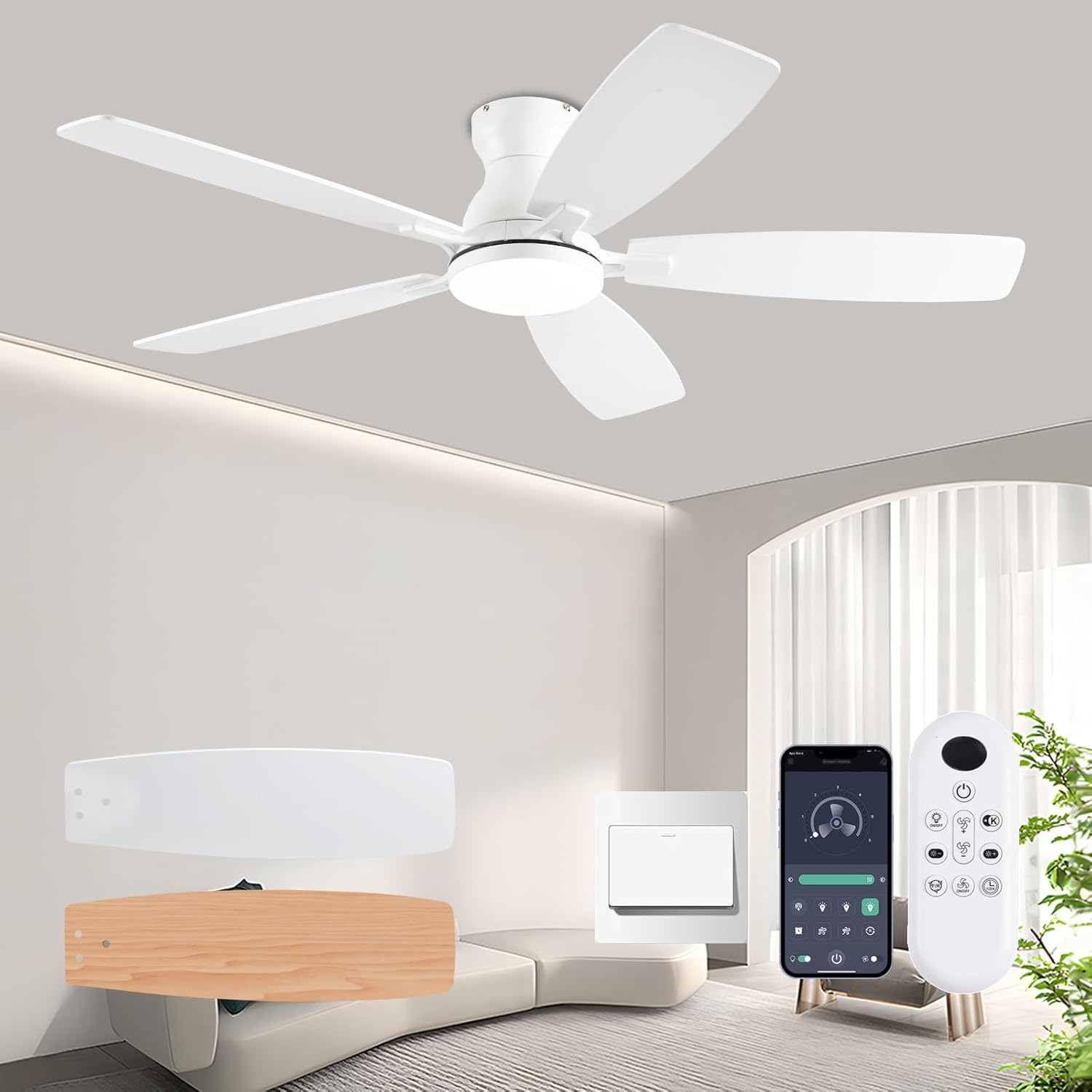
Figure 1.1: NKPU 52-inch Ceiling Fan with Light, showcasing the fan, remote control, and mobile app interface.
2. Safety Information
Please read all safety instructions carefully before installation and use. Failure to follow these instructions may result in electric shock, fire, or serious personal injury.
- Electrical Safety: Always disconnect power at the main circuit breaker before attempting any installation, maintenance, or troubleshooting. Ensure all electrical connections comply with local codes and ordinances.
- Secure Mounting: The ceiling fan must be mounted to a structurally sound ceiling joist or an outlet box rated for fan support. Ensure the mounting structure can support the fan's weight (approximately 9.52 pounds).
- Blade Clearance: Maintain a minimum clearance of 7 feet (2.1 meters) from the floor to the fan blades. Ensure there are no obstructions in the path of the rotating blades.
- Professional Installation: If you are unsure about wiring or mounting, it is highly recommended to consult a qualified electrician to ensure proper and safe installation.
- Voltage: This fan operates on 110 Volts. Verify your electrical supply matches this requirement.
3. Package Contents
Verify that all components are present and undamaged before beginning installation:
- 1 x Ceiling Fan with Lights Kit
- 1 x Remote Control
- 1 x Instruction Manual (this document)
4. Setup and Installation
The NKPU ceiling fan is designed for flush mount installation, fitting closely to the ceiling to maximize space. Detailed installation instructions and videos are provided with the product to guide you through the process. The main mounting piece is typically pre-attached for ease of assembly.
4.1. Dimensions
Ensure adequate space for the fan's dimensions before installation.
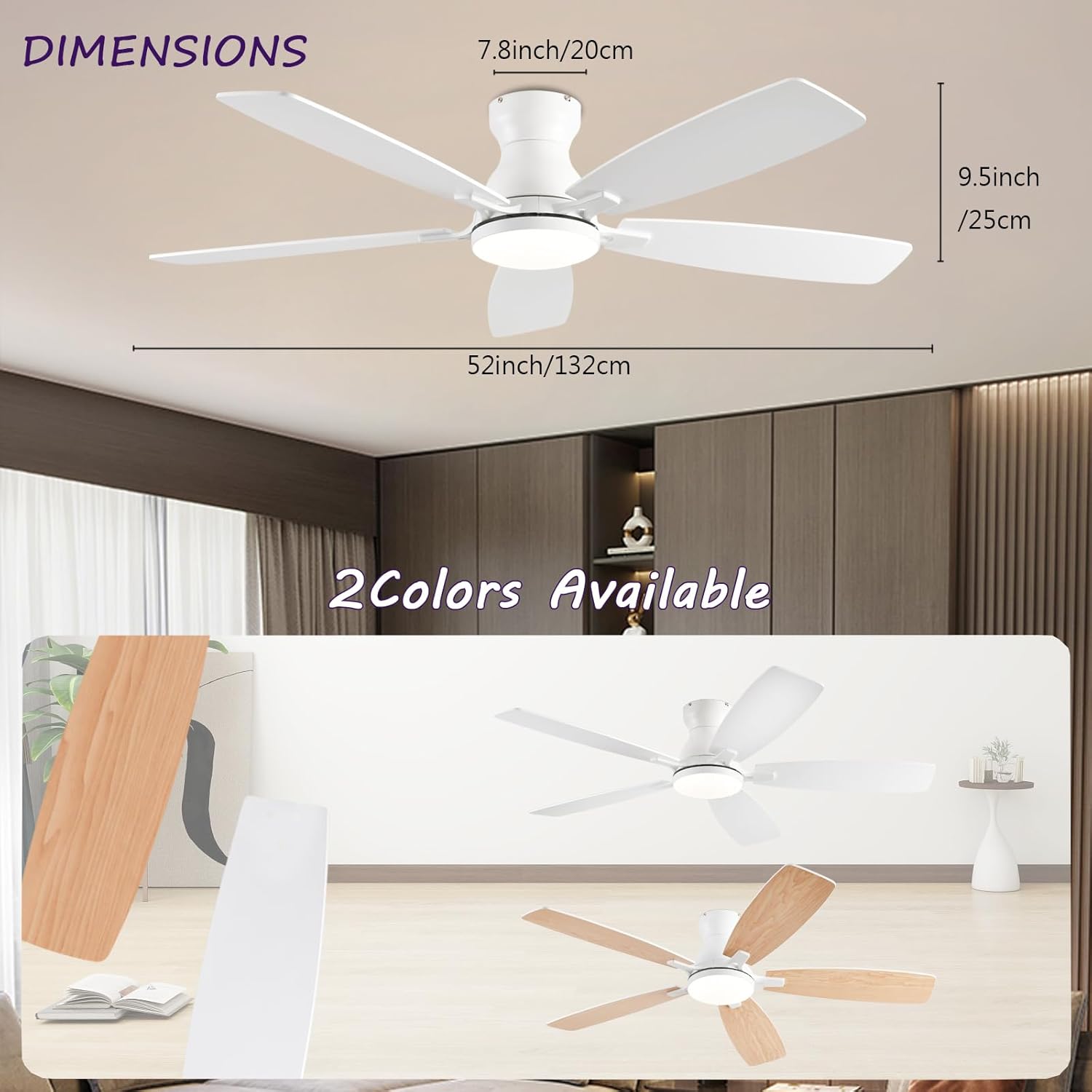
Figure 4.1: Fan Dimensions. The fan measures 52 inches (132 cm) in diameter, with a total height of 9.5 inches (25 cm) from the ceiling to the bottom of the light fixture. The motor housing is 7.8 inches (20 cm) in height.
4.2. Blade Installation
The fan features dual-sided blades. Choose your preferred color (white or wood grain) before attaching them to the motor housing. Ensure all screws are tightened securely to prevent wobbling during operation.
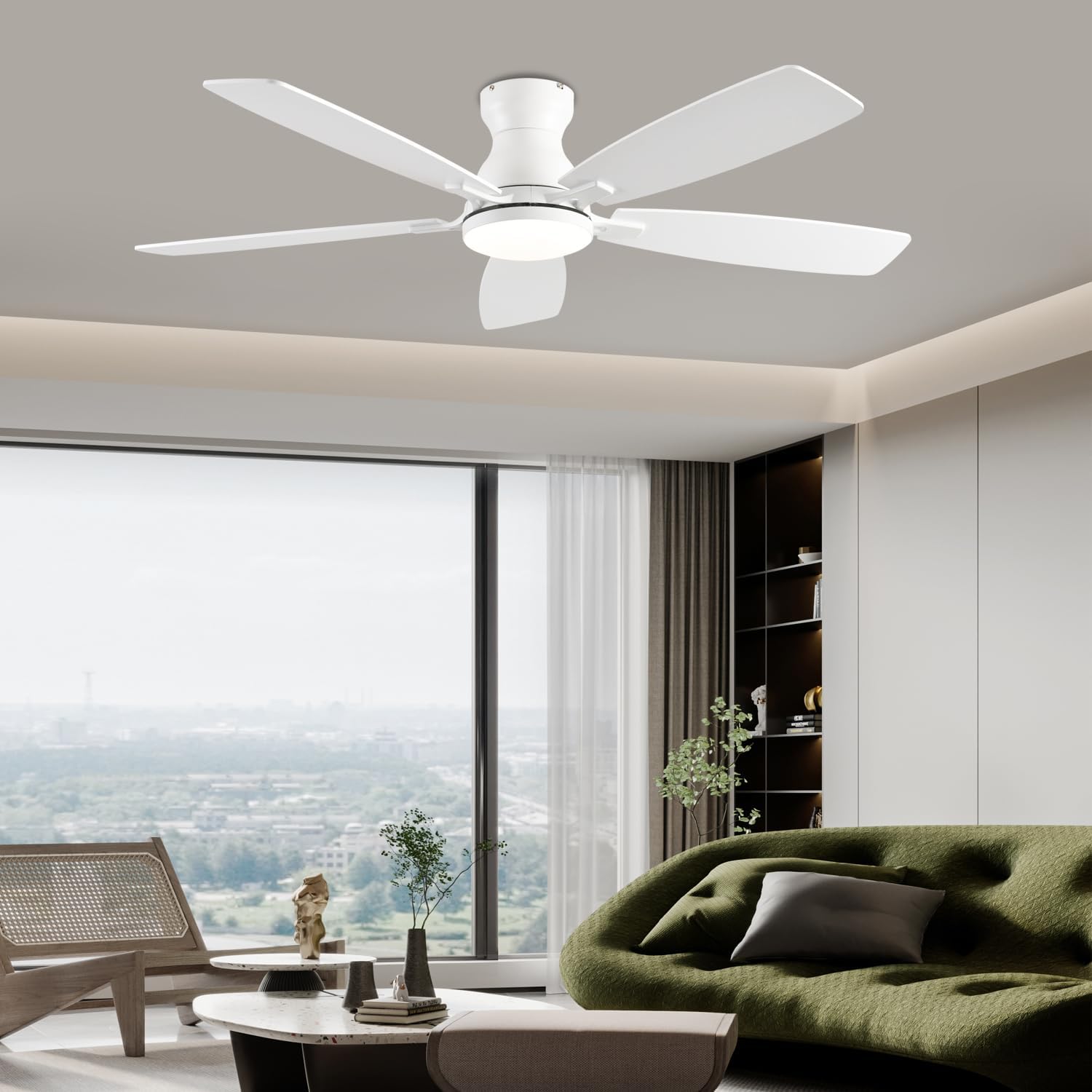
Figure 4.2: Fan Components. This image highlights the reversible blades, the integrated 3-color LED light, and the quiet DC motor, which contributes to energy efficiency.
5. Operating Instructions
Your NKPU ceiling fan can be controlled using the included remote control or a mobile application.
5.1. Remote Control Operation
The remote control allows for comprehensive management of the fan and light functions.
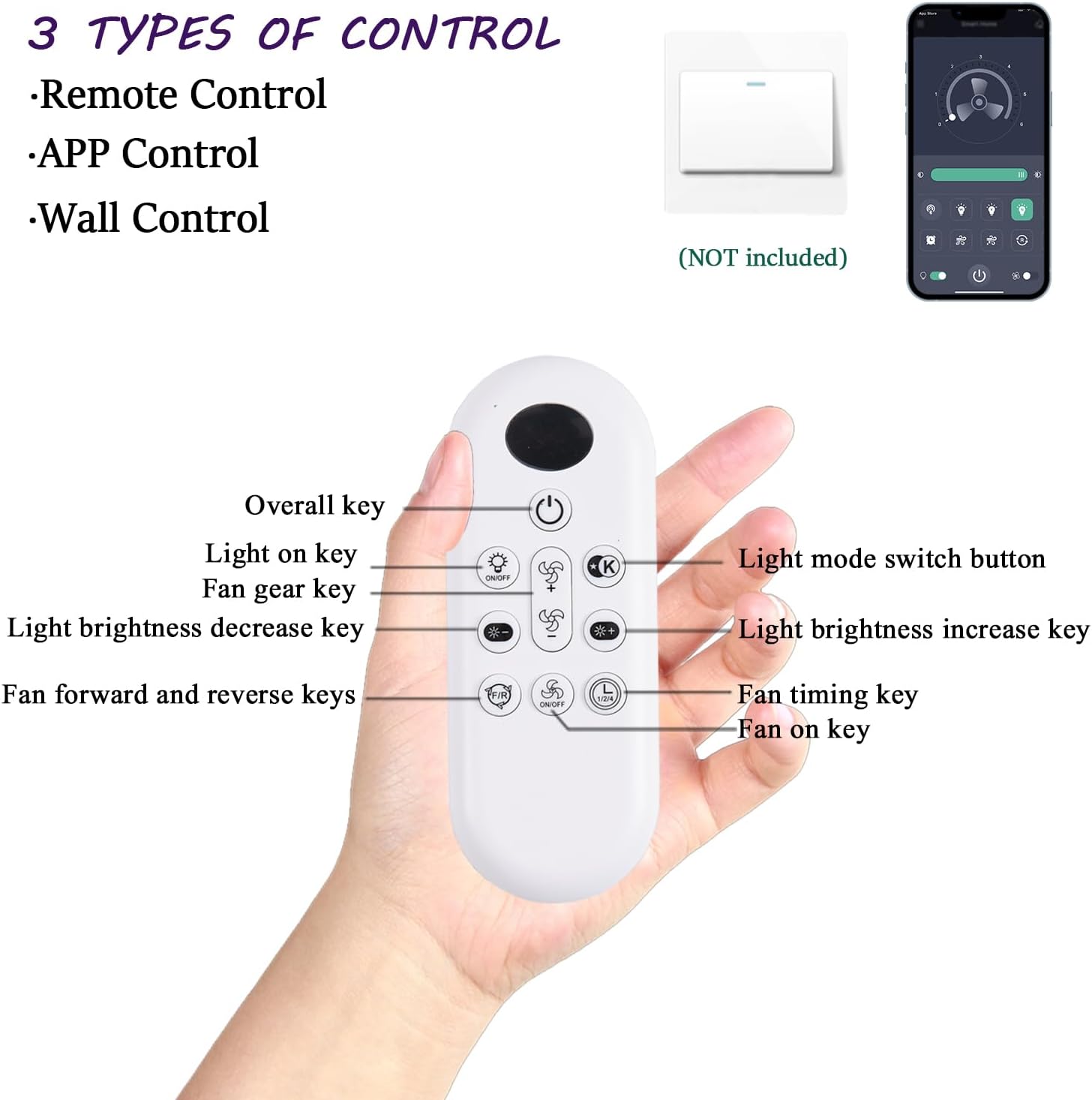
Figure 5.1: Control Methods. The fan supports control via remote control, mobile application, and a wall switch (not included).

Figure 5.2: Remote Control Functions. This diagram illustrates the various buttons on the remote control and their corresponding functions for fan speed, light settings, and timing.
- Power On/Off: Use the "Overall key" to turn the fan and light on or off.
- Fan Speed: Adjust fan speed with 6 levels using the "Fan gear key" (up/down arrows).
- Light Control:
- Turn light on/off using the "Light on key".
- Change light color temperature (3000K Warm, 4500K Natural, 6500K Cool) using the "Light mode switch button".
- Adjust brightness from 5% to 100% using the "Light brightness increase/decrease keys".
- Reversible Motor: Use the "Fan forward and reverse keys" to change the direction of the fan blades. This allows for cooling in summer (downward airflow) and improved air circulation for warmth in winter (upward airflow).
- Timer Setting: Set a timer for the fan to automatically turn off using the "Fan timing key".
5.2. Mobile Application Control
Control your fan conveniently from your smartphone using the dedicated mobile application.

Figure 5.3: Mobile App Instructions. This guide shows how to download the app, add a new device, pair the fan, and access further instructions. The app can be downloaded from jasonghost.com/fanlamppro/.
- Download App: Scan the QR code provided in the product packaging or refer to the image above to download the "FanLamp Pro" app.
- Add Device: Open the app and press the "+" button to add a new device.
- Pairing: Within 5 seconds of powering on the fan, press the pairing button in the app. The fan's light will flash or beep to confirm successful pairing.
- Control: Once paired, you can control fan speed, light settings, and timer functions directly from the app interface.
5.3. Fan Speed and Airflow
The fan offers 6 distinct wind speeds for customized comfort.

Figure 5.4: Wind Speed Levels. Choose from 6 speed settings, ranging from a gentle breeze to strong cooling airflow.
5.4. Dimmable LED Light
The integrated 18W LED light panel provides versatile lighting options.
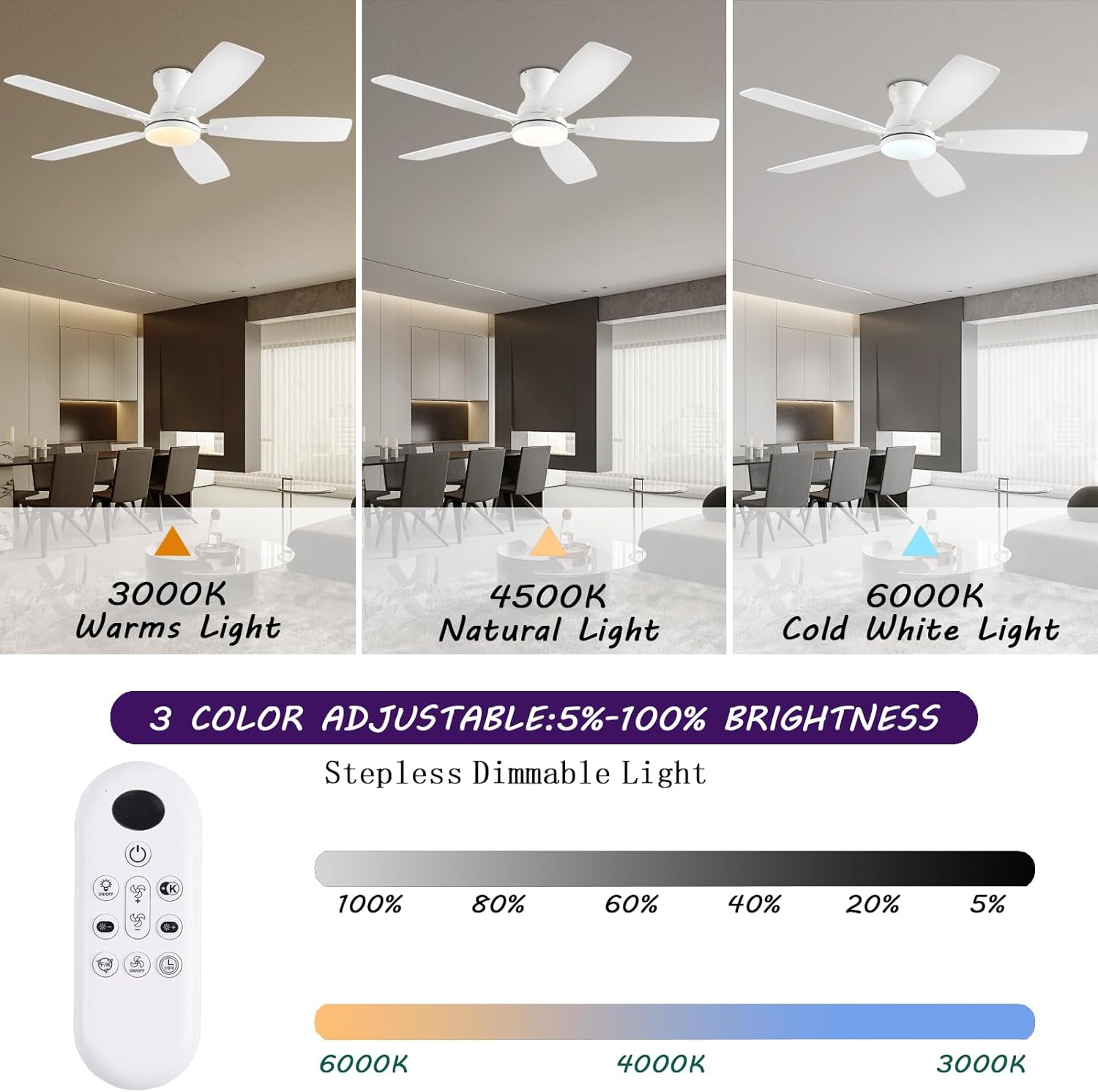
Figure 5.5: Adjustable Lighting. The LED light offers three color temperatures (3000K, 4500K, 6500K) and stepless dimming from 5% to 100% brightness.
6. Maintenance
Regular maintenance ensures optimal performance and longevity of your ceiling fan.
- Cleaning: Dust the fan blades and light cover periodically with a soft, damp cloth. Avoid using harsh chemicals or abrasive cleaners.
- Tighten Fasteners: Check all screws and fasteners on the fan and mounting assembly at least twice a year to ensure they are secure.
- No Lubrication Needed: The DC motor is permanently lubricated and does not require additional oiling.
7. Troubleshooting
If you encounter issues with your fan, refer to the following common problems and solutions:
| Problem | Possible Cause | Solution |
|---|---|---|
| Fan does not start | No power to the fan; Remote control battery low/dead; Fan not paired with remote/app. | Check circuit breaker and wall switch; Replace remote control batteries; Re-pair remote/app with fan (refer to Section 5.2). |
| Light does not work | No power to the light; LED panel issue. | Ensure light function is enabled on remote/app; Check electrical connections; Contact customer support if LED panel is faulty. |
| Fan wobbles | Loose fan blades or mounting screws; Unbalanced blades. | Ensure all blade screws and mounting screws are tight; Use a blade balancing kit (not included) if necessary. |
| Excessive noise | Loose screws; Obstruction in fan's path; Motor issue. | Check and tighten all screws; Ensure nothing is touching the blades or motor housing; The DC motor is designed for quiet operation (below 30dB), if noise persists, contact support. |
| Remote/App not responding | Batteries dead; Interference; Not paired. | Replace batteries; Reduce interference from other devices; Re-pair remote/app. |
If the problem persists after attempting these solutions, please contact NKPU customer support.
8. Specifications
| Brand | NKPU |
| Model Name | BR-SY84 |
| Item Model Number | SY84-White |
| Product Dimensions | 52"L x 52"W x 9.5"H |
| Item Weight | 9.52 Pounds |
| Color | White |
| Material | Metal (Frame), Acrylic (Shade) |
| Power Source | DC |
| Voltage | 110 Volts |
| Wattage | 60 watts (Fan), 18 watts (LED Light) |
| Light Source Type | LED (3000K Warm, 4500K Natural, 6500K Cool) |
| Control Method | App, Remote |
| Sound Level | 30 dB (Max) |
| Air Flow Capacity | 170 Cubic Meters per Minute |
| Blade Length | 20.71 Inches |
| Speed | 194 RPM (Max) |
| Coverage | 160-220 sq.ft. |
| Indoor/Outdoor Usage | Indoor, Outdoor |
| Assembly Required | Yes |
9. Warranty and Support
NKPU provides comprehensive customer support for your ceiling fan.
- Warranty: Enjoy a 24-month worry-free warranty from the date of purchase.
- After-sales Support: We offer 24-hour after-sales support. If you have any questions or require assistance with your ceiling fan, please do not hesitate to contact us. Our professional customer service team is ready to help ensure your satisfaction.
- Contact Information: Please refer to your product packaging or purchase documentation for specific contact details for NKPU customer service.