
1. Introduction
Thank you for choosing the Bitvae D2 Electric Toothbrush. This manual provides essential information for the safe and effective use of your new electric toothbrush. The Bitvae D2 is an ADA Accepted electric toothbrush designed for adults and kids, featuring a 60-day battery life, 5 brushing modes, and includes 8 replacement brush heads for extended use. Its compact design and travel case make it ideal for both home and travel.
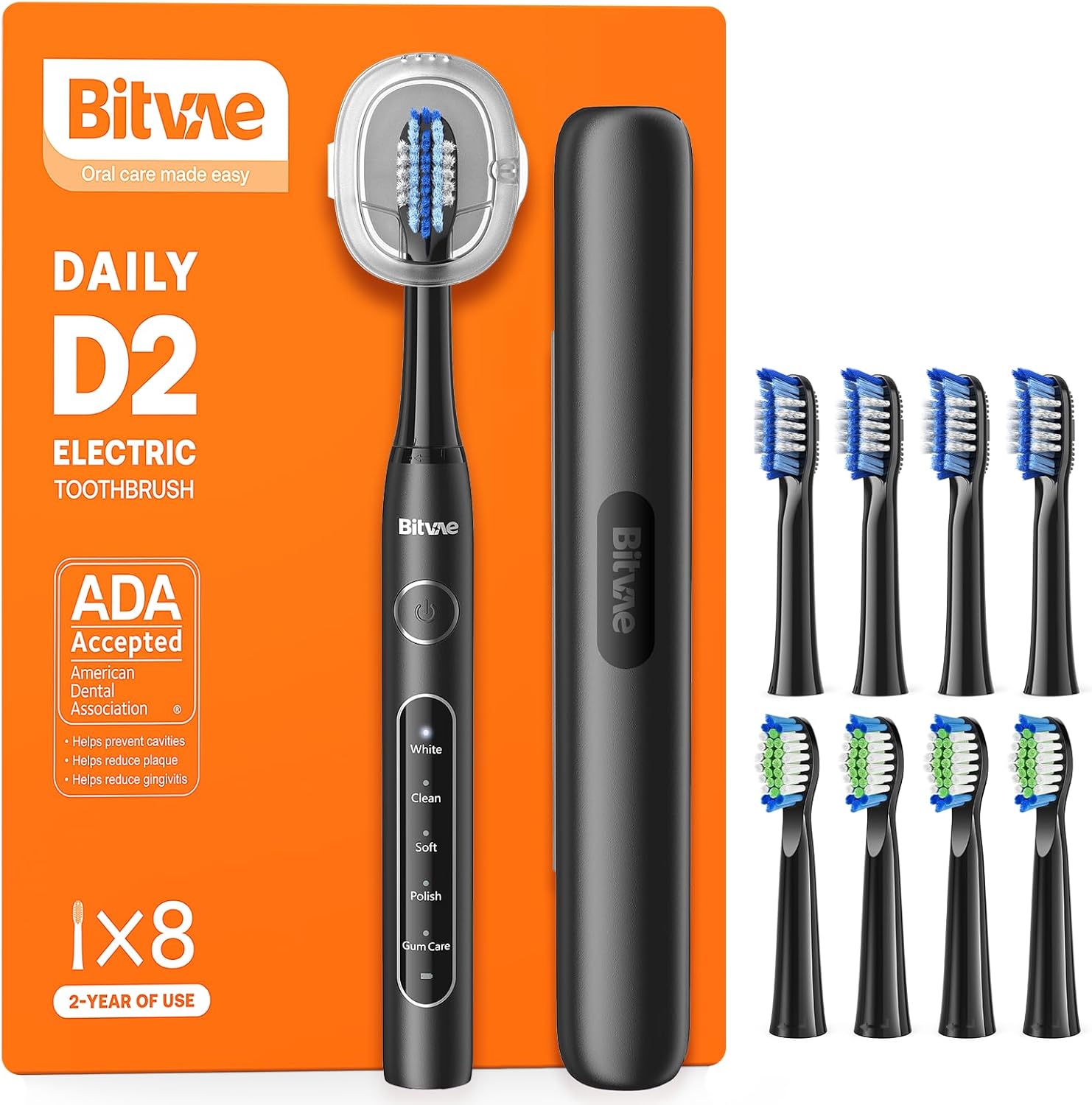
Image: Bitvae D2 Electric Toothbrush, travel case, and brush heads.
2. Safety Information
Please read all safety instructions before using this product. Failure to follow these instructions may result in injury or damage to the product.
- Do not use the toothbrush with damaged brush heads.
- Do not use the toothbrush while it is charging.
- Supervise children to ensure safe use of the toothbrush.
- This product is not intended to diagnose, treat, cure, or prevent any disease or health condition. Consult a dental professional for any oral health concerns.
3. Package Contents
Verify that all items are present in the package:
- 1 x Bitvae D2 Toothbrush Handle
- 8 x Toothbrush Heads
- 1 x USB Cable (Adapter not included)
- 1 x Travel Case & Holder
- 1 x Instruction Manual (this document)
4. Setup
4.1 Initial Charging
Before first use, fully charge the toothbrush. Connect the provided USB cable to the charging port at the bottom of the toothbrush handle and plug it into a 5V-1A USB power adapter (not included). The charging indicator will illuminate during charging and turn off when fully charged. A full charge takes approximately 4 hours and provides up to 60 days of use.

Image: Bitvae D2 Electric Toothbrush connected to a USB charging cable.
4.2 Attaching a Brush Head
Align the brush head with the metal shaft on the toothbrush handle and push it down firmly until it clicks into place. Ensure the brush head is securely attached before use.
Video: Overview of the Bitvae Electric Toothbrush, demonstrating brush head attachment and features.
5. Operating Instructions
5.1 Powering On/Off and Changing Modes
Press the power/mode button to turn on the toothbrush. Press the button repeatedly to cycle through the 5 available brushing modes: White, Clean, Soft, Polish, and Gum Care. To turn off the toothbrush, press and hold the power/mode button for 2 seconds, or cycle through all modes until it turns off automatically.
- White: Removes stains for brighter teeth.
- Clean: Deep cleans to fight plaque.
- Soft: Reduces sensitivity with soft care.
- Polish: Adds shine through polishing.
- Gum Care: Massages gums and boosts health.
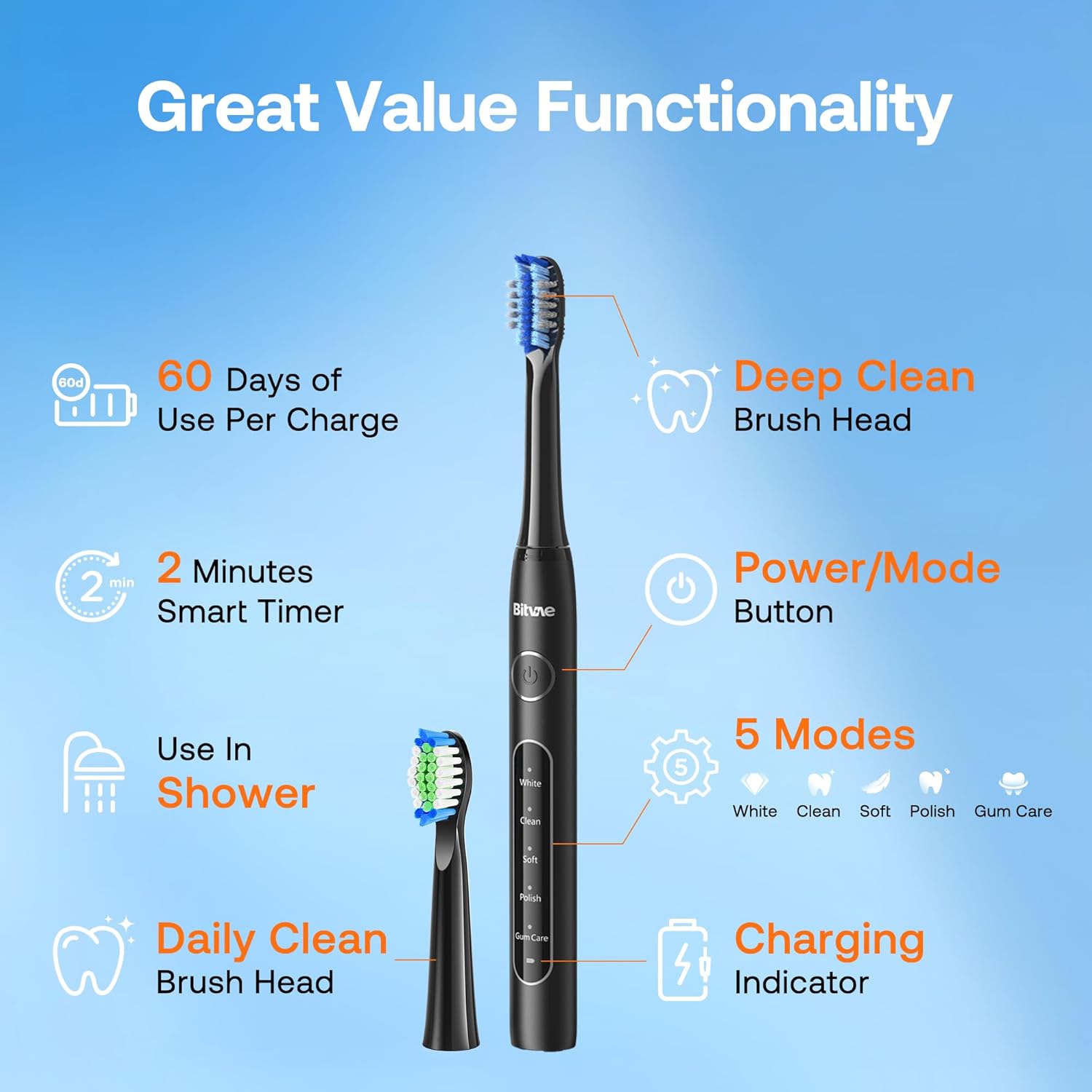
Image: Bitvae D2 Electric Toothbrush highlighting its 5 modes, 2-minute smart timer, 60-day battery, and shower-safe design.
5.2 Smart Timer
The Bitvae D2 features a built-in 2-minute smart timer, which is the dentist-recommended brushing time. The toothbrush will pulse every 30 seconds to remind you to move to the next quadrant of your mouth, ensuring an even and thorough cleaning.
5.3 Brushing Technique
For optimal cleaning, hold the bristles of the brush head to your teeth at a 45-degree angle. Hold it in place for approximately 5 seconds for each side of each tooth, allowing the sonic vibrations to do the work. Do not brush back and forth or in circles as you would with a manual toothbrush.

Image: Before and after comparison of teeth, demonstrating plaque removal efficacy, with the ADA Accepted seal.
6. Maintenance
6.1 Cleaning the Toothbrush
After each use, rinse the brush head thoroughly under running water. You can also detach the brush head and rinse both the head and the handle separately. Wipe the handle with a damp cloth to remove any toothpaste residue. The toothbrush is IPX7 waterproof, allowing for safe use in the shower and easy cleaning.
6.2 Replacing Brush Heads
It is recommended to replace your toothbrush head every 3 months, or sooner if the bristles appear frayed or worn. The Bitvae D2 comes with 8 replacement heads, providing up to 2 years of use.

Image: Eight replacement brush heads for the Bitvae D2, emphasizing 2 years of use.
6.3 Travel Case and Holder
The included travel case protects your toothbrush and brush heads during travel. The toothbrush holder can be used to keep your toothbrush clean and hygienic on your bathroom counter or mounted on a wall.

Image: Features of the Bitvae D2 Electric Toothbrush for travel and home use, including its slim travel case and wall holder.
7. Troubleshooting
- Toothbrush does not turn on: Ensure the toothbrush is fully charged. If the battery is depleted, connect it to the charger for at least 4 hours.
- Weak vibrations: This may indicate a low battery. Recharge the toothbrush. Also, ensure the brush head is securely attached.
- Brush head feels loose: Re-attach the brush head firmly until it clicks into place. If it continues to be loose, replace the brush head.
- Charging indicator not working: Check the USB cable and power adapter for damage. Try a different USB port or adapter.
8. Specifications
| Feature | Specification |
|---|---|
| Model Number | D2 (H1D2) |
| Product Dimensions | 7.8 x 0.79 x 0.67 inches |
| Item Weight | 7.37 ounces (0.21 Kilograms) |
| Battery Life | Up to 60 days per charge |
| Charging Time | Approximately 4 hours |
| Power Source | Battery Powered (1 AAA battery included) |
| Brushing Modes | 5 (White, Clean, Soft, Polish, Gum Care) |
| Waterproof Rating | IPX7 |
| Bristle Material | Nylon |
| Handle Material | Plastic |
| Included Components | 8 Toothbrush Heads, Travel Case, Toothbrush Holder, USB Cable |
9. Warranty and Support
Bitvae offers a 2-year replacement and lifetime service for the D2 Electric Toothbrush. For any questions, concerns, or support needs, please contact Bitvae customer service. Our customer support team is available to assist you.
For further assistance, please visit the Bitvae Store on Amazon.
Video: Unboxing and review of the Bitvae Electric Toothbrush, showcasing its components and features.


