
Introduction
This manual provides comprehensive instructions for the installation, operation, and maintenance of your NKPU 52-inch Flush Mount Ceiling Fan. Designed for both indoor and outdoor use, this fan features a quiet DC reversible motor, integrated dimmable LED lighting, and convenient control via remote or mobile application. Please read this manual thoroughly before installation and use to ensure safe and efficient operation.
Safety Information
WARNING: To reduce the risk of fire, electric shock, or personal injury, always turn off power at the main circuit breaker or fuse box before beginning installation.
- Ensure all electrical connections comply with local codes and ordinances, and the National Electrical Code (NEC).
- Consult a qualified electrician if you are unfamiliar with electrical wiring.
- The mounting structure must be capable of supporting the weight of the fan (approximately 9.5 pounds).
- Do not operate the fan with damaged blades or housing.
- Keep hands, feet, and other objects clear of the rotating fan blades.
- This appliance is not intended for use by persons (including children) with reduced physical, sensory or mental capabilities, or lack of experience and knowledge, unless they have been given supervision or instruction concerning use of the appliance by a person responsible for their safety.
Package Contents
Please verify that all components are present before beginning installation:
- Ceiling Fan Motor Assembly
- 5 Reversible Fan Blades
- Blade Brackets
- LED Light Kit
- Remote Control
- Mounting Bracket
- Hardware Pack (screws, wire nuts, etc.)
- Instruction Manual

Image: Overview of all included components for the ceiling fan assembly.
Setup and Installation
Follow these steps carefully for proper installation. A detailed installation video is also available for visual guidance.
Step 1: Attach Blades to Brackets
Secure each fan blade to its corresponding blade bracket using the provided screws. Ensure they are firmly attached.

Image: Close-up of a fan blade being screwed onto its bracket.
Step 2: Attach Blade Assemblies to Motor
Carefully attach the assembled blade and bracket units to the motor housing. Tighten all screws securely.
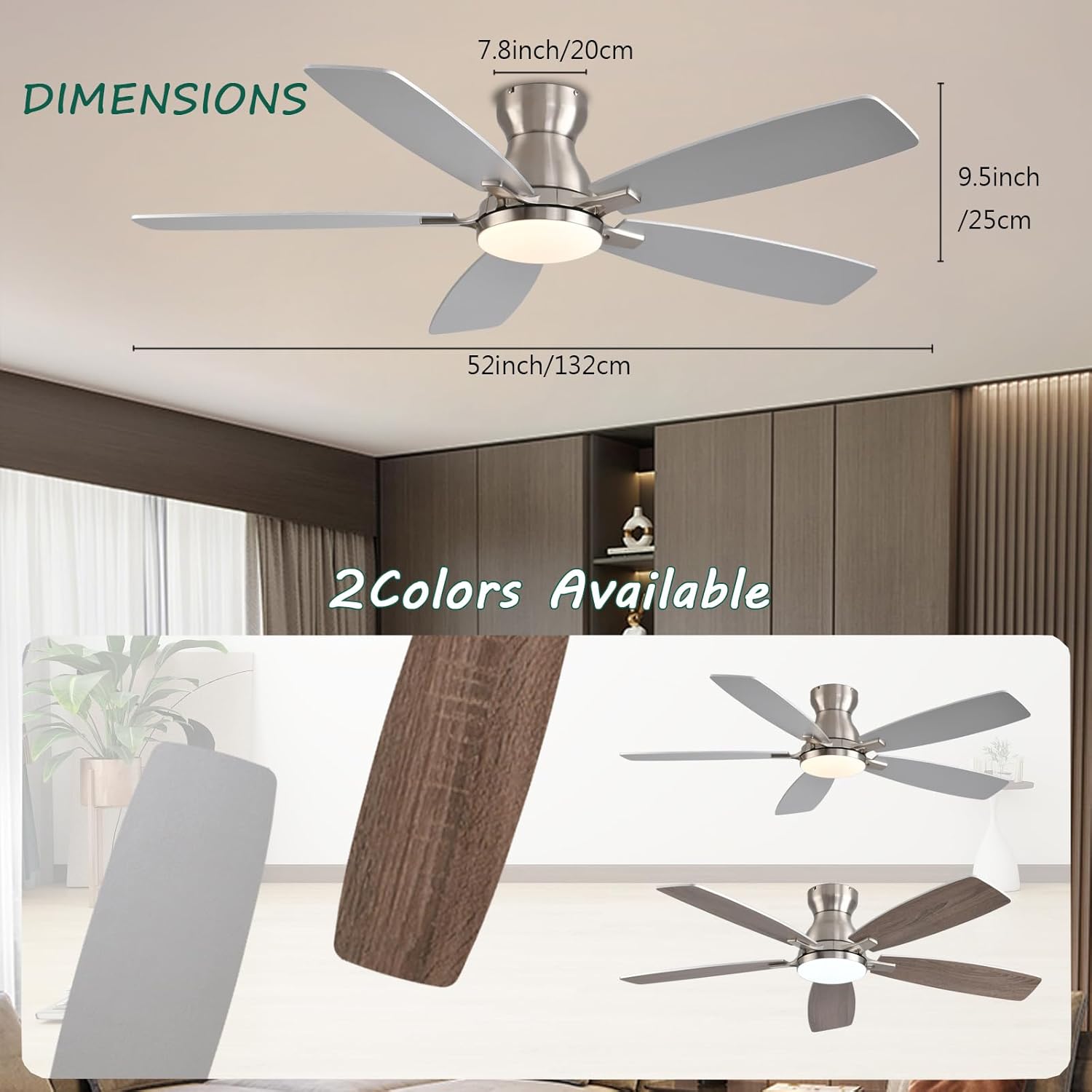
Image: The fan motor assembly with blades being attached, showing the overall dimensions of the fan.
Step 3: Install Mounting Bracket to Ceiling
Choose the appropriate screws based on your ceiling material: use expansion screws for cement ceilings and self-tapping screws for wooden ceilings. For actual installation, use four screws to secure the base firmly to the ceiling junction box.

Image: The ceiling mounting bracket being secured to the ceiling, with wiring visible.
Step 4: Wire Connections
Connect the fan's wiring to your household electrical wiring according to the provided diagram. Ensure all connections are secure and insulated. The fan includes a receiver for remote and app control, which needs to be connected as per instructions.
Video: Detailed installation guide for the 52 Inch Ceiling Fan with Lights, demonstrating wiring and assembly steps.
Step 5: Attach LED Light Kit and Diffuser
Connect the LED light kit to the fan's electrical connections and secure it. Then, attach the light diffuser cover by twisting or snapping it into place.

Image: The fan's LED light module and diffuser, illustrating the dimmable feature and three color temperatures.
Operating Instructions
Your NKPU ceiling fan can be controlled via the included remote control or a mobile application.
Remote Control Functions
The remote control allows for comprehensive operation of the fan and light:
- Overall Key: Power on/off the entire unit.
- Light On Key: Turn the light on.
- Fan Gear Key: Adjust fan speed (6 levels).
- Light Brightness Decrease/Increase Key: Adjust light brightness from 5% to 100%.
- Fan Forward and Reverse Keys: Change fan direction for summer (downward airflow) or winter (upward airflow).
- Light Mode Switch Button: Cycle through 3 light colors (3000K warm, 4500K natural, 6500K cool).
- Fan Timing Key: Set a timer for fan operation.
- Fan On Key: Turn the fan on.

Image: The remote control with detailed button descriptions.
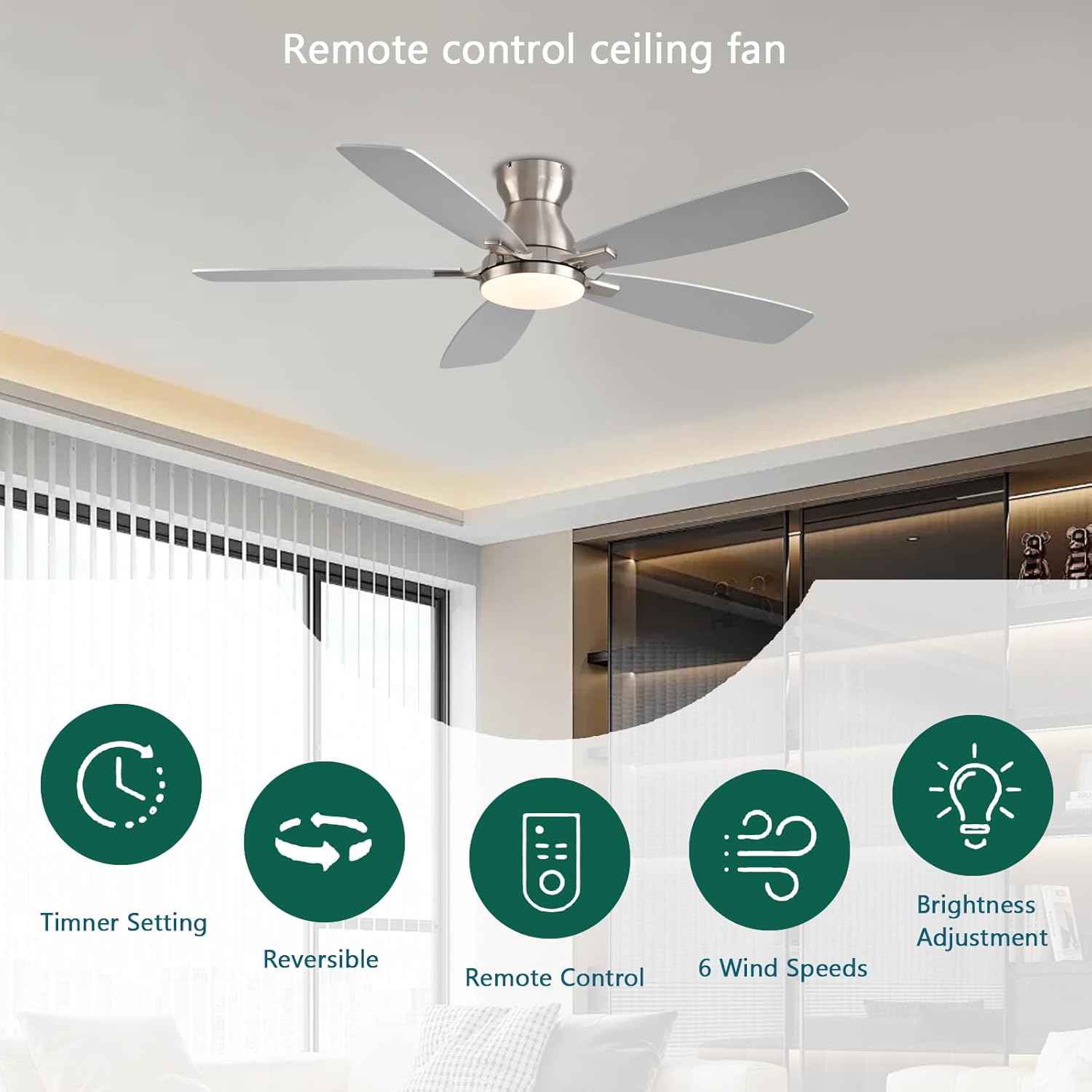
Image: Visual representation of the fan's key features controlled by the remote.
Mobile App Control
The fan can also be controlled via a dedicated mobile application. Follow these steps to pair your fan:
- Scan the QR code in the manual or visit https://www.jasonghost.com/fanlamppro/ to download the "FanLamp Pro" app.
- After downloading and opening the app, ensure your phone's Bluetooth is turned on.
- Within 5 seconds of powering on the fan, tap the pairing button in the app. The light will flash twice to confirm successful pairing.
- Once paired, you can control fan speed, light brightness, color temperature, and set timers directly from your smartphone.

Image: Instructions for using the mobile app to control the fan.
Reversible DC Motor
The fan features a reversible DC motor for year-round comfort:
- Summer Mode: Downward airflow creates a strong wind for rapid cooling.
- Winter Mode: Upward airflow helps balance indoor heating and cooling by circulating warm air.

Image: Visual explanation of the reversible DC motor function for summer and winter.
Noiseless Operation
The high-quality DC motor operates with a noise level below 30dB, ensuring a quiet environment suitable for bedrooms, living rooms, and other quiet spaces.
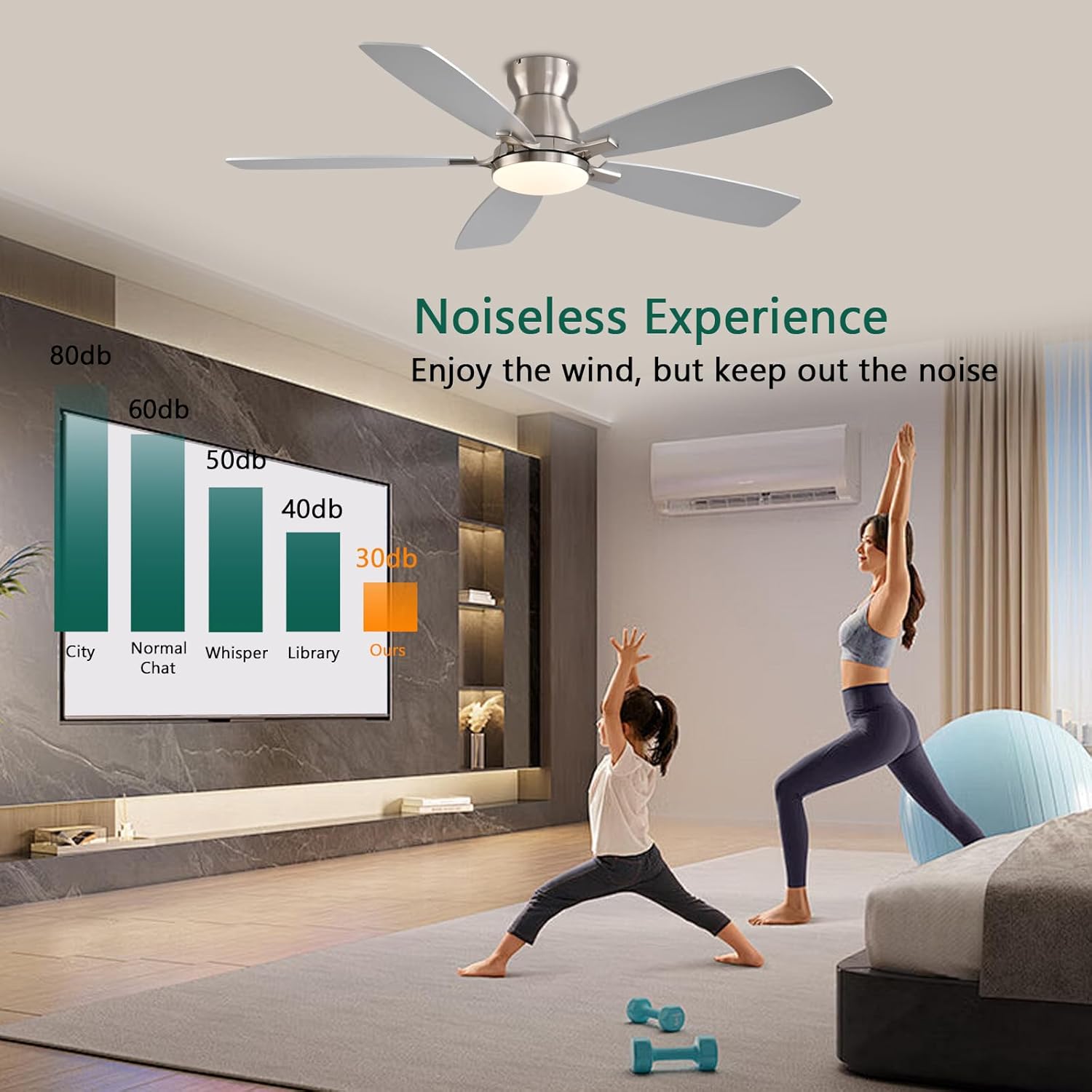
Image: Noise level comparison chart, highlighting the fan's quiet operation.
Maintenance
Regular maintenance ensures the longevity and optimal performance of your ceiling fan.
- Cleaning: To clean the fan, wipe with a soft, damp cloth. Do not use abrasive cleaners or solvents. Ensure power is off before cleaning.
- Blade Cleaning: Dust the fan blades regularly to maintain airflow efficiency.
- Tightening Screws: Periodically check all screws on the fan and mounting bracket to ensure they are tight. Loose screws can cause noise or wobbling.
- Light Source: The LED light source is designed for long life and typically does not require replacement.
Troubleshooting
| Problem | Possible Cause | Solution |
|---|---|---|
| Fan does not start | No power to the fan; Loose wire connections; Remote control battery low. | Check circuit breaker/fuse; Verify all wire connections are secure; Replace remote control batteries. |
| Light does not work | Loose wire connection to light kit; LED driver issue. | Check light kit wiring; Contact customer support if LED driver is suspected. |
| Fan wobbles | Loose blade screws; Unbalanced blades; Loose mounting bracket. | Tighten all blade screws; Ensure blades are balanced (use balancing kit if needed); Secure mounting bracket. |
| Noisy operation | Loose screws; Motor issues; Obstruction. | Check and tighten all screws; Ensure no wires or objects are touching the fan; Contact support if motor noise persists. |
| Remote/App not pairing | Bluetooth off; Incorrect pairing procedure; Interference. | Ensure Bluetooth is on; Follow pairing steps precisely (power cycle fan, tap pairing in app within 5 seconds); Reduce interference. |
Specifications
- Brand: NKPU
- Model Name: BR-SY84 (SY84-Nickel)
- Color: Nickel
- Material: Metal, Acrylic
- Style: Modern
- Product Dimensions: 52"L x 52"W x 9.5"H
- Installation Type: Flush Mount
- Indoor/Outdoor Usage: Indoor, Outdoor
- Power Source: DC
- Control Method: App, Remote
- Light Source Type: LED
- Brightness: 1160 Lumen
- Color Temperature: 3000K (Warm), 4500K (Natural), 6500K (Cool)
- Wattage: 60 watts
- Voltage: 110 Volts
- Sound Level: 30 dB
- Coverage Area: 160-220 sq.ft
- Item Weight: 9.52 pounds
- Special Features: Adjustable Height, Adjustable Tilt, App Operable, LED Light, Remote Controlled, Reversible Motor
Warranty & Support
NKPU offers a 24-month worry-free warranty for this ceiling fan. If you encounter any issues or have questions regarding your product, please do not hesitate to contact our customer service team.
Our professional customer service team is available 24 hours a day to assist you and ensure your satisfaction.
For support, please refer to the contact information provided with your purchase or visit the official NKPU store on Amazon.