
1. Introduction
Thank you for choosing the TAGRY H08 Hybrid Active Noise Cancelling Headphones. These headphones are designed to provide a superior audio experience with advanced noise cancellation, long battery life, and comfortable wear. Please read this manual carefully before use to ensure proper operation and to maximize your listening pleasure.

Figure 1: TAGRY H08 Headphones
2. What's in the Box
- TAGRY H08 Headphones
- User Manual
- AUX 3.5mm Audio Cable
- Travel Pouch
- Type C Charging Cable
3. Product Overview & Controls
Familiarize yourself with the headphone's buttons and ports for optimal control.

Figure 2: Headphone Controls Layout
- Power Button: Press and hold to power on/off. Short press to play/pause music or answer/end calls.
- Volume Up (+): Short press to increase volume. Long press for next track.
- Volume Down (-): Short press to decrease volume. Long press for previous track.
- ANC Button: Press to activate/deactivate Active Noise Cancellation.
- Type-C Charging Port: For charging the headphones.
- 3.5mm AUX Port: For wired audio connection.
4. Setup
4.1 Charging the Headphones
Before first use, fully charge your headphones. A full charge provides up to 100 hours of playtime. The fast charging feature allows for 10 hours of music with just a 5-minute charge.
- Connect the provided Type-C charging cable to the charging port on the headphones.
- Connect the other end of the cable to a USB power adapter (not included) or a computer's USB port.
- The indicator light will show charging status (refer to LED indicator section for details).

Figure 3: Charging the Headphones
4.2 Power On/Off
- To Power On: Press and hold the Power Button for 3 seconds until the LED indicator flashes blue.
- To Power Off: Press and hold the Power Button for 3 seconds until the LED indicator flashes red and then turns off.
4.3 Bluetooth Pairing
Pair your headphones with your device for wireless audio.
- Ensure the headphones are powered off.
- Press and hold the Power Button for 5 seconds until the LED indicator flashes red and blue alternately, indicating pairing mode.
- On your device (smartphone, tablet, PC), enable Bluetooth and search for available devices.
- Select "TAGRY H08" from the list of devices.
- Once connected, the LED indicator will flash blue slowly.
4.4 Wired Connection (AUX Mode)
Use the included 3.5mm AUX cable for a wired connection, ideal for devices without Bluetooth or when battery is low.
- Plug one end of the 3.5mm AUX cable into the headphone's AUX port.
- Plug the other end into the 3.5mm audio jack of your device.
- The headphones will automatically switch to wired mode. Note that some controls on the headphones may not function in wired mode.
5. Operating Instructions
5.1 Music Playback
- Play/Pause: Short press the Power Button.
- Next Track: Long press the Volume Up (+) button.
- Previous Track: Long press the Volume Down (-) button.
- Volume Control: Short press Volume Up (+) or Volume Down (-) buttons.
5.2 Call Management
- Answer/End Call: Short press the Power Button.
- Reject Call: Long press the Power Button.
- Redial Last Number: Double-press the Power Button.
5.3 Active Noise Cancellation (ANC)
The TAGRY H08 headphones feature advanced ANC technology to reduce ambient noise by up to 95%.
- Activate ANC: Press the ANC button. The ANC indicator light will illuminate.
- Deactivate ANC: Press the ANC button again. The ANC indicator light will turn off.
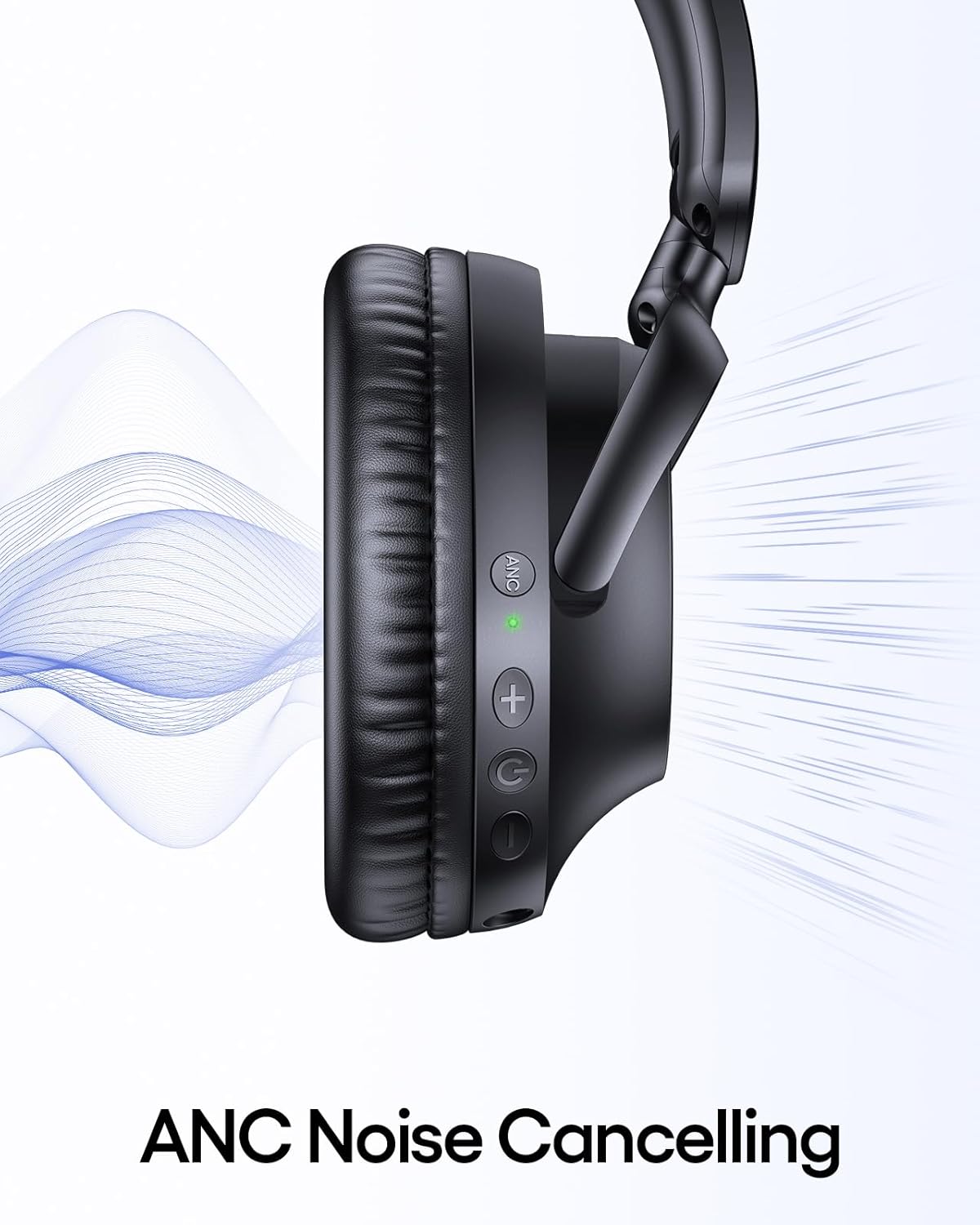
Figure 4: Active Noise Cancellation in action
5.4 Comfort and Fit
The headphones are designed for extended comfort with ultra-soft protein leather earcups and an adjustable headband.
- Adjusting the Headband: Gently slide the earcups up or down along the headband to find a secure and comfortable fit.
- Foldable Design: The earcups can be rotated and folded inwards for compact storage and portability.

Figure 5: Adjustable Headband
6. Official Product Video
Watch the official product video for a visual guide on the TAGRY H08 headphones features.
Video 1: TAGRY H08 Hybrid Noise Cancelling Headphones Overview. This video provides a visual demonstration of the headphones' design, features, and active noise cancellation capabilities.
7. Maintenance
Proper care ensures the longevity and performance of your headphones.
- Cleaning: Use a soft, dry cloth to clean the earcups and headband. Do not use harsh chemicals or abrasive materials.
- Storage: When not in use, store the headphones in the provided travel pouch to protect them from dust and scratches. The foldable design makes them easy to store.
- Avoid Moisture: While the headphones have a waterproof rating, avoid prolonged exposure to water or high humidity. Ensure the charging port is dry before charging.
8. Troubleshooting
If you encounter any issues, please refer to the following common problems and solutions:
| Problem | Solution |
|---|---|
| Headphones won't power on | Ensure the headphones are charged. Connect to a power source using the Type-C cable. |
| Cannot pair via Bluetooth | Ensure headphones are in pairing mode (flashing red/blue). Turn off and on Bluetooth on your device. Move closer to the device. |
| No sound in Bluetooth mode | Check volume levels on both headphones and connected device. Ensure headphones are correctly paired. |
| ANC not working effectively | Ensure ANC is activated (ANC indicator light on). Adjust headphone fit to ensure a good seal around the ears. |
| Wired connection not working | Ensure the 3.5mm AUX cable is fully inserted into both the headphone and the audio source. Try a different AUX cable if available. |
9. Specifications
Key technical details of the TAGRY H08 Headphones:
| Feature | Detail |
|---|---|
| Model Name | H08 |
| Connectivity Technology | Wireless (Bluetooth), Wired (3.5mm AUX) |
| Wireless Communication | Bluetooth |
| Noise Control | Active Noise Cancellation (ANC) |
| Battery Life | Up to 100 Hours |
| Fast Charging | 10 hours playtime with 5-minute charge |
| Frequency Response | 20000 Hz |
| Impedance | 32 Ohm |
| Form Factor | Over Ear |
| Item Weight | 0.49 Kilograms (1.08 pounds) |
| Water Resistance Level | Waterproof |
| Material | Acrylonitrile Butadiene Styrene (ABS), Plastic |
| Product Dimensions | 8.11 x 7.7 x 2.36 inches |
10. Warranty and Support
TAGRY products are built with quality and reliability in mind. For warranty information, technical support, or any inquiries, please refer to the contact details provided on the official TAGRY website or your purchase documentation. Please retain your proof of purchase for warranty claims.
Manufacturer: TAGRY
Seller: TAGRY Group Company
For further assistance, visit the TAGRY Store on Amazon.


