
1. Important Safety Instructions
Please read and understand all instructions before beginning installation. Failure to follow these instructions could result in electric shock, fire, or personal injury.
- WARNING: To reduce the risk of fire, electric shock, or personal injury, mount fan directly from building structure and/or an outlet box marked acceptable for fan support of 35 lbs (15.9 kg) and use the mounting screws provided with the outlet box.
- Installation must be performed by a qualified electrician.
- Ensure the power is turned off at the circuit breaker before installation or servicing.
- Do not operate the fan with damaged wiring or if the fan is not functioning correctly.
- Keep hands, feet, and other objects away from rotating fan blades.
- This fan is designed for indoor use only.
2. Package Contents
Verify that all components are present before beginning installation.
- Ceiling Fan Motor Assembly
- Fan Blades (5 double-sided wooden blades)
- LED Light Kit (24W replaceable LED light source)
- Remote Control
- Remote Control Mounting Bracket
- Hardware Pack (screws, wire nuts, etc.)
- Instruction Manual
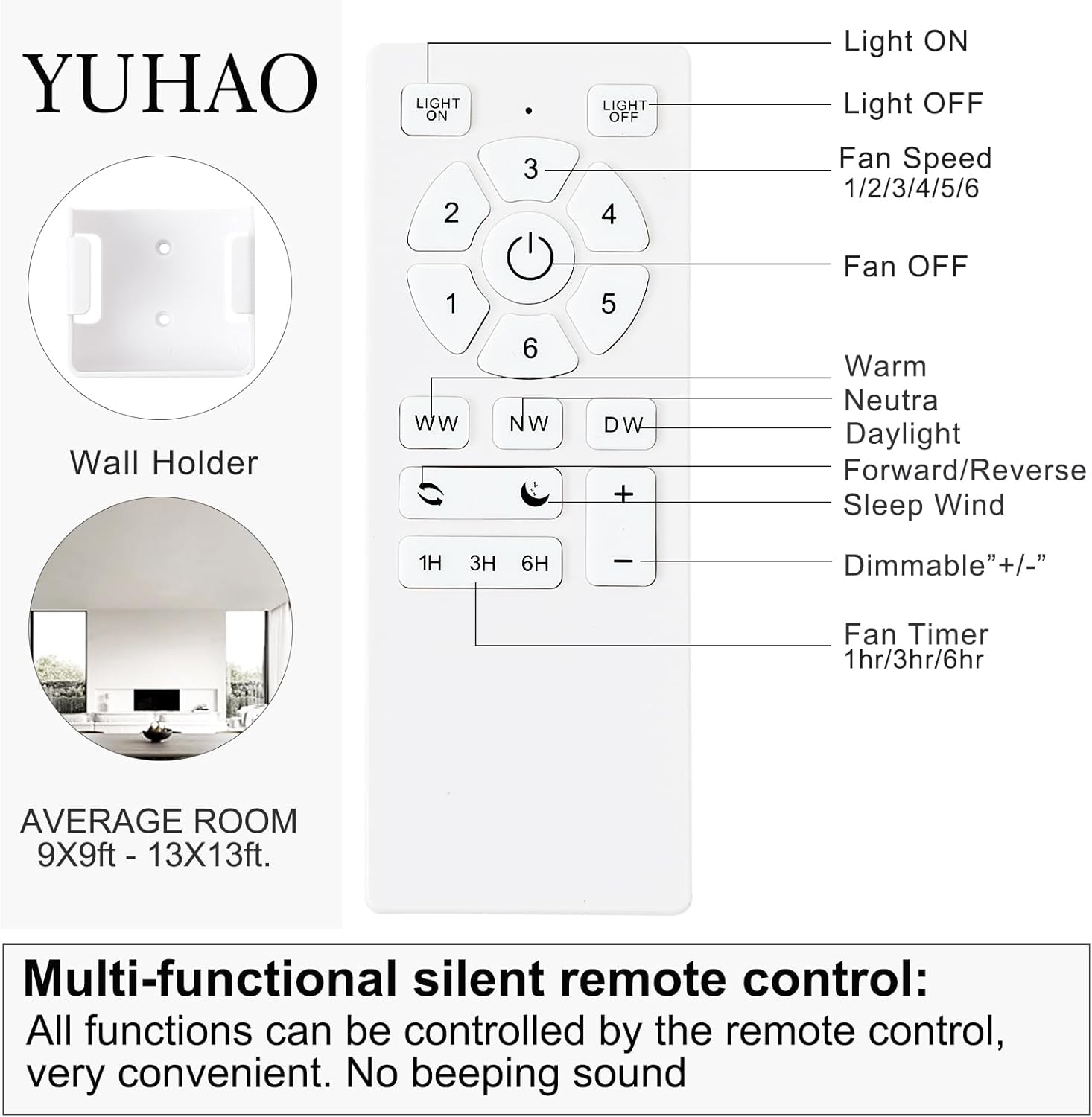
Image: Remote control with wall holder and room size guide.
3. Installation Guide
This section provides an overview of the installation process. For detailed visual installation instructions, please refer to any official installation videos provided on the product's original listing page.
- Prepare for Installation: Turn off power at the main circuit breaker. Ensure the mounting surface is secure and can support the fan's weight.
- Mounting Bracket Installation: Secure the mounting bracket to the ceiling outlet box. This fan is designed for flush mount installation.
- Wiring: Connect the fan's electrical wires to the household wiring according to local electrical codes. Ensure all connections are secure.
- Attach Fan Body: Carefully lift and attach the fan motor assembly to the mounting bracket.
- Install Fan Blades: Attach the five double-sided wooden blades to the motor housing. You can choose between the black or wood-grain side of the blades to match your decor.
- Install Light Kit: Connect and secure the LED light kit to the bottom of the fan motor assembly.
- Restore Power: Once installation is complete and all connections are secure, restore power at the circuit breaker.
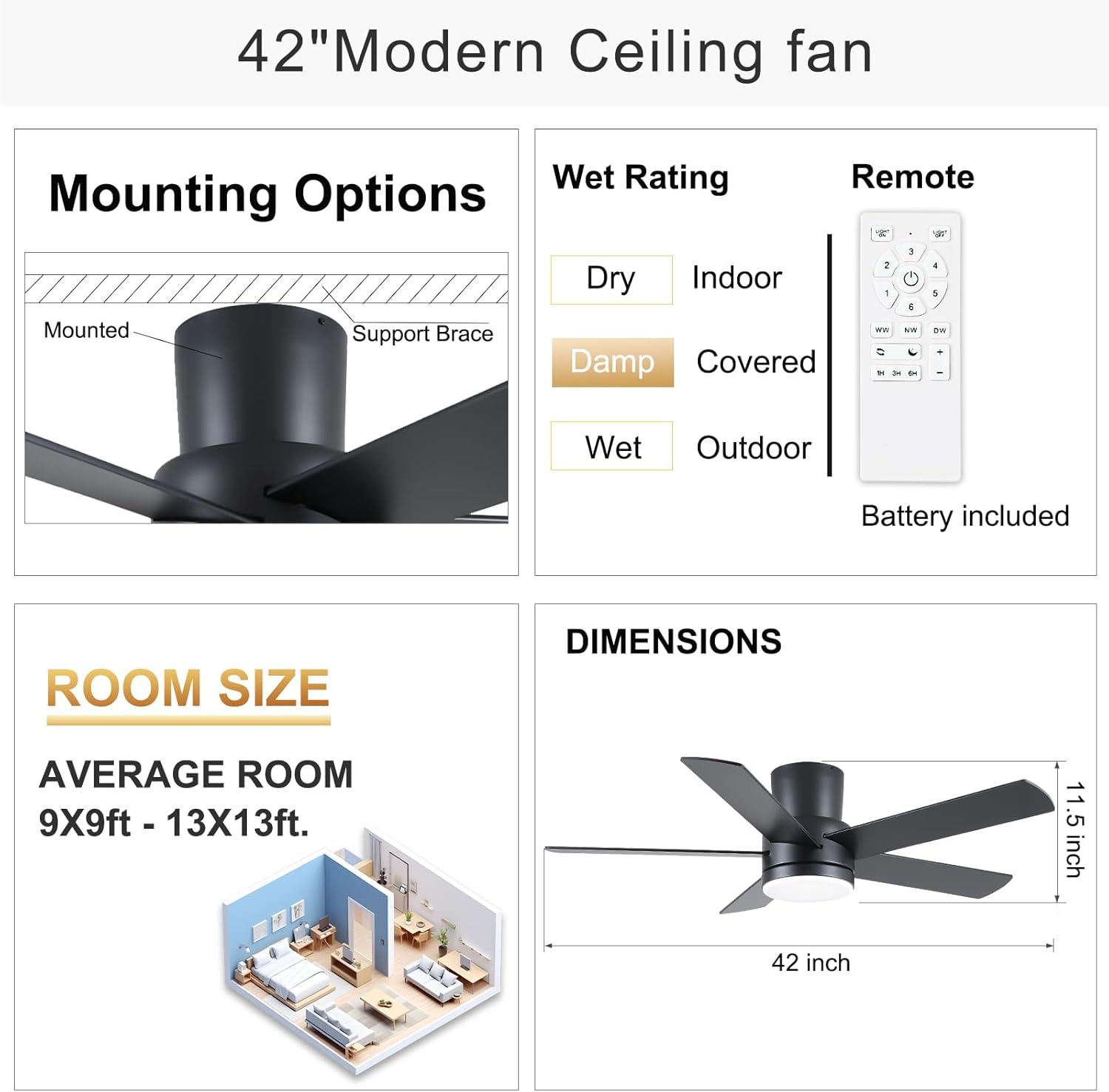
Image: Diagram illustrating flush mount installation, wet rating (suitable for dry indoor locations), and fan dimensions. The fan diameter is 44 inches as per the product title, while the image indicates 42 inches. The height is 11.5 inches.

Image: Fan blades showing two available finishes: black and wood color, allowing customization.
Important Note on Wall Switches: This fan can be used with standard wall switches that only switch lights on and off. However, wall switches with dimming or speed control functions are not recommended as they may interfere with the fan's remote control system.

Image: Illustration indicating that standard ON/OFF wall switches are compatible, but dimmer or speed control switches are not recommended.
4. Operating Instructions
The YUHAO ceiling fan is controlled by the included multi-functional remote control.
4.1 Remote Control Functions
Image: Detailed diagram of the remote control and its functions.
- Light ON/OFF: Turns the LED light on or off.
- Fan Speed (1-6): Adjusts fan speed from 1 (lowest) to 6 (highest).
- Fan OFF: Turns the fan off.
- Color Temperature (WW/NW/DW): Cycles through Warm White (3000K), Natural White (4000K), and Cool White (6500K). The fan has a memory function to recall the last setting.
- Brightness (+/-): Adjusts the LED light brightness from 0% to 100%.
- Forward/Reverse: Changes the direction of fan blade rotation for summer or winter mode.
- Sleep Wind: Activates a gentle, quiet fan mode.
- Fan Timer (1H/3H/6H): Sets the fan to turn off automatically after 1, 3, or 6 hours.
4.2 Fan Speed Settings
The fan offers 6 speed settings to suit various airflow needs:
- Speed 1-2: Comfortable Wind (Low)
- Speed 3-4: Natural Wind (Medium)
- Speed 5-6: Strong Wind (High)
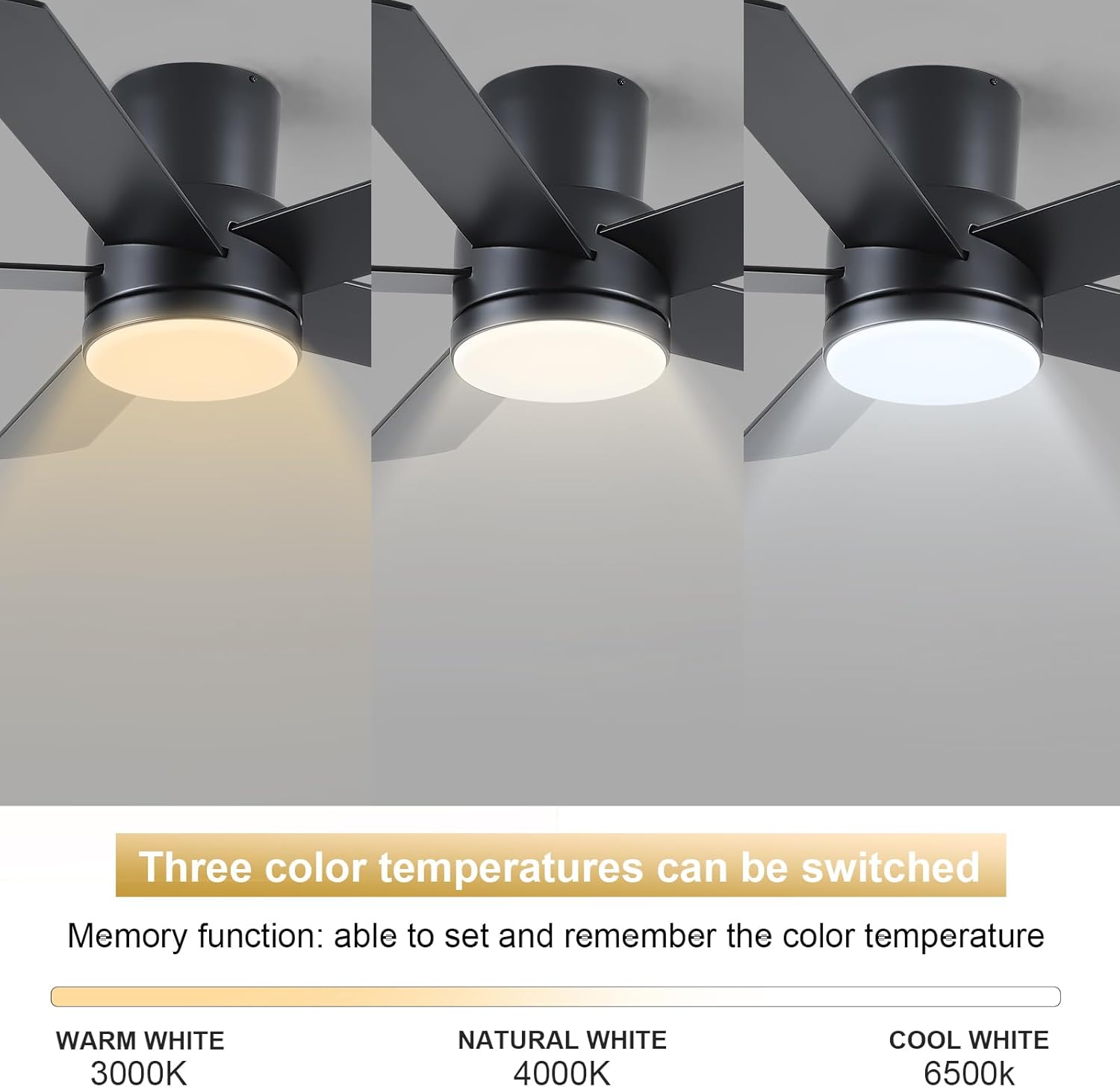
Image: Visual representation of the 6 wind speed settings and their corresponding comfort levels.
4.3 Reversible Motor Function
The fan features a reversible DC motor for year-round comfort.
- Summer Mode (Forward): Circulates air downward, creating a cooling effect.
- Winter Mode (Reverse): Circulates air upward, distributing warm air evenly throughout the room.
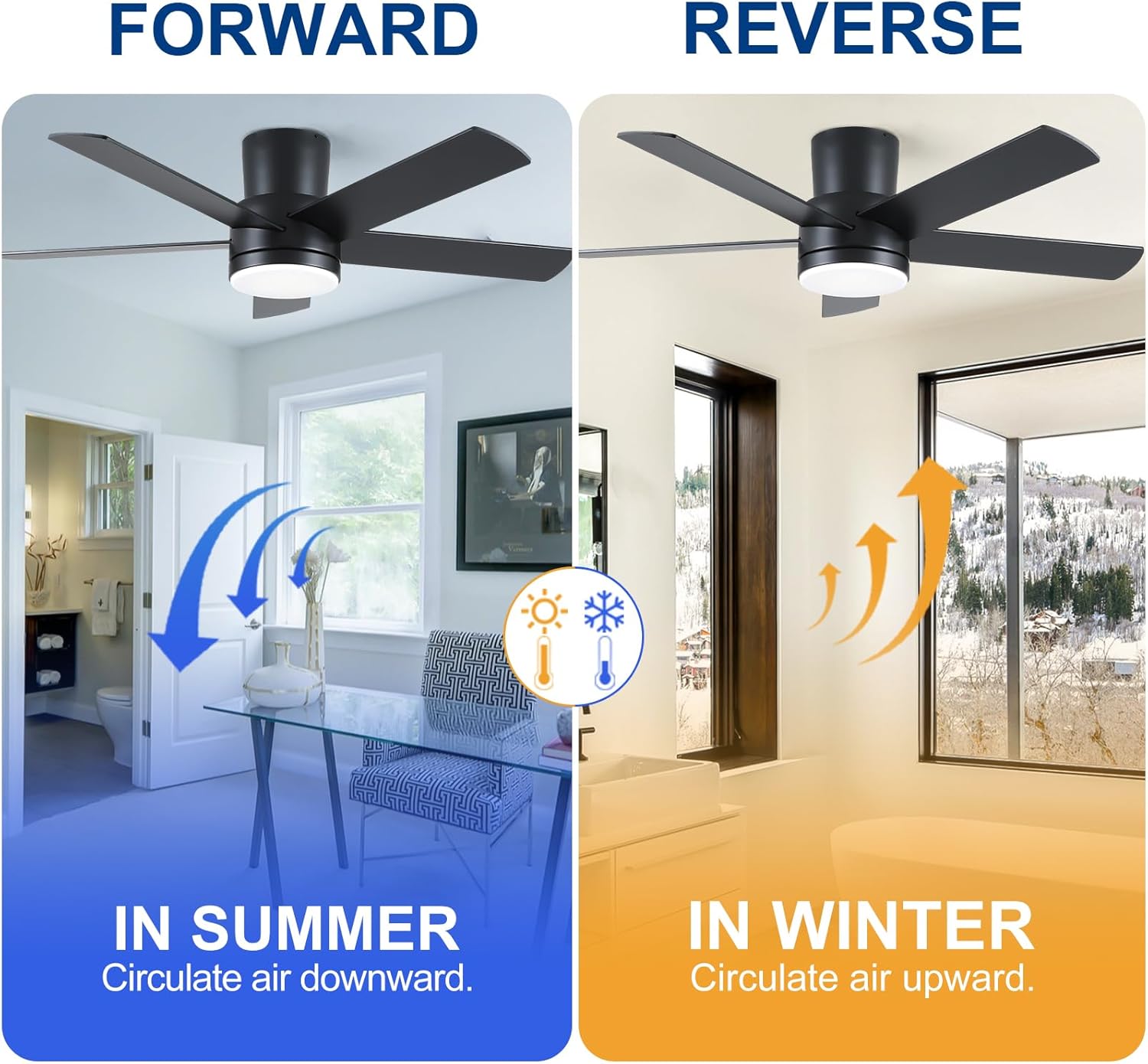
Image: Illustration demonstrating the airflow direction for summer (downward) and winter (upward) modes.
4.4 Adjustable LED Light
The integrated LED light offers customizable settings:
- 3 Color Temperatures: Choose between 3000K (Warm White), 4000K (Natural White), and 6500K (Cool White).
- Dimmable Brightness: Adjust the light intensity from 0% to 100% smoothly, without flickering or beeping.

Image: Display of the three selectable color temperatures for the LED light.

Image: Visual representation of the smooth dimming capability of the LED light.
5. Maintenance
Regular maintenance ensures optimal performance and longevity of your ceiling fan.
- Cleaning: To clean the fan, wipe with a soft, damp cloth. Do not use abrasive cleaners or solvents. Ensure power is off before cleaning.
- Blade Inspection: Periodically check fan blade screws for tightness. Over time, they may loosen due to vibration.
- Light Source: The LED light source is replaceable. If replacement is needed, contact customer service for guidance.
6. Troubleshooting
If you experience issues with your fan, refer to the following common problems and solutions:
| Problem | Possible Cause | Solution |
|---|---|---|
| Fan does not start | No power, loose wiring, remote control battery dead. | Check circuit breaker. Ensure all wiring connections are secure. Replace remote control battery. |
| Fan makes noise | Loose screws, unbalanced blades, motor issue. | Tighten all screws. Ensure blades are properly installed and balanced. If noise persists, contact customer service. |
| Light does not work | Loose wiring, LED light kit issue, remote control issue. | Check wiring connections to the light kit. Ensure remote control battery is functional. Contact customer service if the LED light kit needs replacement. |
| Remote control not working | Dead battery, remote not paired, interference. | Replace battery. Ensure remote is within range. Re-pair remote if necessary (refer to remote pairing instructions, if any, or contact support). |
7. Specifications
| Feature | Detail |
|---|---|
| Brand | YUHAO |
| Model Number | 32df83e1-67ec-4f44-8e8a-2369fad016fe |
| Dimensions (L x W x H) | 44"L x 44"W x 10.5"H |
| Color | Black |
| Material | Metal (body), Acrylic (shade) |
| Style | Modern |
| Installation Type | Flush Mount |
| Motor Type | DC Motor (Energy Efficient, Noiseless) |
| Fan Speeds | 6 Speeds, Reversible |
| Light Source | Integrated LED |
| LED Wattage | 24 Watts |
| Brightness | Up to 2000 Lumens |
| Color Temperatures | 3000K (Warm White), 4000K (Natural White), 6500K (Cool White) |
| Dimmable | Yes (0%-100%) |
| Control Method | Remote Control |
| Indoor/Outdoor Usage | Indoor |
| Voltage | 120 Volts |
8. Warranty and Customer Support
Manufacturer Warranty: This product comes with a two-year manufacturer's warranty.
Customer Service: If you encounter any problems with your ceiling fan, or if any parts are damaged, please contact YUHAO customer support. You can typically find support options through your purchase platform (e.g., Amazon's "Get Product Support" feature from your order history). Please explicitly state that you need to contact the seller. We aim to reply to your message within 24 hours and will send replacement parts if necessary.


