
Introduction
Thank you for choosing the Giecy 30W Portable Voice Amplifier G300Pro. This device is designed to provide clear and powerful voice amplification, making it ideal for teachers, public speakers, tour guides, and anyone needing to project their voice to a large audience. It also functions as a portable Bluetooth speaker with versatile music playback options. Please read this manual carefully to ensure proper use and maintenance of your device.
Package Contents
- Giecy 30W Portable Voice Amplifier Unit
- Wireless Headset Microphone
- Charging Cable
- Lanyard/Strap
- User Manual
Product Overview & Features
The Giecy G300Pro offers robust performance and multiple functionalities:
- Powerful Amplification: 30W output delivers clear sound covering up to 20,000 sq.ft (1000㎡).
- Bluetooth Speaker Functionality: Easily connect to any Bluetooth-enabled device within 33 feet for music streaming.
- Comfortable Headset Microphone: Designed for extended use by teachers, presenters, and public speakers.
- Long-Lasting Rechargeable Battery: Built-in 2800mAh lithium battery provides 12-15 hours of voice amplification or up to 8 hours of music playback on a 3-5 hour charge.
- Versatile Media Playback: Supports TF (Micro SD) card, USB flash drive, and direct audio source connection. Features include single-song repeat, loop playback, and track switching.

Image: Giecy 30W Portable Voice Amplifier with internal components and sound waves illustrating its powerful output.

Image: Giecy Voice Amplifier displaying its multi-functional capabilities with various input ports.
Setup
1. Initial Charging
Before first use, fully charge the voice amplifier and the wireless headset microphone. Connect the charging cable to the respective charging ports and a USB power adapter (not included). A full charge typically takes 3-5 hours.
2. Connecting the Microphone
For the wireless headset microphone, ensure both the microphone and the amplifier are powered on. They should automatically pair. For wired use, connect the wired microphone (if applicable) to the MIC input port on the amplifier.

Image: An instructor demonstrating the proper way to wear the Giecy Voice Amplifier headset.
Operating Instructions
1. Power On/Off
- To power on the amplifier, long-press the power button until the indicator lights up.
- To power off, long-press the power button again.
- For the wireless microphone, long-press its power button to turn it on/off.
2. Microphone Usage
- Position the headset microphone approximately 30-50cm (11.8-19.6 inches) from your mouth for optimal sound clarity.
- To avoid feedback, ensure the microphone is not pointed directly at the amplifier speaker.

Image: Visual guide on how to correctly position the microphone to prevent audio feedback.
3. Bluetooth Pairing
- Turn on the amplifier and activate Bluetooth mode (if not already in Bluetooth mode, press the 'M' button to switch modes).
- On your Bluetooth-enabled device, search for 'G300' and pair.
- A confirmation tone will indicate successful pairing.

Image: The Giecy Voice Amplifier seamlessly connected to a smartphone via Bluetooth for audio playback.
4. Music Playback (TF/USB/AUX)
- Insert a TF (Micro SD) card or USB flash drive into the corresponding slot. The amplifier will automatically switch to playback mode.
- Use the control buttons to play/pause, skip tracks, or enable loop/single-song repeat.
- Connect an external audio source via the AUX input for wired playback.
5. Volume Control
Adjust the main volume knob on the amplifier to your desired level. The wireless microphone may also have independent volume controls.
Charging
The Giecy G300Pro features a built-in 2800mAh lithium battery. Use the provided charging cable to connect the device to a 5V USB power source. The charging indicator will show the charging status. A full charge takes approximately 3-5 hours. Once fully charged, the amplifier provides 12-15 hours of voice amplification or up to 8 hours of music playback.
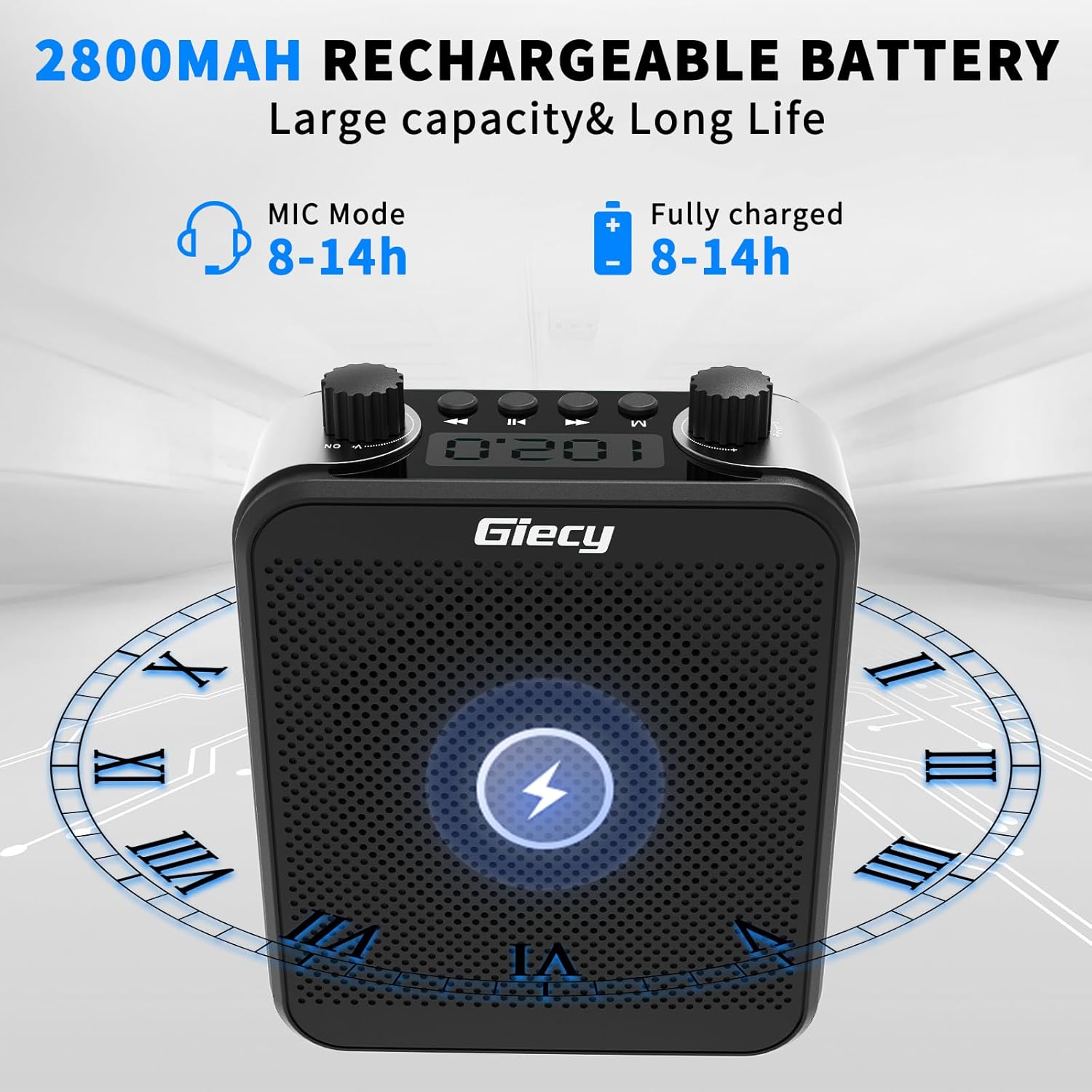
Image: The Giecy Voice Amplifier highlighting its 2800mAh rechargeable battery and long-lasting performance.
Specifications
| Feature | Detail |
|---|---|
| Model Number | G300Pro |
| Brand | Giecy |
| Output Wattage | 30 Watts |
| Power Source | Battery Powered |
| Battery Type | Lithium Ion (2800mAh) |
| Charging Time | 3-5 hours |
| Voice Amplification Time | 12-15 hours |
| Music Playback Time | Up to 8 hours |
| Connectivity Technology | Bluetooth |
| Audio Input | Wired microphone, Wireless microphone, Bluetooth, TF card, USB, Direct audio source |
| Item Weight | 1.34 pounds |
| Package Dimensions | 7.09 x 6.42 x 2.6 inches |
| Material | Metal, Plastic |
Safety Information
- Do not expose the device to extreme temperatures or direct sunlight.
- Keep away from water and moisture to prevent damage.
- Do not attempt to disassemble or repair the device yourself. Contact customer support for assistance.
- Use only the provided charging cable to avoid battery damage.
Troubleshooting
- No Sound: Ensure the amplifier and microphone are powered on and properly connected/paired. Check volume levels.
- Feedback/Squealing: Adjust microphone position to be 30-50cm from your mouth and not directly facing the speaker. Lower the volume if necessary.
- Bluetooth Connection Issues: Ensure the amplifier is in Bluetooth mode and within 33 feet of your device. Disconnect and re-pair if issues persist.
- Short Battery Life: Ensure the device is fully charged (3-5 hours). Battery performance may vary with usage intensity.
Warranty and Support
For warranty information or technical support, please refer to the contact details provided with your purchase or visit the official Giecy website. Keep your proof of purchase for warranty claims.