
Introduction
This manual provides comprehensive instructions for the safe and effective use of your Feit Electric Long Range Flashlight. Please read this manual thoroughly before operation and retain it for future reference.
Product Features
- Super Bright Illumination: Delivers up to 2000 lumens for powerful, long-range light.
- Durable Construction: Crafted from aircraft-grade aluminum for resistance against drops, scratches, and harsh weather.
- Versatile Light Modes: Features High, Medium, and Low modes, plus a Strobe mode for various lighting needs.
- Flex Power System: Compatible with the included rechargeable 18650 Li-ion battery or four (4) AAA batteries (sold separately).
- Built-in USB Power Bank: Equipped with a USB-A port to charge other portable devices in emergency situations.
- Adjustable Beam Focus: Twist the head to switch between narrow (spotlight) and wide (floodlight) beam focus.
- Battery Indicator: Easy-to-read LED battery indicator lights display remaining power.
- Weather Resistant: IP65 wet-location rated for water and dust resistance.
Package Contents
Please ensure all items are present:
- Feit Electric Long Range Flashlight
- Rechargeable 18650 Li-ion Battery
- USB-C Charging Cable
- AAA Battery Adapter (for optional AAA battery use)
- Wrist Strap
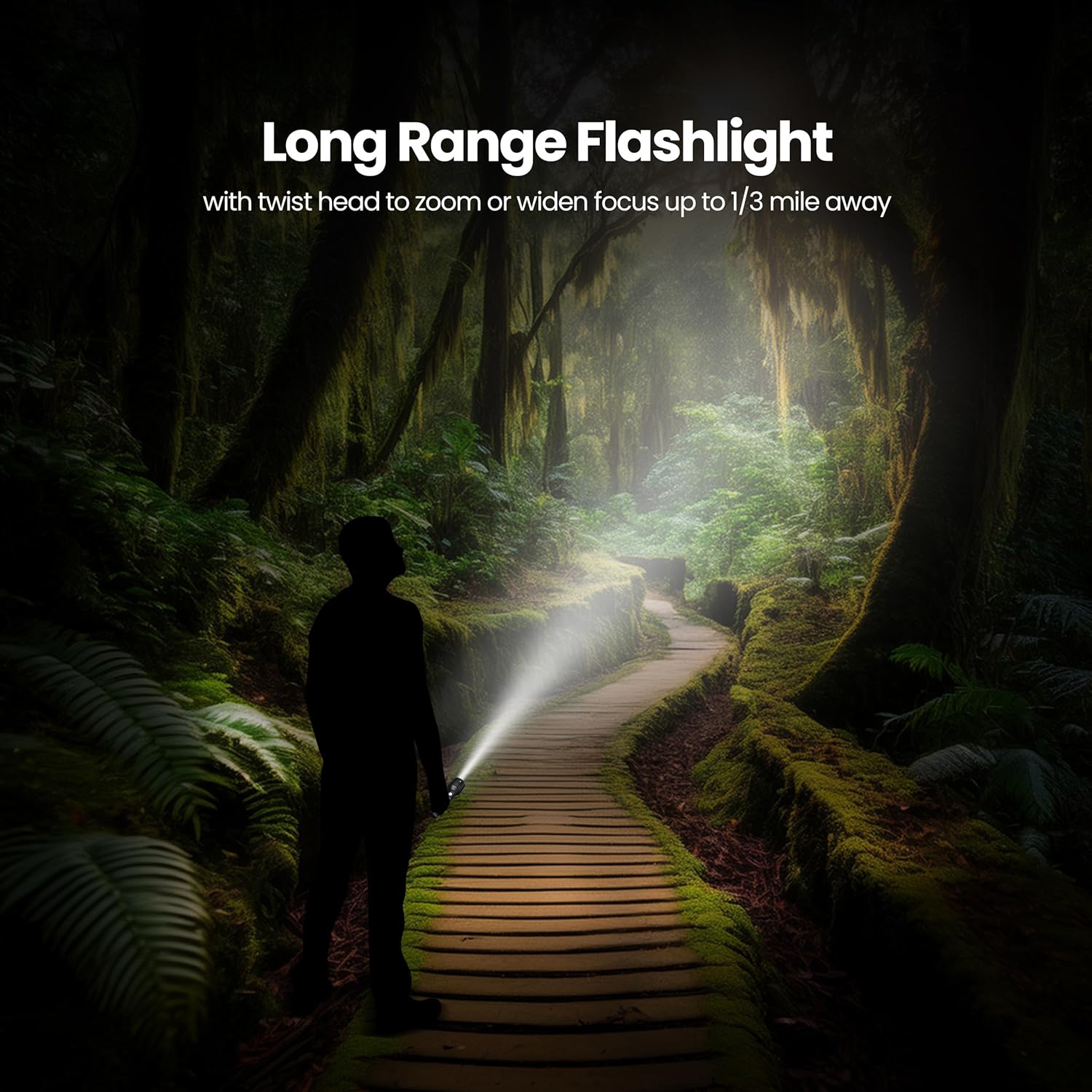
Image: What's Included - Flashlight, rechargeable battery, AAA battery adapter, USB-C charging cable, and wrist strap.
Setup
Battery Installation
- Unscrew the tail cap of the flashlight by turning it counter-clockwise.
- Insert the included 18650 Li-ion rechargeable battery with the positive (+) end facing towards the head of the flashlight.
- Alternatively, if using AAA batteries, insert four (4) AAA batteries into the provided AAA battery adapter, ensuring correct polarity. Then insert the adapter into the flashlight with the positive (+) end facing towards the head.
- Screw the tail cap back on clockwise until secure.

Image: Two Ways to Power - Rechargeable 18650 Li-ion battery or 4x AAA batteries (sold separately) with adapter.
Charging the Rechargeable Battery
- Locate the USB-C charging port on the flashlight body, usually covered by a rubber slider.
- Slide open the rubber cover to expose the USB-C port.
- Connect the included USB-C charging cable to the flashlight's USB-C port.
- Connect the other end of the USB-C cable to a compatible USB power source (e.g., wall adapter, computer USB port).
- The LED battery indicator lights will illuminate to show charging progress. All lights will be solid when fully charged.
- Charging time is approximately 5 hours for a full charge.
- Once charging is complete, disconnect the cable and close the rubber cover to protect the port from dust and water.
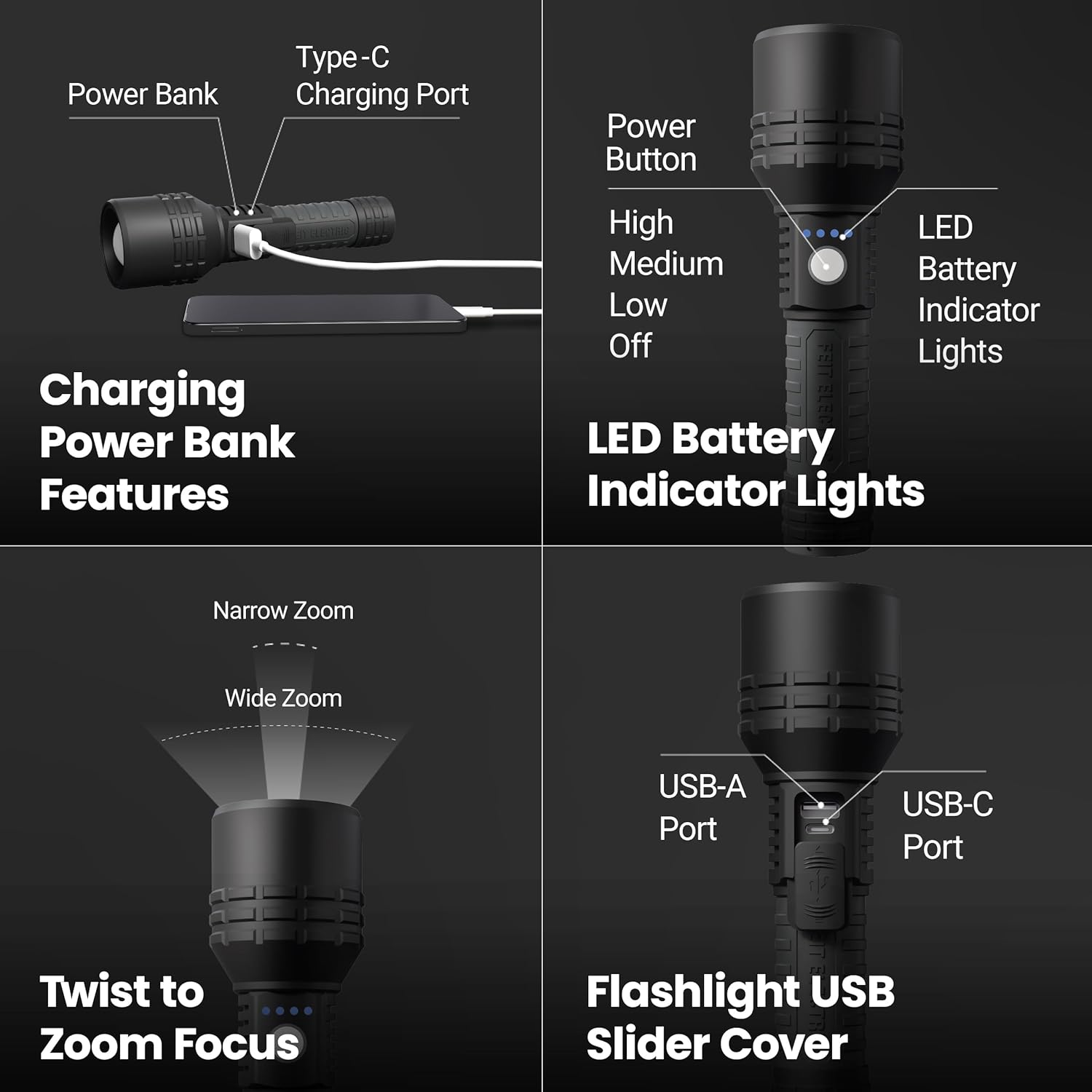
Image: Charging Power Bank Features - Type-C Charging Port and LED Battery Indicator Lights.
Operating Instructions
Power On/Off and Mode Selection
- Power On: Press the power button located on the side of the flashlight to turn it on.
- Cycle Modes: With the flashlight on, press the power button repeatedly to cycle through the light modes: High (2000 lumens) → Medium (800 lumens) → Low (150 lumens) → Strobe → Off.
- Power Off: Continue cycling through modes until the flashlight turns off, or press and hold the power button for approximately 2 seconds to turn it off directly from any mode.

Image: 3 Light Modes - High (2000 lumens), Medium (800 lumens), Low (150 lumens).
Adjusting Beam Focus (Zoom)
The flashlight features an adjustable beam focus to switch between a narrow, concentrated beam for long-range illumination and a wide, diffused beam for broader area lighting.
- To adjust the beam, simply twist the head of the flashlight clockwise or counter-clockwise.
- Twist in one direction for a narrow, focused beam (spotlight).
- Twist in the opposite direction for a wide, diffused beam (floodlight).
Image: Twist to Zoom Focus - Adjusts between narrow and wide beam.
Using as a Power Bank
The flashlight can be used to charge other portable devices via its built-in USB-A port.
- Slide open the rubber cover on the flashlight body to expose the USB-A output port.
- Connect your device's charging cable to the USB-A port on the flashlight.
- The flashlight will begin charging your device.
- Monitor your device's charging status. Disconnect when charging is complete.
- Close the rubber cover securely after use to protect the port.
Image: Flashlight USB Slider Cover - Reveals USB-A and USB-C ports.
Maintenance
Cleaning
- Wipe the flashlight body with a soft, damp cloth.
- Do not use abrasive cleaners or solvents, as they may damage the finish.
- Ensure the charging port cover is closed when not in use to prevent dust and moisture ingress.
Storage
- Store the flashlight in a cool, dry place away from direct sunlight and extreme temperatures.
- If storing for extended periods, remove AAA batteries (if used) to prevent leakage.
- For the rechargeable battery, it is recommended to charge it every 3-6 months to maintain battery health.
Troubleshooting
| Problem | Possible Cause | Solution |
|---|---|---|
| Flashlight does not turn on. | Low or dead battery. Incorrect battery installation. Loose tail cap. |
Charge the rechargeable battery or replace AAA batteries. Ensure battery polarity is correct. Tighten the tail cap. |
| Light is dim or flickers. | Low battery. Loose connections. |
Charge the rechargeable battery or replace AAA batteries. Ensure tail cap and head are tightly screwed on. |
| Device not charging from power bank. | Flashlight battery is low. Cable issue. Device incompatibility. |
Ensure flashlight battery is sufficiently charged. Try a different USB cable. Some devices may not be compatible. |
Specifications
| Attribute | Value |
|---|---|
| Model Number | FLR2000/LT/FLEX |
| Brightness | 2000 Lumens (High), 800 Lumens (Medium), 150 Lumens (Low) |
| Light Source Type | LED |
| Material | Aircraft-Grade Aluminum |
| Power Source | Rechargeable 18650 Li-ion Battery (included) or 4x AAA Batteries (not included) |
| Voltage | 3.7 Volts |
| Runtime | Up to 12 hours (Low mode) |
| Charge Time | Approx. 5 hours |
| Product Dimensions | 7.6"D x 2.2"W x 2.2"H |
| Item Weight | 12.8 ounces |
| Water Resistance Level | IP65 (Water Resistant) |
| Light Path Distance | Up to 1/3 Mile (approx. 300 feet) |
| Color Temperature (CCT) | Daylight Deluxe 6500K |
| Beam Angle | 120° |

Image: Flashlight Specification - Detailed technical specifications.
Warranty Information
This Feit Electric product comes with a 1-year manufacturer's limited warranty from the date of purchase. This warranty covers defects in materials and workmanship under normal use. For full warranty terms and conditions, please refer to the official Feit Electric website or contact customer support.
Customer Support
For 24/7 customer support, please visit the Feit Electric Help Center:

Image: Customer Support Information - Visit feit.com/help for assistance.


