
1. Product Overview
The LLPParts 802 Electric Heat Line Voltage Thermostat is designed for controlling electric heating systems. This Double-Pole Single-Throw (DPST) thermostat serves as a universal replacement for many existing electric heat thermostats, including those from Robertshaw OEM. It is suitable for applications requiring a line voltage thermostat for heating.
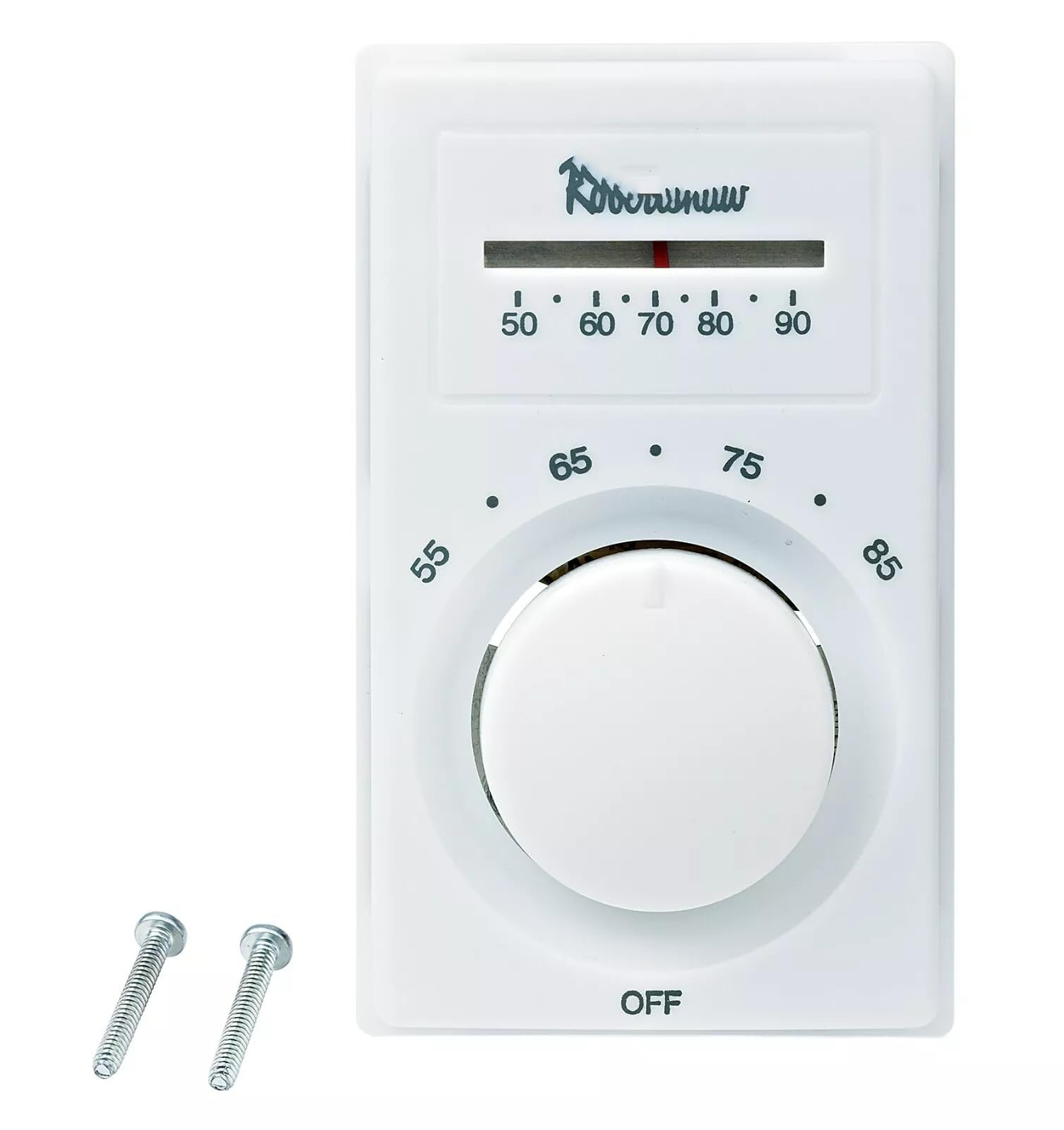
Image showing the front view of the LLPParts 802 Electric Heat Line Voltage Thermostat.
2. Safety Information
WARNING: Risk of Electric Shock. Disconnect power at the main service panel before installing or servicing this thermostat. Installation should be performed by a qualified electrician in accordance with all local and national electrical codes.
- Always turn off power at the circuit breaker or fuse box before beginning installation.
- Ensure all wiring connections are secure and properly insulated.
- Do not use this thermostat for applications other than those specified.
- Keep the thermostat away from water and excessive moisture.
3. Package Contents
Verify that your package contains the following item:
- 1 x LLPParts 802 Electric Heat Line Voltage Thermostat
4. Installation
- Turn Off Power: Locate the circuit breaker or fuse that controls your electric heating system and turn off the power. Verify that the power is off using a voltage tester.
- Remove Old Thermostat (if applicable): Carefully remove the cover of your old thermostat. Disconnect the wires, noting their connections for reference.
- Mount the New Thermostat: Secure the LLPParts 802 thermostat base to the wall using the provided screws. Ensure it is level.
- Wire the Thermostat: Connect the line voltage wires to the appropriate terminals on the thermostat. The 802 is a DPST thermostat, meaning it breaks both hot lines. Follow the wiring diagram provided with the thermostat for correct connections. If unsure, consult a qualified electrician.
- Attach Cover: Once wiring is complete and secure, attach the thermostat cover.
- Restore Power: Turn the power back on at the circuit breaker or fuse box.
5. Operation
The LLPParts 802 thermostat provides straightforward temperature control for your electric heating system.
- Setting Temperature: Use the dial or buttons (depending on specific model variant) to adjust the desired room temperature. Rotate the dial clockwise to increase the temperature and counter-clockwise to decrease it.
- Heating Indicator: The thermostat may have an indicator light or audible click to signify when the heating element is active.
- Temperature Range: Operate the thermostat within its specified temperature range for optimal performance.
6. Maintenance
Regular maintenance helps ensure the longevity and accurate operation of your thermostat.
- Cleaning: Periodically wipe the exterior of the thermostat with a soft, dry cloth. Do not use abrasive cleaners or solvents.
- Air Vents: Ensure that the air vents on the thermostat casing are not obstructed by dust or debris, as this can affect temperature sensing.
- Electrical Connections: If you suspect an issue, have a qualified electrician check the electrical connections periodically to ensure they remain secure.
7. Troubleshooting
| Problem | Possible Cause | Solution |
|---|---|---|
| No heat when thermostat is set above room temperature. |
|
|
| Thermostat not accurately reading room temperature. |
|
|
| Thermostat cycles too frequently or infrequently. |
|
|
8. Specifications
- Model: 802
- Brand: LLPParts
- Type: Electric Heat Line Voltage Thermostat
- Switch Type: Double-Pole Single-Throw (DPST)
- UPC/GTIN: 769061106341
- Manufacturer: LLPParts
- Unit Count: 1.0 Count
9. Warranty and Support
This LLPParts 802 Electric Heat Line Voltage Thermostat comes with a one-year warranty from the date of purchase, covering defects in materials and workmanship under normal use.
For technical support, warranty claims, or further assistance, please contact LLPParts customer service through your retailer or the official LLPParts website. Please have your model number (802) and proof of purchase available when contacting support.