
1. Product Overview
The Baseus 100W USB-C to USB-C Fast Charging Cable is designed for efficient power delivery and high-speed data transfer. It features an integrated LED display to show real-time charging wattage, allowing users to monitor power flow to their devices. Constructed with durable materials, this cable is built for longevity and wide compatibility across various USB-C enabled devices.

Image: The Baseus 100W USB-C to USB-C Fast Charging Cable, showcasing its braided design and the transparent connector with an LED display.
Key Features:
- LED Display: Built-in E-Marker chip supports 20V/5A power and displays real-time charging wattage.
- 100W Fast Charging: Secure and efficient charging with reinforced copper cores and intelligent E-Marker chip.
- Enhanced Durability: Crafted with reinforced connectors and a dual-layer nylon braided design for resistance against bending and wear.
- High-Speed Data Transfer: Supports data transfer speeds up to 480Mbps.
- Wide Compatibility: Compatible with a broad range of USB-C devices including laptops, tablets, and smartphones.
2. Getting Started
Connecting the Cable:
- Identify the USB-C port on your charging adapter or power source.
- Insert one end of the Baseus USB-C cable into the power source's USB-C port.
- Identify the USB-C port on your device (e.g., smartphone, tablet, laptop).
- Insert the other end of the Baseus USB-C cable into your device's USB-C port.
- The LED display on the cable connector will illuminate, showing the current charging wattage.

Image: A close-up view of the cable's transparent connector, highlighting the LED digital display that indicates the charging wattage.
Visual Guide:
Video: An official Baseus video demonstrating the LED display feature of the USB-C cable during charging.
3. Operating Instructions
Fast Charging with LED Display:
The cable's integrated E-Marker chip intelligently identifies the optimal voltage and current required by your connected device, ensuring safe and efficient charging up to 100W. The LED display provides immediate feedback on the charging speed, allowing you to verify fast charging is active.
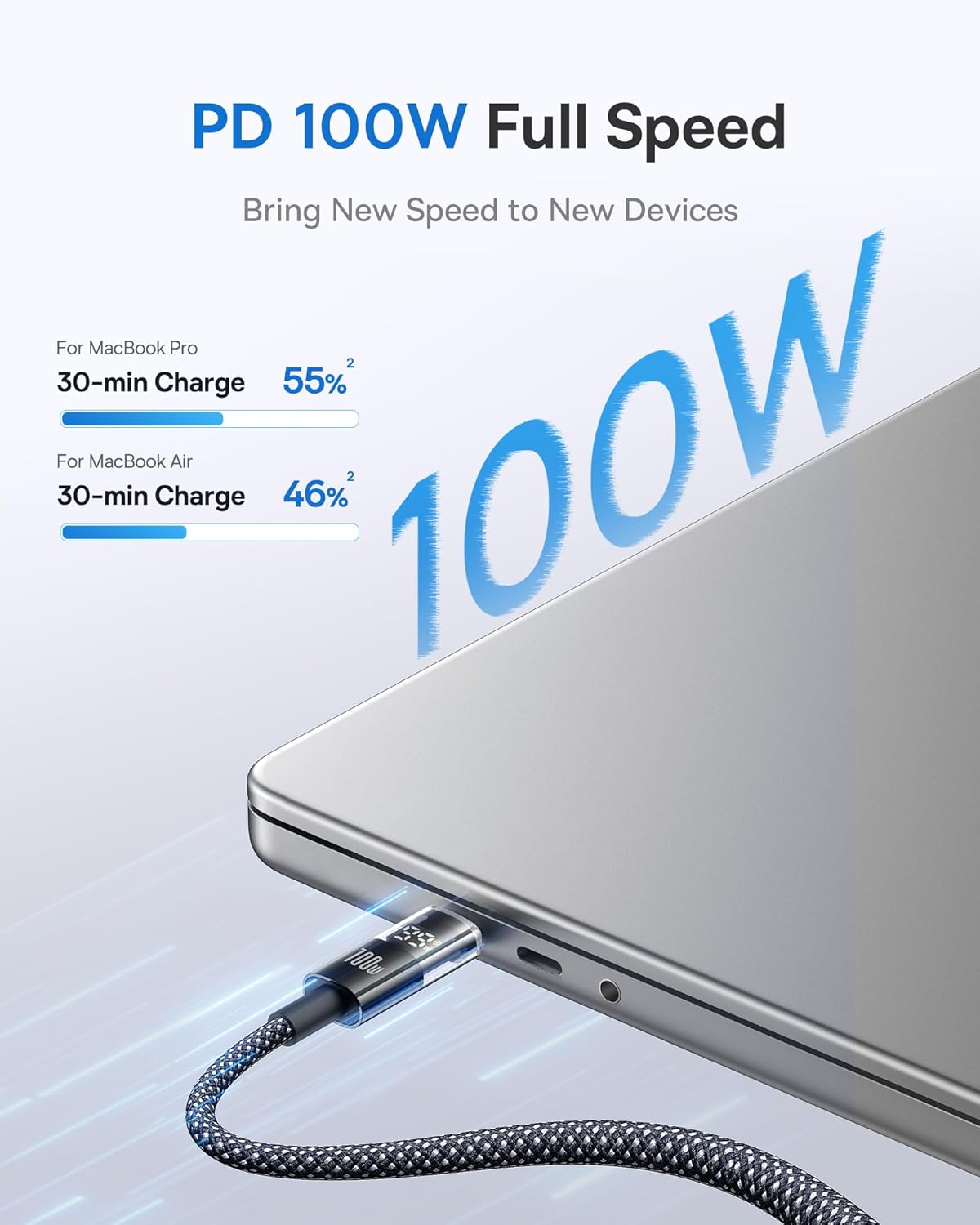
Image: The Baseus USB-C cable connected to a MacBook Pro, illustrating 100W full-speed charging capabilities.

Image: A diagram illustrating the embedded E-Marker chip within the Baseus cable, which ensures reliable and safe charging by regulating power delivery.
Data Transfer:
In addition to charging, this USB-C cable supports high-speed data transfer up to 480Mbps. This allows for quick synchronization of files, photos, and videos between compatible devices.
Wide Compatibility:
The Baseus USB-C cable is designed to work with a wide array of devices. This includes, but is not limited to:
- Laptops: MacBook Air/Pro (M2, 2022; M2 Pro, 2023; 2020/2019/2018/2017/2016), and other USB-C enabled laptops.
- Tablets: iPad Pro 12.9-inch (1st-5th generation), iPad Pro 11-inch (1st-4th generation), iPad Air (4th generation), iPad mini (6th generation).
- Smartphones: iPhone 15/16 series (Pro/Pro Max/Plus), Galaxy S8/S8+/S9/S9+/S10/S10e/S10+/S20/S21/S22/S23/S24, Galaxy Note 8/9/10/10+/20/20 Ultra, Google Pixel 3/4/5/6/7, Google Nexus 6P, and other USB-C smartphones.
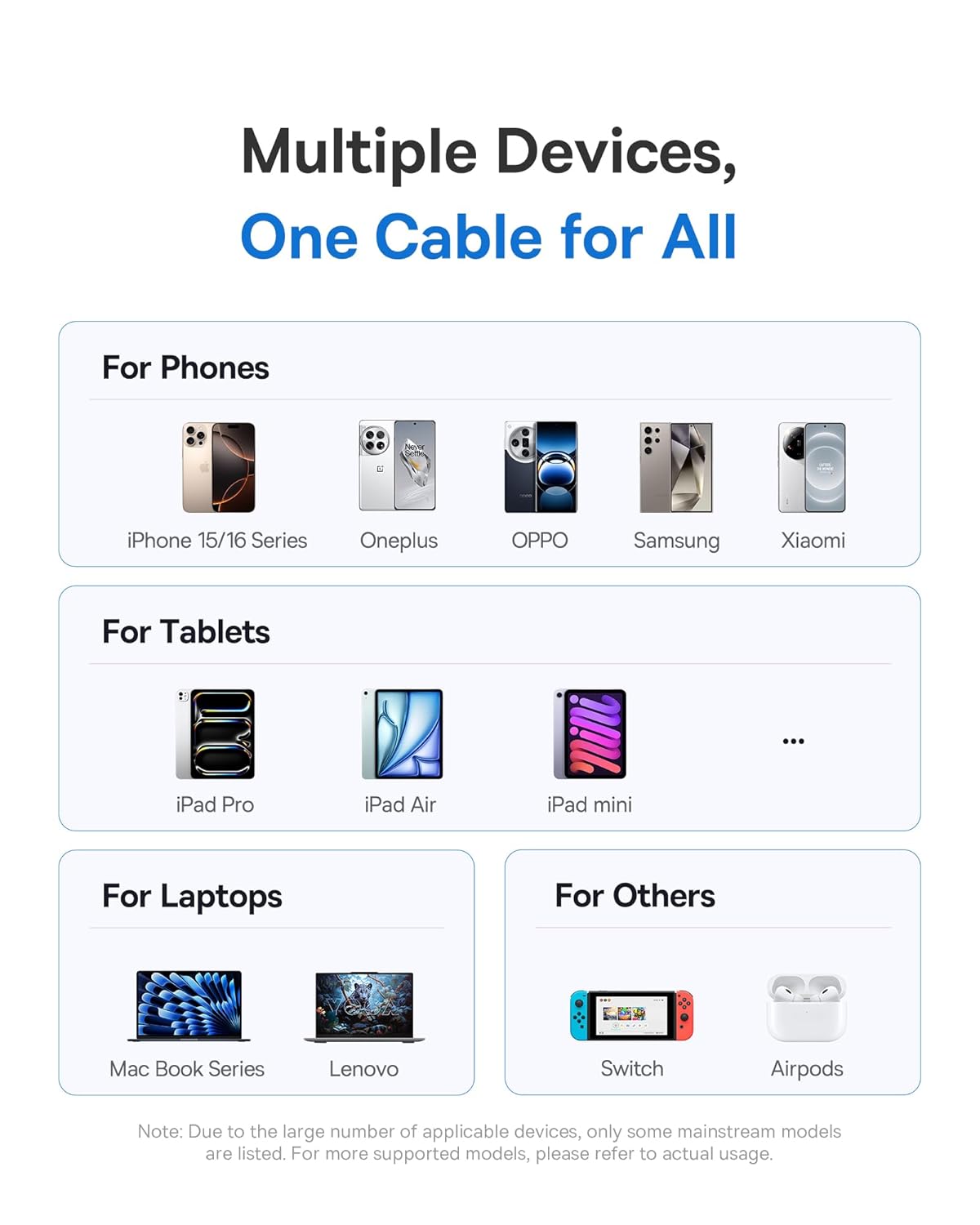
Image: An illustration showing the Baseus USB-C cable's compatibility with a range of devices, including smartphones, tablets, and laptops.
4. Maintenance and Care
To ensure the longevity and optimal performance of your Baseus USB-C cable, follow these care guidelines:
- Handle with Care: Avoid excessive bending or sharp angles, especially near the connectors. The cable features a dual-layer anti-bend design, but proper handling further extends its lifespan.
- Clean Connectors: Periodically clean the USB-C connectors with a dry, soft cloth to remove dust or debris that may affect connectivity.
- Storage: When not in use, coil the cable loosely and secure it with the included cable organizer. Avoid tightly wrapping or knotting the cable.
- Avoid Extreme Conditions: Do not expose the cable to extreme temperatures, direct sunlight for prolonged periods, or corrosive liquids.
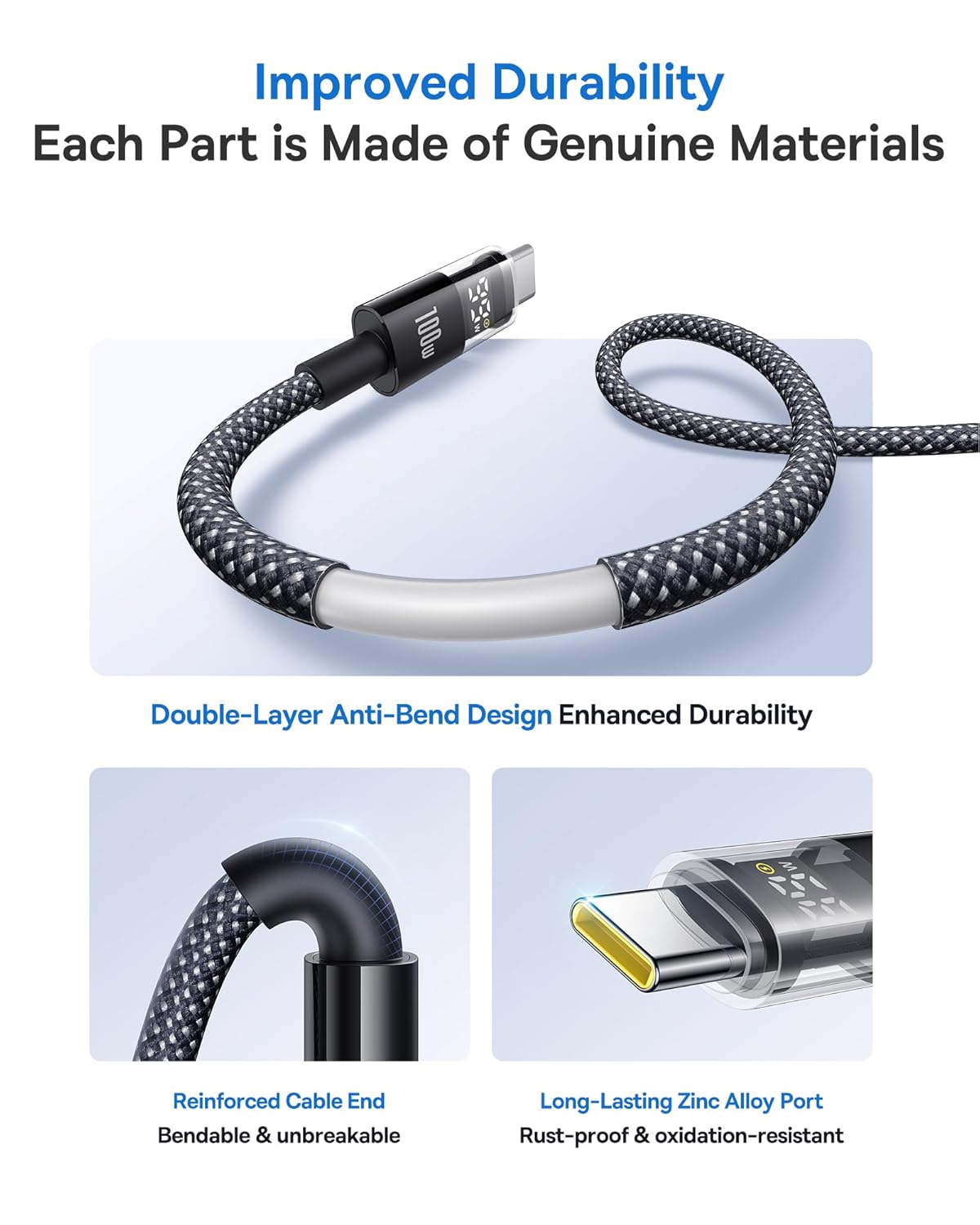
Image: A detailed view of the Baseus USB-C cable's construction, emphasizing its reinforced cable ends, braided nylon outer layer, and long-lasting zinc alloy ports for improved durability.
5. Troubleshooting
If you encounter issues with your Baseus USB-C cable, consider the following:
- No Charging/Slow Charging:
- Ensure both ends of the cable are securely connected to the power source and the device.
- Verify that your power adapter supports the required wattage for your device (e.g., 100W for laptops). The LED display on the cable can help confirm the actual wattage being delivered.
- Try using a different power adapter or a different USB-C port on your device to rule out issues with the power source or device port.
- Check for any visible damage to the cable or connectors.
- LED Display Not Working:
- Ensure the cable is properly connected and actively charging a device. The display only activates when power is flowing.
- If the display remains off, try connecting to a different device or power source.
- Data Transfer Issues:
- Confirm that both connected devices support data transfer over USB-C.
- Ensure the cable is fully inserted into both ports.
- Check your device settings to ensure data transfer is enabled (e.g., 'File Transfer' mode on Android devices).
6. Technical Specifications
| Feature | Specification |
|---|---|
| Brand | Baseus |
| Model Number | 850060076756 |
| Connector Type | USB Type C to USB Type C |
| Cable Type | USB C Cable |
| Power Delivery | Up to 100W (20V/5A) |
| Data Transfer Speed | 480Mbps |
| Special Features | Braided, Data Transfer, Fast Charging, High Speed, LED Display |
| Length | 3.3ft (1 meter) - Note: Also available in 6.6ft (2 meters) |
| Material | Zinc Alloy, Nylon Braided |
| Package Dimensions | 5.94 x 3.35 x 0.67 inches |
| Item Weight | 1.76 ounces |
| First Available Date | March 29, 2024 |
7. What's in the Box
- 1 x Baseus LED Display USB C Cable (3.3ft)
8. Warranty and Customer Support
Baseus is committed to providing high-quality products and excellent customer service. Your Baseus 100W USB-C to USB-C Fast Charging Cable comes with a warranty as detailed on the included warranty card.
For any inquiries, technical assistance, or warranty claims, please contact Baseus Customer Service. We offer 24-hour carefree customer service to ensure your satisfaction.
Please refer to the warranty card provided in the product packaging for specific warranty terms and conditions.


