
Introduction
Thank you for choosing the ModernMate 67" L-Shaped Electric Standing Desk. This manual provides detailed instructions for the assembly, operation, and maintenance of your new desk. Designed for ergonomic comfort and versatile storage, this desk is an ideal solution for both home and office environments. Please read this manual thoroughly before assembly and use to ensure safe and efficient operation.
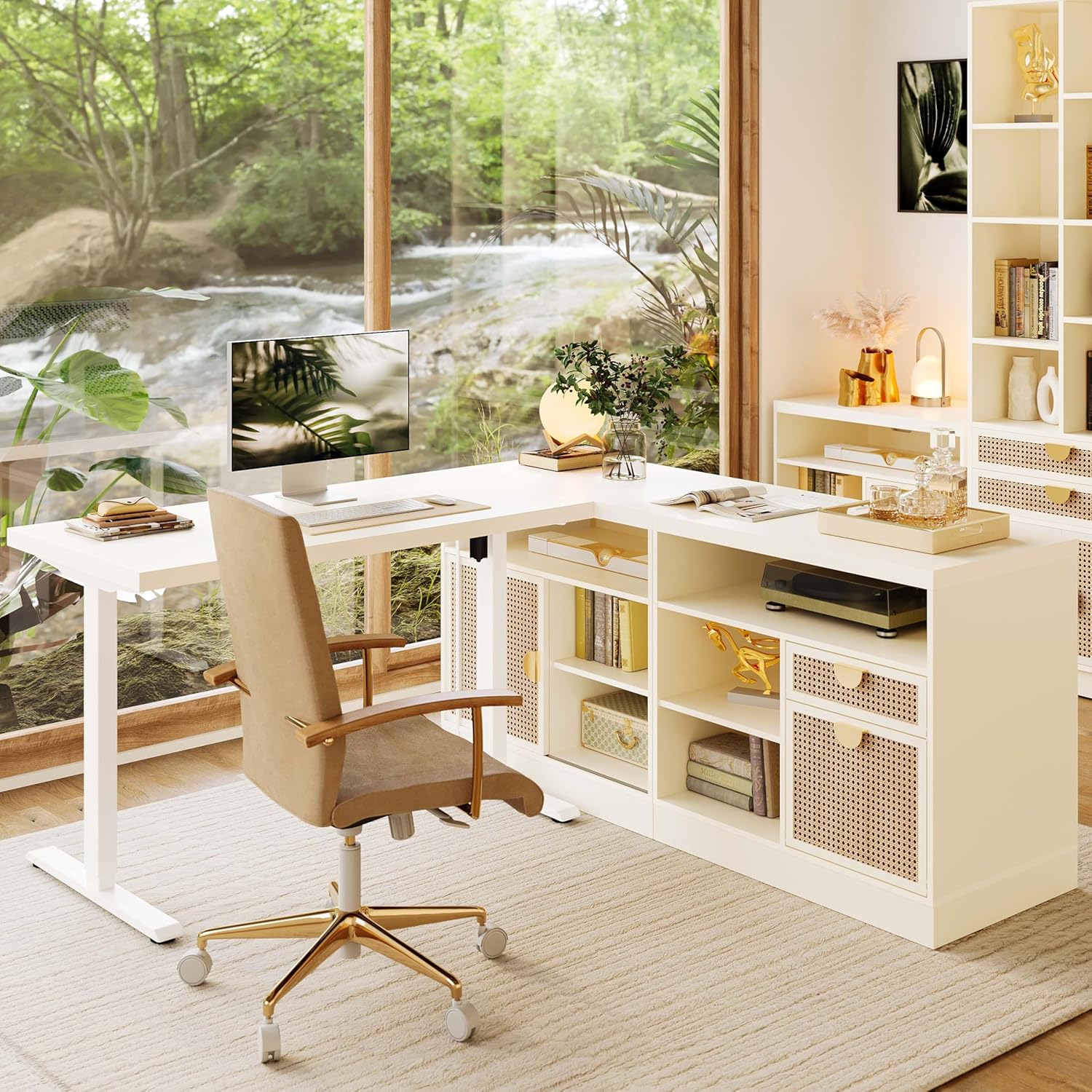
Figure 1: The ModernMate 67" L-Shaped Electric Standing Desk, showcasing its design and integration into a modern workspace.
Safety Information
WARNING: Failure to follow these safety instructions may result in injury or damage to the product.
- Always assemble the desk according to the provided instructions.
- Do not exceed the weight limit of 176 pounds (80 kg) on the desktop.
- Ensure the desk is properly anchored to prevent tipping, especially when adjusting height or moving.
- Always use the desk with caution, particularly when adjusting the height. Keep hands and objects clear of moving parts.
- Keep children and pets away from the desk during operation.
Product Overview
The ModernMate L-Shaped Electric Standing Desk is designed to enhance your workspace with ergonomic flexibility and ample storage. Key features include:
- Adjustable Height: Electric lift system allows height adjustment from 27.9" to 45.7".
- Memory Presets: Two programmable memory buttons for preferred sitting and standing heights.
- Integrated Storage: Multiple open shelves, file cabinet drawers, and sliding door cabinets.
- Built-in Power Outlets: Includes AC outlets and USB ports for convenient device charging.
- Robust Construction: Made from cold-rolled steel frame, tested for 50,000 lift cycles.
- Modular Design: Components can be reconfigured to suit various space and scene requirements.

Figure 2: Product dimensions and height adjustment range.

Figure 3: Overview of the integrated storage system with various options.
Setup and Assembly
Your ModernMate standing desk comes with detailed and clear installation instructions. Please follow them carefully. Assembly typically requires two people and a screwdriver.
- Required Tools: Screwdriver (not included).
- Recommended Assembly Personnel: 2 people.
- Packaging: For safe delivery and easier handling, the desk tops, cabinets, and frames are delivered in 4 separate packages.

Figure 4: Product packaging for safe and convenient delivery.
Operating Instructions
Height Adjustment
The desk features an electric lift system allowing you to seamlessly transition between sitting and standing positions. The height can be adjusted from a minimum of 27.9 inches to a maximum of 45.7 inches.
- Control Panel: Use the intuitive hand control panel located on the desk edge.
- One-Click Adjustment: Press the up or down arrow buttons to adjust the desk height.
- Memory Presets: Program your preferred sitting and standing heights using the memory buttons for quick, one-touch adjustments. Refer to the detailed installation instructions for programming steps.
- Quiet Operation: The motor operates quietly, ensuring minimal disturbance in your workspace.
Built-in Power Outlets
The desk is equipped with convenient power outlets to keep your devices charged and organized.
- AC Outlets: 2 AC outlets for standard power plugs.
- USB Ports: 2 USB ports for charging mobile devices.
- Cord Length: The power cord for the outlets is 6.5 feet long.

Figure 5: Details of desk features including height adjustment and power outlets.

Figure 6: Illustration of the desk's quiet motor operation.
Storage Features
The L-shaped desk is equipped with a powerful storage system to keep your workspace organized and clutter-free.
- Open Storage Shelves: Ideal for books, decorative items, or frequently accessed documents.
- File Cabinet Drawers: Two drawers designed for organizing office documents, compatible with both Letter and A4 size files. Features a locking mechanism for security.
- Sliding Door Cabinets: Provide concealed storage for various items.
- Adjustable Shelves: Some shelves are adjustable, allowing you to customize storage space for different item sizes.
- Cable Management: Integrated cable holes help route and conceal power cords, maintaining a tidy appearance.
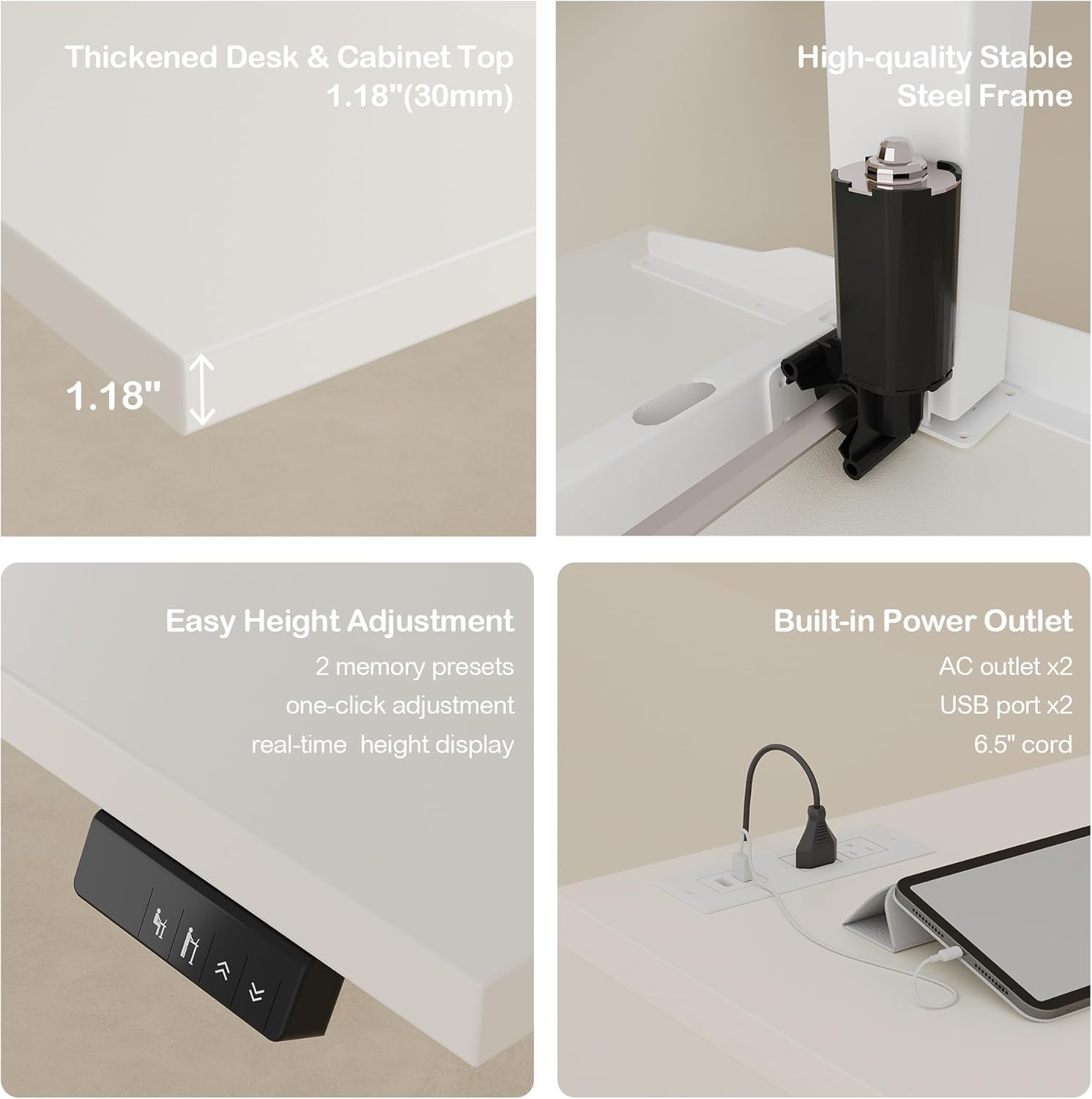
Figure 7: File storage options and locking mechanism.

Figure 8: Adjustable shelves and cable management features.
Maintenance and Care
To ensure the longevity and appearance of your ModernMate standing desk, follow these care guidelines:
- Cleaning: Wipe surfaces with a dry cloth. Avoid using harsh chemicals or abrasive cleaners.
- Moisture: Avoid excessive moisture. Promptly wipe up any spills to prevent damage to the wood finish.
- Sunlight: Keep the desk away from direct sunlight to prevent fading or warping of the materials.
- Inspections: Periodically check all screws and connections to ensure they are tight.
Troubleshooting
If you encounter any issues with your ModernMate standing desk, please refer to the following common solutions. If the problem persists, contact customer service.
- Desk Not Adjusting Height:
- Check if the power adapter is securely plugged into both the desk and a working wall outlet.
- Ensure no objects are obstructing the desk's movement path.
- Verify that the weight on the desktop does not exceed the 176-pound limit.
- Unusual Noises During Operation:
- A slight hum is normal during height adjustment. If loud or grinding noises occur, discontinue use and contact support.
- Ensure all assembly screws are tightened.
- Memory Presets Not Working:
- Refer to the detailed instructions for reprogramming memory presets.
- Ensure the desk is powered on and functioning correctly before attempting to set presets.
Specifications
| Feature | Specification |
|---|---|
| Brand | ModernMate |
| Model Number | USAN1055511 |
| Product Dimensions (D x W x H) | 63"D x 67"W x 27.9"H |
| Color | White Rattan |
| Minimum Height | 27.9 Inches |
| Maximum Height | 45.7 Inches |
| Item Weight | 185 Pounds |
| Maximum Weight Capacity | 176 Pounds |
| Top Material Type | Engineered Wood |
| Base Material | Metal (Cold-rolled steel) |
| Lifting Mechanism | Electric |
| Number of Drawers | 2 (File Drawer, Regular Drawer) |
| Number of Cabinets | 2 |
| Number of Shelves | 2 (Adjustable) |
| Power Outlets | 2 AC outlets, 2 USB ports |
| Required Assembly | Yes |
| Certifications | FCC, EPA, CARB, ETL (Frame, Table Board, Power Supply Accessories) |
Warranty and Support
ModernMate provides a limited warranty for this product. For specific details regarding the warranty period and coverage, please refer to the documentation included with your purchase or contact ModernMate customer service.
If you have any questions, concerns, or require assistance with assembly, operation, or troubleshooting, please do not hesitate to contact ModernMate customer service. Our team is ready to provide support and ensure your satisfaction.
Contact Information:
- Please refer to your purchase documentation for the most current contact details.
- You may also visit the official ModernMate store on Amazon for support resources: ModernMate Amazon Store

Figure 9: Quality certifications for ModernMate products.