
1. Introduction
This manual provides detailed instructions for the installation, operation, and maintenance of your new wowuseful Digital Instrument Cluster. This aftermarket digital dash is designed to enhance your driving experience with a modern, high-definition display.
1.1. Package Contents
Please verify that all items listed below are included in your package:
- Digital Instrument Cluster Unit
- Necessary Wiring Harnesses
- Installation Tools (e.g., trim removal tools)
- User Manual (this document)

2. Vehicle Compatibility
This Digital Instrument Cluster is compatible with specific BMW models and years. Please ensure your vehicle matches the following specifications:
- BMW X3-F25 (2011-2017) with NBT or EVO system
- BMW X4-F26 (2011-2017) with NBT or EVO system
- BMW X5-F15 (2014-2018) with NBT or EVO system
- BMW X6-F16 (2014-2018) with NBT or EVO system
Note: This unit is designed for vehicles WITHOUT a Head-Up Display (HUD).
3. Key Features
The wowuseful Digital Instrument Cluster offers a range of features designed to provide comprehensive vehicle information and an enhanced user experience:
- High-Definition Display: A 12.3-inch LCD screen with 1920x720 resolution and blue light anti-glare technology for clear visibility.
- Fast Startup: Quick response time, typically less than 3 seconds from car ignition to instrument display.
- Multifunctional Display: Shows original vehicle information including speed, fuel level, fuel consumption, oil temperature, water temperature, tire pressure, and body balance.
- Linux Operating System: Powered by a Linux system with a 4-core CPU (1.5 GHz), 1GB RAM, and 4GB ROM for stable performance.
- Multi-Language Support: Supports English, German, Spanish, Japanese, Russian, Chinese (Simplified/Traditional), Arabic, Turkish, Korean, French, and Italian.
- Steering Wheel Control Integration: Retains original steering wheel control functionality for easy navigation and adjustments.
- Multiple UI Styles: Offers various display themes such as Classic, Sporty, and Offroad.


4. Installation Guide
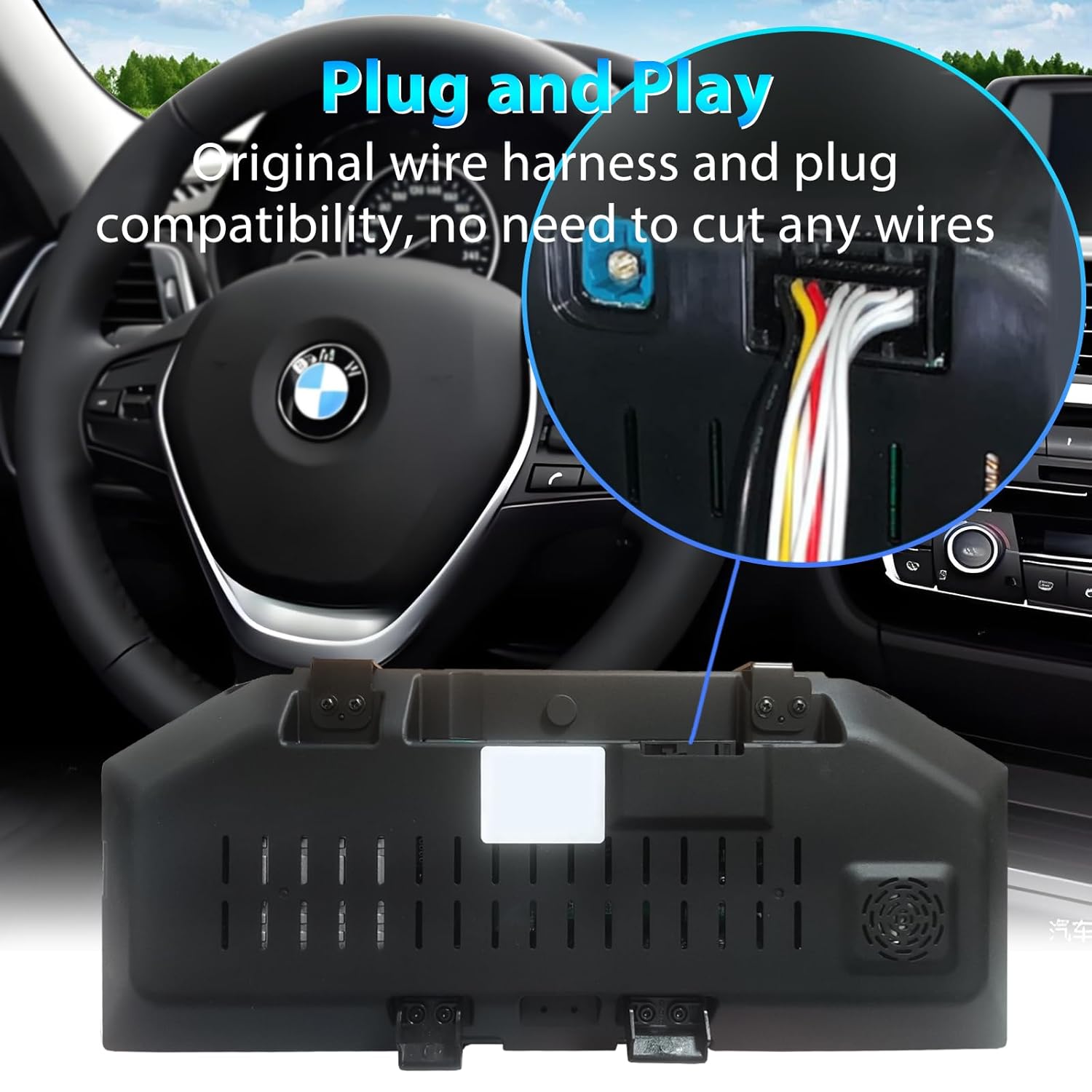
The wowuseful Digital Instrument Cluster is designed for a plug-and-play installation, requiring no coding or complex programming. However, professional installation is recommended.
4.1. Before Installation
- Ensure the vehicle's ignition is off and the battery is disconnected.
- Gather all necessary tools, including the provided trim removal tools.
- Familiarize yourself with the vehicle's dashboard layout and the location of the original instrument cluster.
4.2. Installation Steps
- Carefully remove the existing instrument cluster using appropriate trim removal tools to avoid damage to the dashboard.
- Disconnect the wiring harnesses from the original instrument cluster.
- Connect the provided wiring harnesses from the new digital instrument cluster to the vehicle's existing connectors. Ensure all connections are secure.
- Mount the new digital instrument cluster into the dashboard opening. Ensure it is seated correctly and securely.
- Reconnect the vehicle's battery.
- Turn on the ignition to test the new digital instrument cluster. Verify all functions are operating correctly.


5. Operation
Once installed, the digital instrument cluster integrates seamlessly with your vehicle's systems, providing a modern and intuitive interface.
5.1. User Interface (UI)
The cluster offers various UI themes to personalize your driving experience. You can switch between styles such as Classic, Sporty, and Offroad through the system settings.
5.2. Displayed Information
The cluster displays critical vehicle data, including:
- Current Speed (km/h or mph)
- Engine RPM
- Fuel Level and Consumption
- Oil Temperature and Water Temperature
- Tire Pressure and Angle Display
- Door Opening/Closing Reminders
- Trip Mileage (ODO and Trip A/B)
- Vehicle Information and Warning Lights

5.3. Steering Wheel Controls
Your original steering wheel controls remain fully functional, allowing you to easily switch songs, channels, adjust volume, and navigate through the cluster's menus without distraction.
6. Specifications
| Feature | Specification |
|---|---|
| Screen Size | 12.3 inches |
| Resolution | 1920 x 720 |
| Operating System | Linux |
| CPU | 4-core, 1.5 GHz |
| RAM | 1GB |
| ROM | 4GB |
| Voltage | 12V |
| Material Type | Metal and Plastic |
| Item Weight | Approximately 3 kg (6.6 lbs) |
| Display Type | LCD with Blue Light Anti-Glare |
| Operating Temperature | -50 to 70 degrees Celsius (tested) |
| Certifications | CE |
7. Maintenance
To ensure the longevity and optimal performance of your digital instrument cluster, follow these general maintenance guidelines:
- Clean the screen regularly with a soft, lint-free cloth. Avoid abrasive cleaners or solvents.
- Do not expose the unit to extreme temperatures or direct sunlight for prolonged periods when the vehicle is parked.
- Ensure all connections remain secure. If you experience any issues, check the wiring connections.
8. Troubleshooting
If you encounter any issues with your digital instrument cluster, consider the following basic troubleshooting steps:
- No Power/Display: Check all power connections and ensure the vehicle's battery is properly connected and charged.
- Incorrect Information Displayed: Verify that the unit is correctly installed and that your vehicle model is compatible. A system reset (if available) might resolve minor software glitches.
- Steering Wheel Controls Not Working: Ensure all wiring harnesses are securely connected.
For persistent issues, please contact customer support.
9. Warranty and Support
For information regarding warranty coverage, technical support, or service inquiries, please refer to the warranty card included with your product or contact wowuseful customer service directly. Keep your purchase receipt as proof of purchase.
Manufacturer: Shenzhen Cheshitong Electronics Co., Ltd.


