
RENPHO R-GS003-BK-V1-R-WME01-BK
RENPHO Heated Eye Mask User Manual
Model: R-GS003-BK-V1-R-WME01-BK
Brand: RENPHO
Introduction
This manual provides comprehensive instructions for the safe and effective use of your RENPHO Heated Eye Mask. Please read this manual thoroughly before operating the device and retain it for future reference. The RENPHO Heated Eye Mask is designed to provide soothing heat and relaxation for your eyes, helping to relieve dryness, puffiness, and fatigue.

Image: The RENPHO Heated Eye Mask, showcasing its sleek black design with gold accents.
Safety Information
WARNING: To ensure safe operation, please adhere to the following guidelines:
- Do not use the eye mask for more than 30 minutes at a time, especially when using the highest heat setting.
- This product is not suitable for children.
- Individuals who have difficulty breathing or removing the mask by themselves should not use this product unsupervised.
- Always follow the timer settings for safe use and do not override them.
- Consult a healthcare professional before use if you have any pre-existing eye conditions, skin sensitivities, or are pregnant.
Product Features
- Customizable Warmth: Features three adjustable heat settings ranging from 107°F to 118°F (41.6°C to 47.7°C).
- Automatic Timer: Heating automatically stops after 15, 30, or 60 minutes for safety and convenience.
- Light Blocking Design: Equipped with a 3D eye socket design and soft foam for a comfortable fit that effectively blocks light and ambient sound.
- Built-in Music & Bluetooth: Includes 3 soothing built-in music tracks and allows connection to your phone via Bluetooth for a wider selection of music.
- Voice Control: Supports voice commands for changing modes, adjusting heat, vibration, and sound settings.
- Cool & Heat Action: Compatible with a freezable gel mask for cold therapy (chill for 35-60 minutes before use).
- Adjustable Pressure Levels: Offers 3 pressure levels (Soft, Medium, Strong) and modes targeting Eyes & Temples, Eyes Only, or Temples Only.

Image: Benefits of the heated eye mask for various eye conditions such as dry eyes, styes, sinus pain, dark circles, pink eyes, and eyestrain.

Image: The eye mask's capability to play immersive, high-quality music via built-in tracks or Bluetooth connection to a smartphone.

Image: Demonstrating the voice-controlled features of the eye mask, allowing users to change modes, heat, vibration, and sound settings.
Setup
- Charging: Before first use, fully charge the eye mask. Connect the provided charging cable to the mask's charging port and a suitable USB power source. A full charge typically takes 2 hours to ensure maximum battery life.
- Adjusting the Strap: Place the mask over your eyes and adjust the elastic strap to ensure a snug yet comfortable fit. The mask should block out all light without putting excessive pressure on your eyes.
Operating Instructions
- Power On/Off: Press and hold the power button (usually located on the side or front of the control unit) to turn the device on or off.
- Adjusting Heat Settings: Once powered on, use the designated heat control button to cycle through the three heat levels: Low (107°F), Middle (113°F), and High (118°F).
- Setting the Timer: Use the timer button to select your desired operating duration: 15, 30, or 60 minutes. The device will automatically shut off after the selected time.
- Music Playback:
- Built-in Music: Press the music button to play the pre-loaded soothing tracks. Press again to cycle through them.
- Bluetooth Connection: Activate Bluetooth on your smartphone or audio device. Put the eye mask into pairing mode (refer to the specific button combination in the quick start guide if available). Select the RENPHO eye mask from your device's Bluetooth list to connect. You can then play music from your device through the mask's speakers.
- Voice Control (if applicable): Some models feature voice control. Activate the voice control function (e.g., by saying "Hi Eyeris" or pressing a dedicated voice button) and then issue commands such as "Change Mode," "High Heat," "Vibration On," "Sound On," or "Change Time."
- Pressure Modes (if applicable): If your model includes massage/pressure functions, use the dedicated button to cycle through different pressure levels (Soft, Medium, Strong) and target areas (Eyes & Temples, Eyes Only, Temples Only).
- Cold Therapy (with gel mask): For cold therapy, place the freezable gel mask (if included) in a refrigerator or freezer for 35-60 minutes. Insert the chilled gel mask into the eye mask before use. Do not heat the gel mask.

Image: Illustration of the constant hot compress feature, detailing the 3-level adjustable heat (107°F-119°F) and automatic shutdown options (15/30/60 minutes).
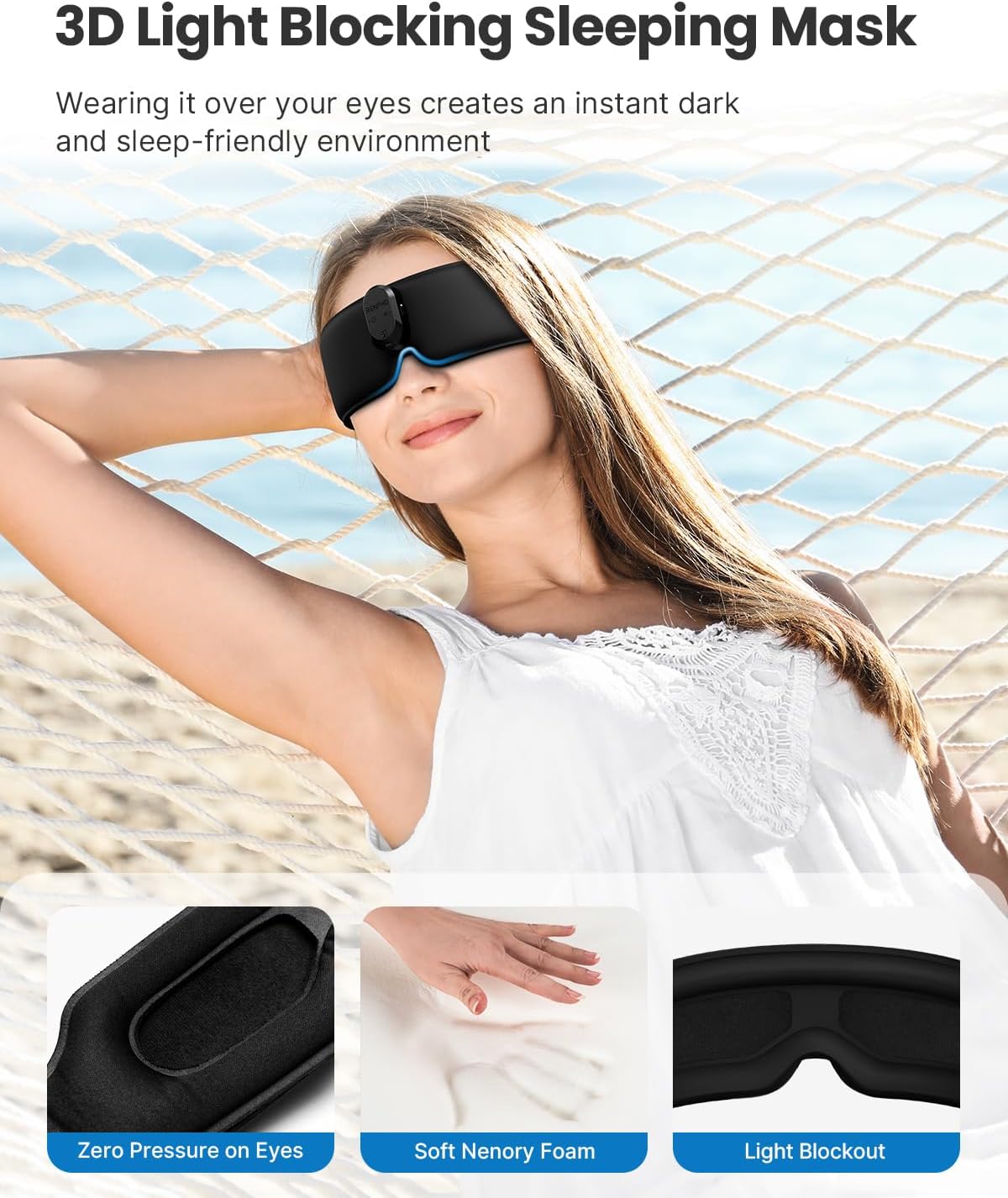
Image: The 3D light blocking design of the sleeping mask, highlighting zero pressure on eyes, soft memory foam, and effective light blackout for a sleep-friendly environment.

Image: Depiction of the cool and heat action feature, showing the freezable gel mask for cold therapy and the three heat levels for warm compress.

Image: Visual representation of the different relaxation modes and pressure levels (Soft, Medium, Strong) targeting Eyes & Temples, Eyes Only, or Temples Only.
Maintenance
- Cleaning: To clean the eye mask, gently wipe it with a damp cloth and a small amount of mild soap.
- Drying: Allow the mask to air dry completely before storing it or using it again.
- Avoid: Do not machine wash the eye mask. Avoid using harsh chemicals, abrasive cleaners, or submerging the device in water.
- Storage: Store the eye mask in a cool, dry place away from direct sunlight and extreme temperatures.
Troubleshooting
- Device Not Turning On: Ensure the device is fully charged. Connect it to a power source and allow it to charge for at least 30 minutes before attempting to power it on again.
- No Heat/Insufficient Heat: Check that the heat setting is activated and not on the lowest setting. Ensure the device is adequately charged. If the issue persists, the heating element may be faulty; contact customer support.
- Bluetooth Connection Issues: Ensure the eye mask is in pairing mode and your device's Bluetooth is enabled. Try unpairing and re-pairing the device. Move closer to the eye mask to ensure a strong signal.
- Uncomfortable Pressure: Adjust the strap to loosen the fit. If using a pressure mode, try a lower pressure setting or a different mode.
Specifications
| Brand | RENPHO |
| Model | R-GS003-BK-V1-R-WME01-BK |
| ASIN | B0DNJNQH9C |
| Color | Black |
| Material | Foam Blend |
| Special Feature | 3D Contoured, Adjustable |
| Age Range (Description) | Adult, Kid |
| Heat Settings | 107-118°F (41.6-47.7°C) |
| Timer Options | 15, 30, 60 minutes |

Image: A comparison table highlighting key features of the RENPHO Eyeris Kintsugi model against other products, including voice control, cooling gel mask, customizable massager mode, noise level, auto-save memory, and timer options.
Warranty and Support
RENPHO products are designed with quality and reliability in mind. For information regarding warranty coverage, product registration, or technical support, please visit the official RENPHO website or contact their customer service directly. Keep your purchase receipt as proof of purchase.
Legal Disclaimer: Statements regarding dietary supplements have not been evaluated by the FDA and are not intended to diagnose, treat, cure, or prevent any disease or health condition.
Related documentsR-GS003-BK-V1-R-WME01-BK


Ask a question about this manual
Ask about setup, troubleshooting, compatibility, parts, safety, or missing instructions. Manuals+ will review the question and use this page’s manual context to help answer it.