
1. Introduction
Thank you for choosing the EaseZen F02 2-in-1 Shiatsu Foot and Calf Massager. This device is designed to provide a comprehensive massage experience for your feet, ankles, and calves, incorporating shiatsu, compression, vibration, and heat functions. Please read this manual thoroughly before use to ensure safe and optimal operation.
2. Important Safety Instructions
Always follow the instructions provided with the massager for safe and effective use. Do not use the massager if you have any medical conditions, are pregnant, or have any injuries or implants. Keep the massager dry and do not submerge it in water. Unplug the massager when not in use and store it in a dry place. Do not use the massager while sleeping or operating machinery.
3. Product Overview
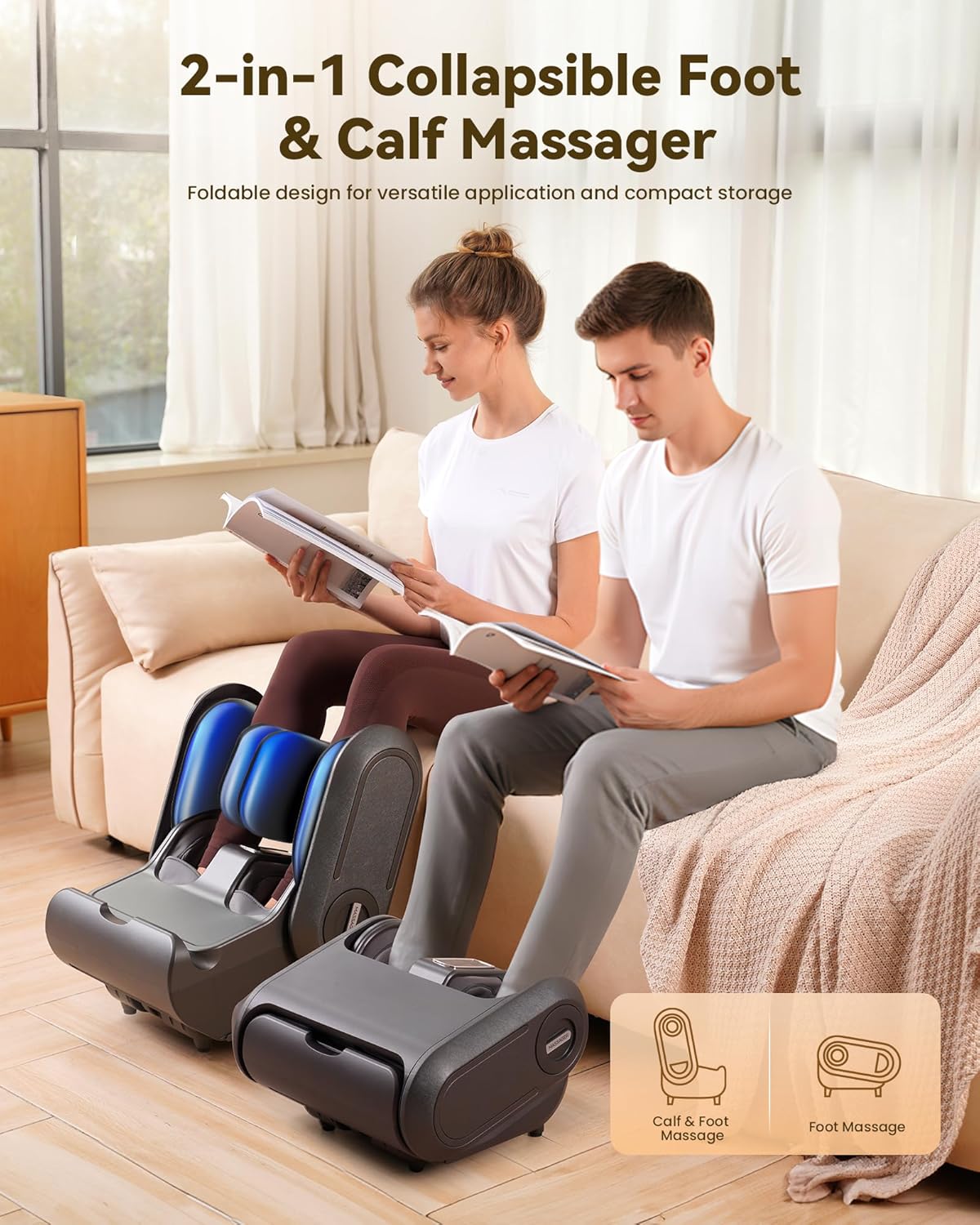
The EaseZen F02 is a versatile 2-in-1 massager that can be used for both foot and calf massage. It features multiple massage techniques and adjustable settings for a personalized experience.
Key Features:
- 2-in-1 Design: Easily switch between foot massage and calf massage modes.
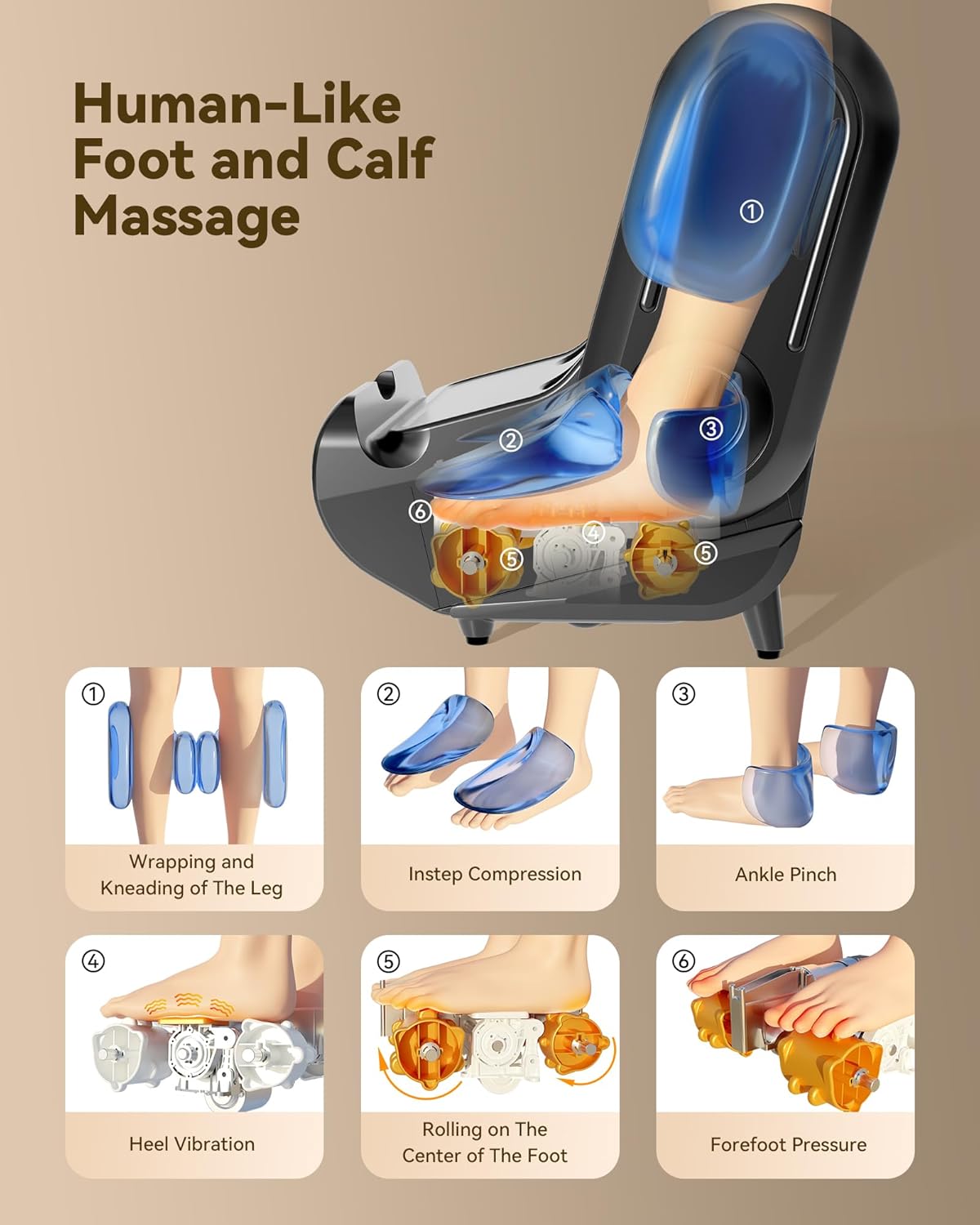
- Shiatsu Kneading: Deep tissue massage for soles and insteps.
- Compression: Airbag compression for feet, ankles, and calves.
- Vibration: Soothing vibration therapy.
- Adjustable Heat: Three heating levels (104-122-131°F / 40-50-55°C) for enhanced relaxation and circulation.
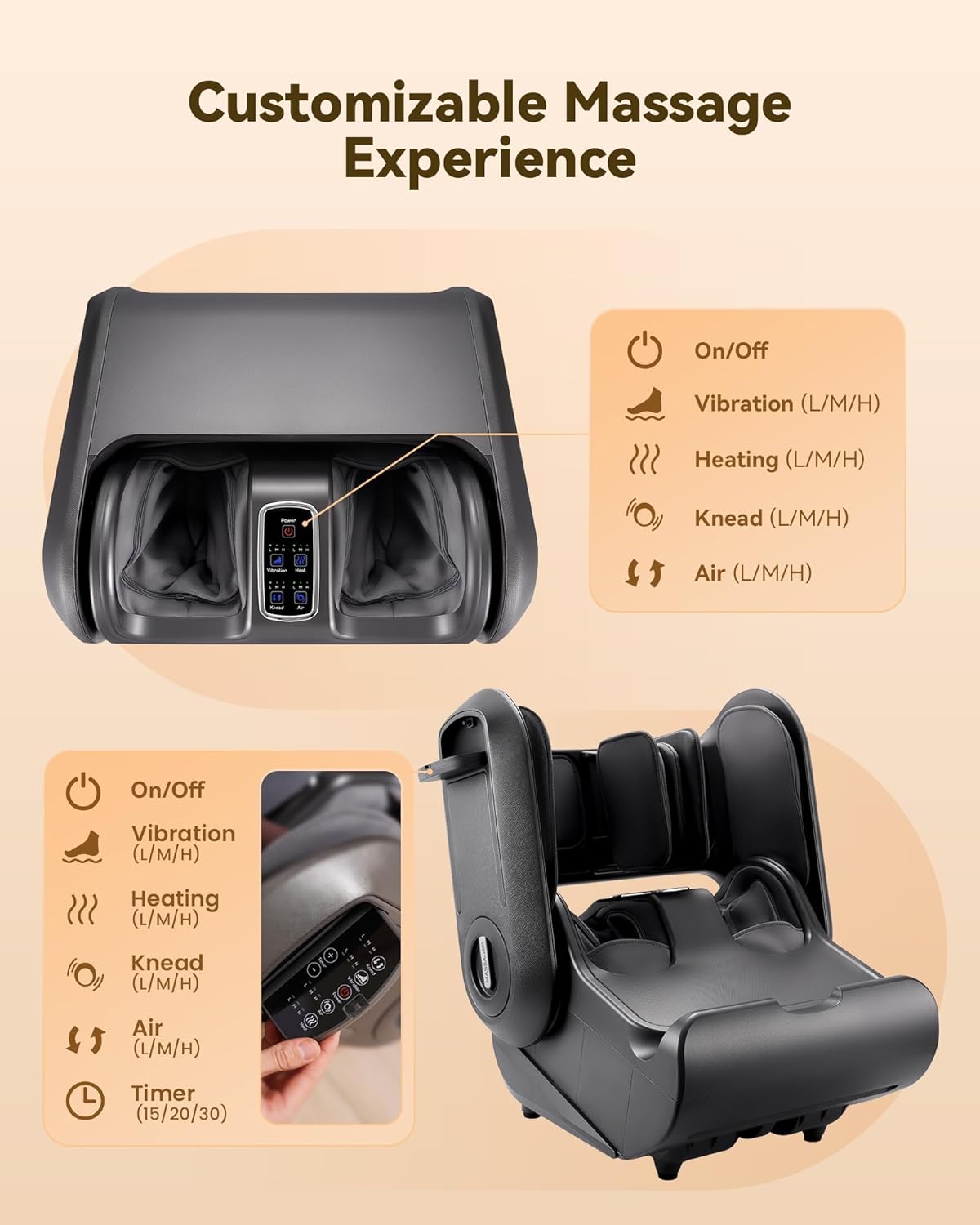
- Customizable Settings: 3 kneading intensities, 3 air squeeze intensities, 3 vibration intensities, and 3 timer options (15/20/30 minutes).
- Control Panel & Remote: Easy control via integrated LCD panel or wireless remote.
- Washable Foot Liners: Removable and washable fabric liners for hygiene.
- Overheat Protection: Automatic shut-off for safety.


4. Setup
4.1 Unpacking and Placement
- Carefully remove the massager from its packaging.
- Place the massager on a flat, stable surface near a power outlet.
4.2 Connecting Power
- Connect the power adapter to the massager's power input port.
- Plug the power adapter into a suitable electrical outlet.
4.3 Switching Between Foot and Calf Massage Modes
The EaseZen F02 features a collapsible design to switch between modes:
- For Foot Massage: Ensure the massager is in its compact, horizontal position. Insert your feet into the foot chambers.
- For Calf Massage: Gently lift the upper section of the massager until it locks into an upright position. This will expose the calf massage areas. Insert your calves into the designated chambers.
5. Operating Instructions
The massager can be controlled using the integrated LCD control panel or the wireless remote control.
5.1 Basic Operation
- Power On/Off: Press the 'Power' button on the control panel or remote to turn the unit on or off.
- Default Settings: Upon powering on, the massager will typically start with a default massage program.
5.2 Customizing Your Massage
Each function (Kneading, Air Squeeze, Vibration, Heat) can be adjusted independently or used in combination.
- Kneading Intensity (Knead): Press the 'Knead' button to cycle through Low (L), Medium (M), High (H) intensities, or turn off.
- Air Squeeze Intensity (Air): Press the 'Air' button to adjust the compression intensity through Low (L), Medium (M), High (H), or turn off.
- Vibration Intensity (Vibration): Press the 'Vibration' button to select Low (L), Medium (M), High (H) vibration levels, or turn off.
- Heat Level (Heat): Press the 'Heat' button to choose between 3 heating levels (104°F, 122°F, 131°F) or turn off.
- Timer: Use the '+' and '-' buttons next to 'Timer' to set the massage duration to 15, 20, or 30 minutes. The unit will automatically shut off after the selected time.
Note: It is recommended to begin with the lower settings and gradually increase intensity as desired.


6. Maintenance
6.1 Cleaning the Massager
- Always unplug the massager from the power outlet before cleaning.
- Wipe the exterior of the massager with a soft, damp cloth. Do not use abrasive cleaners or solvents.
- Ensure no liquids enter the device.
6.2 Cleaning Foot Liners
The fabric foot liners are removable and washable for hygiene.
- Unzip and remove the foot liners from the massage chambers.
- Hand wash the liners with mild detergent and air dry completely before reattaching.

7. Troubleshooting
If you encounter any issues with your EaseZen F02 massager, please refer to the following common solutions:
- No Power: Ensure the power adapter is securely plugged into both the massager and a working electrical outlet. Check if the power button is pressed.
- Weak Massage/Compression: Verify that the intensity settings for kneading, air, and vibration are set to your desired level (M or H).
- No Heat: Ensure the heat function is turned on and set to a desired level. Allow a few minutes for the heating elements to warm up.
- Unusual Noise: Minor operational noise is normal. If the noise is excessive or unusual, discontinue use and contact customer support.
- Automatic Shut-off: The massager has a built-in timer (15/20/30 minutes) and overheat protection. If it shuts off unexpectedly, check the timer setting or allow it to cool down before restarting.
If the problem persists after trying these steps, please contact EaseZen customer support for assistance.
8. Specifications
| Feature | Detail |
|---|---|
| Product Dimensions | 17.7 x 13.8 x 9.4 inches |
| Item Weight | 20.9 Pounds |
| Model Number | F02 |
| Power Source | Corded Electric |
| Target Use Body Part | Ankle, Feet, Heel, Calf |
| Massage Therapy Technique | Kneading, Rolling, Shiatsu, Compression, Vibration |
| Heat Levels | 3 (104-122-131°F / 40-50-55°C) |
| Timer Settings | 15, 20, 30 minutes |
| Special Features | Auto Shut-Off, Heat, LCD Display, Remote Control, Timer |
| Material Type | Plastic |
| Color | Black |
9. Warranty & Support
Each EaseZen Massage foot massager machine comes with responsive customer service to ensure peace of mind with your purchase. If any issues arise, customer support is ready to assist with repairs or replacements. Please refer to your purchase documentation for specific warranty terms and contact information.