
Aeitto WBJ-10D3
Aeitto Countertop Ice Maker - Instruction Manual
Model: WBJ-10D3
Brand: Aeitto
Introduction
Welcome to the user manual for your new Aeitto Countertop Ice Maker. This portable ice machine is designed for convenience and efficiency, producing fresh ice quickly for various uses. Please read this manual thoroughly before operation to ensure safe and optimal performance.
Key Features
- 9 Ice Cubes Release in 6 Mins: Rapid ice production for instant refreshment.
- Two Sizes of Ice Cubes: Choose between small and large bullet-shaped ice.
- Dual Viewing Windows: Monitor ice-making process and ice storage level.
- Auto-Cleaning Function: Simplifies maintenance and ensures hygiene.
- Sleek & Space-Saving Design: Compact and lightweight for easy placement and portability.
What's in the Box
- Ice Maker x1
- Ice Scoop x1
- Basket x1
Setup
Before first use, ensure the ice maker has been upright for at least 24 hours.
Initial Preparation
- Unpack the ice maker and all accessories.
- Place the ice maker on a stable, level surface away from direct sunlight and heat sources. Ensure adequate ventilation around the unit.
- Remove the ice basket and ice scoop from inside the unit.
- Clean the interior of the ice maker, ice basket, and scoop with a soft cloth and mild detergent. Rinse thoroughly with clean water.
- Close the drain plug located at the bottom of the unit.
Power Connection
Plug the ice maker into a grounded electrical outlet. The "POWER" indicator light will illuminate.
Operating Instructions
Adding Water
Open the top cover and pour clean, potable water into the water reservoir. Do not exceed the "MAX" fill line.

This image shows the water reservoir inside the ice maker. Fill water up to the indicated MAX line.
Making Ice
- Press the "ON/OFF" button to turn on the ice maker. The "POWER" indicator will light up.
- Select your desired ice cube size (SMALL or LARGE) by pressing the "SELECT" button. The corresponding indicator light will illuminate.
- The ice maker will begin the ice-making cycle. The first batch of ice may take slightly longer.
- Ice cubes will be released into the ice basket. The "ICE FULL" indicator will light up when the basket is full, and the machine will pause operation.

This image displays the bullet-shaped ice cubes produced by the machine, ready for use.
Dual Viewing Windows
The transparent lid allows you to observe the ice-making process, and the internal design lets you easily check the ice storage level without opening the unit.

This image highlights the dual viewing windows, allowing users to monitor ice production and quantity.
Maintenance and Cleaning
Auto-Cleaning Function
The ice maker features a built-in auto-cleaning function for easy maintenance.
- Ensure the water reservoir is filled with clean water.
- Press and hold the "ON/OFF" button for 5 seconds to activate the auto-cleaning mode. The "CLEAN" indicator light will illuminate.
- The machine will perform a cleaning cycle for approximately 15 minutes.
- Once the cleaning cycle is complete, drain the water from the unit by opening the drain plug at the bottom.
- For optimal performance and hygiene, it is recommended to perform the auto-cleaning function once a week.

This image illustrates the three steps for activating the self-cleaning function: add water, press and hold ON/OFF, and allow 15 minutes for cleaning.
Regular Cleaning
Regularly wipe down the exterior with a soft, damp cloth. Do not use abrasive cleaners or solvents.
Troubleshooting
If you encounter issues with your ice maker, please refer to the following common solutions:
| Problem | Possible Cause | Solution |
|---|---|---|
| "ADD WATER" indicator is on | Water reservoir is empty | Add water to the reservoir up to the MAX line. |
| "ICE FULL" indicator is on | Ice basket is full | Remove ice from the basket. |
| Ice maker not producing ice | Insufficient water, machine not powered on, or ambient temperature too high | Check water level, ensure power is on, and operate in a cool, well-ventilated area. |
| Ice cubes are too small/large | Incorrect size selected | Press the "SELECT" button to choose the desired ice cube size. |
For further assistance, please contact customer support.
Specifications
| Feature | Detail |
|---|---|
| Model Name | WBJ10D3 |
| Brand | Aeitto |
| Product Dimensions | 9.51"D x 7.38"W x 10.62"H |
| Capacity | 0.9 Pounds (Ice Basket) |
| Wattage | 105 watts |
| Daily Ice Output | 26 lbs/24H |
| Ice Production Cycle | 9 cubes in 6 minutes |
| First Available | December 1, 2024 |
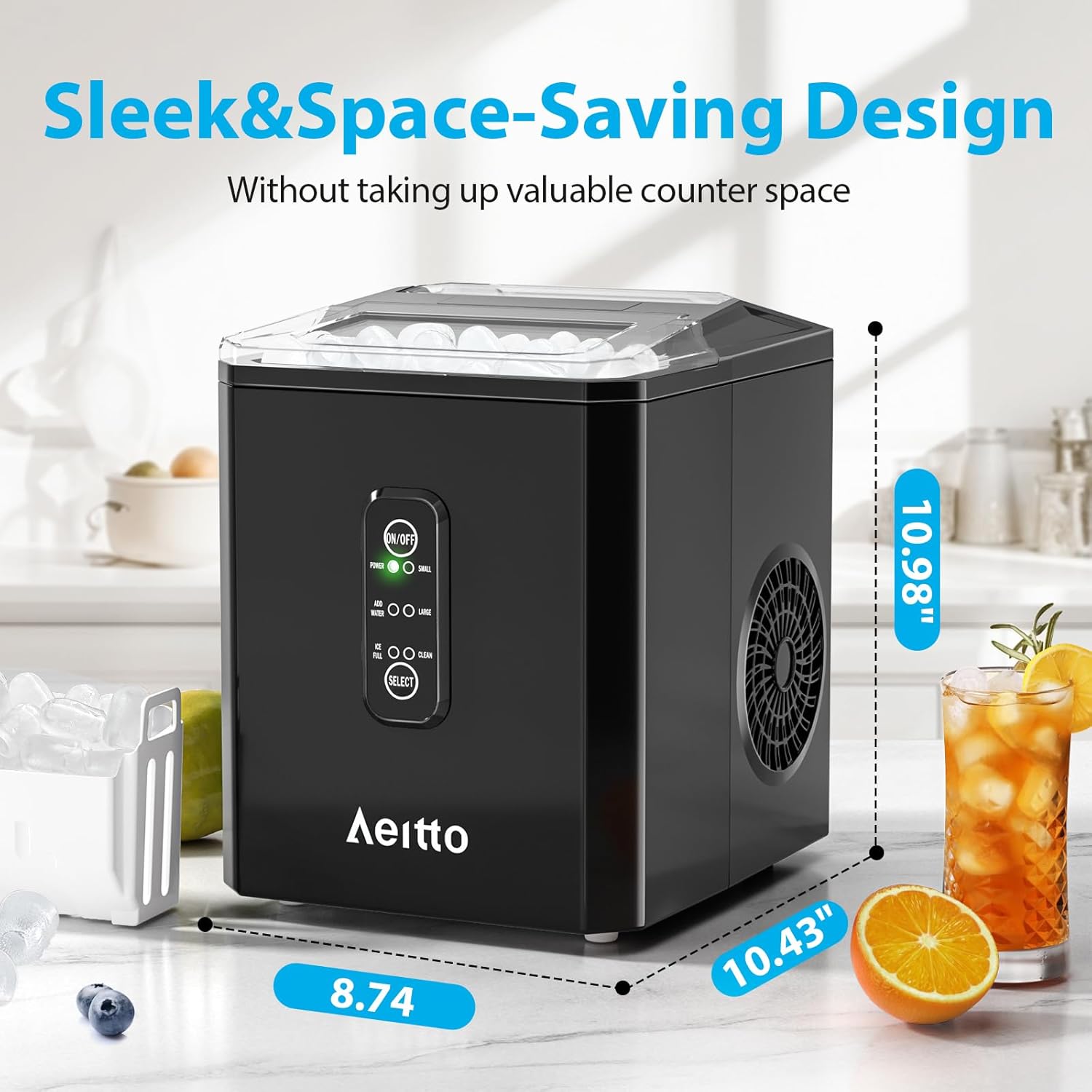
This image provides the compact dimensions of the ice maker, illustrating its space-saving design.
Warranty and Support
For product support, warranty information, or any inquiries, please contact Aeitto customer service:
- Email: support@aeitto.com
- Facebook: facebook.com/Aeitto
- Phone: 1-855-831-9989 (M-F 9:00-17:00 EST)
- Website: www.aeitto.com
This information provides contact details for Aeitto customer support, including email, phone, and website.
Ask a question about this manual
Ask about setup, troubleshooting, compatibility, parts, safety, or missing instructions. Manuals+ will review the question and use this page’s manual context to help answer it.