
1. Introduction
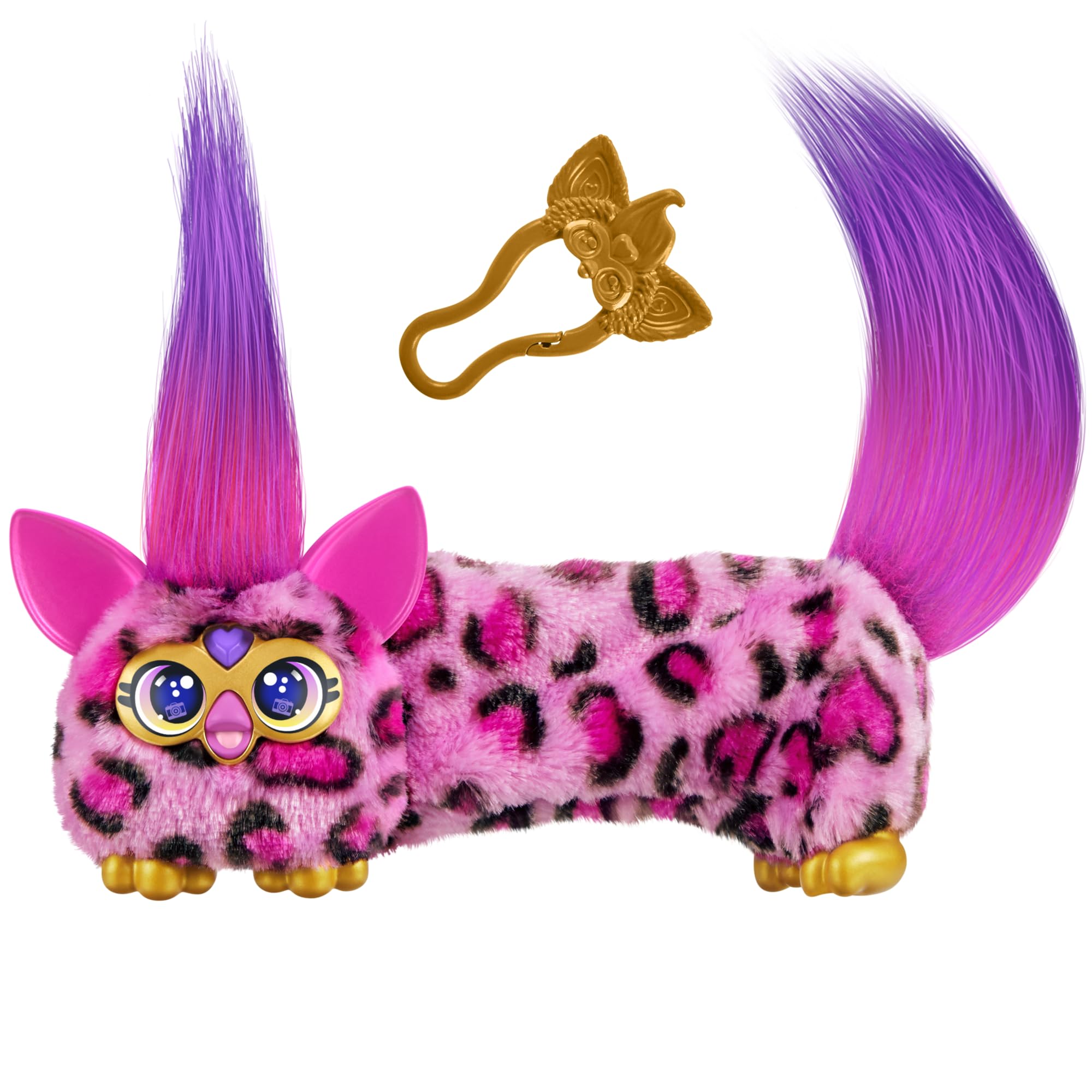
The Furby DJ Furblets Kitt-Ee-Luv is a mini electronic plush toy designed for interactive play. This guide provides essential information for setting up, operating, and maintaining your Furblet to ensure a fun and safe experience.
2. Safety Information
WARNING: Small parts may be generated. Not for children under 3 years. A swallowed button cell or coin battery can cause internal chemical burns in as little as 2 hours.
- Always supervise young children during play.
- Keep batteries out of reach of children. If swallowed, seek immediate medical attention.
- Do not attempt to open or modify the toy's electronic components.
- Dispose of batteries properly according to local regulations.
3. Setup
3.1 Unboxing
Your Furby DJ Furblets Kitt-Ee-Luv comes ready to use out of the box. Carefully remove the toy and any included accessories from its packaging.

3.2 Battery Installation
The Furblet requires 3 LR44 (A76) button cell batteries, which are included and pre-installed. If replacement is needed:
- Locate the battery compartment on the underside of the toy.
- Using a small Phillips-head screwdriver, loosen the screw and open the battery cover.
- Remove the old batteries and insert three new LR44 (A76) batteries, ensuring correct polarity (+/-).
- Replace the battery cover and tighten the screw.
4. Operating Instructions
4.1 Basic Interaction
Your Kitt-Ee-Luv Furblet is designed for interactive play with various sounds and movements.
- Press the Heart Gem: Pressing the heart gem on its forehead will play music or Furbish phrases.
- Stretch the Body: Gently stretch the Furblet's body to activate fun sound effects. The music or voice will hilariously speed up as it stretches longer.
- Retract the Body: Press the button located behind its ear to retract the Furblet back to its original compact size.
- Feeding Noises: The mouth makes silly feeding noises and sound effects.

4.2 Interacting with Other Furby Friends
The Kitt-Ee-Luv Furblet can interact with other DJ Furblets and larger Furby toys (sold separately). When placed near each other, they will sing and interact, enhancing the play experience.

4.3 Using the Keychain Clip
The included clip allows you to attach your Furblet to a bag, backpack, or stroller, making it easy to take your mini friend on the go. The clip is removable.

4.4 Product Overview Video
Watch this official video for a comprehensive overview of the DJ Furblets features and interactions.
5. Maintenance
5.1 Cleaning
To clean your Furblet, gently wipe the surface with a damp cloth. Do not immerse the toy in water or use harsh cleaning agents, as this may damage the electronic components.
5.2 Storage
Store your Furblet in a cool, dry place away from direct sunlight when not in use. If storing for an extended period, it is recommended to remove the batteries to prevent leakage.
6. Troubleshooting
If your Furblet is not functioning as expected, please refer to the following common issues and solutions:
- No Sound/Intermittent Sound:
- Check if the batteries are correctly installed and not depleted. Replace if necessary.
- Ensure there is no obstruction around the speaker.
- Not Stretching/Retracting:
- Ensure the mechanism is not jammed by foreign objects.
- Gently try to stretch and retract manually to see if it frees up.
- Interactions with other Furblets not working:
- Ensure both Furblets have fresh batteries and are turned on.
- Place them in close proximity to each other.
If problems persist, please contact customer support (see Section 8).
7. Specifications
| Feature | Detail |
|---|---|
| Brand | Furby |
| Model Name | DJ FURBLET KITT EE |
| Model Number | G1785 |
| Character | Kitt-Ee-Luv |
| Color | Kitt-ee-luv (Pink Cheetah Print) |
| Item Type | Plush, Interactive Gaming Figure |
| Material | Plastic, Cotton Plush |
| Dimensions (L x W x H) | 4.88" x 2.68" x 4.49" |
| Item Weight | 0.12 Kilograms |
| Age Range | 6+ Years |
| Power Source | Battery |
| Batteries Required | 3 LR44 (A76) batteries (included) |
| Included Components | DJ Furblets toy and clip |
8. Warranty & Support
8.1 Warranty Information
For specific warranty details, please refer to the documentation included with your purchase or visit the official Hasbro website. Warranty terms may vary by region and retailer.
8.2 Customer Support
If you have any questions, concerns, or require assistance with your Furby DJ Furblets Kitt-Ee-Luv, please contact Hasbro customer service through their official website or the contact information provided on the product packaging.
Official Furby Store: Visit the Furby Store on Amazon

