
1. Introduction
This manual provides essential information for the safe installation, operation, and maintenance of your FOTING In/Above Ground Pool Pump, Model J11502-Dual Speed-115V. Please read these instructions thoroughly before use to ensure proper function and longevity of the product.
The FOTING 2HP In/Above Ground Pool Pump is designed for circulating water in various swimming pool types, including both in-ground and above-ground installations. It features a dual-speed motor and self-priming capabilities.
2. Safety Information
WARNING: Risk of electrical shock. This pump must be installed by a qualified electrician and comply with all local and national electrical codes.
- Always disconnect power to the pump before performing any service or maintenance.
- Ensure the pump is properly grounded.
- Do not operate the pump if the power cord is damaged.
- Keep children away from the pump and pool area during operation.
- Do not run the pump dry. Ensure the pump is filled with water before starting to prevent damage.
- The pump is equipped with thermal overload protection to prevent motor burnout. If the pump shuts off unexpectedly, allow it to cool before restarting.
3. Package Contents
Verify that all items are present in the package:
- FOTING 2HP Dual Speed-115V Pool Pump
- Removable Filter Basket
- Transparent Lid
- Two 1.5-inch NPT Inlet Adapters
- Two 2-inch NPT Inlet Adapters
- Waterproof Tape
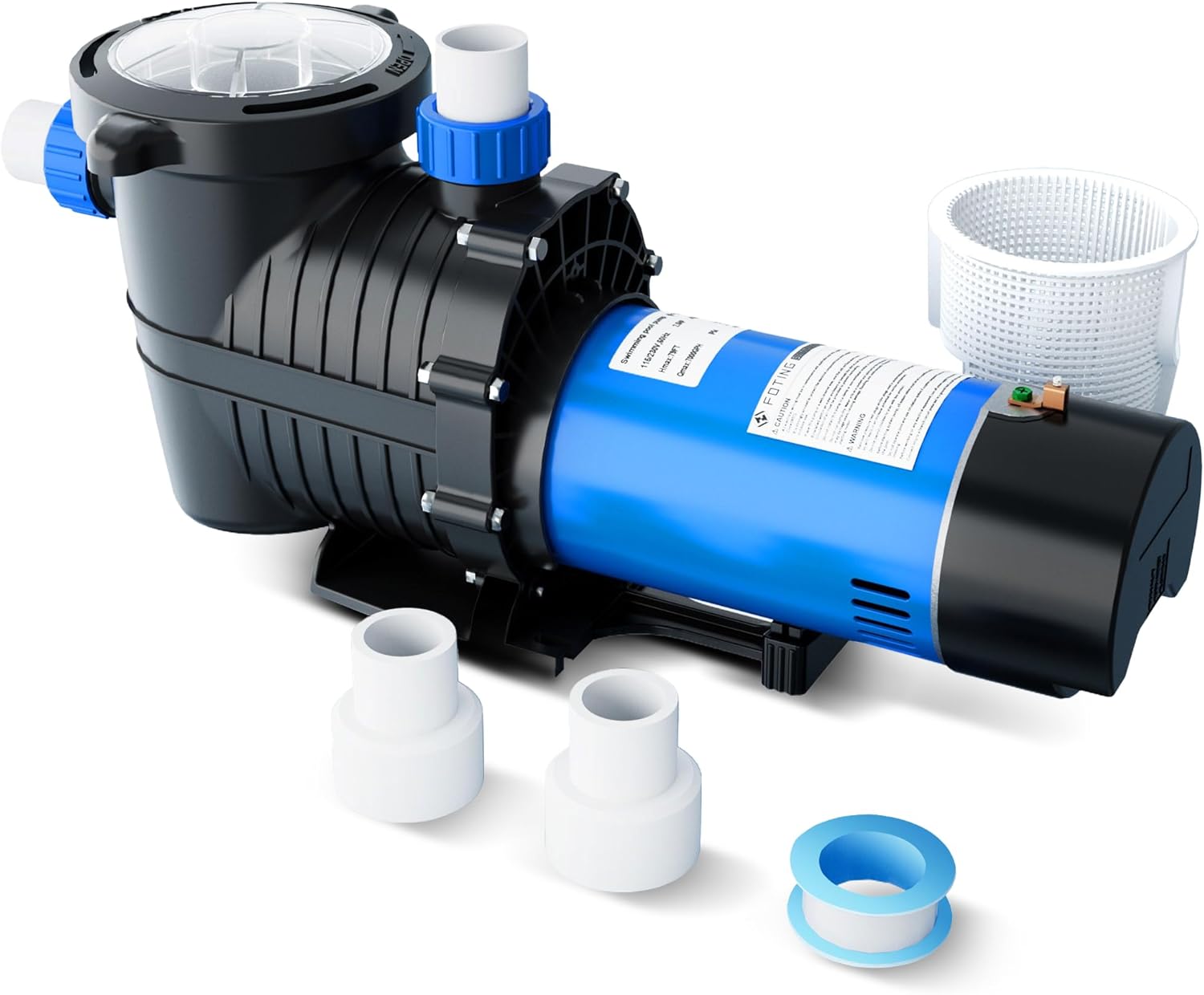
Image: The FOTING pool pump shown with its included accessories: two 1.5-inch inlet adapters, two 2-inch inlet adapters, and a roll of waterproof tape.
4. Product Features
- 2HP 115V Motor: Equipped with a copper wire motor, providing a maximum head lift of 69 feet.
- Dual Speed Operation: Offers two modes for customized performance:
- High Speed: Up to 7000 GPH for rapid filtration and heavy use.
- Low Speed: Up to 3170 GPH for energy saving and quieter operation.
- Self-Priming Capability: Designed to quickly initiate and maintain water flow.
- Thermal Overload Protection: Prevents motor damage from overheating, extending service life.
- Removable Filter Basket: Allows for easy cleaning of debris. The transparent lid provides visibility of the basket's condition.
- Drain Plug: Facilitates easy water drainage from the pump for maintenance or winterization.
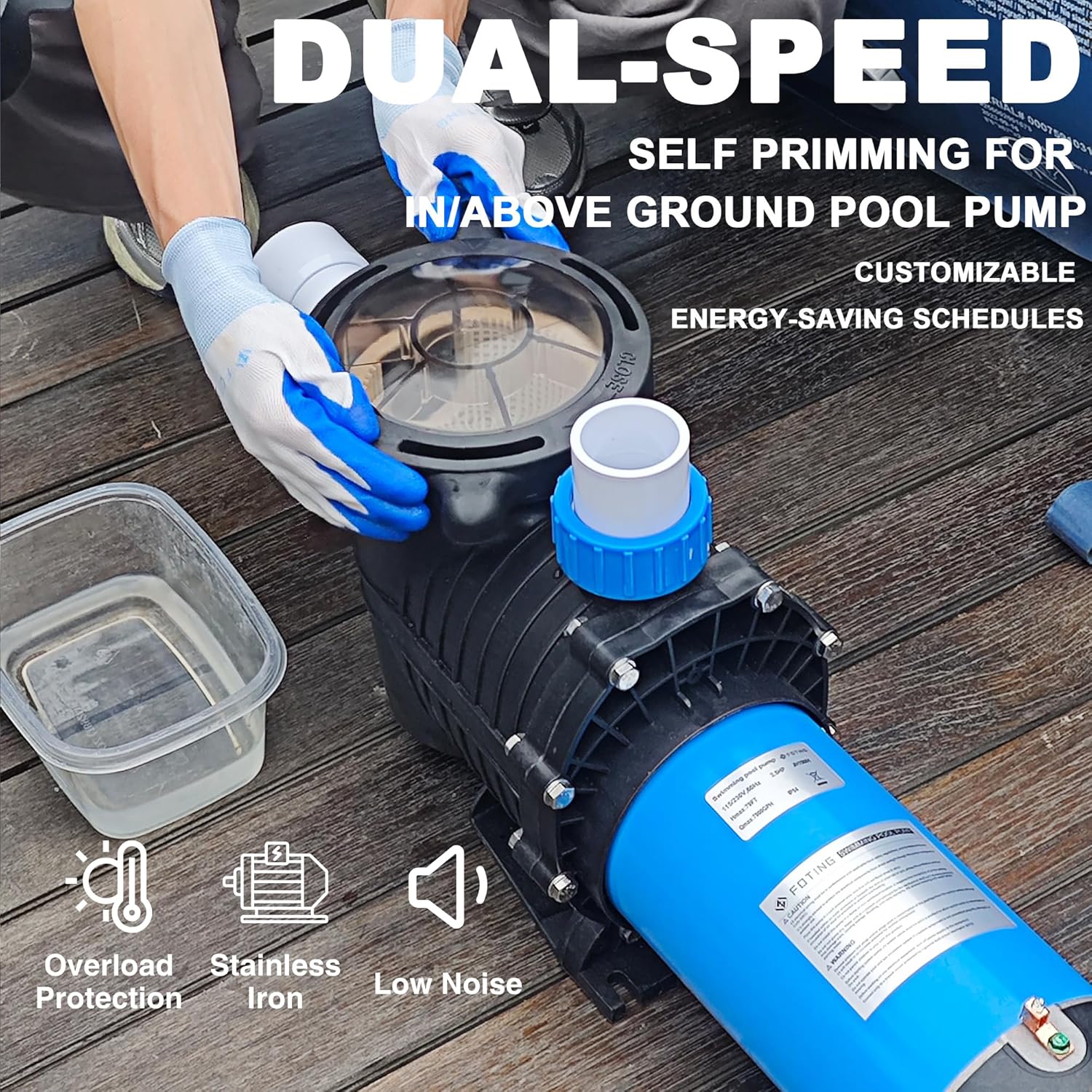
Image: A FOTING pool pump highlighting its dual-speed functionality, self-priming feature, overload protection, stainless iron components, and low noise operation.
5. Setup and Installation
Proper installation is crucial for the pump's performance and safety. Consult a qualified professional if you are unsure about any steps.
5.1 Site Selection
- Place the pump on a solid, level surface.
- Ensure adequate ventilation around the pump.
- Locate the pump as close to the pool as possible to minimize friction loss in plumbing.
- Protect the pump from direct sunlight and harsh weather conditions.
5.2 Plumbing Connections
The pump includes adapters for both 1.5-inch and 2-inch NPT inlet connections.
- Apply waterproof tape to all threaded connections to ensure a watertight seal.
- Connect the suction line from the pool to the pump's inlet.
- Connect the discharge line from the pump to the filter system.
- Ensure all connections are tight to prevent air leaks, which can affect priming.

Image: A person wearing gloves is shown connecting plumbing to the FOTING pool pump, demonstrating the installation process.
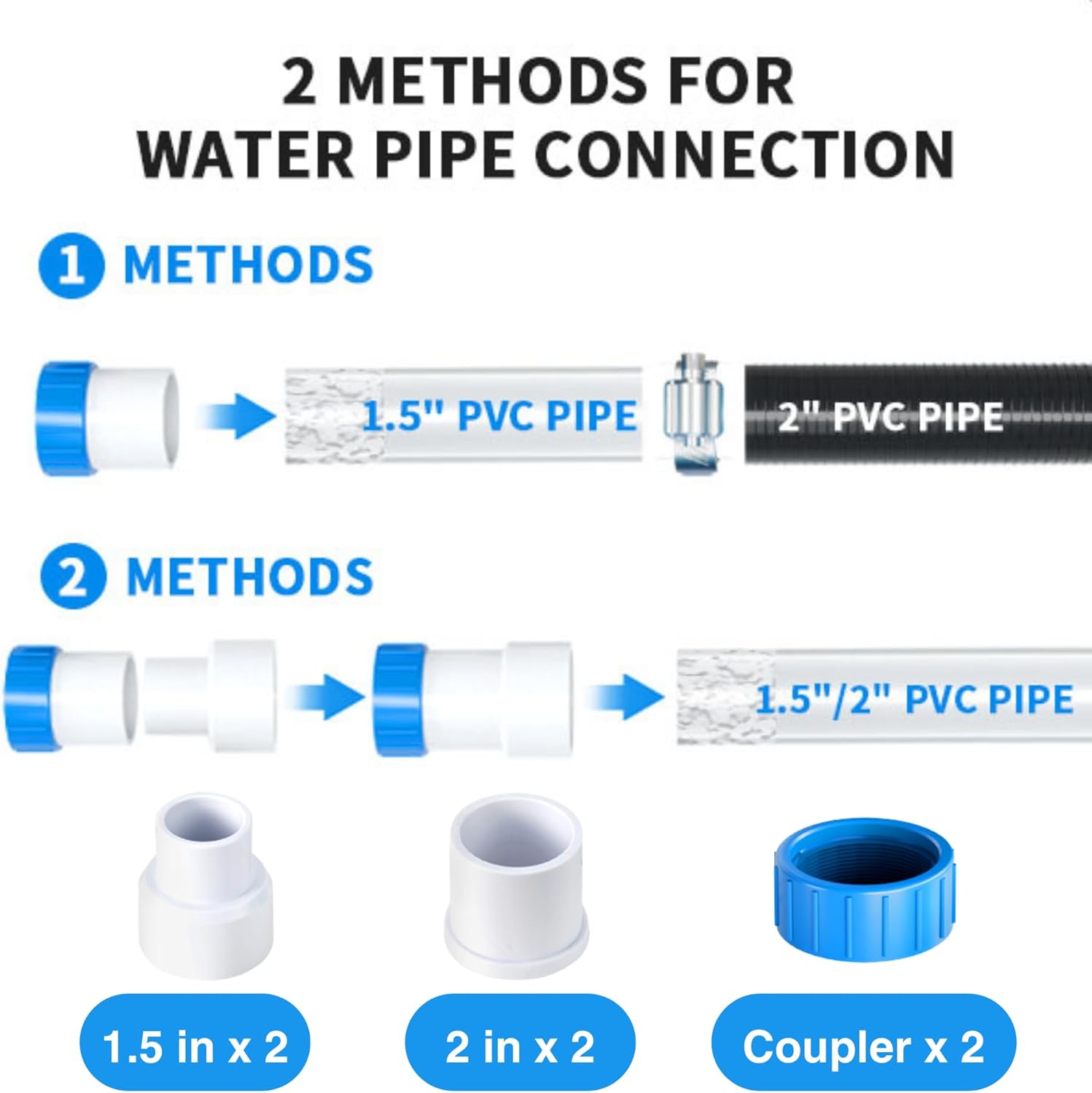
Image: Diagram illustrating two methods for water pipe connection: Method 1 shows connecting a 1.5-inch PVC pipe to a 2-inch PVC pipe using a coupler, and Method 2 shows direct connection of 1.5-inch or 2-inch PVC pipe using included adapters and couplers.
5.3 Electrical Connections
The FOTING J11502-Dual Speed-115V pump operates on 115V AC. Ensure your electrical supply matches this requirement.
- All wiring must comply with local and national electrical codes.
- Connect the pump to a dedicated circuit protected by a Ground Fault Circuit Interrupter (GFCI).
- Ensure proper grounding of the pump motor.
6. Operation
6.1 Priming the Pump
Before starting the pump for the first time or after draining, it must be primed:
- Ensure all valves are open to allow water flow to the pump.
- Remove the transparent lid from the filter basket housing.
- Fill the filter basket housing with water until it overflows.
- Replace the lid and ensure it is securely tightened.
- Turn on the pump. It should begin to draw water and establish flow. If it does not prime within a few minutes, turn it off, recheck connections for air leaks, and repeat the priming process.
6.2 Selecting Pump Speed
The pump features a switch at the bottom of the motor to adjust between high and low speeds.
- High Speed (7000 GPH): Use for faster filtration, vacuuming the pool, or during periods of heavy pool use.
- Low Speed (3170 GPH): Use for general circulation, energy saving, and quieter operation, especially during off-peak hours.
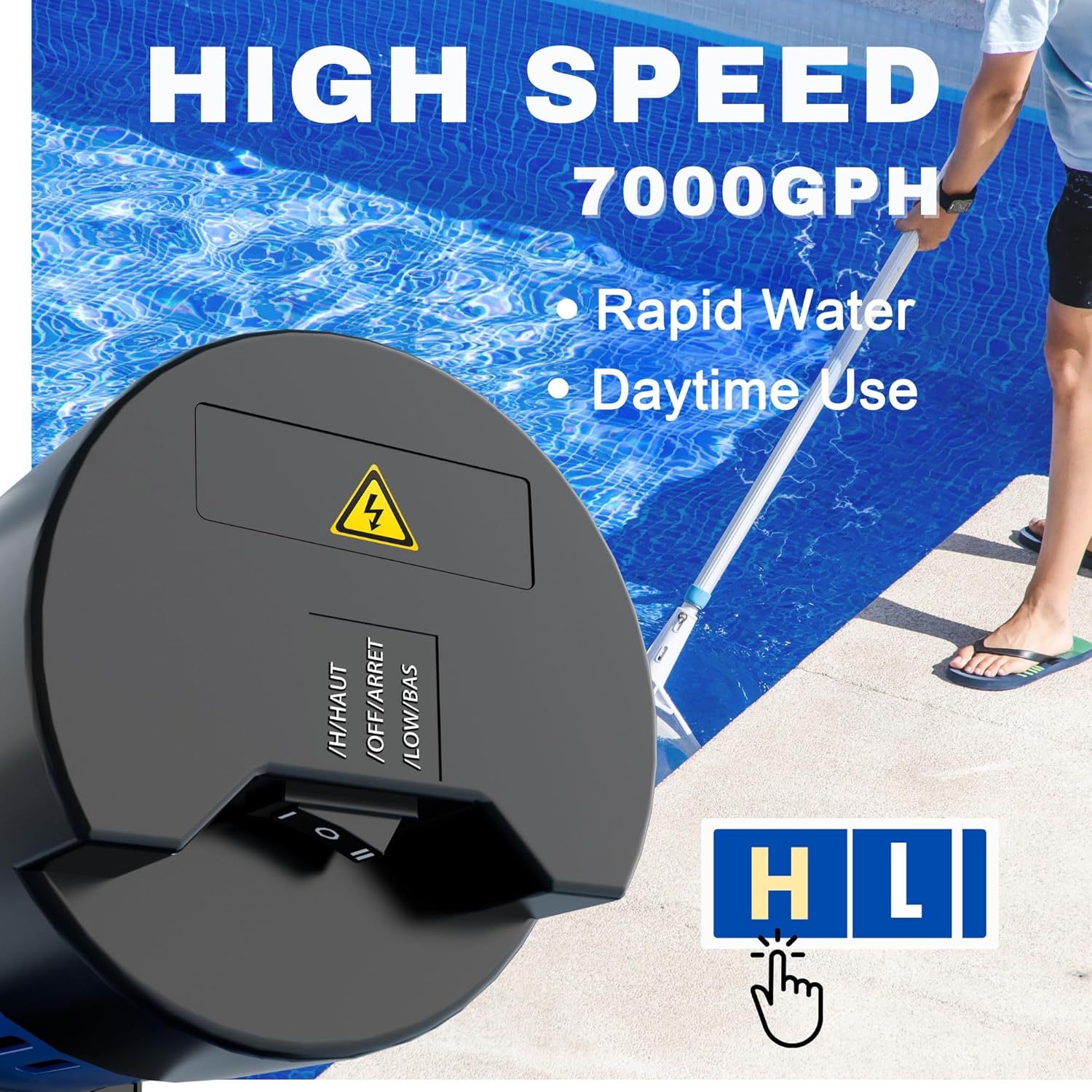
Image: A close-up of the pump's speed selector switch, indicating 'H' for High Speed (7000 GPH) suitable for rapid water circulation and daytime use, with a person cleaning a pool in the background.
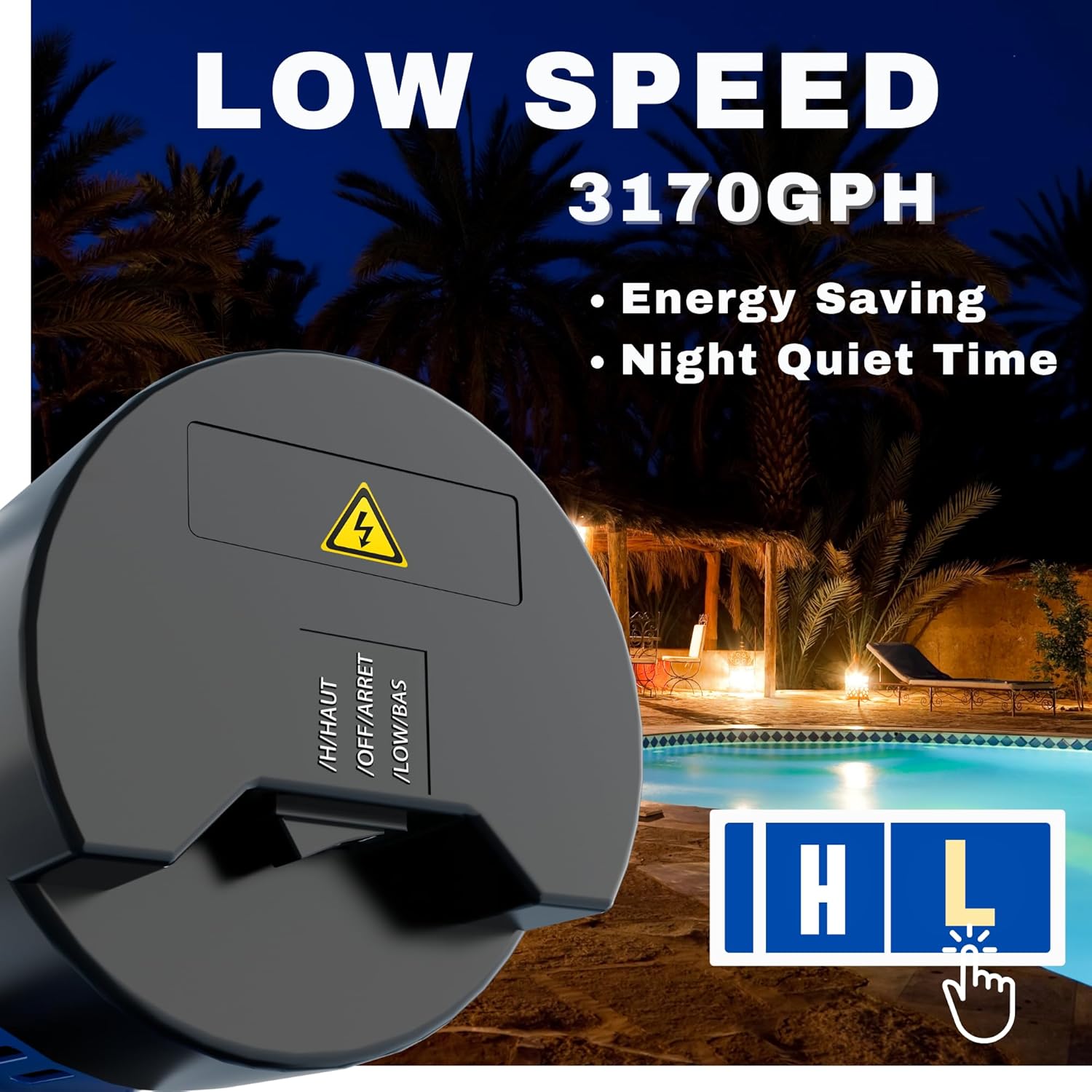
Image: A close-up of the pump's speed selector switch, indicating 'L' for Low Speed (3170 GPH) for energy saving and quiet operation, with a pool at night in the background.
7. Maintenance
7.1 Cleaning the Filter Basket
Regularly inspect and clean the filter basket to ensure optimal pump performance.
- Turn off the pump and disconnect power.
- Rotate and remove the transparent lid.
- Lift out the filter basket.
- Empty any collected debris (leaves, twigs, gravel) and rinse the basket thoroughly with water.
- Inspect the O-ring on the lid for damage and ensure it is clean.
- Place the clean basket back into the housing and securely replace the lid.

Image: A person's hands are shown removing the large filter basket from the FOTING pool pump, illustrating the ease of cleaning debris like leaves, branches, and gravel.
7.2 Draining the Pump
Use the drain plug to empty water from the pump for maintenance or winterization.
- Turn off the pump and disconnect power.
- Locate the drain plug at the bottom of the pump housing.
- Rotate and remove the drain plug to allow water to exit the pump.
- Once drained, replace the drain plug securely.

Image: An infographic showing the drain plug for easy water drainage and the transparent cover for observing the filter basket's condition.
8. Troubleshooting
| Problem | Possible Cause | Solution |
|---|---|---|
| Pump does not start | No power; tripped GFCI; motor overload; faulty wiring. | Check power supply; reset GFCI; allow motor to cool; inspect wiring (consult electrician). |
| Pump runs but does not prime or has low flow | Air leak in suction line; low water level; clogged filter basket; closed valves. | Check all connections for leaks; ensure adequate water level in pool; clean filter basket; open all valves. |
| Pump is noisy | Air leak; cavitation; debris in impeller; worn bearings. | Check for air leaks; ensure proper water flow; clean impeller; contact customer support for bearing issues. |
| Pump shuts off during operation | Thermal overload protection activated; low voltage. | Allow motor to cool; check power supply voltage. |
9. Specifications
| Specification | Value |
|---|---|
| Model Number | J11502-Dual Speed-115V |
| Horsepower (HP) | 2 HP |
| Voltage | 115 Volts (AC) |
| Flow Rate (High Speed) | 7000 GPH |
| Flow Rate (Low Speed) | 3170 GPH |
| Maximum Head Lift | 69 Feet |
| Inlet Connectors | 1.5" NPT & 2" NPT |
| Item Weight | 36.5 pounds |
| Product Dimensions | 25.5 x 7.8 x 11 inches |
| Power Source | Corded Electric |

Image: A graph illustrating the FOTING pool pump's performance, showing the relationship between head lift (in feet) and flow rate (in GPH) for both high and low-speed settings, with a maximum head lift of 69 feet.

Image: A table recommending pump flow rates (GPH) based on pool volume (gallons) and size, indicating suitable pump sizes for small inflatable pools, medium-sized pools, family pools, and large/commercial pools.
10. Warranty and Support
FOTING provides professional technical support for its products. For warranty information or assistance, please refer to the contact details provided with your purchase or visit the official FOTING website.
For any issues not covered in this manual, please contact FOTING customer service.