
1. Introduction
Thank you for choosing the ZEBRONICS EnergiPOD 27R2 Power Bank. This manual provides essential information for the safe and efficient use of your device. Please read it carefully before use and retain it for future reference.
2. Safety Information
- Do not expose the power bank to extreme temperatures, direct sunlight, or fire.
- Avoid dropping, disassembling, or attempting to repair the device yourself.
- Keep the power bank away from water and other liquids.
- Use only compatible charging cables and adapters.
- Store in a cool, dry place when not in use.
- This power bank incorporates overcharge, overload, and short-circuit protection for safe operation.
3. Package Contents
- ZEBRONICS EnergiPOD 27R2 Power Bank
- Type-C Charging Cable
4. Product Overview
The ZEBRONICS EnergiPOD 27R2 is a high-capacity power bank designed for efficient and fast charging of various devices, including smartphones, tablets, and laptops. It features a durable metallic body and multiple output ports.

Image 1: The ZEBRONICS EnergiPOD 27R2 Power Bank, showcasing its metallic grey finish and compact design.

Image 2: The power bank highlighting its 27000 mAh capacity, suitable for extended use.
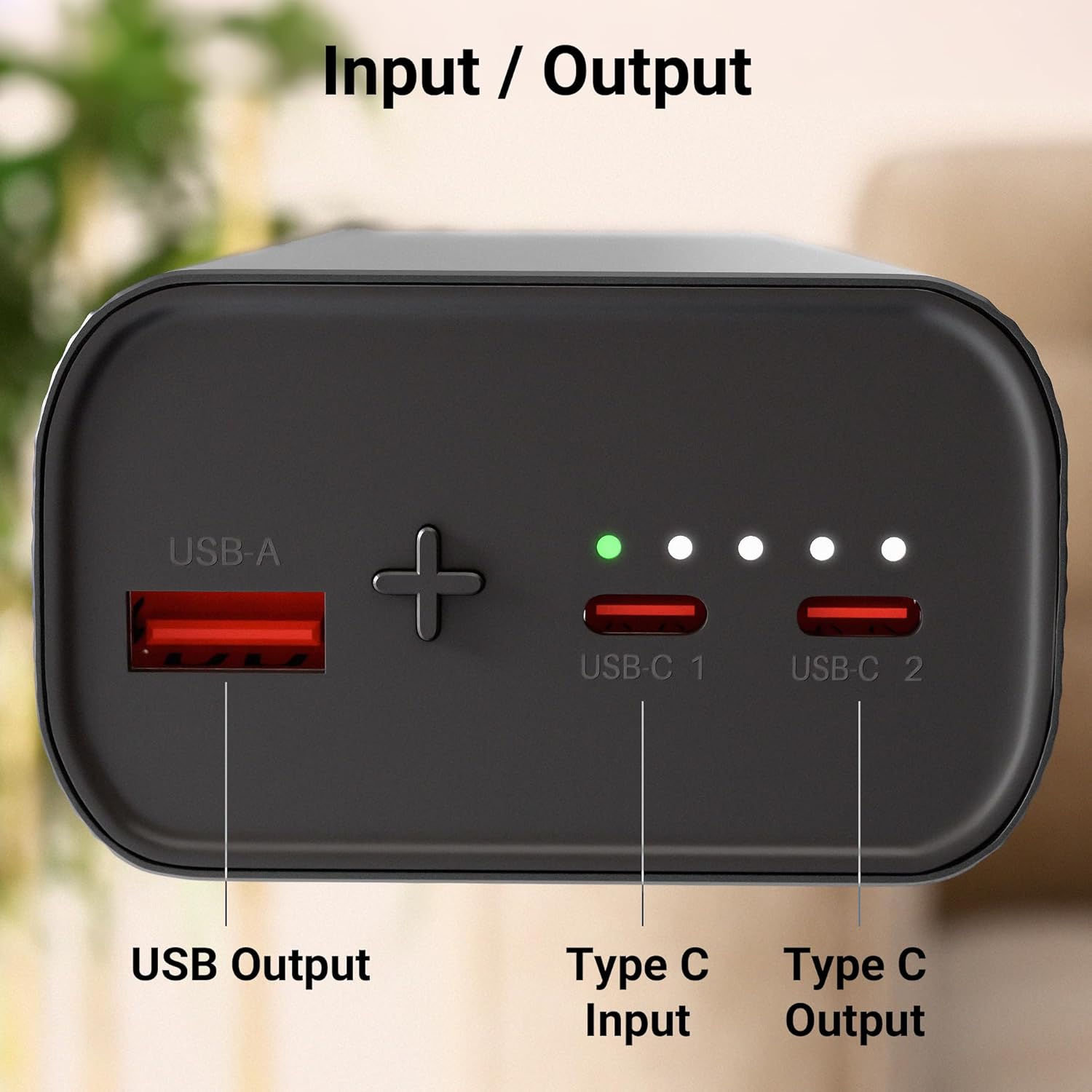
Image 3: Close-up view of the power bank's ports, including USB Output, Type-C Input, and Type-C Output.
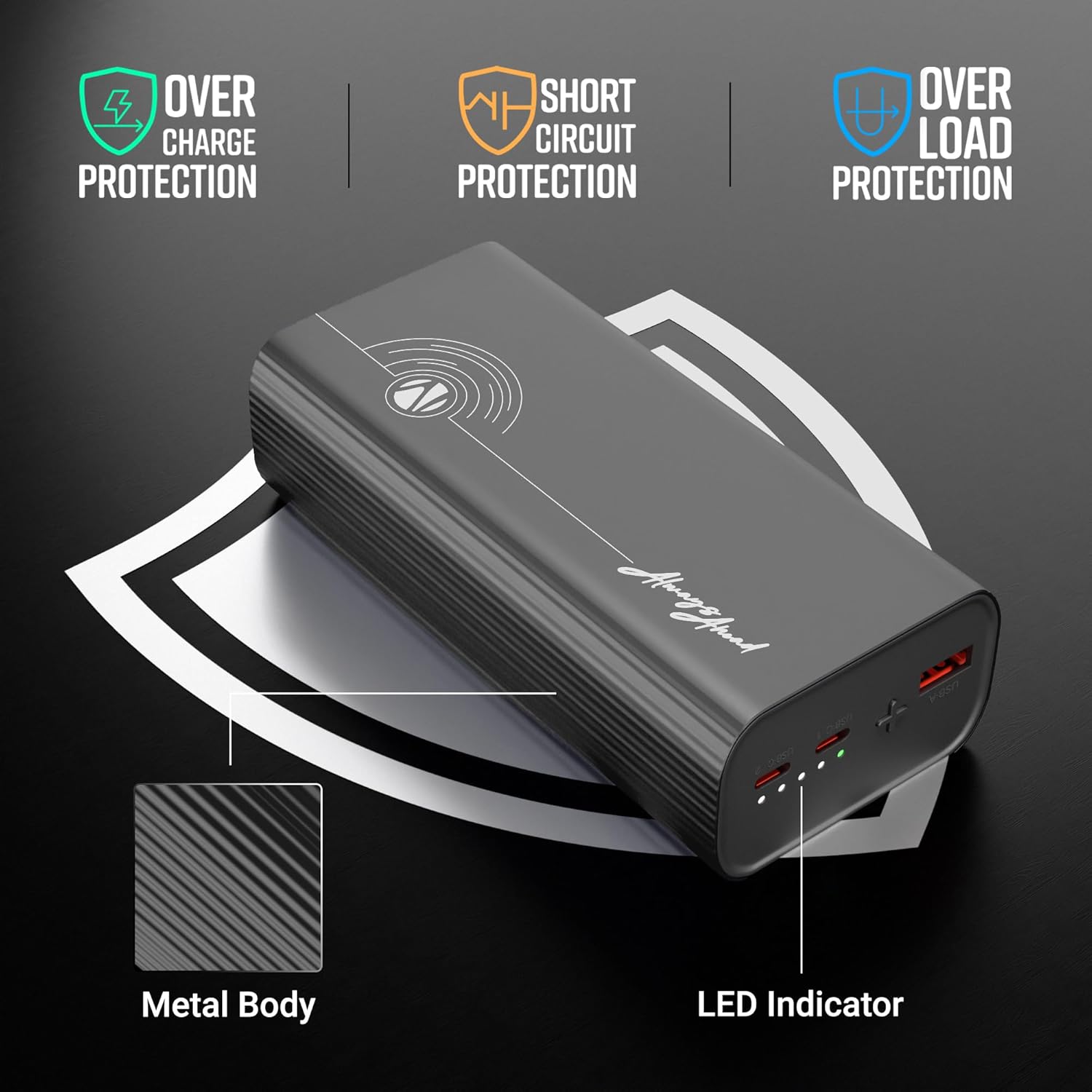
Image 4: Illustration of the power bank's safety protections (overcharge, short circuit, overload) and LED indicator.

Image 5: The power bank shown in a travel context, emphasizing its flight-friendly design.
5. Setup
Before first use, it is recommended to fully charge your ZEBRONICS EnergiPOD 27R2 Power Bank.
- Connect the provided Type-C cable to the Type-C Input port on the power bank.
- Connect the other end of the cable to a compatible USB wall adapter (not included).
- The LED indicators will illuminate to show the charging status. All LEDs will be solid when fully charged.
6. Operating Instructions
6.1. Charging the Power Bank
To charge the power bank, use the Type-C Input port. The LED indicators will show the current battery level during charging:
- One LED: 0-25%
- Two LEDs: 25-50%
- Three LEDs: 50-75%
- Four LEDs: 75-100%
6.2. Charging External Devices
The power bank offers multiple output options for charging your devices:
- Using Type-C Output: Connect your device to one of the Type-C Output ports using a compatible Type-C to Type-C cable. This port supports PD3.0 for rapid charging up to 65W.
- Using USB Output: Connect your device to the USB Output port using a compatible USB-A to device-specific cable.
The power bank will automatically begin charging your connected device. The LED indicators will show the remaining power bank battery level.
7. Maintenance
- Clean the power bank with a soft, dry cloth. Do not use harsh chemicals or abrasive materials.
- Avoid blocking the ports with dust or debris.
- If storing for a long period, charge the power bank to approximately 50% every three months to maintain battery health.
8. Troubleshooting
- Power bank not charging: Ensure the charging cable and adapter are properly connected and functional. Try a different cable or adapter.
- Device not charging from power bank: Check if the power bank has sufficient charge. Ensure the cable connecting the device to the power bank is secure and compatible. Try a different port or cable.
- Slow charging: Verify that your device and cable support fast charging protocols. Some devices may charge slower if multiple devices are connected simultaneously.
- LED indicators not working: If the power bank is unresponsive, try fully discharging and then recharging it. If the issue persists, contact customer support.
9. Specifications
| Model Name | EnergiPOD 27R2 |
| Battery Capacity | 27000 mAh |
| Max Output Power | 65W |
| Type-C Output | DC 5V/3A, 9V/3A, 12V/3A, 15V/3A, 20V/3.25A, 5~21V/2.9A PPS (PD3.0) |
| USB Output | DC 5.5V/4A, 5V/3A, 9V/2.22A, 12V/1.67A |
| Type-C Input | DC 5V/3A, 9V/3A, 12V/3A, 15V/3A, 20V/3.25A |
| Protection Features | Overcharge, Overload, Short-circuit |
| Body Material | Metallic |
| Weight | 628 g |
| Dimensions | 16.9 x 8.5 x 7.4 cm |
10. Warranty and Support
For warranty information and customer support, please refer to the official ZEBRONICS website or contact their customer service directly. Keep your purchase receipt for warranty claims.


