
Introduction
Welcome to the Ninja DualBrew Pro Specialty Coffee System. This appliance is designed to provide versatile coffee brewing options, including single-serve pods, ground coffee, and specialty beverages. Please read this manual thoroughly before operating your new coffee system to ensure safe and optimal performance. Keep this manual for future reference.

Image: The Ninja DualBrew Pro Specialty Coffee System, showcasing its ability to prepare various beverages including drip coffee, iced coffee, lattes, and hot tea, using both K-Cup pods and ground coffee.
Important Safeguards
To reduce the risk of fire, electric shock, or injury, basic safety precautions should always be followed:
- Read all instructions before using the appliance.
- Do not touch hot surfaces. Use handles or knobs.
- To protect against electric shock, do not immerse cord, plugs, or appliance in water or other liquid.
- Close supervision is necessary when any appliance is used by or near children.
- Unplug from outlet when not in use and before cleaning. Allow to cool before putting on or taking off parts, and before cleaning the appliance.
- Do not operate any appliance with a damaged cord or plug or after the appliance malfunctions or has been damaged in any manner.
- The use of accessory attachments not recommended by the appliance manufacturer may result in fire, electric shock, or injury to persons.
- Do not use outdoors.
- Do not let cord hang over edge of table or counter, or touch hot surfaces.
- Do not place on or near a hot gas or electric burner, or in a heated oven.
- Always attach plug to appliance first, then plug cord into the wall outlet. To disconnect, turn any control to "off", then remove plug from wall outlet.
- Do not use appliance for other than intended use.
Setup and First Use
1. Unpacking and Placement
- Remove all packaging materials, promotional labels, and tape from the unit.
- Place the coffee system on a clean, dry, and level surface.
- The 60-oz water reservoir can be positioned on the side or rear of the machine to fit your space. Ensure it is securely attached.

Image: The multi-position, removable water reservoir shown attached to both the side and the rear of the Ninja DualBrew Pro, illustrating flexible placement options.
2. Initial Cleaning
- Wash the carafe, brew basket, permanent filter (if using), K-Cup pod adapter, and frother whisk in warm, soapy water. Rinse thoroughly and air dry.
- Wipe the exterior of the machine with a clean, damp cloth.
3. First Clean Cycle
- Fill the water reservoir to the MAX fill line with fresh water.
- Place the empty carafe on the warming plate.
- Press the CLEAN button. The machine will run a cleaning cycle.
- Once complete, discard the water from the carafe and rinse. Your system is now ready for use.
Operating Instructions
1. Brewing with Coffee Grounds
- Fill the water reservoir with fresh water to the desired level for your chosen brew size.
- Open the brew basket lid and insert the permanent filter or a paper filter into the brew basket.
- Use the Ninja Smart Scoop to add your desired amount of ground coffee to the filter. Close the brew basket lid.
- Place your mug or carafe under the brew spout.
- Select your desired brew size (e.g., Small, XL Cup, Travel, XL Travel Mug, ¼ Carafe, ½ Carafe, ¾ Carafe, Full Carafe) and brew style (Classic, Rich, Over Ice, Specialty) using the control panel.
- Press the START BREW button.

Image: A user adding ground coffee to the brew basket of the Ninja DualBrew Pro, which is equipped with a paper filter.
2. Brewing with K-Cup Pods
- Fill the water reservoir with fresh water to the desired level.
- Lift the handle to open the K-Cup pod adapter. Insert a K-Cup pod into the adapter.
- Close the handle firmly until it clicks.
- Place your mug under the brew spout.
- Select your desired pod brew size (6oz, 8oz, 10oz, 12oz) and brew style (Classic, Rich, Over Ice, Specialty).
- Press the START BREW button.
3. Specialty Brew
The Specialty brew style creates a super-rich coffee concentrate. This concentrate is ideal for crafting coffeehouse-style drinks such as lattes, macchiatos, and cappuccinos. Follow the instructions for brewing with grounds or pods, selecting the SPECIALTY brew style.
4. Using the Built-in Frother
- Swing the frother arm out from the side of the machine.
- Add cold or hot milk/milk alternative to a mug.
- Immerse the frother whisk into the milk.
- Press and hold the frother button for approximately 30-60 seconds, or until desired froth consistency is achieved.
- Return the frother arm to its storage position. The whisk is removable for easy cleaning.

Image: A user operating the built-in, fold-away frother of the Ninja DualBrew Pro to create frothed milk for a specialty coffee drink.
5. Independent Hot Water System
The independent hot water system provides hot water separate from the coffee dispenser, preventing cross-contamination of flavors. It offers two temperature settings: HOT and BOIL.
- Fill the water reservoir with fresh water.
- Place your mug under the hot water spout.
- Select the desired temperature setting (Hot or Boil) and dispense the water. This is suitable for tea, hot cocoa, or instant oatmeal.

Image: The Ninja DualBrew Pro's independent hot water system dispensing hot water into a bowl of oatmeal and a mug of tea.
6. Brew Style Choices
The system offers four distinct brew styles:
- Classic: A balanced flavor profile for everyday coffee.
- Rich: A more intense flavor, ideal for milk, cream, or black coffee.
- Over Ice: Designed to brew hot coffee directly over ice without dilution.
- Specialty: A super-rich concentrate for crafting specialty coffee drinks.

Image: Four mugs displaying different coffee brew styles: Classic, Rich, Over Ice, and a Specialty latte, all prepared by the Ninja DualBrew Pro.
7. Premium Display and Controls
The intuitive touchscreen display allows for easy selection of brew size, style, and other functions. The DELAY button allows you to program a brew to start at a later time.

Image: A close-up view of the Ninja DualBrew Pro's premium touchscreen display, showing options for brew style, size, and other controls like Delay and Clean.
8. Thermal Flavor Extraction DUO
This technology ensures perfect flavor for both grounds and pods through consistent temperature control, even saturation, and precise brew cycles. This results in ultra-flavorful coffee every time.
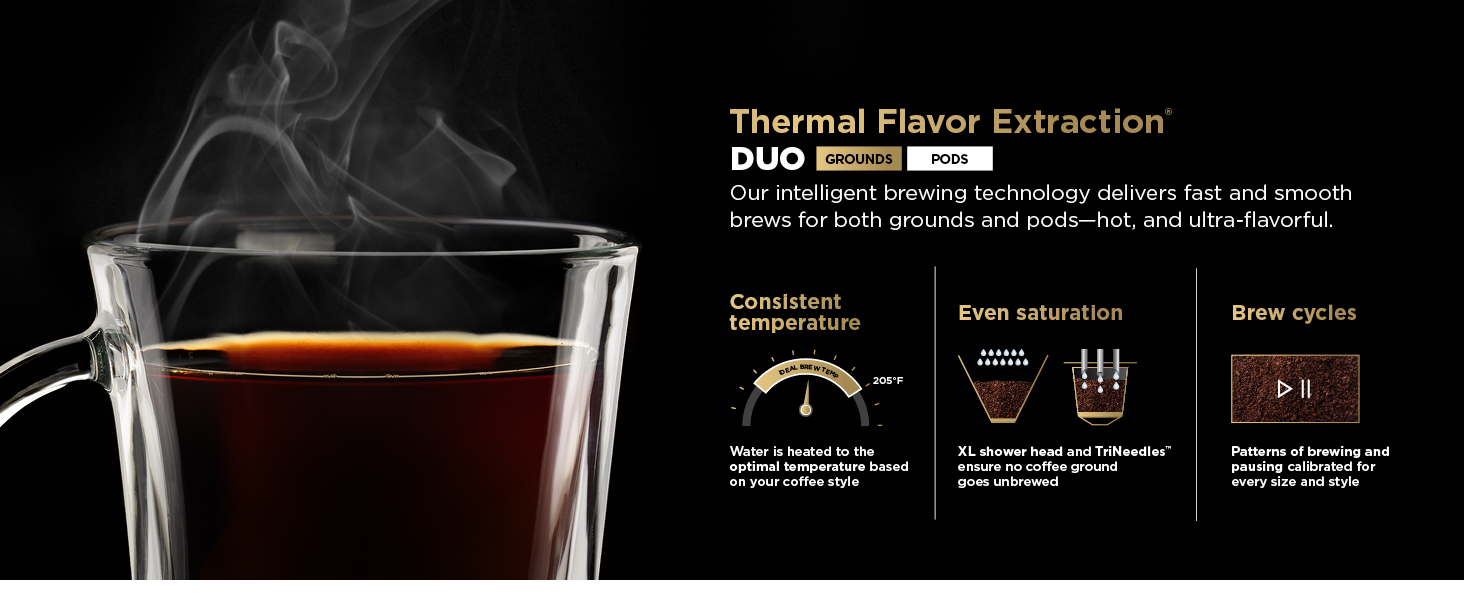
Image: A graphic illustrating the Thermal Flavor Extraction DUO technology, highlighting consistent temperature, even saturation, and optimized brew cycles for both ground coffee and pods.
Maintenance and Cleaning
Daily Cleaning
- Carafe and Brew Basket: Wash the carafe and brew basket after each use with warm, soapy water. They are also top-rack dishwasher safe.
- Frother Whisk: Remove the frother whisk and rinse it immediately after use. It can also be washed with warm, soapy water.
- Water Reservoir: Empty and rinse the water reservoir daily.
- Exterior: Wipe down the exterior of the machine with a damp cloth.
Descaling (CLEAN Cycle)
Over time, mineral deposits can build up in your coffee system, affecting performance and flavor. The CLEAN indicator light will illuminate when descaling is recommended.
- Pour a full bottle of Ninja Descaling Solution into the water reservoir, then fill the reservoir with water up to the MAX fill line.
- Place the empty carafe on the warming plate.
- Press the CLEAN button. The descaling cycle will begin and may take approximately 20-30 minutes.
- Once the cycle is complete, discard the solution from the carafe.
- Rinse the reservoir thoroughly and fill it with fresh water to the MAX fill line.
- Run two full carafe CLASSIC brew cycles with only water to rinse the system. Discard water after each cycle.
Troubleshooting
| Problem | Possible Cause | Solution |
|---|---|---|
| Coffee is too weak or watery. | Insufficient coffee grounds/pod size, incorrect brew style, or machine needs descaling. | Use more coffee grounds, select a smaller brew size for pods, choose RICH or SPECIALTY brew style, or run a CLEAN cycle. |
| Coffee overflows from the filter. | Too many coffee grounds, filter clogged, or carafe/mug not properly placed. | Reduce coffee grounds, ensure filter is not clogged, and verify carafe/mug is centered under the brew spout. |
| Machine not brewing. | No water in reservoir, power issue, or brew basket/pod adapter not properly closed. | Fill water reservoir, check power connection, ensure brew basket/pod adapter is fully closed. |
| "CLEAN" light is illuminated. | Mineral buildup in the system. | Perform a descaling cycle as described in the Maintenance section. |
Specifications
- Model: CFP301
- Brand: Ninja
- Product Dimensions: 9.13"D x 11.39"W x 15.54"H
- Item Weight: 9.69 pounds
- Voltage: 120V
- Coffee Input Type: Grounds and Pods
- Included Components: Ninja DualBrew Pro Specialty Coffee Maker, 12-cup glass carafe, Ninja smart scoop, Fold-away frother, 1 Hole K-Cup pod adapter.
- Special Features: Auto Clean Function, Milk Frother, Programmable, Removable Tank, Thermal Flavor Extraction DUO, Water Filter (optional, not included by default).

Image: The Ninja DualBrew Pro Specialty Coffee System positioned on a kitchen counter, demonstrating its compact design with the water reservoir placed at the rear.
Warranty Information
Ninja products are designed to provide years of reliable performance. This product is covered by a limited warranty from the date of purchase. For specific warranty terms, conditions, and registration, please refer to the warranty card included with your product or visit the official Ninja website. Keep your proof of purchase for warranty claims.
Customer Support
For further assistance, product registration, or to purchase replacement parts and accessories, please visit the official Ninja website or contact customer service:
- Website: www.ninjakitchen.com
- Phone: Refer to your product packaging or website for regional contact numbers.


