
1. Product Overview
The daphino 2500LM Solar Light is an outdoor security lighting solution designed for various applications such as driveways, backyards, patios, and commercial areas. It features 156 high-efficiency LEDs, a 270° wide-angle illumination, and a PIR motion sensor with a detection range of up to 40 feet. The light is IP65 waterproof, ensuring durability in various weather conditions, and includes a remote control for convenient mode and brightness adjustments.
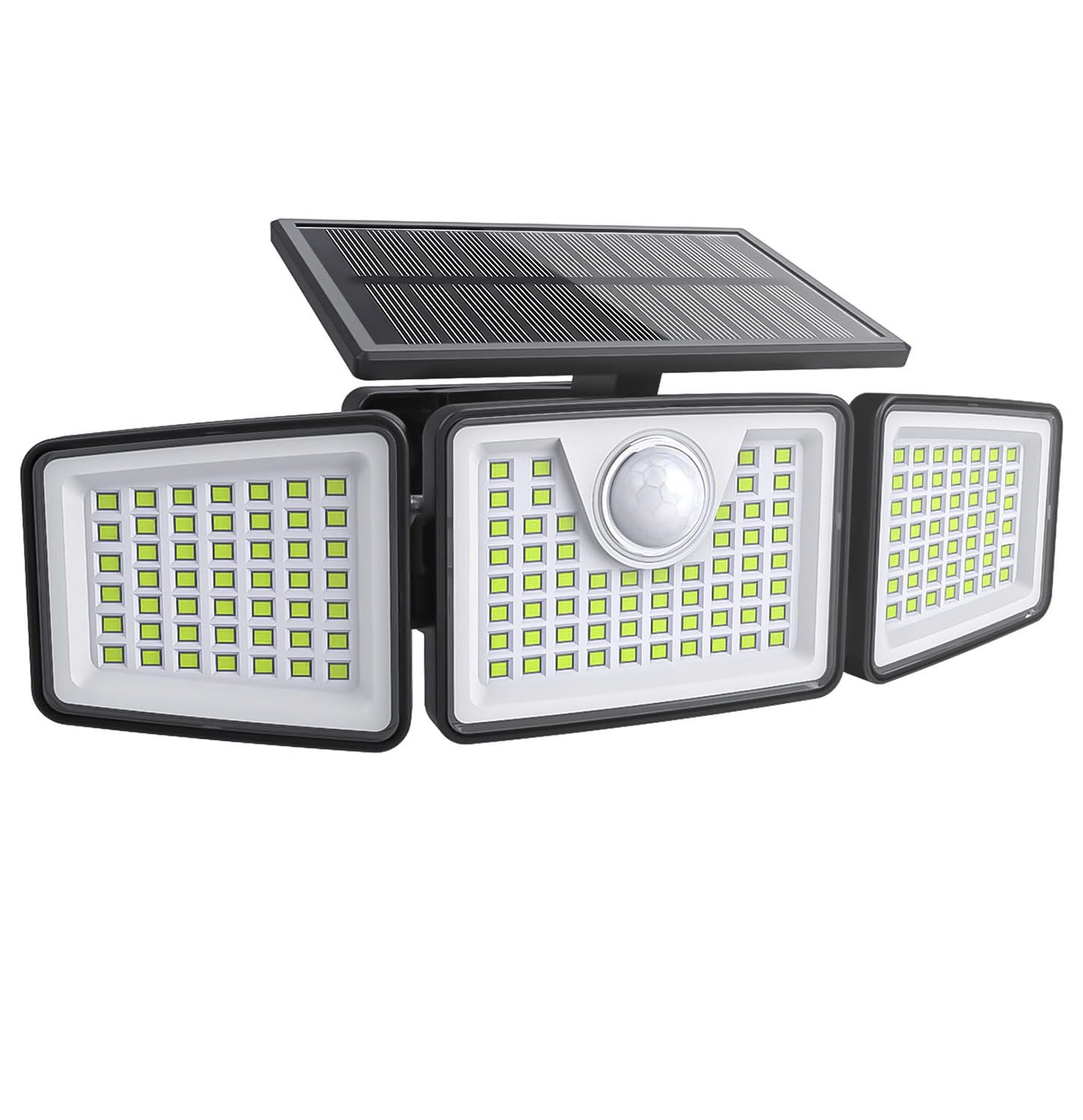
Image 1.1: The daphino 3-Head Solar Light, showcasing its design and adjustable heads.
Key Features:
- 2500LM Brightness: Provides powerful 6500K daylight-white illumination.
- 156 High-Efficiency LEDs: Optimized for brightness and energy consumption.
- 3 Adjustable Heads: Allows for 270° wide-angle coverage.
- PIR Motion Sensor: Detects movement up to 40 ft within a 130° arc.
- Remote Control: Adjusts 3 lighting modes and 3 brightness levels (30%, 60%, 100%).
- IP65 Waterproof: Durable ABS+PC material withstands rain, snow, frost, and heat.
- Solar Powered: High-capacity 3.7V lithium-ion battery provides up to 12 hours runtime in Dim Mode after 7-8 hours of charge.
2. Setup and Installation
Proper installation is crucial for optimal performance of your daphino solar light. Ensure the solar panel receives direct sunlight for at least 7-8 hours daily.
Installation Steps:
- Choose Location: Select a location that exposes the solar panel to direct sunlight for the majority of the day. Avoid areas with obstructions like trees or overhangs. The recommended installation height is 6.5–8 feet (approximately 2 to 2.4 meters).
- Mark and Drill: Mark the points for the screws using the mounting bracket as a template. Drill holes at the marked positions.
- Mount Bracket: Securely attach the mounting bracket to the wall using the provided screws.
- Attach Light: Slide the solar light unit onto the mounted bracket, ensuring the solar panel faces upwards towards the sun.
- Adjust Heads: Adjust the three light heads and the solar panel to your desired angles for optimal light coverage and solar charging. The solar panel is 90° adjustable, and the light heads are 270° adjustable.

Image 2.1: Visual guide for installation and demonstration of all-weather protection.
Initial Charge:
Before first use, allow the solar light to charge for a full day (7-8 hours) in direct sunlight to ensure the battery is fully conditioned.
3. Operating Instructions
Your daphino solar light can be operated using the included remote control or the manual button on the unit. The remote allows for easy switching between three distinct lighting modes and brightness levels.
Remote Control Functions:
- Mode 1 (Motion-Activated): The light remains off until motion is detected. Upon detection, it illuminates at 100% brightness and turns off approximately 30 seconds after motion ceases.
- Mode 2 (Dim All Night): The light stays on continuously at 30% brightness from dusk till dawn. The motion sensor is inactive in this mode.
- Mode 3 (Smart Security): The light stays on at 10% brightness from dusk till dawn. When motion is detected, it brightens to 100% for approximately 30 seconds before returning to 10% brightness.
- Brightness Adjustment: Use the dedicated buttons on the remote to cycle through 30%, 60%, or 100% brightness levels for the active mode.
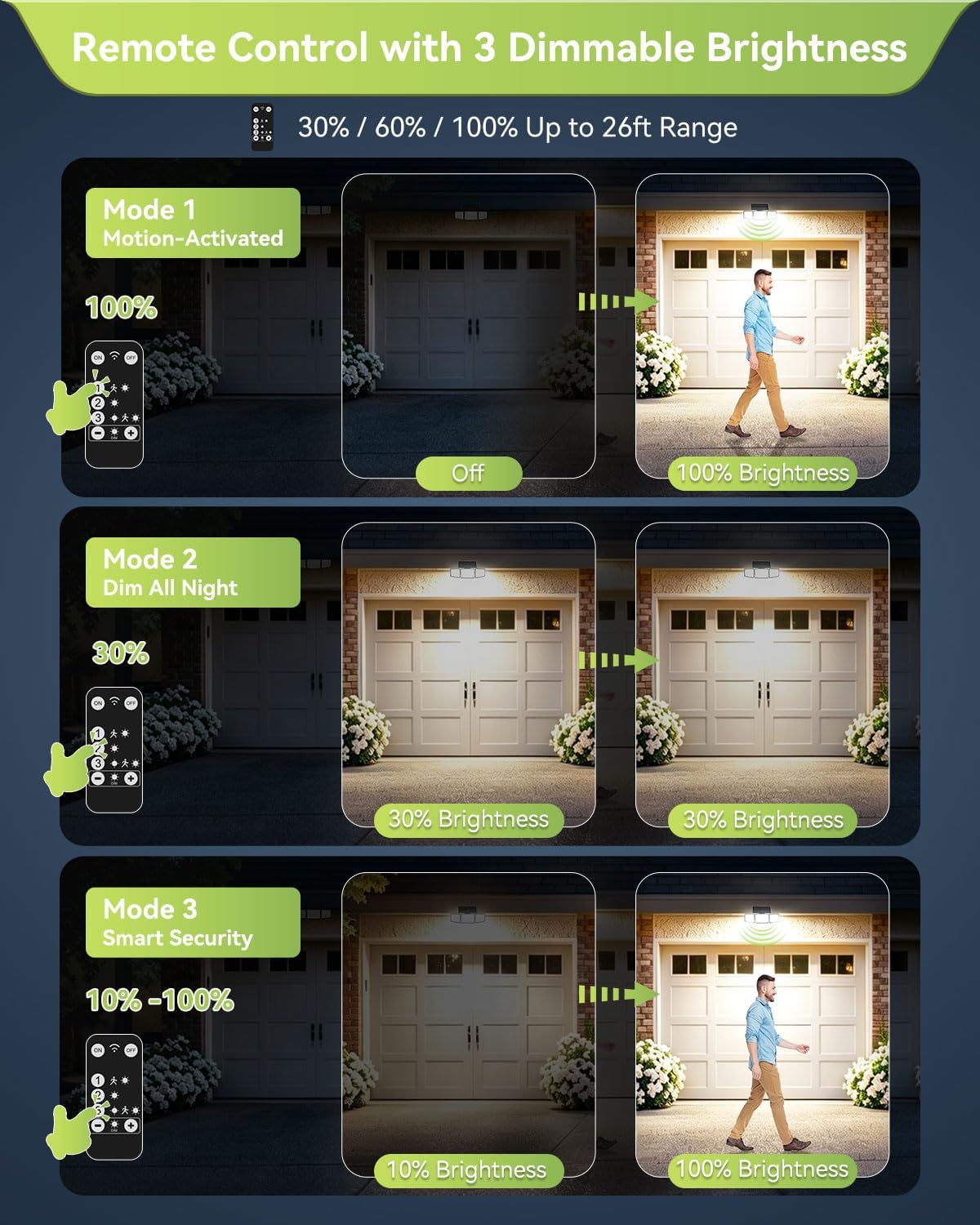
Image 3.1: Diagram illustrating the three remote-controlled lighting modes.
Motion Sensor Operation:
The integrated PIR motion sensor detects movement up to 40 feet away within a 130° arc. For optimal motion detection, ensure the sensor is not obstructed and is positioned at the recommended installation height.
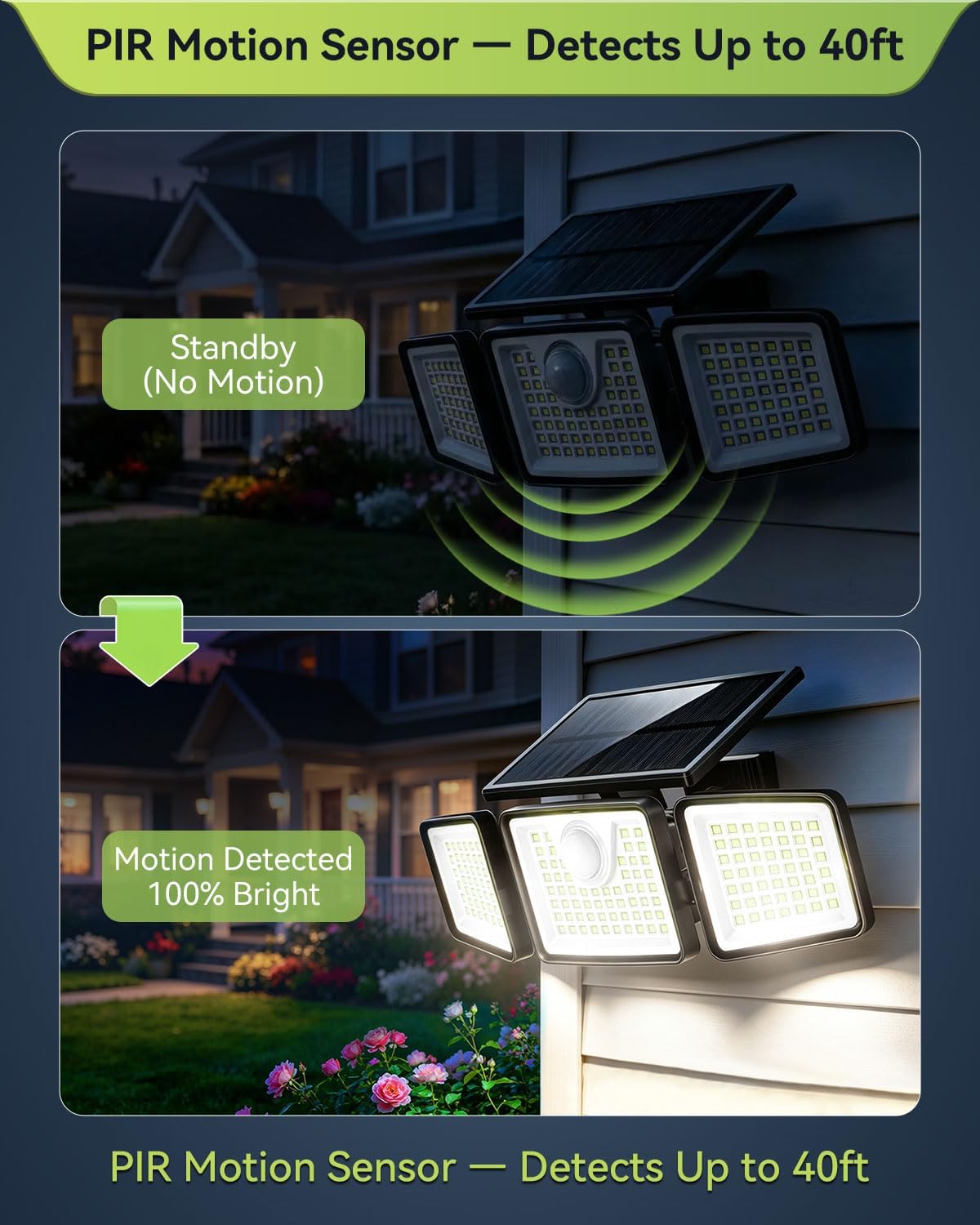
Image 3.2: Illustration of the PIR motion sensor's detection capability.
Official Product Video:
Video 3.1: An official video from Daphino Direct demonstrating the solar lights in action and their features.
4. Maintenance
The daphino solar light is designed for low maintenance. Regular care ensures long-term performance.
- Clean Solar Panel: Periodically wipe the solar panel with a soft, damp cloth to remove dust, dirt, or debris. A clean panel ensures efficient charging.
- Inspect for Obstructions: Ensure no new obstructions (e.g., growing branches, accumulated snow) are blocking direct sunlight from reaching the solar panel.
- Waterproof Design: The IP65 waterproof rating protects the unit from environmental elements. The mode button is also protected by a waterproof cover.
5. Troubleshooting
If your daphino solar light is not functioning as expected, consider the following common issues and solutions:
- Light Not Turning On at Night:
- Ensure the solar panel is receiving adequate direct sunlight (7-8 hours) during the day.
- Check if the solar panel is clean and free from dirt or obstructions.
- Verify the light is set to the desired operating mode (Mode 1, 2, or 3).
- Confirm the ambient light sensor is not detecting light, which would prevent the unit from activating.
- Motion Sensor Not Activating:
- Ensure the light is in Mode 1 or Mode 3, as Mode 2 disables the motion sensor.
- Check for obstructions in front of the motion sensor.
- Confirm the installation height is within the recommended 6.5–8 ft range, as incorrect height can affect sensor performance.
- Reduced Runtime:
- Insufficient sunlight during the day will lead to reduced battery charge and shorter runtime.
- Extreme cold weather can temporarily affect battery performance.
6. Specifications
| Feature | Specification |
|---|---|
| Brand | daphino |
| Model Number | Remote-1 Pcs (JY2322B) |
| Brightness | 2500 Lumens |
| Light Source | 156 LED |
| Color Temperature | 6500 Kelvin (Cool White) |
| Beam Angle | 270° Wide Angle |
| Motion Sensor Range | Up to 40 ft (130° arc) |
| Water Resistance | IP65 Waterproof |
| Power Source | Solar Powered |
| Battery | High-Capacity 3.7V Rechargeable Lithium-ion |
| Max Runtime | Up to 12 hours (in Dim Mode) |
| Material | Acrylonitrile Butadiene Styrene Polycarbonate (ABS+PC) |
| Item Dimensions (L x W x H) | 4.3"L x 6.2"W x 5.1"H |
| Item Weight | 0.51 Kilograms |
| Included Components | Remote Control |
7. Warranty and Support
For warranty information or technical support, please contact daphino customer service directly. Refer to your purchase documentation or the official daphino website for contact details.
Manufacturer: daphino
Seller: Daphino Direct
