
DeerRun BA05
DeerRun Standing Desk BA05 User Manual
Adjustable Height Mobile Stand Up Desk with Wheels
Product Overview
The DeerRun BA05 Standing Desk is a versatile and mobile workstation designed for comfort and flexibility. Featuring adjustable height and smooth-rolling casters, it allows users to easily switch between sitting and standing positions and move the desk to various locations. The desk includes a durable desktop, a sturdy steel frame, and convenient integrated features for an enhanced user experience.
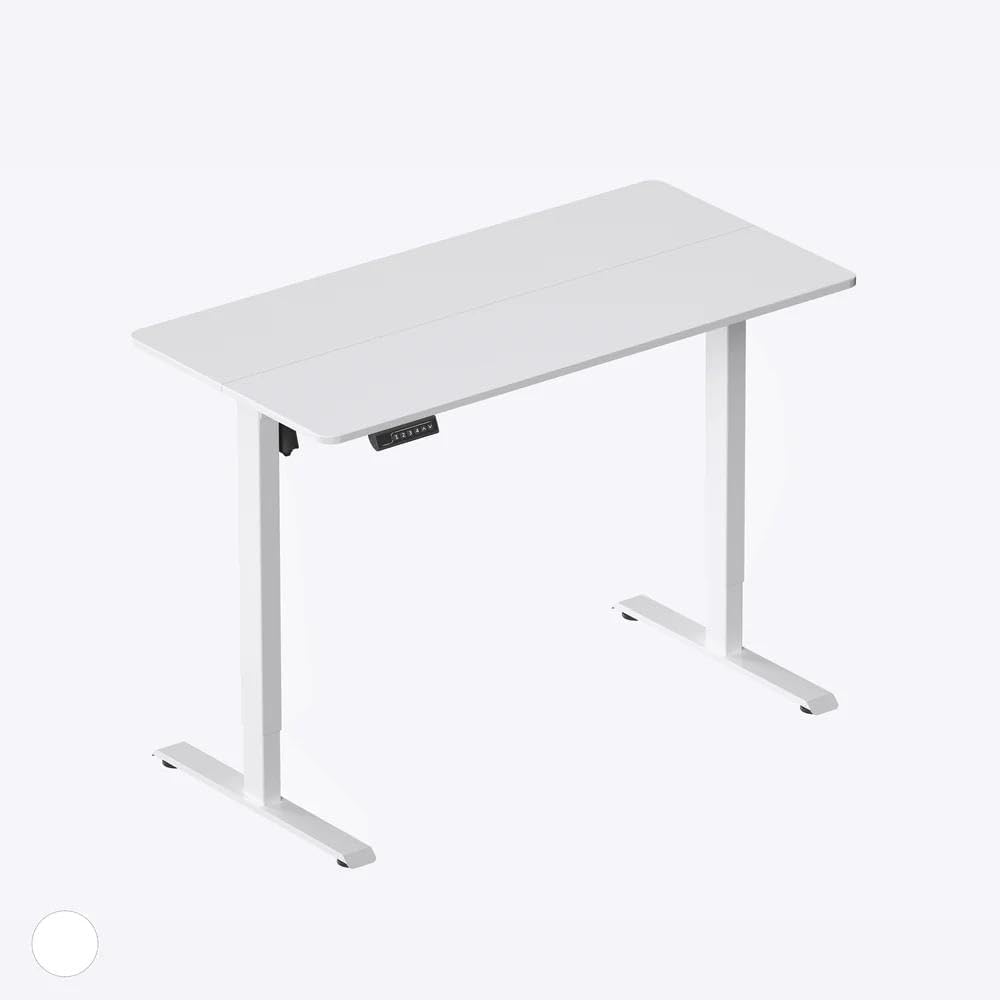
Image: DeerRun BA05 Standing Desk in a living room setting, demonstrating its adjustable height and mobile design.
Important Safety Information
- Read all instructions carefully before assembly and use.
- Keep children and pets away from the desk during assembly.
- Ensure all screws and bolts are securely tightened before use. Periodically check for tightness.
- Do not overload the desk. Refer to specifications for maximum weight capacity.
- Always lock the casters when the desk is in a stationary position to prevent accidental movement.
- Avoid placing hot items directly on the desktop without protection.
- Use caution when adjusting the desk height to avoid pinching fingers or objects.
Package Contents
Please verify that all components are present before beginning assembly. If any parts are missing or damaged, please contact customer support.
- Desktop (1)
- Main Support Legs (2)
- Base Legs (2)
- Crossbar (1)
- Casters (4)
- Height Adjustment Knobs (2)
- Headphone Hooks (2)
- Assembly Hardware (Screws, Wrench, Screwdriver)

Image: All components of the DeerRun BA05 Standing Desk laid out on a wooden floor, ready for assembly.
Setup Instructions
Follow these steps to assemble your DeerRun Standing Desk. For a detailed visual guide, please refer to the assembly video below.
Step 1: Attach Casters to Base Legs
Insert the four casters into the designated holes at the bottom of each base leg. Use the provided wrench to tighten them securely. Ensure two casters have locking mechanisms for stability.
Step 2: Assemble Desk Frame
Connect the main support legs to the base legs. Then, attach the crossbar between the two main support legs using the provided screws and screwdriver. Ensure all connections are firm and stable.
Step 3: Attach Desktop to Frame
Place the desktop upside down on a soft, clean surface. Align the assembled frame with the pre-drilled holes on the desktop. Secure the desktop to the frame using the remaining screws and screwdriver.
Assembly Video Guide
Video: This video demonstrates the complete assembly process for the DeerRun Standing Desk, from attaching casters to securing the desktop. It also shows the height adjustment mechanism and other features.
Operating Instructions
Adjusting Desk Height
To adjust the desk height, loosen the height adjustment knobs located on each main support leg. Carefully raise or lower the desktop to your desired height. Once the desired height is reached, securely tighten both knobs to lock the desk in place. Ensure both sides are adjusted to the same height for stability.

Image: Detail of the height adjustment knob on the desk's support leg.
Using the Mobile Feature
The desk is equipped with four casters for easy mobility. Two of these casters have locking mechanisms. To move the desk, ensure the caster locks are disengaged. To keep the desk stationary, press down on the locking levers of the two lockable casters until they click into place.

Image: A foot engaging the lock on a desk caster wheel.
Utilizing Integrated Features
- Tablet Slot: The desktop features a built-in slot designed to securely hold tablets or smartphones, keeping them upright and accessible while you work.
- Headphone Hooks: Two convenient hooks are located on the underside of the desktop, perfect for hanging headphones, bags, or other accessories to keep your workspace tidy.

Image: A tablet placed in the integrated slot on the desk surface.

Image: Headphones hanging on an integrated hook under the desk.
Maintenance
Cleaning
The desktop surface is designed to be water-resistant. For general cleaning, wipe the surface with a soft, damp cloth. For stubborn stains, use a mild soap solution and immediately dry the surface thoroughly. Avoid abrasive cleaners or harsh chemicals that could damage the finish.

Image: Water droplets on the desk surface, demonstrating its water-resistant property.
General Care
- Periodically check all screws and bolts to ensure they remain tight.
- Avoid dragging the desk over rough surfaces when casters are locked.
- Do not expose the desk to extreme temperatures or humidity.
Troubleshooting
If you encounter any issues with your DeerRun Standing Desk, please refer to the following common problems and solutions:
- Desk is unstable or wobbly:
- Ensure all assembly screws and bolts are securely tightened.
- Verify that the height adjustment knobs on both legs are fully tightened after adjusting the height.
- Check that the desk is on a flat, even surface.
- Difficulty adjusting height:
- Ensure the height adjustment knobs are sufficiently loosened before attempting to change the height.
- Check for any obstructions in the adjustment mechanism.
- Casters not rolling smoothly or locking:
- Check for debris or hair caught in the caster wheels.
- Ensure the locking mechanism is fully engaged or disengaged as intended.
- Desktop appears uneven:
- Verify that both main support legs are adjusted to the exact same height.
- Check that the desktop is securely fastened to the frame.
Product Specifications
| Brand | DeerRun |
| Model Number | BA05 |
| Desk Design | Standing Desk |
| Product Dimensions | 1"D x 5"W x 4"H (Note: These dimensions appear to be incorrect for a functional desk. Please refer to the product listing for accurate dimensions.) |
| Color | White |
| Base Material | Alloy Steel |
| Top Material Type | Wood |
| Finish Type | Polished |
| Special Feature | Wheel |
| Item Weight | 10 Pounds |
| Included Components | Wheel |
| Required Assembly | No (Note: Assembly is required for this product, as demonstrated in the setup video.) |
Warranty Information
DeerRun products are manufactured to high-quality standards. This product comes with a limited warranty against manufacturing defects. Please retain your proof of purchase for warranty claims. For specific warranty terms and conditions, please refer to the documentation included with your product or contact DeerRun customer support.
Customer Support
If you have any questions, require assistance with assembly, or need to report a missing or damaged part, please contact our customer support team. You can typically find contact information on the product packaging or on the official DeerRun website.
For the latest information and support, please visit the DeerRun Store on Amazon.
Related documentsBA05


Ask a question about this manual
Ask about setup, troubleshooting, compatibility, parts, safety, or missing instructions. Manuals+ will review the question and use this page’s manual context to help answer it.