
1. Introduction
This user manual provides comprehensive instructions for the KEMOVE P11 4-Key Keycap Puller. Please read this manual thoroughly before using the product to ensure proper operation and maintenance. This tool is designed for efficient and safe removal of keycaps from mechanical keyboards.
2. Product Overview
The KEMOVE P11 is a specialized tool designed to simplify the process of removing keycaps from mechanical keyboards. Its unique design allows for the simultaneous removal of up to four keycaps, significantly reducing the time and effort required for keyboard cleaning or customization. Constructed from durable PC and high-carbon stainless steel, it ensures longevity and gentle handling of your keycaps.
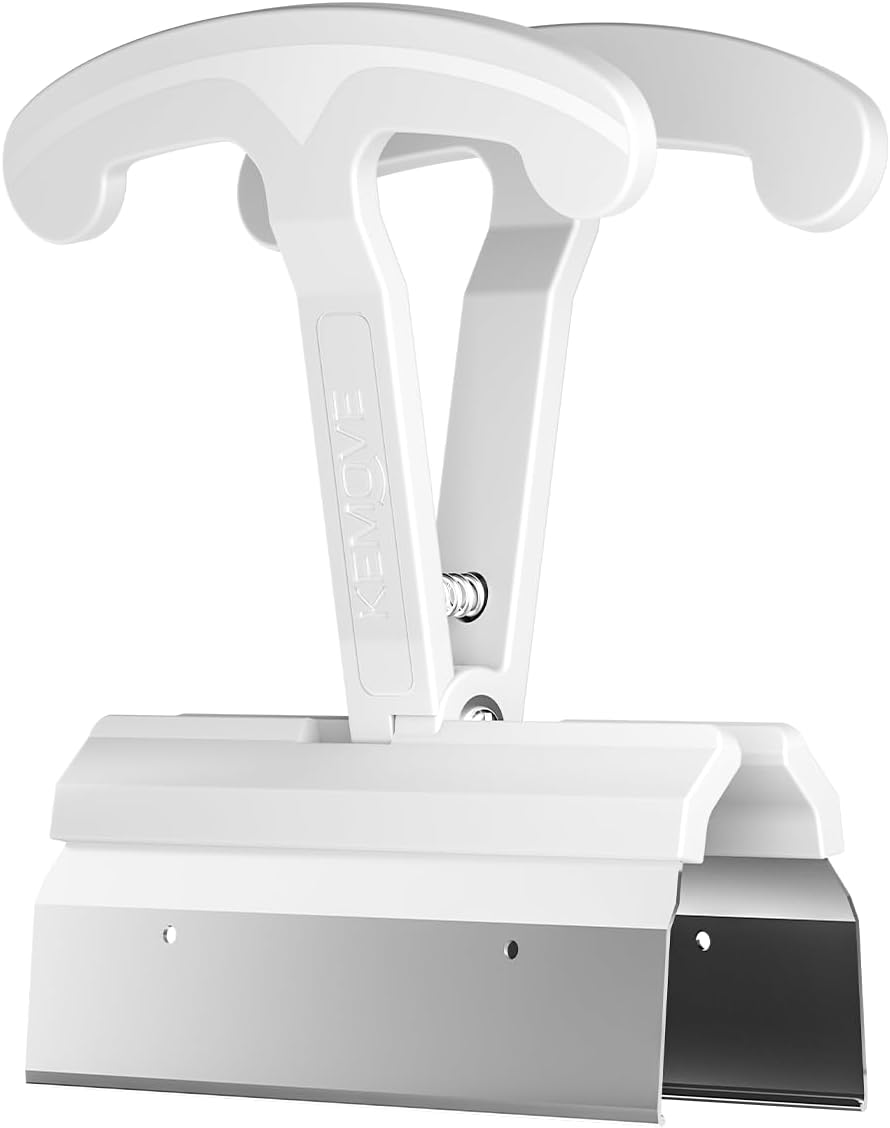
Image: The KEMOVE P11 4-Key Keycap Puller, showcasing its white polycarbonate handles and stainless steel pulling mechanism.
3. Features
- Efficient Keycap Removal: Designed to remove up to four keycaps simultaneously, enhancing efficiency for keyboard maintenance.
- Premium Build Quality: Manufactured with PC (polycarbonate) and high-carbon 420 stainless steel for durability.
- Safe & Gentle on Keycaps: Engineered to protect keycaps from damage during removal.
- Sleek Design: Features a Star White color for an aesthetically pleasing appearance.
- Ergonomic Design: Provides a comfortable grip for easy and safe operation, suitable for all users.

Image: A visual comparison showing the KEMOVE P11's ability to pull multiple keycaps versus a single keycap puller, emphasizing time and effort savings.
4. Setup
The KEMOVE P11 Keycap Puller requires no assembly. It is ready for immediate use upon unboxing. Ensure your keyboard is powered off or disconnected before beginning any keycap removal process to prevent accidental inputs or damage.

Image: Diagram showing the components of the KEMOVE P11, including the ABS ergonomic handle, spring, and high carbon grade 420 stainless steel pulling mechanism.
5. Operating Instructions
- Positioning: Identify the keycaps you wish to remove. Align the KEMOVE P11 over 2 to 4 adjacent keycaps. The metal prongs should slide underneath the edges of the keycaps.
- Gripping: Gently press down on the puller to ensure the metal prongs securely grip the bottom edges of the keycaps.
- Pulling: Apply steady, even upward pressure to lift the keycaps. The ergonomic handles are designed for a comfortable grip during this process.
- Release: Once the keycaps are detached from the switches, release the pressure on the puller. The keycaps will remain neatly aligned within the puller's mechanism, facilitating organized storage or reinstallation.

Image: The KEMOVE P11 positioned over keycaps on a mechanical keyboard, demonstrating its precise fit and wide compatibility with standard layout keyboards.

Image: A close-up of the KEMOVE P11 being held, emphasizing its comfortable grip and ease of release for removed keycaps.
6. Maintenance
To ensure the longevity and optimal performance of your KEMOVE P11 Keycap Puller, follow these simple maintenance guidelines:
- Cleaning: Wipe the tool with a soft, dry cloth after each use to remove any dust or debris.
- Storage: Store the keycap puller in a clean, dry place away from direct sunlight and extreme temperatures.
- Avoid Harsh Chemicals: Do not use abrasive cleaners or solvents, as these may damage the polycarbonate or stainless steel components.

Image: A detailed view of the KEMOVE P11's metal clips, illustrating the heat-treated electrolytic passivation process that enhances durability and protects keycaps.
7. Troubleshooting
| Problem | Possible Cause | Solution |
|---|---|---|
| Keycaps are difficult to remove. | Tight switch stem tolerances or improper positioning. | Ensure the puller is fully seated under the keycaps. Apply steady, firm upward pressure. For very stubborn keycaps, try rocking the puller slightly. |
| Tool feels flimsy or bends during use. | Excessive force or incorrect application angle. | Apply force along the longer axis of the tool. The polycarbonate material is designed to flex slightly but should not break under normal use. |
| Keycaps are not neatly aligned after removal. | Inconsistent release or movement during removal. | Ensure a smooth, controlled upward pull and release. The tool is designed to hold keycaps in a neat row. |
8. Specifications
- Model: KEMOVE P11
- Product Dimensions: 3.74 x 2.91 x 0.75 inches
- Item Weight: 1.13 ounces
- Material: PC (Polycarbonate) and 420 High-carbon Stainless Steel
- Color: White
- Number of Keys Supported: 4 (simultaneously)
- Compatibility: Standard layout mechanical keyboards
9. Warranty and Support
KEMOVE products are manufactured to high-quality standards. For any issues or support inquiries regarding your KEMOVE P11 Keycap Puller, please contact the seller directly through the platform where you purchased the product. Please retain your proof of purchase for warranty claims.
For further assistance, you may visit the official KEMOVE store on Amazon: KEMOVE Official Store