
1. Introduction and Overview
Thank you for choosing the Generico LED TV Cabinet, Model 804427. This manual provides essential information for the safe assembly, proper operation, and effective maintenance of your new TV cabinet. Please read these instructions carefully before beginning assembly and retain them for future reference.
This modern TV cabinet is designed to enhance your living space with its sleek design and integrated RGB LED lighting. It offers practical storage solutions for your media devices and accessories.
Key Features:
- Integrated RGB LED lighting with multiple color options.
- Robust construction for durability.
- Ample storage space for DVD players, game consoles, streaming devices, and media.
- Modern and practical design suitable for various room aesthetics.
2. Safety Instructions
Please observe the following safety precautions during assembly and use:
- Read all instructions: Ensure you understand all assembly steps before starting.
- Use appropriate tools: Only use the recommended tools for assembly.
- Assemble on a soft, clean surface: This prevents scratching the cabinet components.
- Secure all fasteners: Ensure all screws and connectors are tightened securely to prevent instability. Do not overtighten.
- Keep children away: Small parts can be a choking hazard. Keep children and pets away during assembly.
- Electrical safety: When connecting the LED lighting, ensure the power source is appropriate and follow all electrical safety guidelines. Do not expose LED components to moisture.
- Weight capacity: Do not overload the cabinet. Refer to the specifications for maximum weight capacity.
- Stability: Place the TV cabinet on a flat, stable surface. If necessary, use wall anchors (not included) to prevent tipping, especially in households with children.
3. Package Contents
Before assembly, verify that all components listed below are present and undamaged. If any parts are missing or damaged, please contact customer support.
- Cabinet panels (top, bottom, sides, shelves, doors)
- Assembly hardware (screws, dowels, cam locks, hinges, handles)
- RGB LED light strip and power adapter
- Remote control for LED lights
- Instruction manual
4. Assembly Instructions (Setup)
Assembly is required for this product. It is recommended to have two people for assembly. Approximate assembly time: 1-2 hours. Tools required: Phillips head screwdriver, hammer (optional, for dowels).
Step-by-Step Guide:
- Unpack and Identify Parts: Carefully unpack all components and lay them out on a clean, soft surface (e.g., a blanket or cardboard) to prevent scratches. Identify each part using the provided diagrams (if applicable) or by matching them to the component list.
- Assemble the Base: Attach the side panels to the bottom panel using the provided screws and dowels. Ensure the cam locks are securely fastened.
- Install Internal Shelves and Dividers: Insert the internal shelves and dividers into their designated slots or attach them with the appropriate hardware.
- Attach the Top Panel: Secure the top panel to the assembled structure using screws and cam locks.
- Install Doors and Hinges: Attach the hinges to the doors and then mount the doors to the cabinet. Adjust hinges as needed for proper alignment.
- Attach Handles: Secure the handles to the doors.
- Install LED Lighting: Carefully attach the RGB LED light strip to the designated area, typically along the open shelf or interior edges. Connect the LED strip to the power adapter.
- Final Check: Ensure all connections are tight and the cabinet is stable.

Image: Internal view of the Generico LED TV Cabinet with doors open, showing two storage compartments on the left and right, and a central open shelf with an additional lower shelf. This illustrates the internal structure and storage capacity.

Image: Front view of the Generico LED TV Cabinet with all doors open, revealing the internal storage layout and hinges. This image provides a clear view of the cabinet's compartments and hardware for assembly reference.
5. Operating Instructions (LED Lighting)
The Generico LED TV Cabinet features integrated RGB LED lighting, allowing you to customize the ambiance of your room.
Connecting the LED Lights:
- Ensure the LED strip is securely attached to the cabinet.
- Connect the LED strip connector to the receiver box.
- Plug the power adapter into the receiver box.
- Plug the power adapter into a standard electrical outlet.
Using the Remote Control:
The LED lights are controlled via the included remote control. Point the remote control directly at the LED receiver box for optimal functionality.
- Power Button: Turns the LED lights On/Off.
- Color Buttons: Select specific colors (e.g., Red, Green, Blue, White, etc.).
- Brightness Adjustment: Increase or decrease the light intensity.
- Mode Buttons: Cycle through various dynamic lighting modes (e.g., flash, strobe, fade, smooth).
- Speed Adjustment: Adjust the speed of dynamic lighting modes.
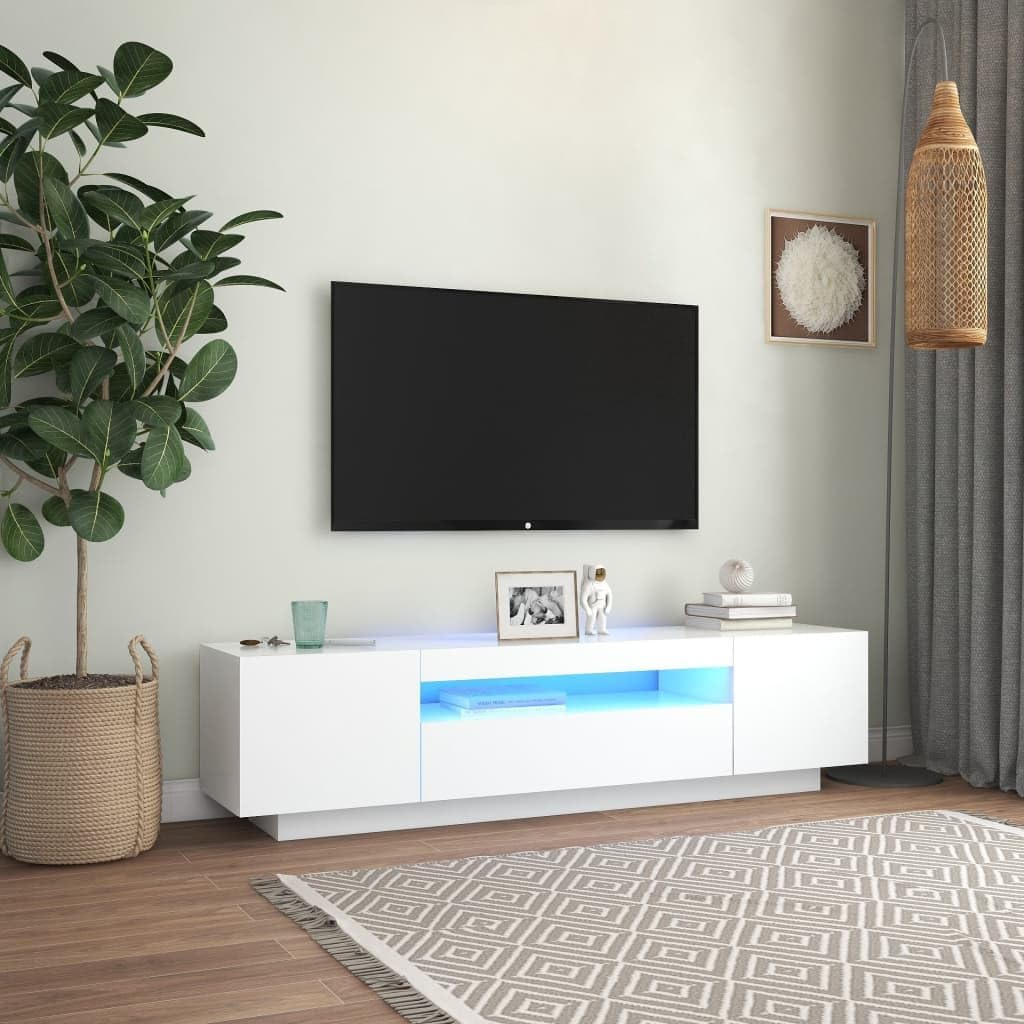
Image: White Generico LED TV Cabinet in a living room setting, displaying blue LED lighting in the central open compartment, with a television mounted above it. This shows the cabinet's appearance with blue LED illumination.

Image: White Generico LED TV Cabinet in a living room setting, displaying red LED lighting in the central open compartment. This demonstrates another color option for the integrated LED lights.

Image: White Generico LED TV Cabinet in a living room setting, displaying green LED lighting in the central open compartment. This illustrates the green color option of the LED lighting.
6. Maintenance
Proper care and maintenance will ensure the longevity and appearance of your Generico LED TV Cabinet.
- Cleaning: Wipe surfaces with a soft, damp cloth. Avoid abrasive cleaners, harsh chemicals, or solvents, as these can damage the finish.
- Dusting: Regularly dust the cabinet with a dry, soft cloth.
- Spills: Clean up spills immediately to prevent staining or damage to the material.
- LED Care: The LED lights are designed for long-term use. If a light strip malfunctions, contact customer support for replacement options. Do not attempt to repair electrical components yourself.
- Avoid direct sunlight: Prolonged exposure to direct sunlight may cause fading or discoloration.
- Humidity: Maintain a stable room humidity to prevent material warping or damage.
7. Troubleshooting
If you encounter any issues with your TV cabinet, refer to the following troubleshooting guide:
- Cabinet is wobbly or unstable:
- Ensure all screws and fasteners are securely tightened.
- Verify the cabinet is placed on a level surface. Use shims if necessary.
- Consider using wall anchors for added stability.
- Doors do not align properly:
- Adjust the hinges. Most hinges have adjustment screws to move the door up/down, left/right, or in/out.
- Ensure the cabinet itself is level and square.
- LED lights are not working:
- Check if the power adapter is securely plugged into both the receiver box and the electrical outlet.
- Ensure the LED strip connector is properly inserted into the receiver box.
- Verify the electrical outlet is functional by plugging in another device.
- Check the remote control battery.
- Ensure the remote control is pointed directly at the LED receiver box.
8. Specifications
| Attribute | Detail |
|---|---|
| Brand | Generico |
| Model Number | 804427 |
| Color | White |
| Material | Plywood |
| Overall Dimensions (L x W x H) | 160 x 35 x 40 cm (63 x 13.8 x 15.7 inches) |
| Product Dimensions (L x W x H) | 160 x 40 x 35 cm (63 x 15.7 x 13.8 inches) |
| LED Lighting | RGB LED lights |
| Assembly Required | Yes |
| Manufacturer | Vidaxl |
| First Available Date | November 18, 2024 |
Note: There is a slight discrepancy in the width and height values between 'Overall Dimensions' and 'Product Dimensions' in the provided data. The values 160 x 35 x 40 cm (L x W x H) are used as the primary reference.
9. Warranty and Support
Specific warranty information for the Generico LED TV Cabinet, Model 804427, is not provided in the product details. Please refer to your purchase documentation or contact the retailer directly for warranty terms and conditions.
For technical support, missing parts, or any other inquiries, please contact the customer service department of your retailer or the manufacturer, Vidaxl, using the contact information provided at the time of purchase.