
Lytmi CozyClip D1
Lytmi CozyClip D1 Open Clip Earbuds User Manual
Model: CozyClip D1 | Brand: Lytmi
Introduction
The Lytmi CozyClip D1 Open Clip Earbuds are designed for comfortable, all-day listening while maintaining awareness of your surroundings. Featuring an ultra-light open-ear design, Hi-Fi sound, AI-powered clear calls, and IP54 waterproof rating, these earbuds offer a unique audio experience. This manual provides essential information for setting up, operating, and maintaining your CozyClip D1 earbuds.
What's in the Box
- Lytmi CozyClip D1 Open-Ear Clip-on Earphones (1 pair)
- Charging Case (1)
- User Manual (1)
- Type-C Charging Cable (1)

Image: Lytmi CozyClip D1 packaging and included accessories.
Product Overview
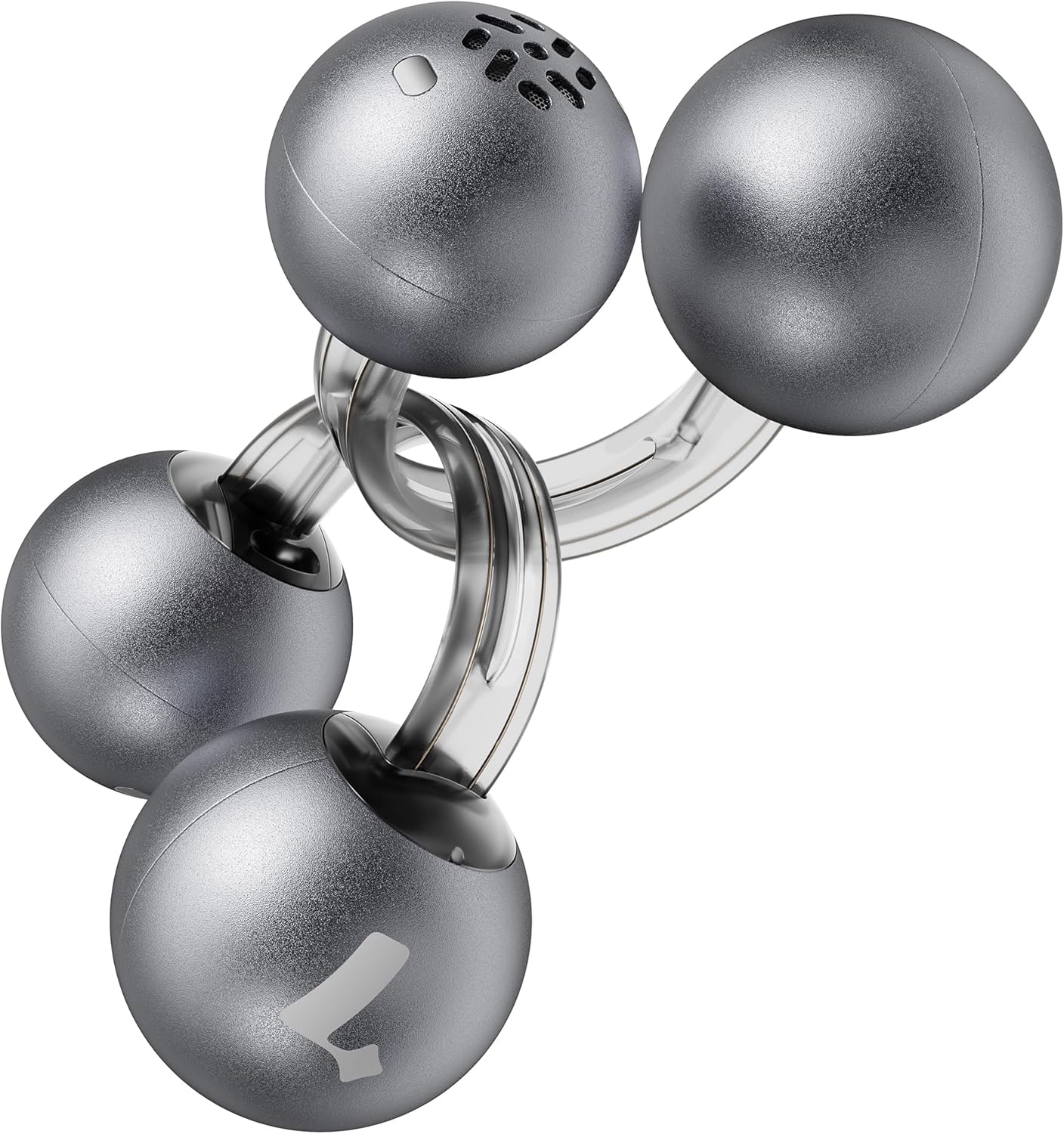
Image: Lytmi CozyClip D1 Earbuds, showcasing their open-ear clip design.

Image: Earbud resting on a feather, illustrating its ultra-lightweight design.
Key Features:
- Open-Ear Design: Weighing just 5.4g each, these earbuds clip onto your ear, providing comfort and allowing you to remain aware of your surroundings.
- Hi-Fi Sound: Experience immersive audio with enhanced bass and clear highs.
- AI Noise Reduction for Calls: Ensures crystal-clear calls by reducing environmental noise, even in windy conditions.
- Auto Left-Right Recognition: Earbuds are interchangeable; wear either earbud on either ear without manual configuration.
- Long Battery Life: Up to 9 hours of playtime on a single charge, and up to 30 hours with the charging case.
- IP54 Waterproof & Dustproof: Designed to withstand sweat and water splashes, suitable for various activities and weather conditions.
- Bluetooth 5.4: Provides stable and efficient wireless connectivity with faster data transfer and extended signal range.
- Dual-Connection: Connect to two devices simultaneously and switch between them seamlessly.
Setup
1. Charging the Earbuds and Case
Before first use, fully charge the earbuds and the charging case.
- Place the earbuds into the charging case. Ensure they are properly seated.
- Connect the Type-C charging cable to the charging port on the case and the other end to a USB power source.
- The indicator light on the case will show charging status. Once fully charged, the indicator will change or turn off.

Image: Charging case and earbuds, illustrating battery life.
2. Pairing with a Device
- Open the charging case. The earbuds will automatically enter pairing mode.
- On your device (smartphone, tablet, etc.), enable Bluetooth and search for available devices.
- Select "Lytmi CozyClip D1" from the list of devices.
- Once connected, a voice prompt will confirm successful pairing.

Image: Quick pairing process with a smartphone.
3. Wearing the Earbuds
The CozyClip D1 earbuds feature an auto left-right recognition system, allowing you to wear either earbud on either ear.
- Gently clip the earbud onto your earlobe, positioning the speaker component near your ear canal.
- Adjust for a comfortable and secure fit. The flexible design ensures stability during movement.
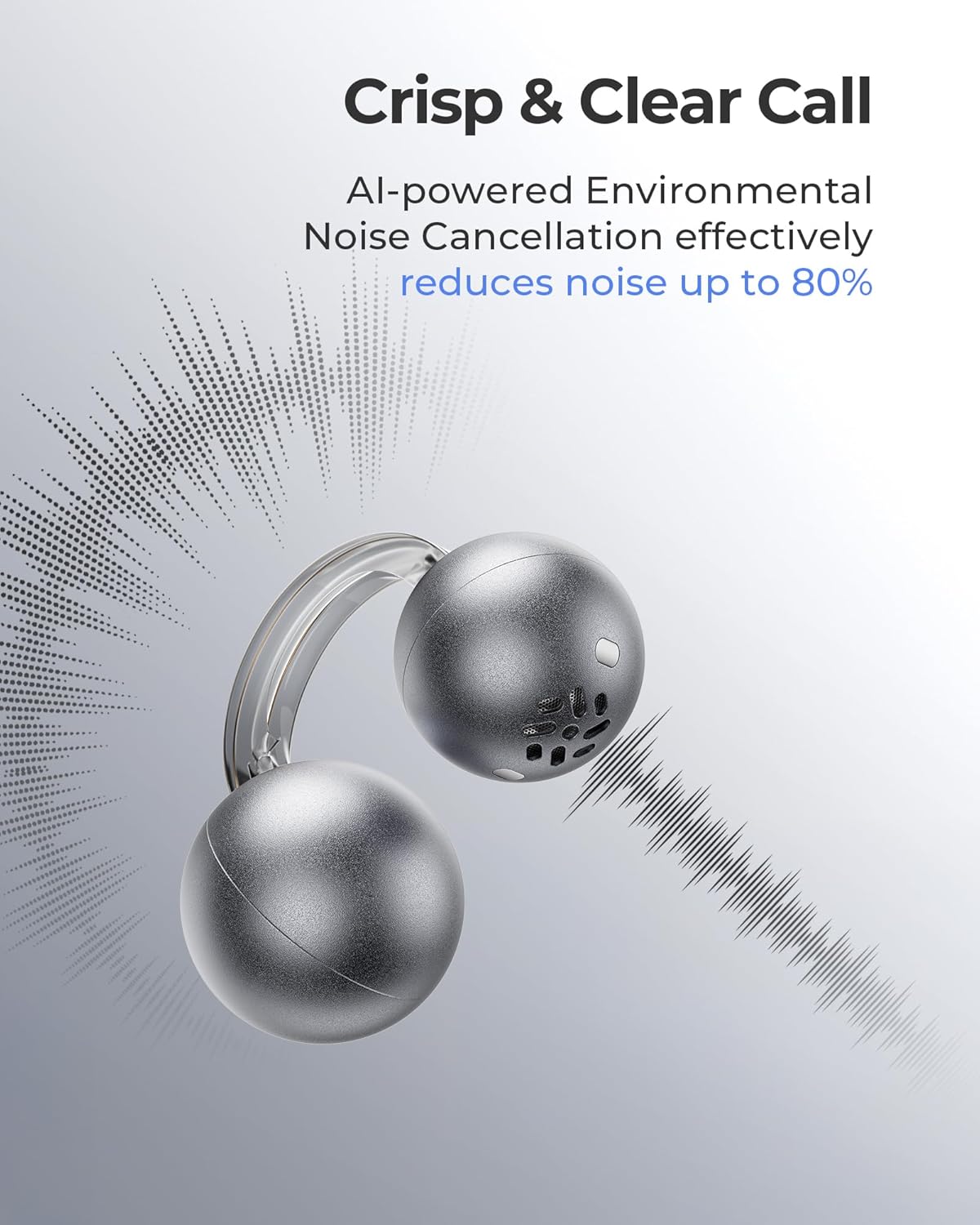
Image: Earbud worn on an ear, showing the secure fit.

Image: Wearing styles for awareness or full sound.
Operating Instructions
Touch Controls
The earbuds feature intuitive touch controls for managing audio playback and calls.
- Double Tap (Left or Right Earbud): Answer a call, End a call, Play/Pause music.
- Triple Tap (Left or Right Earbud): Next track, Reject a call.

Image: Touch control gestures for playback and calls.
Dual-Connection
The CozyClip D1 earbuds support simultaneous connection to two devices.
- Pair the earbuds with your first device (e.g., smartphone).
- Disconnect the earbuds from the first device's Bluetooth settings.
- Pair the earbuds with your second device (e.g., laptop).
- Reconnect the earbuds to the first device from its Bluetooth settings. The earbuds will now be connected to both devices.
- Audio will automatically switch to the device playing content or receiving a call.

Image: Seamless switching between two connected devices.
Official Product Video
Video: An overview of the Lytmi CozyClip D1 Open Ear Clip-on Earbuds, demonstrating their design, fit, and key features in various usage scenarios.
Maintenance
- Cleaning: Regularly wipe the earbuds and charging case with a soft, dry cloth. Avoid using harsh chemicals or abrasive materials.
- Storage: When not in use, store the earbuds in their charging case to protect them from dust and damage.
- Water Exposure: While IP54 rated for water splashes and sweat, avoid submerging the earbuds in water. Ensure they are dry before placing them back in the charging case.
Troubleshooting
| Problem | Solution |
|---|---|
| Earbuds not pairing | Ensure earbuds are charged. Turn off and on Bluetooth on your device. Forget "Lytmi CozyClip D1" from your device's Bluetooth list and re-pair. |
| No sound or low volume | Check device volume. Ensure earbuds are properly seated on your ears. Reconnect the earbuds to your device. |
| Earbuds falling out | Adjust the clip for a more secure fit around your earlobe. Experiment with different positioning for optimal stability. |
| Charging case not charging | Verify the charging cable and power adapter are working correctly. Ensure the Type-C cable is fully inserted into the charging port. |
| Touch controls unresponsive | Ensure your fingers are clean and dry. Try restarting the earbuds by placing them in the case and taking them out again. |
Specifications
| Feature | Detail |
|---|---|
| Model Name | Lytmi CozyClip D1 |
| Connectivity Technology | Wireless (Bluetooth 5.4) |
| Bluetooth Range | 10 Meters |
| Battery Life (Earbuds) | Up to 9 Hours |
| Total Playtime (with Case) | Up to 30 Hours |
| Charging Time | 1 Hour (for earbuds) |
| Water Resistance Level | IP54 (Waterproof & Dustproof) |
| Item Weight (Earbud) | 0.17 Ounces (approx. 5.4g) |
| Audio Driver Size | 12 Millimeters |
| Impedance | 32 Ohm |
| Frequency Response | 20 KHz (Upper limit, typical range 20Hz-20kHz) |
| Noise Control | Adaptive Noise Cancellation (for calls) |
| Material | ABS+PC (for carrying case) |
| Control Method | Touch |
Warranty and Support
For warranty information, technical support, or further assistance, please refer to the official Lytmi website or contact their customer service directly. Keep your purchase receipt for warranty claims.
You can visit the Lytmi Store for more information: Lytmi Official Store
Related documentsCozyClip D1


Ask a question about this manual
Ask about setup, troubleshooting, compatibility, parts, safety, or missing instructions. Manuals+ will review the question and use this page’s manual context to help answer it.