
Introduction
Thank you for choosing the Mesqool CR1009Ultra AM/FM/SW Hand-Crank Radio. This versatile device is designed for emergency preparedness and outdoor activities, offering multiple power sources, radio reception across AM, FM, and SW bands, a powerful flashlight, a reading lamp, and an SOS alarm. Please read this manual carefully to ensure proper use and maintenance of your radio.

The Mesqool CR1009Ultra radio is designed for portability, easily attaching to a backpack for on-the-go use.
Safety Instructions
- Do not expose the device to extreme temperatures, direct sunlight, or high humidity.
- Avoid dropping or subjecting the radio to strong impacts.
- Keep the device away from water. While it has IPX4 water resistance, it is not fully waterproof and should not be submerged.
- Do not attempt to disassemble or repair the unit yourself. Contact qualified service personnel.
- Use only recommended charging methods and accessories.
- Keep out of reach of children.
Package Contents
Please check the package for the following items:
- Mesqool CR1009Ultra Hand-Crank Radio
- USB Type-C Charging Cable
- User Manual
Product Overview
Familiarize yourself with the main components of your Mesqool CR1009Ultra radio:
- Telescopic Antenna: For improved radio reception.
- Solar Panel: For trickle charging in sunlight.
- Hand Crank: For manual power generation.
- Flashlight: Integrated LED light on the side.
- Reading Lamp: Foldable LED light bar on top.
- LCD Display: Shows frequency, time, battery status.
- Control Buttons: Power, Band, Set Time, Volume, Tune, Backlight, Lock.
- USB Output Port: For charging external devices.
- Type-C Input Port: For charging the radio.
- SOS Button: Activates emergency alarm and flashing light.
- Headphone Jack: For private listening.
- AAA Battery Compartment: For optional backup power (AAA batteries not included).
Setup
Initial Charging
Before first use, fully charge the internal 12000mAh battery using the Type-C cable. Connect the Type-C cable to the radio's Type-C input port and the other end to a USB power adapter (not included) or a computer USB port. The charging indicator on the LCD display will show charging status.
Optional AAA Battery Installation
For additional backup power, you can install 3 AAA batteries (not included) into the designated compartment. Ensure correct polarity (+/-) when inserting batteries. The radio will prioritize the internal rechargeable battery if available.
Operating Instructions
Power On/Off
Press the POWER button to turn the radio on or off.
Radio Tuning (AM/FM/SW)
- Extend the telescopic antenna for optimal reception, especially for FM and SW bands.
- Press the BAND button to switch between AM, FM, and SW bands.
- Use the TUNE + or TUNE - buttons to manually scan for stations. Press and hold to auto-scan for the next available station.
- Adjust the volume using the VOL + or VOL - buttons.

The radio offers clear reception across AM (520-1620 kHz), FM (87-108 MHz), and SW (7-19 MHz) bands. Extend the antenna for best signal.
Charging the Radio (5 Ways)
Your radio can be charged via five methods:
- Type-C Charging: Connect the included Type-C cable to a USB power source. This is the most efficient and fastest charging method for daily use.
- Solar Panel: Place the radio with the solar panel facing direct sunlight. This method is primarily for maintaining battery life and trickle charging, not for a full charge from empty.
- Hand Crank: Rotate the hand crank clockwise or counter-clockwise at a steady pace (approx. 130-150 RPM) for emergency power. Cranking for 1 minute can provide several minutes of radio use or flashlight power.
- Internal 12000mAh Battery: The large capacity internal battery provides extended operation time.
- AAA Batteries: (Optional) Insert 3 AAA batteries for backup power.

The Mesqool CR1009Ultra offers five flexible charging options to ensure power availability in any situation.
Using as a Power Bank
The radio's 12000mAh internal battery can be used to charge external devices like smartphones.
- Connect your device's USB charging cable to the radio's USB output port.
- The radio will begin charging your device. Monitor your device's battery status.

Utilize the radio's 12000mAh battery to charge your mobile devices, keeping them powered during emergencies or outdoor adventures.
Flashlight and Reading Lamp
The radio features two independent light sources:
- Flashlight: Press the dedicated flashlight button (usually on the side) to turn it on/off. Some models may have multiple brightness settings.
- Reading Lamp: Fold out the LED light bar from the top of the radio. Press its dedicated button to turn it on/off. Adjust the angle for comfortable reading.
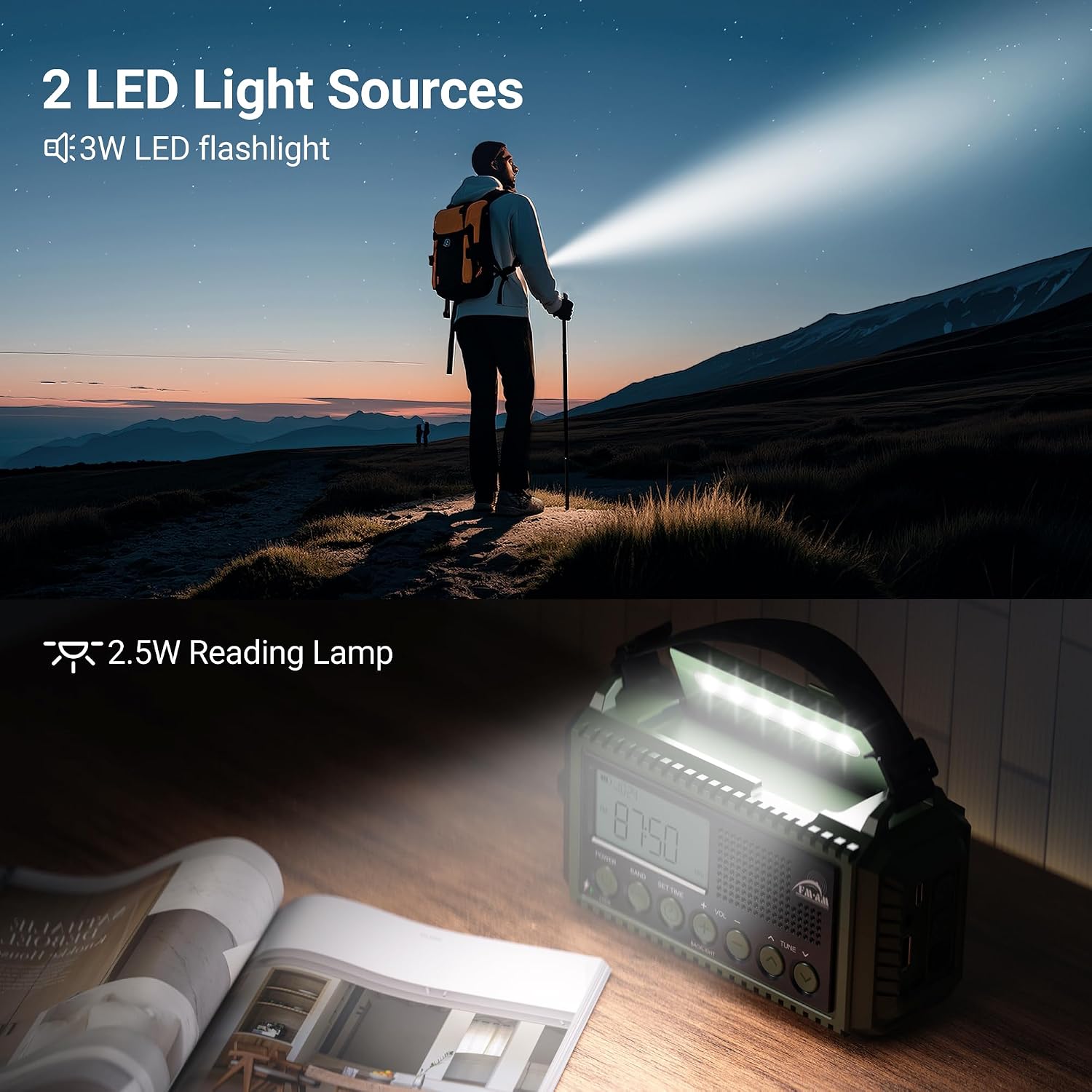
The radio provides two LED light sources: a powerful flashlight for illumination and a foldable reading lamp for convenience.
SOS Alarm
In an emergency, activate the SOS alarm:
- Press and hold the SOS button.
- The radio will emit a loud 105dB siren and flash a red light to attract attention.
- Press the SOS button again to deactivate the alarm.

Activate the 105dB SOS alarm with flashing red light in emergency situations to signal for help.
Headphone Use
For private listening, plug standard 3.5mm headphones into the headphone jack on the side of the radio.
Maintenance
- Clean the radio with a soft, dry cloth. Do not use abrasive cleaners or solvents.
- If not used for an extended period, fully charge the internal battery every 3 months to prolong its lifespan.
- Store the radio in a cool, dry place away from direct sunlight and extreme temperatures.
- If using AAA batteries, remove them if the radio will not be used for a long time to prevent leakage.
Troubleshooting
| Problem | Possible Cause | Solution |
|---|---|---|
| No power/Radio not turning on. | Battery is depleted. | Charge the radio using Type-C, solar, or hand crank. Check AAA batteries if installed. |
| Poor radio reception. | Antenna not extended; weak signal area. | Fully extend the telescopic antenna. Try repositioning the radio. |
| Cannot charge external devices. | Radio battery too low; incorrect cable. | Ensure the radio's internal battery has sufficient charge. Use a compatible USB cable for your device. |
| Flashlight/Reading lamp not working. | Battery depleted; light button not pressed correctly. | Charge the radio. Ensure the specific light button is pressed firmly. |
| SOS alarm not activating. | SOS button not held long enough. | Press and hold the SOS button for a few seconds until the alarm sounds. |
Specifications
| Model Number | CR1009Ultra |
| Brand | Mesqool |
| Radio Bands | AM: 520-1620 kHz, FM: 87-108 MHz, SW: 7-19 MHz |
| Power Source | 12000mAh Rechargeable Battery, Solar Panel, Hand Crank, 3x AAA Batteries (not included) |
| Connectivity | USB (output), Type-C (input) |
| Special Features | SOS Alarm (105dB), Integrated Clock, Flashlight, Reading Lamp, Portable, Dust Resistant, IPX4 Water Resistance |
| Dimensions (L x W x H) | 17.2 x 6.3 x 9.4 cm |
| Compatible Devices | Headphones, USB-chargeable devices |
| Display Type | LCD |
Warranty and Support
This Mesqool product comes with an 18-month warranty from the date of purchase. This warranty covers manufacturing defects and workmanship under normal use.
For technical support, warranty claims, or any questions regarding your Mesqool CR1009Ultra radio, please contact Mesqool customer service. Refer to the contact information provided on the product packaging or the official Mesqool website.
Please retain your proof of purchase for warranty purposes.


