
1. Introduction
This manual provides detailed instructions for the setup, operation, maintenance, and troubleshooting of your Weyot Fall Alert Smartwatch for Seniors. This device is designed to enhance the safety and connectivity of elderly users through features such as automatic fall detection, GPS tracking, and HD communication capabilities.
Key functions include:
- Automatic Fall Detection with alarm notification
- SOS Emergency Call function
- Multi-mode GPS Positioning (GPS + Beidou + LBS + WIFI + TDOA + Gyro)
- Geofencing (Safe Zone) and Track Record
- HD Video Call and HD Voice Call
- Magnetic Charging
- Movement and Medication Reminders
- IP67 Water and Dust Resistance
2. Product Overview
2.1 Package Contents
Please verify that all items are present in the package:
- 1 x Weyot Fall Alert Smartwatch
- 1 x Magnetic Charging Cable
- 1 x User Manual
2.2 Physical Description and Dimensions
The smartwatch features a 1.47-inch touchscreen display and is operated via touch input and physical buttons. The device is available in red or black. Its dimensions are approximately 32 x 14.5 x 56.5 mm (1.25 x 0.57 x 2.22 inches), with a strap length of 25.8 cm (10.15 inches) and a strap width of 2 cm (0.78 inches). The total weight is 42g.

Figure 1: Smartwatch Dimensions
3. Specifications
| Feature | Specification |
|---|---|
| Model Number | 7066241980733 |
| Screen Size | 1.47 Inches |
| Operation Mode | Touchscreen + Buttons |
| Battery Capacity | 600 mAh |
| Battery Life | Up to 5 days |
| Charging Method | Magnetic Charging |
| Water Resistance | IP67 (Dustproof and short-term immersion resistant) |
| SIM Card Type | 4G SIM (not included) |
| Positioning Modes | GPS + Beidou + LBS + WIFI + TDOA + Gyro |
| Compatible Platforms | Android, iOS |
| Weight | 42 g |
| Supported Applications | Phone, GPS, SOS emergency, Health tracking |
| Wireless Carrier | Unlocked |
4. Setup
4.1 Charging the Device
Before first use, fully charge the smartwatch. Connect the magnetic charging cable to the charging contacts on the back of the watch and plug the USB end into a standard USB power adapter (not included). The watch display will indicate charging status. A full charge typically takes approximately 2-3 hours.
4.2 SIM Card Installation
The smartwatch requires a 4G Nano SIM card for full functionality (calls, GPS, data). Ensure the SIM card is active and has a data plan. Locate the SIM card slot on the side of the watch. Carefully insert the Nano SIM card with the gold contacts facing up and the notched corner aligned correctly. Push until it clicks into place. Close the SIM card tray securely to maintain water resistance.
4.3 Powering On/Off
- To Power On: Press and hold the power button (usually located on the side) for a few seconds until the screen lights up.
- To Power Off: Press and hold the power button. A power-off option will appear on the screen. Select it to shut down the device.
4.4 App Installation and Pairing
To manage the smartwatch and access advanced features, download the companion application on your smartphone (compatible with Android and iOS). Search for the app name (usually provided in the manual or on the product packaging) in your device's app store. Follow the in-app instructions to create an account and pair the smartwatch using the unique QR code or device ID found on the watch or its packaging.
4.5 Setting Up Emergency Contacts and Safe Zones
Within the companion app, configure emergency contacts. These contacts will receive alerts during SOS calls or fall detection events. You can also define 'Safe Zones' (geofences) on a map. The app will send notifications to designated contacts when the wearer enters or exits these predefined areas.
5. Operating Instructions
5.1 Fall Detection System
The smartwatch is equipped with an intelligent fall detection system. If the wearer experiences an accidental fall, the watch will automatically detect it and initiate an alarm. This alarm will notify pre-set family members or emergency contacts via the companion app, ensuring timely assistance.
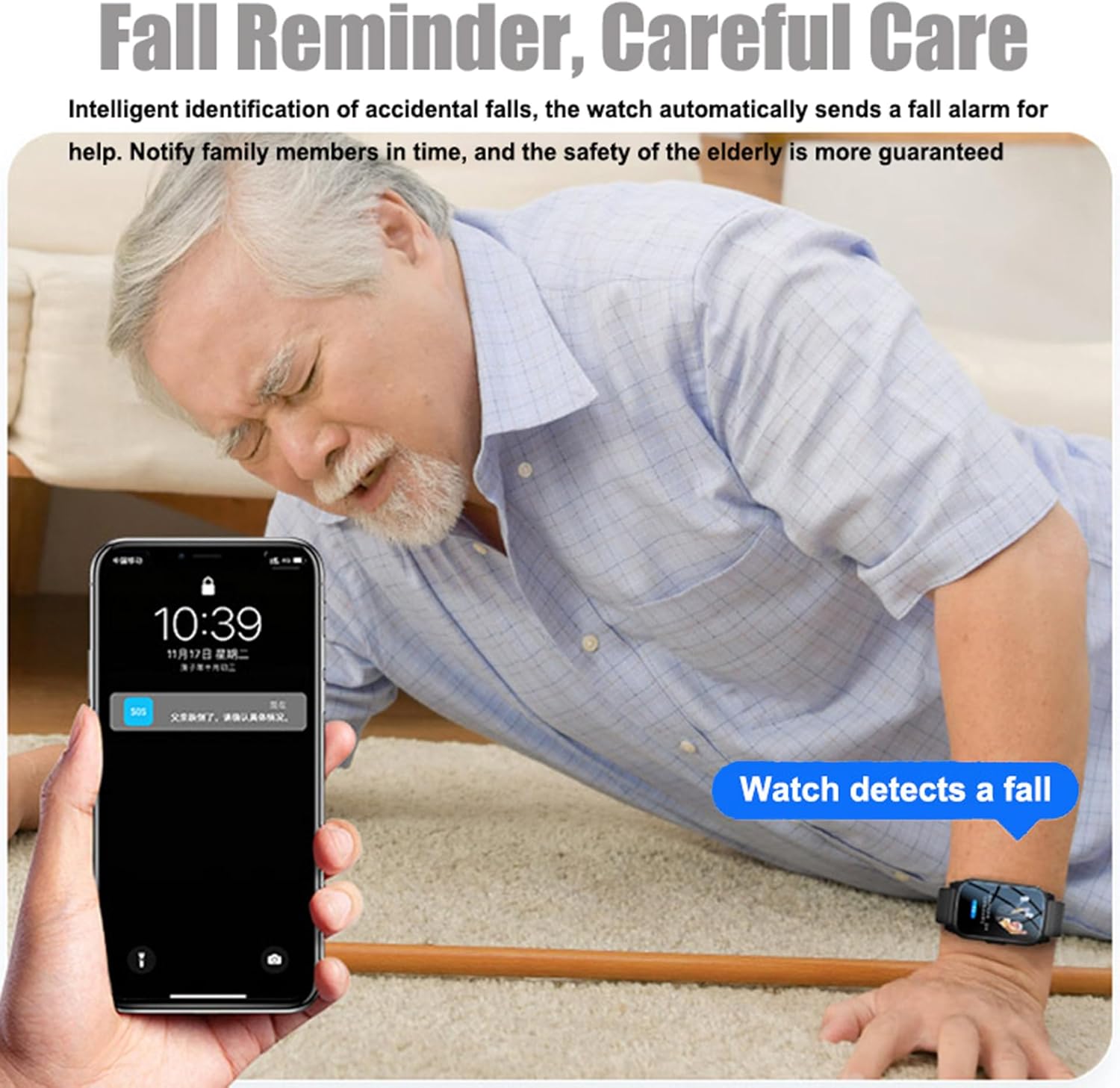
Figure 2: Fall Detection Notification
5.2 SOS Emergency Function
In case of an emergency, the wearer can manually activate the SOS function by pressing and holding the dedicated SOS button on the watch. This will immediately send an alert with the wearer's location to all designated emergency contacts and can initiate an emergency call.
5.3 GPS Tracking and Geofencing
The smartwatch utilizes multiple positioning technologies (GPS, Beidou, LBS, WIFI, TDOA, Gyro) for accurate location tracking. Through the companion app, family members can view the wearer's real-time location and review their activity track history. Notifications are sent when the wearer enters or exits predefined 'Safe Zones'.

Figure 3: Multiple Safety Positioning and App Interface
5.4 Making and Receiving HD Video Calls
The built-in HD camera supports real-time HD video calls. Wearers can initiate video calls to pre-approved contacts, and family members can initiate video calls to the watch through the companion app. This feature allows for face-to-face communication.

Figure 4: HD Video Call in Progress
5.5 Making and Receiving HD Voice Calls
The smartwatch supports HD voice calls. You can set the watch to automatically answer incoming calls from family numbers, simplifying communication for the wearer. The device provides a double reminder for incoming calls, using both vibration and ringing, which is beneficial for users with hearing impairments.

Figure 5: HD Voice Call with Vibration and Ring Reminder
5.6 Reminders (Movement, Medication)
Configure movement reminders to encourage regular physical activity and medication reminders to ensure timely intake of prescribed medicines. These can be set up and managed through the companion application.
5.7 Using the Touchscreen and Buttons
Navigate the smartwatch interface by swiping and tapping on the 1.47-inch touchscreen. The physical buttons on the side provide additional control, such as power on/off and activating the SOS function.
6. Maintenance
6.1 Cleaning
Wipe the smartwatch regularly with a soft, dry, lint-free cloth. For stubborn dirt, slightly dampen the cloth with water. Avoid using harsh chemicals, abrasive materials, or strong cleaning agents, as these can damage the watch's finish and seals.
6.2 Battery Care
To prolong battery life, avoid fully discharging the watch frequently. Charge the device when the battery level is low. Store the watch in a cool, dry place when not in use for extended periods.
6.3 Water Resistance Guidelines
The smartwatch has an IP67 rating, meaning it is dustproof and resistant to short-term immersion in water (up to 1 meter for 30 minutes). It can withstand rain and splashes. However, it is important to note that swimming and hot bathing are strictly prohibited as these activities can compromise the device's water resistance and cause damage.

Figure 6: IP67 Water Resistance Demonstration
7. Troubleshooting
If you encounter issues with your smartwatch, please refer to the following common problems and solutions:
- Watch does not power on: Ensure the watch is fully charged. Connect it to the magnetic charger and wait for a few minutes before attempting to power it on again.
- No network signal/cannot make calls: Verify that the 4G Nano SIM card is correctly inserted and active. Check if the SIM card has sufficient balance or data plan. Ensure you are in an area with 4G network coverage.
- GPS location is inaccurate: Ensure the watch has a clear view of the sky for optimal GPS signal reception. In indoor environments, LBS or Wi-Fi positioning may be used, which can be less precise.
- Fall detection not working or false alarms: Ensure the watch is worn snugly on the wrist. Review the sensitivity settings for fall detection in the companion app. Certain sudden movements or impacts might trigger false alarms.
- Cannot pair with the app: Ensure Bluetooth is enabled on your smartphone and the watch is powered on. Double-check the QR code or device ID for accuracy. Try restarting both the watch and your smartphone.
- Battery drains quickly: Reduce screen brightness, disable unnecessary notifications, and ensure background app usage is optimized. Check for any apps running continuously that might consume excessive power.
If the problem persists after attempting these solutions, please contact customer support.
8. Warranty and Support
8.1 Warranty Information
The Weyot Fall Alert Smartwatch for Seniors comes with a Lifetime Warranty. This warranty covers manufacturing defects and ensures the product's functionality under normal use. Please retain your proof of purchase for warranty claims.
8.2 Customer Support
For any questions, technical assistance, or warranty claims, please contact Weyot customer support through the contact information provided on the product packaging or the official Weyot website. Please have your model number (7066241980733) and purchase details ready when contacting support.