
1. Introduction
Thank you for choosing the Coleshome L-Shaped Corner Desk. This manual provides essential information for the safe assembly, operation, and maintenance of your new desk. Please read these instructions thoroughly before beginning assembly and retain them for future reference.
This versatile desk features a spacious L-shaped design, integrated LED lighting, convenient power outlets with USB ports, and ample storage with 5 drawers and 4 shelves. Its reversible configuration allows it to adapt to various room layouts.
2. Safety Information
- Assembly Safety: Assemble the desk on a soft, clean surface to prevent scratches. Ensure all hardware is securely tightened before use. Do not overtighten screws.
- Weight Capacity: Do not exceed the recommended weight limits for the desktop, shelves, and drawers. Overloading can cause damage or injury.
- Electrical Safety: Only use the integrated power outlets and USB ports with compatible devices. Do not expose the power strip to moisture. Disconnect from power before cleaning or if any damage occurs.
- Stability: Place the desk on a level surface. If necessary, use wall anchors (not included) to secure the desk to the wall for added stability, especially if children are present.
- Children: Keep small parts and packaging materials away from children during assembly.
3. Package Contents
Verify that all components listed below are present before beginning assembly. If any parts are missing or damaged, please contact Coleshome customer support.
- Desktop Panels (Main, Side)
- Shelf Units (4-tier)
- Drawer Units (5 drawers, including fabric drawers)
- Metal Frame Components
- LED Lighting Strip
- Integrated Power Outlet Unit (2 AC, 2 USB)
- Assembly Hardware (screws, bolts, connectors, Allen wrench)
- Instruction Manual
4. Setup and Assembly
Assembly typically requires two adults. Please follow the numbered steps in the included assembly diagram carefully.
- Prepare the Area: Clear a spacious area and lay down a blanket or cardboard to protect the desk components and your floor.
- Identify Components: Unpack all parts and identify them using the parts list and diagrams.
- Assemble the Frame: Begin by assembling the main metal frame structure according to the diagrams. Ensure all connections are firm but do not fully tighten screws until instructed.
- Attach Desktop Panels: Secure the main and side desktop panels to the assembled frame. Note that the L-shape is reversible; decide on your preferred orientation (left or right) before attaching.
- Install Shelf Units: Attach the 4-tier shelving units to the designated side of the desk.
- Insert Drawers: Assemble and insert the 5 drawers into their respective compartments.
- Mount Power Outlet Unit: Secure the integrated power outlet unit to the designated location on the desktop.
- Apply LED Strip: Carefully attach the LED lighting strip to the underside of the shelves or desktop as indicated in the diagram. Connect it to the power source.
- Final Tightening: Once all components are in place and aligned, gradually tighten all screws and bolts.

Figure 1: A technical diagram illustrating the precise measurements of the Coleshome L-shaped desk, including length, width, height, and component dimensions.
5. Operating Instructions
5.1 LED Lighting
The integrated LED lighting strip offers customizable illumination for your workspace.
- Power On/Off: Use the control button on the LED strip to turn the lights on or off.
- Brightness Adjustment: Cycle through 10 brightness levels using the designated button.
- Mode Selection: Choose from 10 different lighting modes (e.g., static colors, dynamic effects) using the mode selection button.
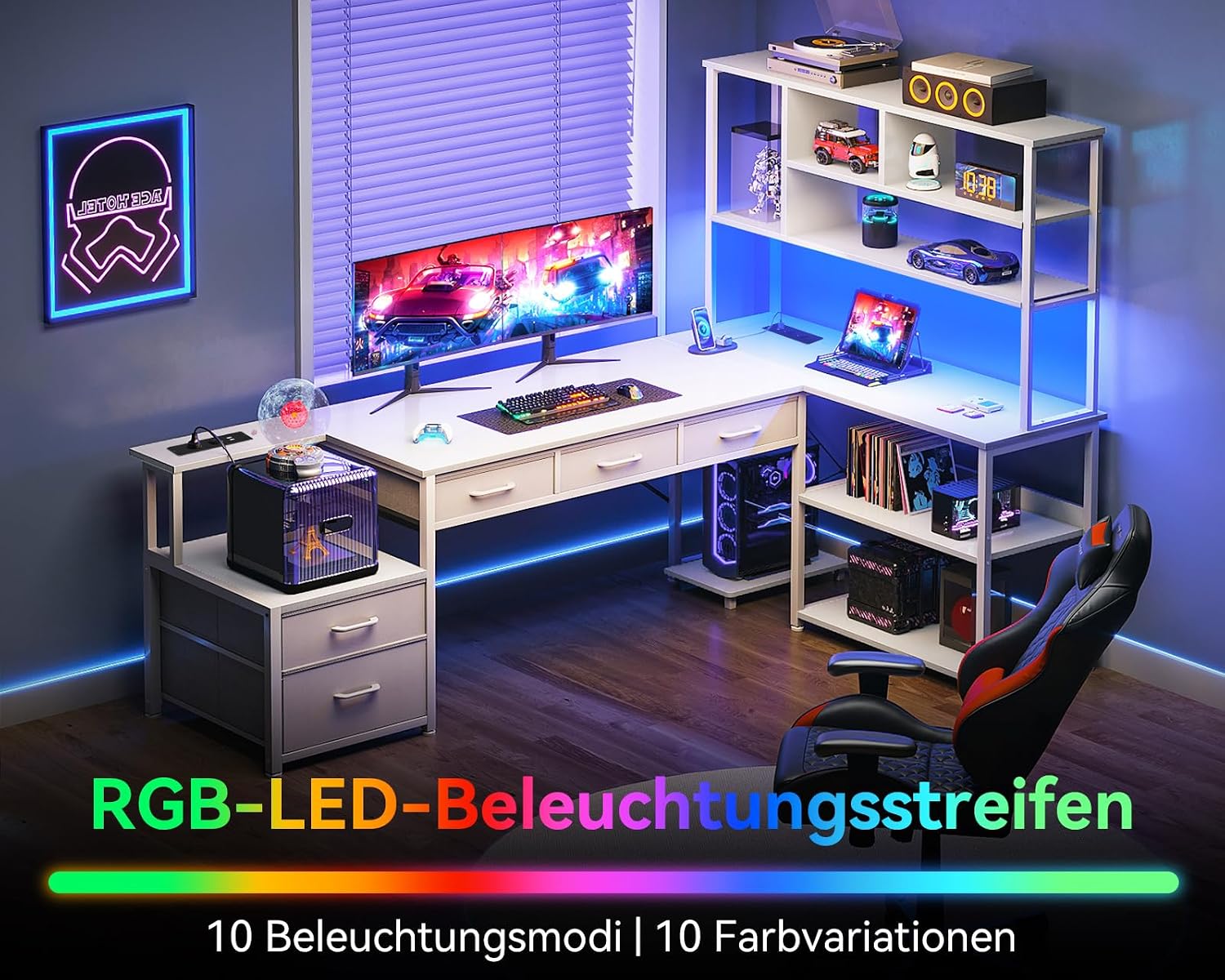
Figure 2: The Coleshome desk illuminated by its integrated LED strip, showcasing the customizable lighting feature.
5.2 Power Outlets and USB Ports
The desk includes a built-in power strip for convenient charging and powering of your devices.
- AC Outlets: Plug in your laptop, monitor, or other AC-powered devices into the two standard AC outlets (110V-240V/6A).
- USB Ports: Use the two USB ports (5V/2A) to charge smartphones, tablets, or other USB-powered accessories.
- Cable Management: Route power cables neatly to avoid clutter and tripping hazards.

Figure 3: A close-up of the integrated power strip on the Coleshome desk, featuring two AC outlets and two USB charging ports.
5.3 Storage (Drawers and Shelves)
Utilize the 5 drawers and 4 shelves for organized storage of your office supplies, documents, books, and personal items.
- Drawers: The drawers are designed for easy access and can hold various small to medium-sized items.
- Shelves: The open shelves provide space for books, decorative items, or frequently accessed equipment.

Figure 4: A top-down view of the desk's integrated drawers, demonstrating their storage capacity for various office items.
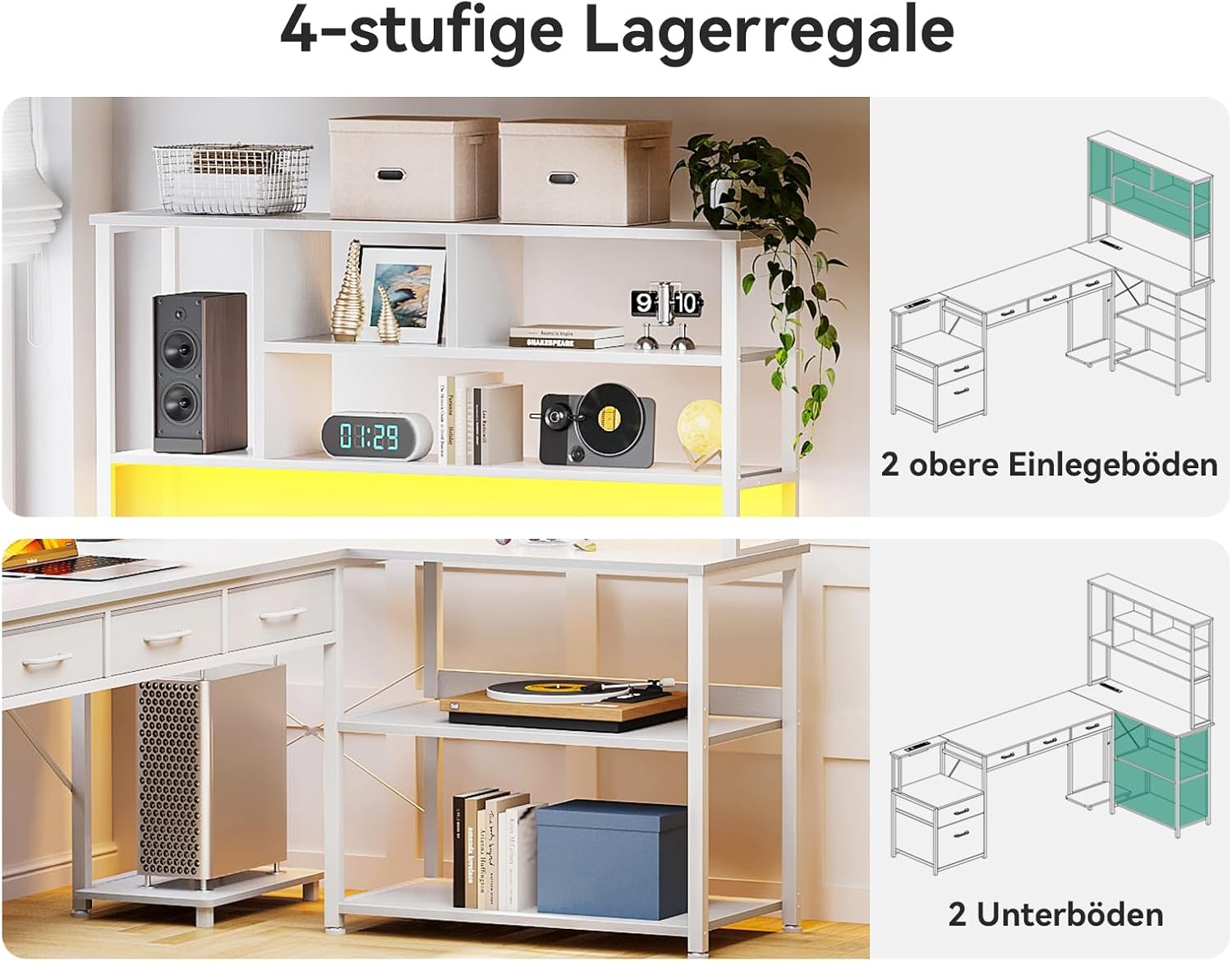
Figure 5: A detailed view of the desk's shelving units, highlighting their structure and potential for organizing books and decorative items.
6. Maintenance
- Cleaning: Wipe the desk surfaces with a soft, damp cloth. Avoid using abrasive cleaners, harsh chemicals, or solvents, as these can damage the finish.
- Dusting: Regularly dust the desk and shelves to prevent buildup.
- Hardware Check: Periodically check all screws and connections to ensure they remain tight. Retighten if necessary.
- Spills: Clean up spills immediately to prevent staining or damage to the wood surface.
7. Troubleshooting
- Desk is Wobbly: Ensure all assembly screws are fully tightened. Check that the desk is on a level surface. Adjust any leveling feet if present.
- LED Lights Not Working: Check if the LED strip is properly connected to the power source. Ensure the power outlet is functional. Verify the control button is pressed correctly.
- Power Outlets/USB Ports Not Functioning: Ensure the desk's main power cable is securely plugged into a working wall outlet. Check for any tripped circuit breakers.
- Drawers Stick or Don't Slide Smoothly: Ensure the drawer slides are correctly installed and free of obstructions. Check that the drawer contents are not overloaded.
8. Specifications
| Feature | Detail |
|---|---|
| Brand | Coleshome |
| Model Number | ZSJYCWJG |
| Color | White |
| Dimensions (L x W x H) | 200 x 110 x 154.2 cm (78.7 x 43.3 x 60.7 inches) |
| Item Weight | 35 Kilograms (77.2 lbs) |
| Material | Wood (Top Material), Metal (Frame) |
| Special Features | LED Lighting, Integrated Power Outlets with USB, L-shaped design, 5 Drawers, 4 Shelves |
| Power Outlets | 2 AC (110V-240V/6A) |
| USB Ports | 2 USB (5V/2A) |

Figure 6: An overview of the Coleshome L-shaped corner desk, showcasing its design with integrated shelving, drawers, and power features.
9. Warranty and Support
Coleshome products are manufactured to high-quality standards. For warranty information, specific terms, or technical support, please refer to the purchase documentation or contact Coleshome customer service directly. Please have your model number (ZSJYCWJG) and purchase date available when contacting support.
Contact information can typically be found on the Coleshome official website or through your retailer.
