
1. Introduction
This manual provides comprehensive instructions for the safe and effective use of your UniqueFire 1602 395nm UV Flashlight. Please read this manual thoroughly before operation and retain it for future reference.
2. Product Overview
The UniqueFire 1602 is a high-power, USB rechargeable UV flashlight designed for various applications including pet urine detection, fluorescence observation, UV resin curing, and more. Its robust aluminum alloy construction ensures durability and efficient heat dissipation.

Figure 1: UniqueFire 1602 395nm UV Flashlight and USB charging cable.
3. Package Contents
- UniqueFire 1602 395nm UV Flashlight
- Rechargeable Lithium-Ion Battery (pre-installed)
- USB Charging Cable
- User Manual
4. Specifications
| Feature | Detail |
|---|---|
| Model | 1602 |
| UV Wavelength | 395nm |
| Power Source | Battery Powered (Rechargeable Lithium Ion) |
| Material | Aluminum Alloy |
| Dimensions | 4"D x 2"W x 2"H (approx. 133mm length, 35mm caliber, 26mm tail) |
| Item Weight | 10.4 ounces (approx. 118.1g) |
| Water Resistance | IPX4 (Life Waterproofing) |
| Special Features | Portable, Professional, High Power, Adjustable Light Modes, Impact Resistant |

Figure 2: Physical dimensions and weight of the flashlight.
5. Setup and Charging
5.1 Battery Installation
Before first use, ensure the insulation sheet protecting the battery is removed. Unscrew the tail cap of the flashlight, remove the battery, peel off any protective film or sheet, and reinsert the battery with the positive (+) end facing towards the head of the flashlight. Securely screw the tail cap back on.
5.2 Charging the Flashlight
The UniqueFire 1602 features an integrated USB charging function. Connect the provided USB charging cable to the flashlight's charging port and to a compatible USB power source (e.g., wall adapter, power bank, computer USB port). The indicator light will show charging status (e.g., red for low battery, green for fully charged).

Figure 3: Charging the UniqueFire 1602 UV Flashlight. The image illustrates connecting the USB-C cable to the flashlight and a power source, with indicators for low and full battery status.
6. Operation
6.1 Power On/Off and Mode Selection
Press the power switch located on the side of the flashlight to turn it on. Subsequent presses will cycle through available light modes (if applicable). Press and hold the switch to turn the flashlight off.
6.2 Usage Methods for UV Light
The 395nm UV light is effective for various detection and curing tasks:
- Pet Urine and Stain Detection: Illuminate dark areas to reveal hidden pet urine, food stains, and other organic residues that fluoresce under UV light.
- Fluorescence Detection: Ideal for identifying fluorescent agents in banknotes, passports, minerals, and certain types of art or collectibles.
- UV Resin Curing: Suitable for curing UV-sensitive resins used in crafts, jewelry making, and nail art.
- Night Fishing and Outdoor Activities: Can attract certain insects and fish, or be used for general illumination in specific outdoor scenarios.
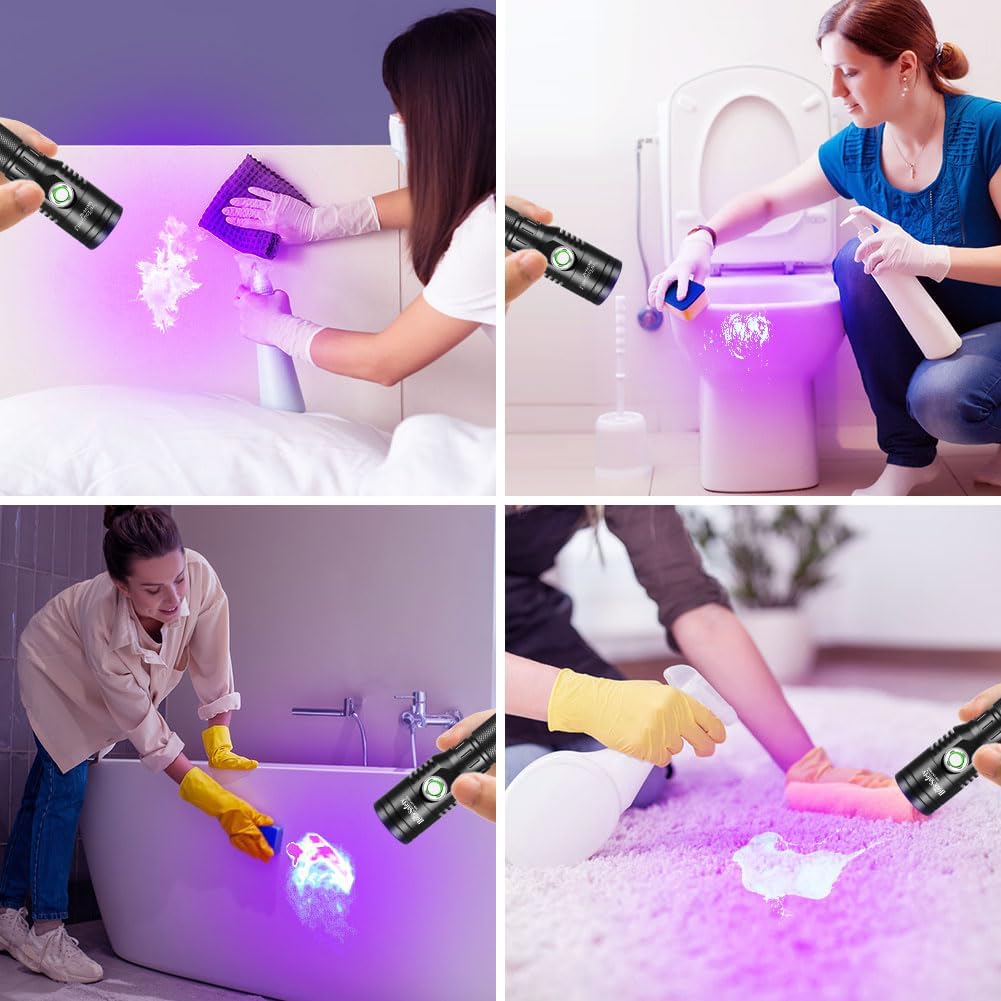
Figure 4: The flashlight revealing hidden stains on various household surfaces, including a bed, toilet, bathtub, and carpet.
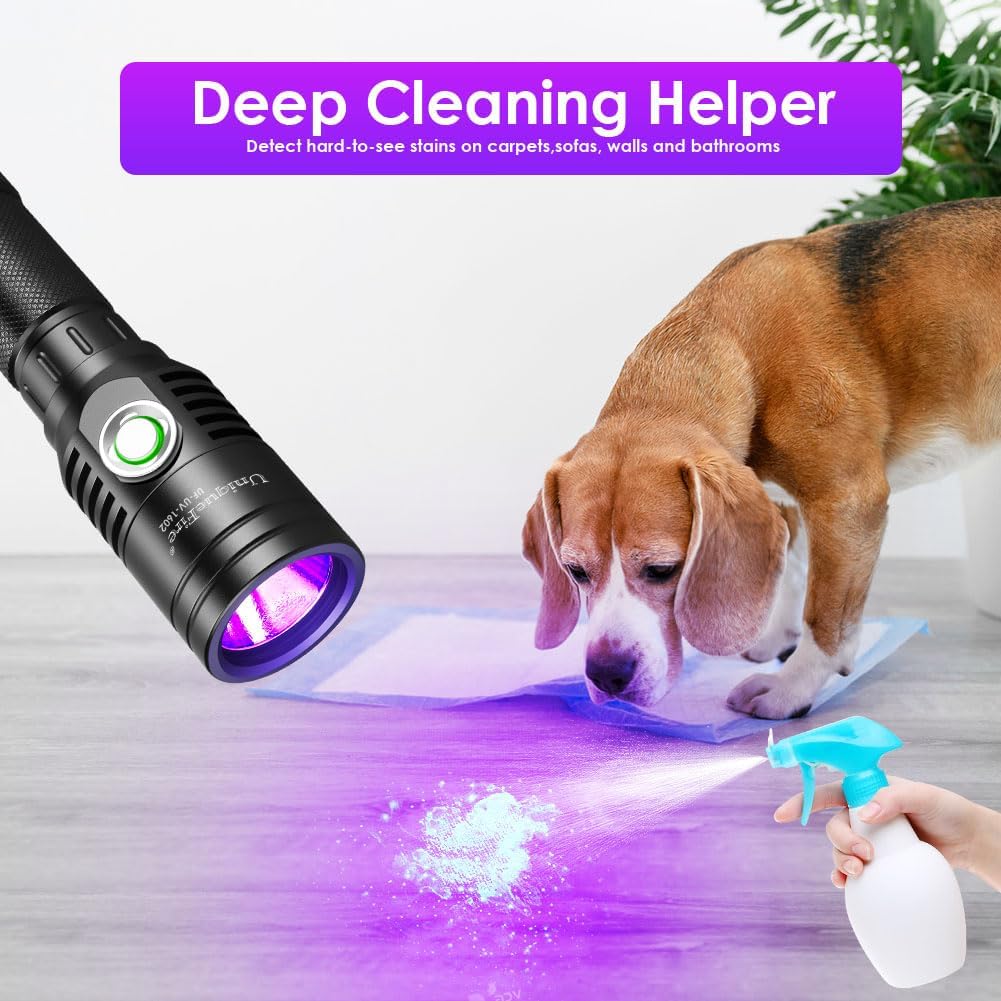
Figure 5: A dog investigating a glowing spot on the floor, illuminated by the UV flashlight, suggesting the presence of pet urine.

Figure 6: Diverse applications of the UV flashlight, showcasing its ability to reveal fluorescence in different materials and settings.
7. Maintenance
7.1 Cleaning
To clean the exterior of the flashlight, use a soft, damp cloth. Do not use abrasive cleaners or solvents, as these may damage the finish. Ensure the lens is kept clean for optimal performance.
7.2 Storage
Store the flashlight in a cool, dry place away from direct sunlight and extreme temperatures. If storing for an extended period, it is recommended to remove the battery to prevent leakage.
7.3 Water Resistance
The flashlight features IPX4 life waterproofing, meaning it is resistant to splashing water from any direction. It is not designed for submersion in water.

Figure 7: The flashlight demonstrating its IPX4 water resistance in a wet environment.
8. Safety Warnings
- UV Radiation: Avoid direct exposure of UV light to eyes and skin. Prolonged exposure can be harmful. Consider using UV protective glasses (not included with this model) for extended use.
- Flammable Materials: Do not shine the flashlight onto flammable materials for extended periods due to the potential for heat generation.
- Battery Safety: Use only the specified rechargeable battery. Do not disassemble, puncture, or expose the battery to high temperatures.
- Children: Keep the flashlight out of reach of children.
9. Troubleshooting
| Problem | Possible Cause | Solution |
|---|---|---|
| Flashlight does not turn on. | Battery not installed correctly or insulation sheet not removed. Battery is depleted. | Ensure battery is correctly inserted and insulation sheet is removed. Charge the battery fully. |
| Light is dim or flickers. | Low battery. Dirty lens. | Recharge the battery. Clean the lens with a soft cloth. |
| Flashlight gets hot during use. | Normal operation for high-power UV LEDs. Prolonged use. | This is normal. If it becomes excessively hot, turn off the flashlight and allow it to cool down. Avoid shining on flammable materials. |
10. Warranty and Support
UniqueFire products are manufactured with quality and reliability in mind. For warranty information or technical support, please refer to the contact details provided with your purchase documentation or visit the official UniqueFire store.
Official UniqueFire Store: Visit Store