
Introduction
This manual provides essential instructions for the safe and effective use of your Brookstone Electric Foot Warmer, Model PDEV05507. Please read all instructions carefully before first use and retain this manual for future reference.

Image: The Brookstone Electric Foot Warmer in use, showing feet comfortably placed inside the plush, grey sherpa-lined warmer.
Important Safety Information
To ensure safe operation, always adhere to the following guidelines:
- Do not use if the product or power cord appears damaged.
- Keep away from water or excessive moisture.
- Do not use while sleeping.
- The foot warmer is equipped with a 4-hour auto-shut off feature for safety.
- Always unplug the device when not in use or before cleaning.
- Do not insert pins or other metallic objects into the foot warmer.
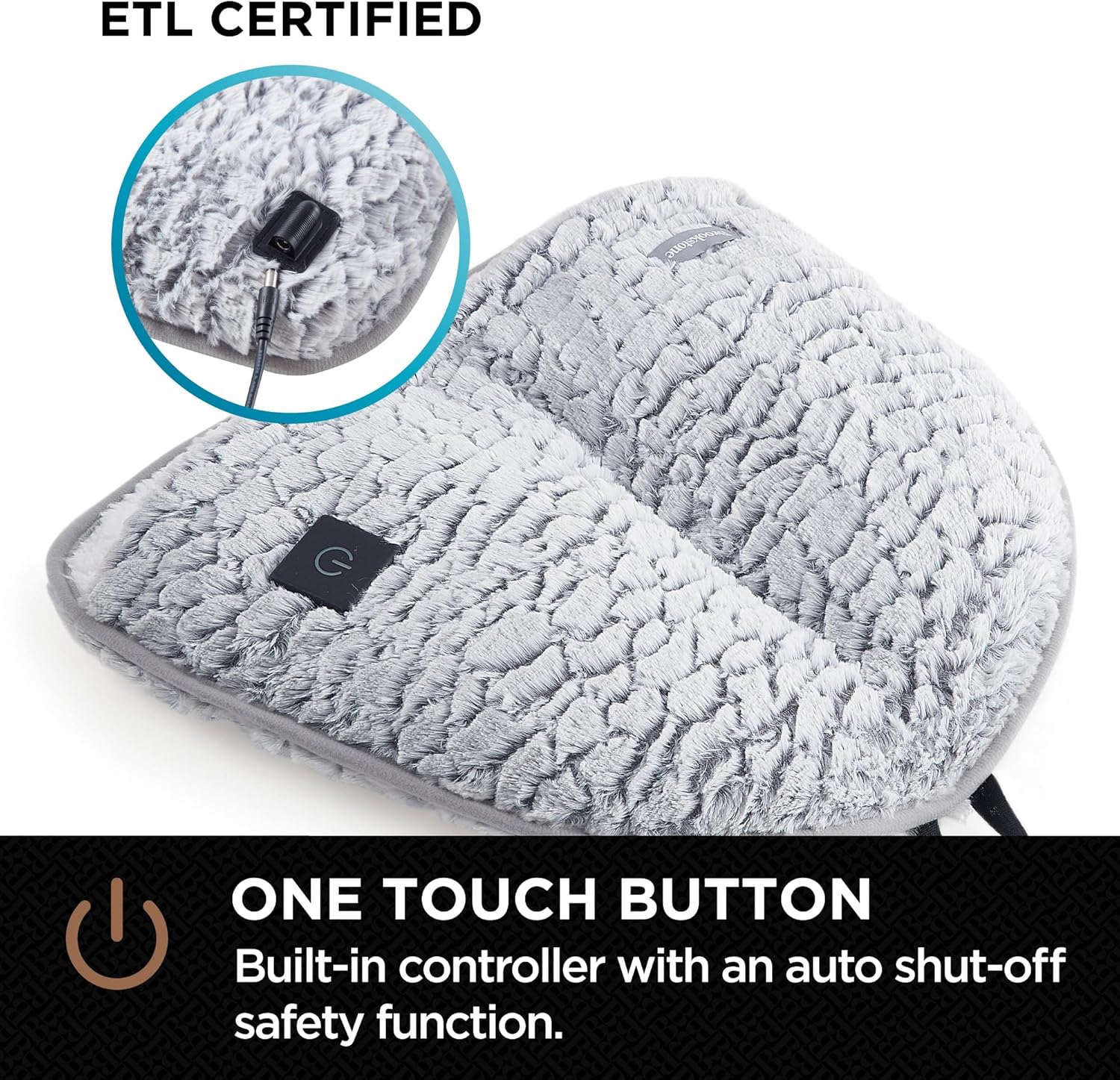
Image: Close-up of the Brookstone Electric Foot Warmer showing the power cord connection point and an ETL Certified label, indicating product safety compliance.
Setup
- Unpack: Carefully remove the foot warmer from its packaging. Inspect for any signs of damage.
- Placement: Place the foot warmer on a flat, stable surface where you intend to use it, such as under a desk or on the floor near a sofa.
- Connect Power: Insert the power cord into the designated port on the foot warmer. Then, plug the power adapter into a standard electrical outlet.

Image: The Brookstone Electric Foot Warmer, highlighting the built-in power button for easy access and control.
Operating Instructions
The Brookstone Electric Foot Warmer features a simple one-touch control for ease of use.
- Power On: Press the power button located on the top surface of the foot warmer. The indicator light will illuminate.
- Adjust Heat Settings: Continue pressing the power button to cycle through the 4 available heat settings (Low, Medium, High, and an additional setting). The indicator light will change color or intensity to reflect the selected heat level.
- Insert Feet: Place your feet inside the plush, sherpa-lined interior. The internal divider ensures comfort for both feet.
- Automatic Shut-off: The device will automatically turn off after 4 hours of continuous use for safety.
- Power Off: To manually turn off the foot warmer, press the power button until the indicator light extinguishes, or simply unplug the device from the wall outlet.

Image: The Brookstone Electric Foot Warmer with visual indicators for its three heat settings, demonstrating adjustable warmth.
Maintenance
Proper care ensures the longevity and hygiene of your foot warmer.
- Cleaning: The foot warmer is machine washable and dryer safe. Ensure the power cord is completely disconnected before washing.
- Washing Instructions: Refer to the care label attached to the product for specific washing and drying instructions. Generally, wash on a gentle cycle with cold water and tumble dry on low heat.
- Storage: Store the foot warmer in a cool, dry place when not in use.

Image: The Brookstone Electric Foot Warmer with an 'Easy Care' graphic and washing machine icon, indicating its machine washable and dryer safe features.
Troubleshooting
| Problem | Possible Cause | Solution |
|---|---|---|
| Foot warmer does not turn on. | Not plugged in correctly; Power outlet issue; Damaged cord. | Ensure all connections are secure. Try a different outlet. If cord is damaged, discontinue use and contact support. |
| Foot warmer is not heating. | Heat setting too low; Auto-shut off activated. | Increase heat setting. If 4 hours have passed, turn off and on again. |
| Indicator light is blinking. | Internal error or overheating protection. | Unplug the device, wait 10-15 minutes, then plug back in. If issue persists, contact support. |
Specifications
- Model: PDEV05507
- Brand: Brookstone
- Color: Grey
- Material: 100% Polyester
- Heat Settings: 4 Adjustable Settings
- Auto Shut-off: 4 Hours
- Item Dimensions (LxW): 17 x 16 inches
- Item Weight: 0.88 Pounds
- UPC: 042075661229
Warranty and Support
For warranty information and customer support, please refer to the documentation included with your product or visit the official Brookstone website. Keep your purchase receipt as proof of purchase for any warranty claims.