
1. Product Overview
The Bruni Screen Protector is a crystal-clear protective film specifically designed for the Carpuride W619 device. Manufactured from highly transparent, scratch-resistant PET material using advanced laser technology, this protector ensures optimal display clarity and touch sensitivity. It is engineered for easy, bubble-free installation and can be removed without leaving any residue.

Image 1.1: Bruni Screen Protector packaging and the transparent protective film.
Key Features:
- Perfect Fit: Specifically designed for Carpuride W619.
- High Transparency: Crystal clear film ensures true color representation and does not impair screen content.
- Scratch Resistance: Made from durable PET material to protect against scratches.
- Easy Installation: Can be installed easily and without bubbles, and removed without residue.
- Optimal Adhesion: Once installed, the adhesive-free screen protector remains securely in place.
- Touch Optimized: Ensures full functionality of touchscreens with high sensitivity and precision.
- Made in Germany: Produced with high-quality standards.
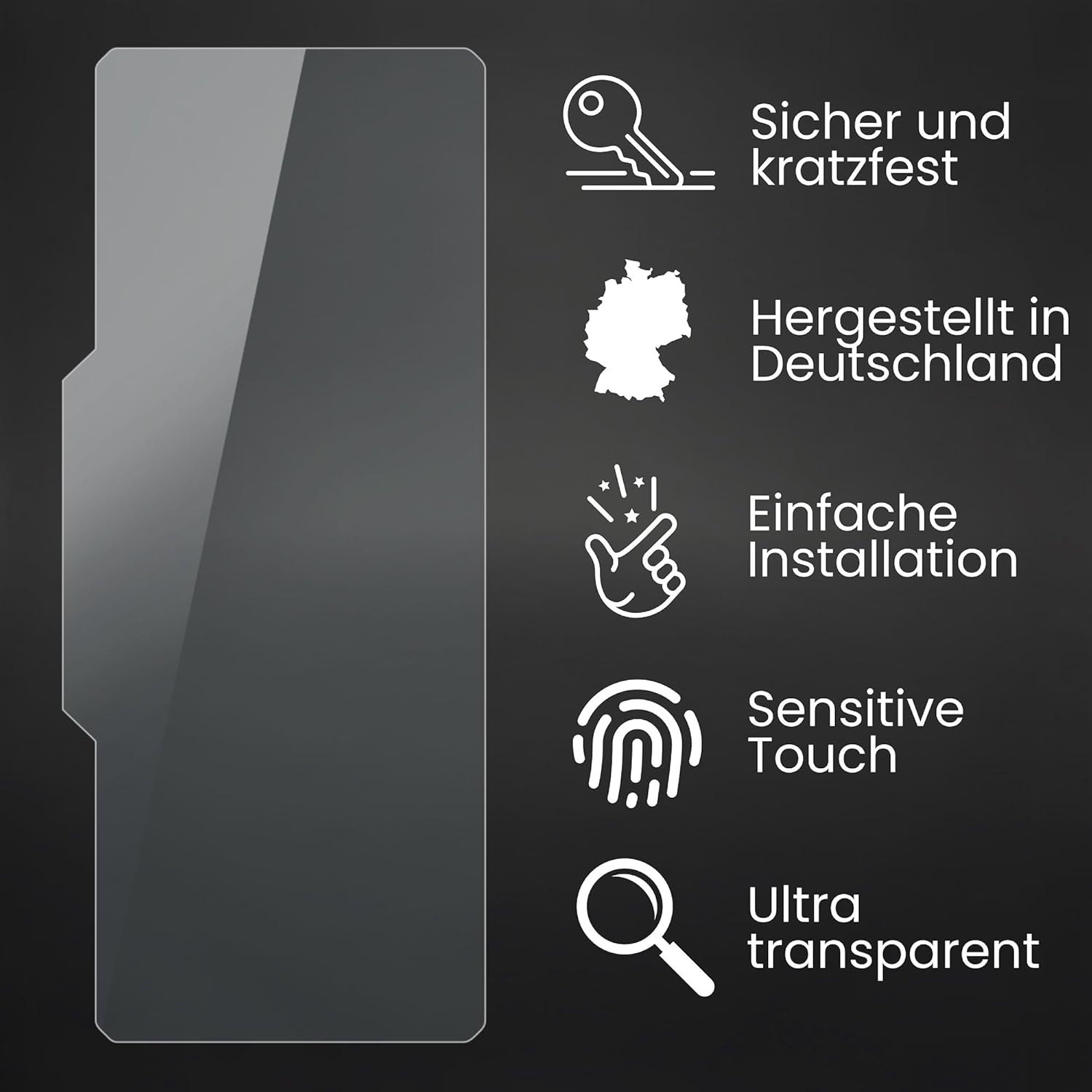
Image 1.2: Visual representation of key features including secure and scratch-resistant properties, German manufacturing, easy installation, sensitive touch, and ultra-transparency.
2. Package Contents
Upon opening your Bruni Screen Protector package, you should find the following items:
- Bruni Screen Protector Film (2X)
- Installation Tool (e.g., squeegee)
- Microfiber Cloth
- Installation Instructions (printed)

Image 2.1: Illustration of the package contents, including the screen protector film, installation tools, and cleaning cloth.
3. Installation Guide
Installing your Bruni Screen Protector is a simple process, typically completed in three steps. For best results, perform the installation in a dust-free environment.

Image 3.1: Visual guide to the super easy 3-step installation process.
- Clean the Screen: Use the provided microfiber cloth to thoroughly clean the Carpuride W619 screen. Ensure there are no dust particles, smudges, or fingerprints. For stubborn marks, a screen cleaning solution can be used, followed by drying with the microfiber cloth.
- Align the Protector: Carefully peel back a small portion of the protective layer from the screen protector. Align the exposed edge of the screen protector with the edge of your Carpuride W619 screen. Take your time to ensure precise alignment with all cutouts (if any) and edges.
- Apply and Smooth: Slowly peel off the rest of the protective layer while simultaneously applying the screen protector to the device. Use the provided installation tool (squeegee) to gently push out any air bubbles towards the edges as you apply. If bubbles persist, gently lift the nearest edge of the protector and re-apply, smoothing it down.
Tip: If you notice any dust particles trapped under the protector, gently lift the protector near the dust and use a piece of adhesive tape to dab and remove the particle from both the screen and the protector.
4. Operating and Performance
The Bruni Screen Protector is designed to maintain the original functionality and visual quality of your Carpuride W619 display.
4.1. Touch Sensitivity
This screen protector is optimized for touchscreen use, ensuring that the touch sensitivity of your Carpuride W619 remains unaffected. You will experience fast, highly sensitive, and precise touch responses, just as if no protector were applied.

Image 4.1: Demonstrating the fast and highly sensitive touch performance.
4.2. Display Clarity
The crystal-clear nature of the Bruni Screen Protector ensures a true representation of your screen's content. It does not diminish color vibrancy or clarity, allowing you to enjoy the full visual quality of your Carpuride W619.

Image 4.2: Highlighting true color display without degradation.
5. Maintenance and Care
To ensure the longevity and continued clarity of your Bruni Screen Protector, follow these simple maintenance guidelines:
- Cleaning: Use a soft, lint-free cloth (like the provided microfiber cloth) to gently wipe the screen protector. For smudges or fingerprints, slightly dampen the cloth with water or a mild, electronics-safe screen cleaner. Avoid harsh chemicals or abrasive materials.
- Avoid Sharp Objects: While the protector is scratch-resistant, extreme pressure or sharp objects can still cause damage. Avoid placing your device face down on rough surfaces or with keys/coins in your pocket.
- Temperature: Avoid exposing your device to extreme temperatures, as this can affect the protector's adhesion over time.

Image 5.1: Illustrating the scratch-resistant properties of the screen protector.

Image 5.2: Demonstrating the impact resistance of the screen protector.
6. Troubleshooting
While the Bruni Screen Protector is designed for easy installation, minor issues can sometimes occur. Here are solutions to common problems:
6.1. Air Bubbles
- Small Bubbles: Many small bubbles will naturally disappear within 24-48 hours as the protector fully adheres.
- Large Bubbles: Use the provided squeegee to gently push large bubbles towards the nearest edge of the screen. Apply firm, even pressure.
- Persistent Bubbles: If a bubble is stubborn, gently lift the corner of the screen protector closest to the bubble using a clean fingernail or the edge of a credit card. Re-apply the protector slowly, smoothing it down with the squeegee as you go.
6.2. Dust Particles Under the Protector
- Removal: Gently lift the screen protector near the dust particle. Use a piece of adhesive tape (e.g., Scotch tape) to dab the dust particle off both the screen and the adhesive side of the protector. Do not touch the adhesive side with your fingers.
- Prevention: Always install the screen protector in a clean, dust-free environment. Cleaning the screen thoroughly before application is crucial.
6.3. Misalignment
- Re-alignment: If the protector is significantly misaligned, gently lift it entirely from one corner. Re-align it carefully and re-apply following the installation steps. The Bruni protector is designed to be repositionable without leaving residue.
7. Specifications
| Brand | Bruni |
| Compatible Devices | Carpuride W619 |
| Material | Polyethylene Terephthalate (PET) |
| Item Hardness | 4H |
| Product Dimensions | 18.2L x 7.7W centimeters |
| Special Features | Removable without residue, Made in Germany, Very easy application, Crystal clear |
| Finish Type | Glossy |
| Screen Surface Description | Smooth |
| Color | Basics-Clear |
8. Warranty and Support
8.1. Warranty Information
Specific warranty details for the Bruni Screen Protector are not provided in this manual. Please refer to the product packaging or the seller's terms and conditions for any applicable warranty information.
8.2. Customer Support
For any questions, concerns, or assistance regarding your Bruni Screen Protector, please contact the seller directly. The seller for this product is @FoliX GmbH. You can typically find their contact information through your purchase platform or the product listing page.
When contacting support, please have your product model (Carpuride W619 compatible screen protector) and purchase details ready to facilitate a quicker resolution.