
1. Introduction
Thank you for choosing the Odoland 20000mAh Rechargeable Camping Fan with LED Lantern. This device is designed to provide portable cooling and illumination for various outdoor and indoor activities, including camping, picnics, power outages, and emergencies. Please read this manual carefully before use to ensure proper operation and maintenance.

Image 1.1: Odoland 20000mAh Rechargeable Camping Fan with LED Lantern. This image displays the fan in its upright position, with a phone connected via USB-C, indicating its power bank functionality. A smaller, hanging version of the fan is visible in the background.
2. Product Overview
Key Features:
- Powerful and Quiet Wind: Features 4 adjustable fan speeds, providing strong airflow up to 16 ft/s with minimal noise.
- Integrated LED Lantern: Offers 3 lighting colors (Warm, Cold, Warm & Cold) for versatile illumination.
- Rechargeable Battery: Equipped with a 20000mAh battery, providing extended operation and supporting reverse charging for other devices.
- Portable Design: Compact and lightweight, designed for easy transport and storage.
- Versatile Placement: Includes a standing base, handle, and 360-degree rotating hanging hook for various mounting options.
- Durable Construction: Made from anti-drop PP material.
Components:
- Fan Unit with LED Ring Light
- Integrated 20000mAh Rechargeable Battery
- Control Panel (Fan Speed, Light Mode, Power Button)
- USB-C Charging Port (Input)
- USB-A Output Port (Power Bank Function)
- Folding Stand/Handle
- Hanging Hook
- Type-C Charging Cable
3. Setup
- Unpacking: Carefully remove the fan and all accessories from the packaging. Retain packaging for future storage or transport.
- Initial Charge: Before first use, fully charge the fan. Connect the provided Type-C charging cable to the fan's charging port and a suitable USB power adapter (not included). The battery indicator lights will show charging progress. A full charge typically takes approximately 6 hours.
- Positioning: Place the fan on a stable, flat surface or use the integrated hanging hook to suspend it. Ensure the fan blades are unobstructed.
4. Charging the Fan
The Odoland camping fan is equipped with a high-capacity 20000mAh rechargeable battery. To charge the fan:
- Locate the USB-C input port on the fan's control panel.
- Connect the included Type-C charging cable to this port.
- Connect the other end of the cable to a USB power source (e.g., wall adapter, power bank, computer USB port).
- The battery indicator lights will illuminate to show the current charge level and charging status.
- Charging time may vary depending on the power output of your charging device, but typically takes around 6 hours for a full charge.

Image 4.1: Odoland Camping Fan's control panel showing the clear battery indicator and USB-A output port for power bank functionality.
5. Operating the Fan
The fan features 4 speed settings to adjust airflow according to your needs.
- Power On/Off: Press the fan power button (usually marked with a fan icon) once to turn the fan on at its lowest speed. Press and hold to turn off.
- Adjusting Fan Speed: While the fan is on, press the fan power button repeatedly to cycle through the 4 speed settings. Each press will increase the speed.

Image 5.1: Illustration of the fan's 4 speed settings and approximate battery life for each speed: Speed 1 (32 hours), Speed 2 (20 hours), Speed 3 (14 hours), Speed 4 (12 hours).
6. Operating the LED Lantern
The integrated LED lantern provides three distinct lighting modes.
- Power On/Off: Press the light power button (usually marked with a light bulb icon) once to turn the light on. Press and hold to turn off.
- Changing Light Mode: While the light is on, press the light power button repeatedly to cycle through the three lighting colors: Warm, Cold, and Warm & Cold (mixed).

Image 6.1: Visual representation of the three LED lantern brightness types: Warm, Cold, and a combination of Warm & Cold.
7. Power Bank Function
The fan can also serve as an emergency power bank to charge your mobile devices.
- Locate the USB-A output port on the fan's control panel.
- Connect your device's charging cable (not included) to this USB-A port.
- Connect the other end of the cable to your phone, GPS, or other compatible device.
- The fan's battery will begin charging your connected device.
Note: Using the power bank function will consume the fan's battery, reducing its operating time for cooling and lighting.
8. Placement and Usage
The Odoland camping fan offers flexible placement options for various environments.
- Desk Fan: Use the sturdy base to place the fan on any flat surface, such as a desk, table, or picnic blanket.
- Hanging Fan: Utilize the integrated 360-degree rotating hook to hang the fan inside a tent, from a branch, or within an RV.
- Adjustable Angle: The fan head can be adjusted up to 270 degrees, allowing you to direct airflow and light precisely where needed.

Image 8.1: Details of the fan's design, highlighting the 360-degree hanging hook, the integrated handle, and the 270-degree oscillating (tilt) design for versatile positioning.
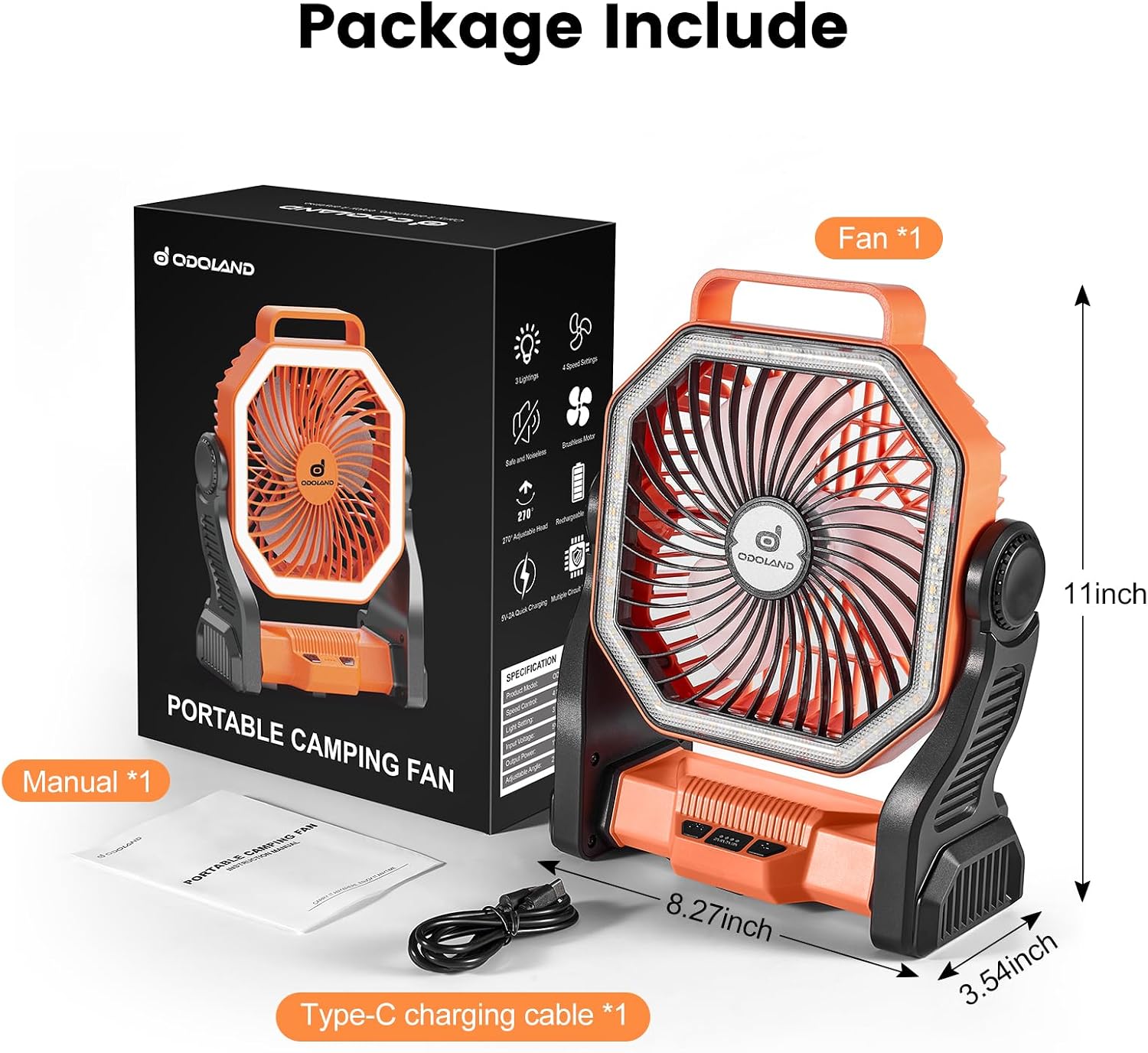
Image 8.2: Examples of the fan's use in different settings: inside a tent for camping, next to a person fishing, mounted in an RV for RV camping, and on a table for picnicking.
9. Maintenance
Regular maintenance ensures the longevity and optimal performance of your fan.
- Cleaning: Ensure the fan is turned off and unplugged before cleaning. Use a soft, dry cloth to wipe the exterior. For stubborn dirt, a slightly damp cloth can be used, followed by immediate drying. Do not use abrasive cleaners or immerse the fan in water.
- Blade Cleaning: Periodically clean the fan blades to prevent dust buildup, which can affect performance. Use a soft brush or compressed air to gently remove dust from the fan grille and blades.
- Storage: When not in use for extended periods, store the fan in a cool, dry place, away from direct sunlight and extreme temperatures. It is recommended to charge the battery to about 50-70% before storage and recharge it every 3-6 months to maintain battery health.
10. Troubleshooting
If you encounter issues with your Odoland camping fan, refer to the following common problems and solutions:
| Problem | Possible Cause | Solution |
|---|---|---|
| Fan does not turn on. | Battery is depleted. | Charge the fan fully using the provided Type-C cable. |
| Fan runs weakly or stops unexpectedly. | Low battery charge. | Recharge the fan. |
| LED lantern does not illuminate. | Battery is depleted or light function is off. | Charge the fan. Press the light power button to cycle through modes. |
| Device not charging from fan (power bank function). | Fan battery is low or cable is faulty. | Ensure the fan is sufficiently charged. Try a different USB-A cable. |
| Fan not charging when plugged in. | Faulty cable, adapter, or internal connection. | Try a different Type-C cable and USB power adapter. If the issue persists, an internal battery connector might be dislodged. Advanced Troubleshooting (for experienced users): Some users have reported that the internal battery charging connector can become dislodged. If comfortable, carefully disassemble the fan (remove screws under caps, separate housing) to check if the battery connector is pushed in all the way. Secure the battery to prevent future movement. Reassemble carefully. |
11. Specifications
| Feature | Detail |
|---|---|
| Brand | Odoland |
| Model Name | OD0729E-Odoland |
| Color | Orange |
| Electric Fan Design | Table Fan |
| Power Source | Battery Powered |
| Battery Capacity | 20000mAh |
| Product Dimensions | 8.66"D x 3.54"W x 10.63"H |
| Item Weight | 2.01 pounds |
| Special Feature | LED Light, Portable, Power Bank Function |
| Wattage | 10 watts |
| Number of Blades | 3 |
| Voltage | 5 Volts |
| Included Components | Batteries included (internal), Type-C charging cable |
| Indoor/Outdoor Usage | Outdoor |
| Control Method | Push Button |
| Cordless | Yes |
| Number of Power Levels (Fan) | 4 |
| LED Light Modes | 3 (Warm, Cold, Warm & Cold) |
12. Warranty and Support
This Odoland product comes with a 30-day warranty from the date of purchase, covering manufacturing defects. Please retain your proof of purchase for warranty claims.
For technical support, warranty inquiries, or any questions regarding your Odoland 20000mAh Rechargeable Camping Fan, please contact Odoland customer service through the retailer's platform or the official Odoland website.
Please note that the warranty does not cover damage caused by misuse, unauthorized modifications, accidents, or normal wear and tear.