
1. Product Overview
The DATOUBOSS Universal Pure Sine Wave Inverter (Model TY-PSW-6000) is a versatile voltage converter designed to transform 12V/24V DC power from batteries into stable 220V/230V AC power at 50Hz. This device features an intelligent identification system that automatically detects the connected battery voltage (12V or 24V), adjusting its rated power output accordingly. For 12V batteries, it provides 1500W rated power (3000W peak), and for 24V batteries, it delivers 3000W rated power (6000W peak).
Equipped with two EU sockets, a Type-C port, and a 2.1A USB port, this inverter offers broad compatibility for various electronic devices. Its pure sine wave output ensures clean and stable power, making it suitable for sensitive electronics. The inverter also incorporates multiple protection functions and an intelligent fan control system for optimal performance and safety.

This image displays the DATOUBOSS Pure Sine Wave Inverter from a top-front angle, showcasing its robust black casing, digital display, and connection terminals. Below the inverter, coiled red and black battery cables are visible, indicating included accessories for connection.
2. Safety Information
Please read and understand all safety instructions before operating the inverter. Failure to follow these instructions may result in electric shock, fire, or serious injury.
- Ventilation: Ensure adequate ventilation around the inverter. Do not block any ventilation openings. Overheating can cause damage to the unit.
- Environment: Operate the inverter in a dry, well-ventilated area, away from direct sunlight, heat sources, and flammable materials. Avoid exposure to water, rain, or excessive humidity.
- Connections: Always connect the inverter to the battery using the provided cables. Ensure correct polarity (positive to positive, negative to negative). Loose connections can cause excessive heat and damage.
- Load Capacity: Do not exceed the rated power of the inverter. Overloading can trigger protection functions or damage the unit and connected appliances.
- Maintenance: Do not attempt to open or service the inverter yourself. Refer all servicing to qualified personnel. There are no user-serviceable parts inside.
- Children: Keep the inverter out of reach of children.
- Emergency: In case of smoke, unusual odors, or abnormal operation, immediately disconnect the inverter from the power source and connected devices.
3. Setup and Installation
3.1 Unpacking
Carefully remove the inverter and all accessories from the packaging. Verify that all components are present and undamaged. Retain the packaging for future storage or transport.
3.2 Choosing a Location
Select a location that is dry, cool, and well-ventilated. Ensure there is sufficient space around the inverter for air circulation. Avoid placing it near heat-generating appliances or in direct sunlight.
3.3 Battery Connection
The inverter features an intelligent identification system for 12V and 24V batteries. It automatically adjusts its power output based on the detected voltage.
- Ensure the inverter's power switch is in the "OFF" position before making any connections.
- Connect the red (positive) cable to the positive (+) terminal of your battery and the red (positive) terminal of the inverter.
- Connect the black (negative) cable to the negative (-) terminal of your battery and the black (negative) terminal of the inverter.
- Ensure all connections are tight and secure to prevent arcing and overheating.
This inverter is compatible with a wide range of batteries, including Lithium-ion (LI), Lead-acid (SLA), Gel, Wet Cell (FLD), and AGM (Absorbent Glass Mat) batteries.

This image illustrates the intelligent identification system of the inverter, detailing its power output capabilities. In 12V mode, the rated power is 1500W with a peak power of 3000W. In 24V mode, the rated power increases to 3000W with a peak power of 6000W. The inverter is shown on a pedestal.

This diagram illustrates the operational flow of the 12V/24V Pure Sine Wave Inverter. It shows the inverter connected to multiple batteries (both 12V and 24V configurations) and providing stable AC output to various devices such as a refrigerator, computer, kettle, electric drill, microwave oven, and another refrigerator, demonstrating its clean power delivery.
4. Operating Instructions
4.1 Powering On/Off
- To turn on the inverter, ensure all connections are secure, then switch the power button to the "ON" position. The LCD display will illuminate.
- To turn off the inverter, first disconnect all AC loads, then switch the power button to the "OFF" position.
4.2 Connecting Devices
Once the inverter is powered on, you can connect your AC-powered devices to the two EU sockets. For charging smaller electronics, use the integrated Type-C and 2.1A USB ports.
- Ensure the total wattage of all connected devices does not exceed the inverter's rated power (1500W for 12V battery, 3000W for 24V battery).
- For optimal performance and longevity, avoid continuously running the inverter at its maximum rated power.

This image demonstrates the versatility of the dual voltage inverter, showing it connected to a laptop, smartphone, and other common household appliances like a kettle, electric drill, microwave oven, and refrigerator. It highlights the inverter's ability to power multiple devices simultaneously.
4.3 LCD Display
The integrated LCD display provides real-time information about the inverter's operation, including input voltage, output wattage, and frequency. This allows for easy monitoring of the power status.
5. Protection Functions
The DATOUBOSS inverter is equipped with multiple protection features to ensure safe and reliable operation for both the unit and your connected devices. When a protection function is triggered, the inverter may stop output and display an error code on the LCD screen.
- E1 Under Voltage Protection: Activates if the input battery voltage drops below the minimum operational threshold.
- E2 Overload Protection: Engages if the connected load exceeds the inverter's rated power capacity.
- E3 High Voltage Protection: Triggers if the input battery voltage rises above the maximum safe operating limit.
- E4 Overheating Protection: Initiates if the internal temperature of the inverter exceeds its maximum tolerance. The intelligent fan control system helps manage temperature by activating when the load is greater than 40% of the rated load.
- E5 Short Circuit Protection: Stops output immediately if a short circuit is detected in the load.
- Reverse Connection Protection: Prevents damage if battery polarity is accidentally reversed during connection.
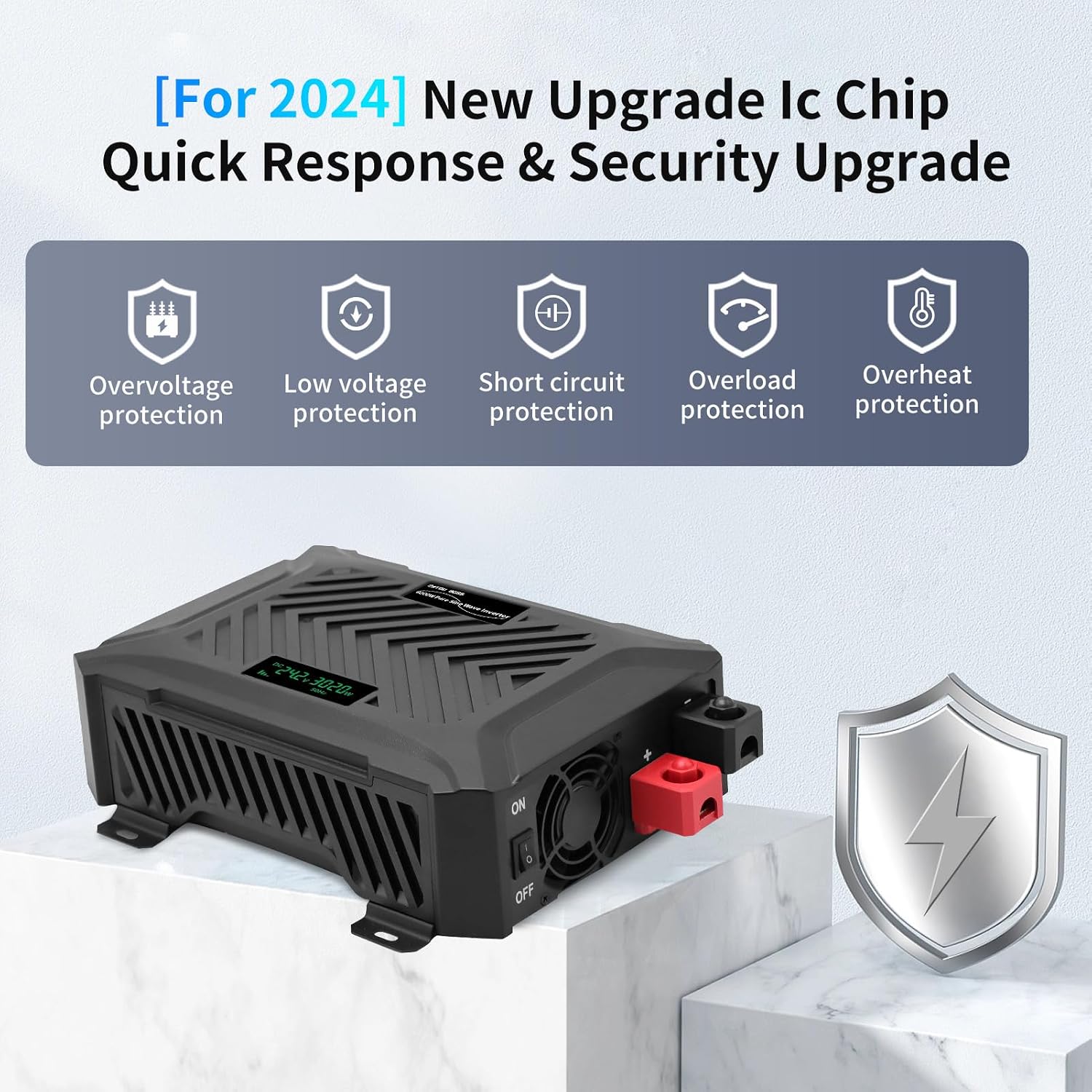
This image features the inverter alongside a shield icon, emphasizing its comprehensive protection features. Icons are displayed for overvoltage protection, low voltage protection, short circuit protection, overload protection, and overheat protection, indicating enhanced safety.
6. Troubleshooting
If you encounter issues with your inverter, refer to the following common problems and solutions:
| Problem/Error Code | Possible Cause | Solution |
|---|---|---|
| No output / Inverter not turning on | Loose battery connections, low battery voltage, inverter switch off, internal fuse. | Check battery connections for tightness. Recharge or replace battery. Ensure power switch is ON. Contact support if fuse is suspected. |
| E1 Under Voltage Protection | Battery voltage is too low. | Recharge the battery. If the battery is old, consider replacement. |
| E2 Overload Protection | Connected load exceeds inverter's capacity. | Reduce the total wattage of connected devices. Disconnect some appliances. |
| E3 High Voltage Protection | Battery voltage is too high. | Check battery charging system. Ensure correct battery type and voltage. |
| E4 Overheating Protection | Inverter is too hot. | Ensure proper ventilation. Clear any obstructions from fan vents. Reduce load. Allow inverter to cool down. |
| E5 Short Circuit Protection | Short circuit detected in the load. | Disconnect all loads. Check connected appliances and cables for damage or short circuits. Reconnect one by one. |
| Fan not running | Normal operation at low load, or fan malfunction. | The fan activates when the load exceeds 40% of rated power or internal temperature rises. If fan doesn't run under high load or high temperature, contact support. |
If the problem persists after attempting these solutions, please contact DATOUBOSS customer support for further assistance.
7. Maintenance
Regular maintenance helps ensure the longevity and optimal performance of your DATOUBOSS inverter.
- Cleaning: Periodically clean the exterior of the inverter with a soft, dry cloth. Do not use liquid cleaners or solvents.
- Ventilation: Ensure that the ventilation openings are free from dust and debris. Use compressed air to gently clear any blockages if necessary.
- Connections: Regularly check battery and output connections for tightness. Loose connections can lead to power loss and heat buildup.
- Storage: If storing the inverter for an extended period, disconnect it from the battery and store it in a cool, dry place.
8. Specifications
Key technical specifications for the DATOUBOSS Pure Sine Wave Inverter Model TY-PSW-6000:
| Feature | Detail |
|---|---|
| Model Name | TY-PSW-6000 |
| Brand | DATOUBOSS |
| Input Voltage (Intelligent Identification) | 12V DC / 24V DC |
| Rated Power (12V Input) | 1500W |
| Peak Power (12V Input) | 3000W |
| Rated Power (24V Input) | 3000W |
| Peak Power (24V Input) | 6000W |
| Output Voltage | 220V / 230V AC |
| Output Frequency | 50Hz |
| Output Waveform | Pure Sine Wave |
| Conversion Efficiency | >92% |
| Sockets | 2 EU Sockets |
| USB Ports | 1 Type-C, 1 x 2.1A USB |
| Display | LCD Screen |
| Product Dimensions | 33 x 24 x 8 cm (13 x 9.5 x 3.7 inches) |
| Weight | 3.6 kg |
| Recommended Uses | Office, Vehicle, Home |

This image provides the physical dimensions of the DATOUBOSS inverter, showing its length (33cm/13in), width (24cm/9.5in), and height (9.5cm/3.7in). The image also includes the red and black battery cables.
9. Warranty and Support
For warranty information and technical support, please refer to the documentation provided with your purchase or contact DATOUBOSS customer service directly. Details regarding specific warranty periods and claim procedures are typically outlined by the manufacturer.
For inquiries, please visit the official DATOUBOSS website or contact their support channels.


